This guide covers the 10 best Time Doctor alternatives in 2026, along with the kind of team each one fits and the price it starts at.
TL;DR
Reflow is the best Time Doctor alternative in 2026 for operations teams whose next question is what to automate. Reflow captures work time, active time, session time, and productive time through a native agent with no manual entry permitted anywhere in the product, then measures the process those hours belonged to: how many times it ran, how long a run took, how far each run departed from the written procedure, and how many hours a month automation would give back.
Hubstaff, Apploye, and eMonitor are the closest like-for-like swaps on monitoring depth. Hubstaff takes approved hours through to payout in multiple currencies; Apploye puts screenshots, app and URL tracking, and payroll on a free tier for up to ten people, with session recording priced as an add-on, and eMonitor puts the same agent on Windows, macOS, Linux, and Chromebook machines and adds DLP alerting to it.
DeskTime and TimeCamp capture time automatically at a lower per-seat rate. DeskTime grades applications, URLs, and document titles for productivity from the moment a machine powers on. TimeCamp fills the timesheet in the background through its AI Time Tracking Agent, and no user cap applies to the free plan.
Toggl Track and Timely publish stated positions against screenshots, which shortens the internal conversation about rollout, while Timely keeps its Memory tracker private to the employee until they approve what a manager sees.
Clockify and Jibble cost nothing to start: Clockify's free plan stops at five users but opens onto a long paid ladder, while Jibble applies no headcount limit to its free plan, and its verification set for frontline teams runs from Face Recognition and Geofencing through to NFC & PIN clock-in.
What are the best Time Doctor alternatives in 2026?
The best Time Doctor alternative in 2026 is Reflow, for enterprise operations teams that want workforce and workflow intelligence captured automatically and an automation decision at the end of it.
Here's the full shortlist of vendors:
Tool | Use case | Price |
Reflow | Workforce and workflow intelligence captured automatically, with no manual time entry: where time goes per process, which steps to automate, and the measured return afterwards. No integrations required. | Custom pricing (book a demo). |
Hubstaff | Activity rates, app and URL tracking, optional screenshots, project budgets, and payroll paid out through Payoneer, Wise, PayPal, or Deel. | From $4.99/seat/month (two-seat minimum). |
Apploye | Screenshots, Real Time Active View, session recording, payroll, and client invoicing, with ten seats free. | Free for up to 10 users; paid from $4.50/user/month (annual). |
eMonitor | One agent across Windows, macOS, Linux, and Chromebook, with attendance, productivity classification, DLP alerts, and employee-facing dashboards. | From $3.90/user/month (annual). |
DeskTime | Tracking from power-on, with URL, app, and document title data and a productivity score per person and per team. | From $6.42/user/month (annual, excluding VAT). |
TimeCamp | An AI Time Tracking Agent filling timesheets in the background, plus approvals, budgets, and a warehouse-ready enterprise tier. | Free for unlimited users; paid from $2.99/user/month (annual). |
Clockify | Timer, Timesheet, Calendar, Kiosk, and Auto tracker, with invoicing, scheduling, SSO, and audit logs further up the ladder. | Free for up to 5 users; paid from $3.99/seat/month (annual). |
Toggl Track | Timer-first tracking with Calendar View, flexible reporting, and a published no-screenshot position. | Free plan; paid from $9/license/month. |
Timely | The Memory tracker records privately, AutoSheet drafts the timesheet, and the employee approves before a manager sees anything. | From $9/user/month (yearly). |
Jibble | Free time and attendance at any headcount, with Face Recognition, Selfie Capture, Geofencing, and Kiosk clock-in. | Free forever for unlimited users; paid upgrades quoted in-app. |
#1: Reflow
Reflow is the best Time Doctor alternative in 2026 for enterprise operations teams that already have their productivity numbers and now want to know which processes to change.
Our platform captures the same base layer that a workforce analytics tool captures: work time, active time, session time, productive time, and where productivity is heading. None of it is typed in by a person.
Above that base, Reflow measures the process each stretch of time belonged to and produces a ranked list of the workflows worth automating, with the return measured after every change goes live.
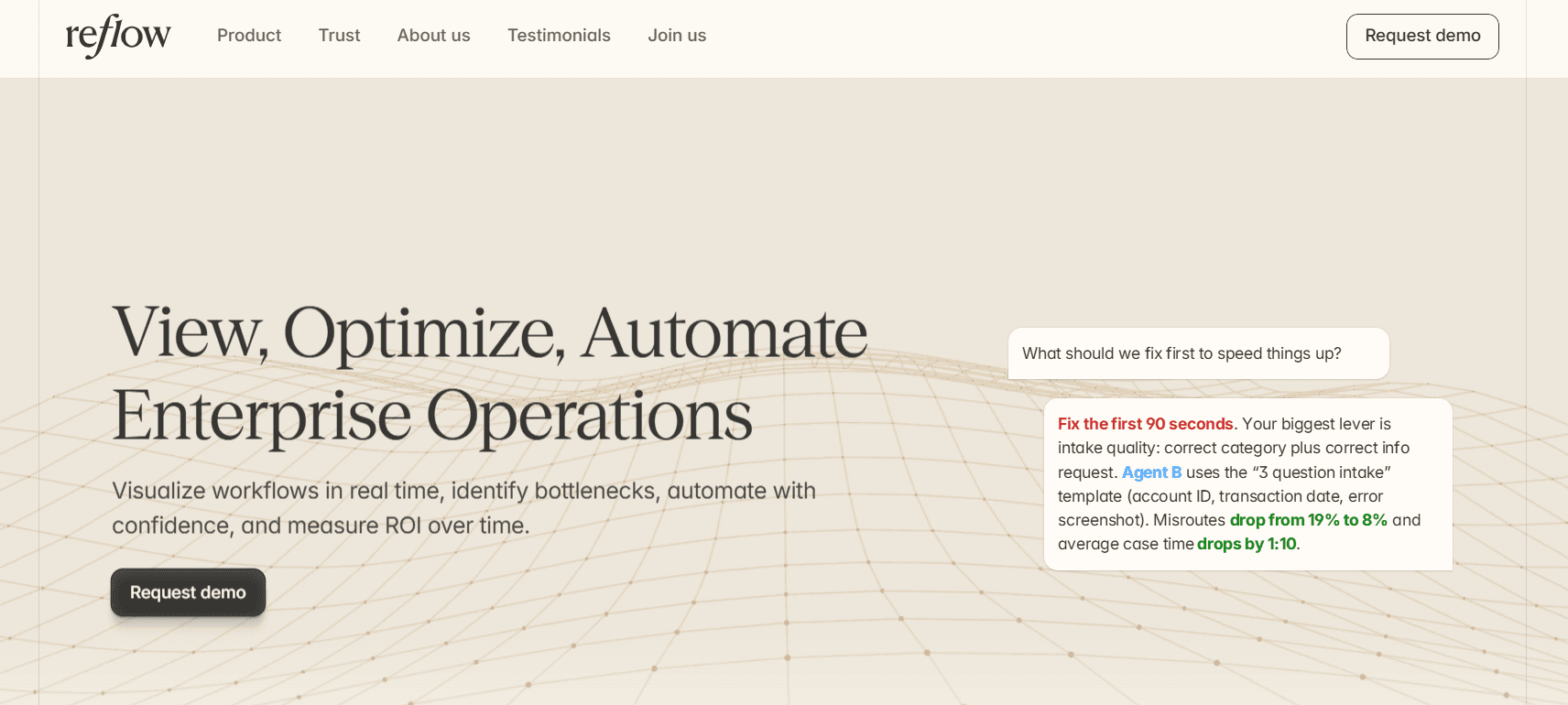
Disclosure: Reflow is our own platform. I've put it first, and I've been specific further down about the jobs Time Doctor does that Reflow does not.
Our workflow intelligence platform observes operational work through a native Mac and Windows agent and reconstructs the sequence of each process, including the steps that were skipped, the ones repeated, and the ones that stalled.
Every workflow then carries its own readout: total runs, average run time, average deviation per run, and the hours a month automation could recover.
Your employees don’t have to start a timer, and no integration project stands between installation and the first readout.
Here are the capabilities that make Reflow a strong alternative to Time Doctor.
Workflow readouts built from every run
Reflow records each execution of a workflow in sequence and attaches elapsed time to every step within it.
Subscription cancellation shows what that produces.
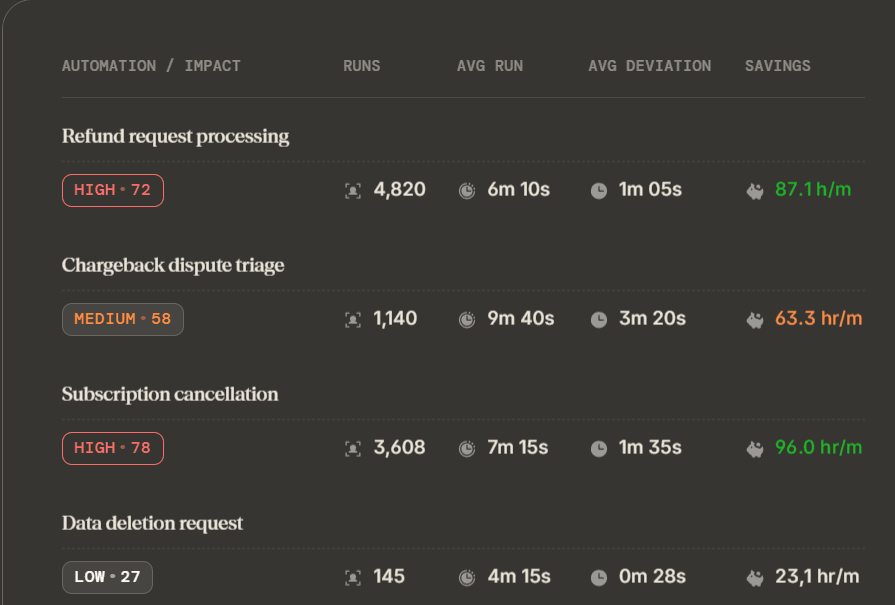
Across a month, Reflow's view of that process holds 3,608 runs, an average run time of 7 minutes 15 seconds, an average deviation of 1 minute 35 seconds per run, and 96 hours a month available if the repeatable portion were handled by software.
A timesheet covering the same team over the same month resolves all of that into one hours figure against a project code.
The deviation number is the one that changes a decision.
At 1 minute 35 seconds against a 7 minute 15 second average, just over a fifth of every cancellation goes on something the process was never designed to include, and Reflow identifies the steps responsible.
This will also help you put a cost on each unit of work.
Our platform splits operational time across customers, tasks, and projects, so the output is a cost attached to each unit of work and not one hours total for the month.
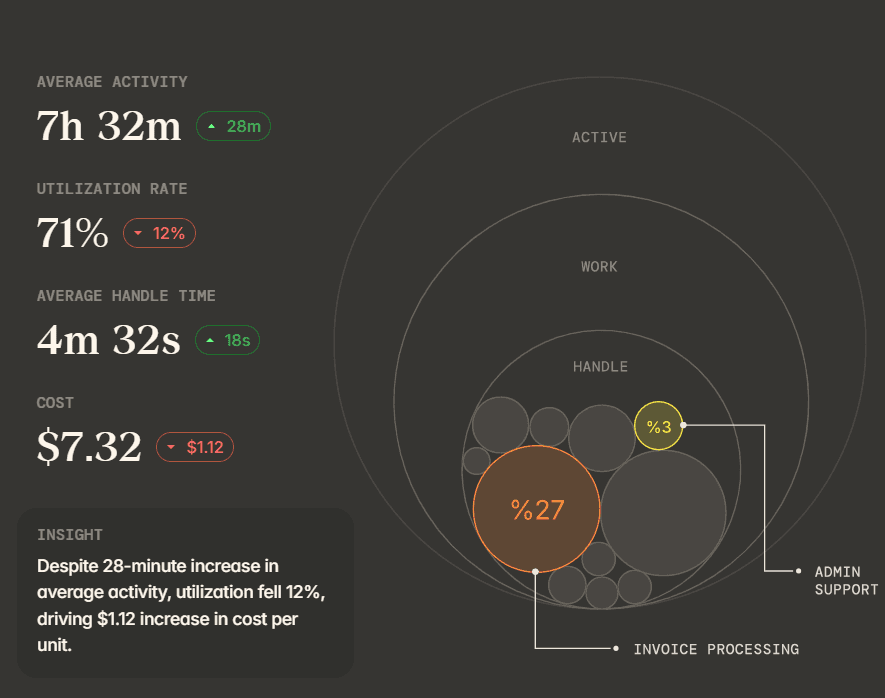
Applied to invoice correction and reissue, that breakdown returns 2,320 runs a month, an average of 5 minutes 20 seconds each, and 1 minute 55 seconds of average deviation per run.
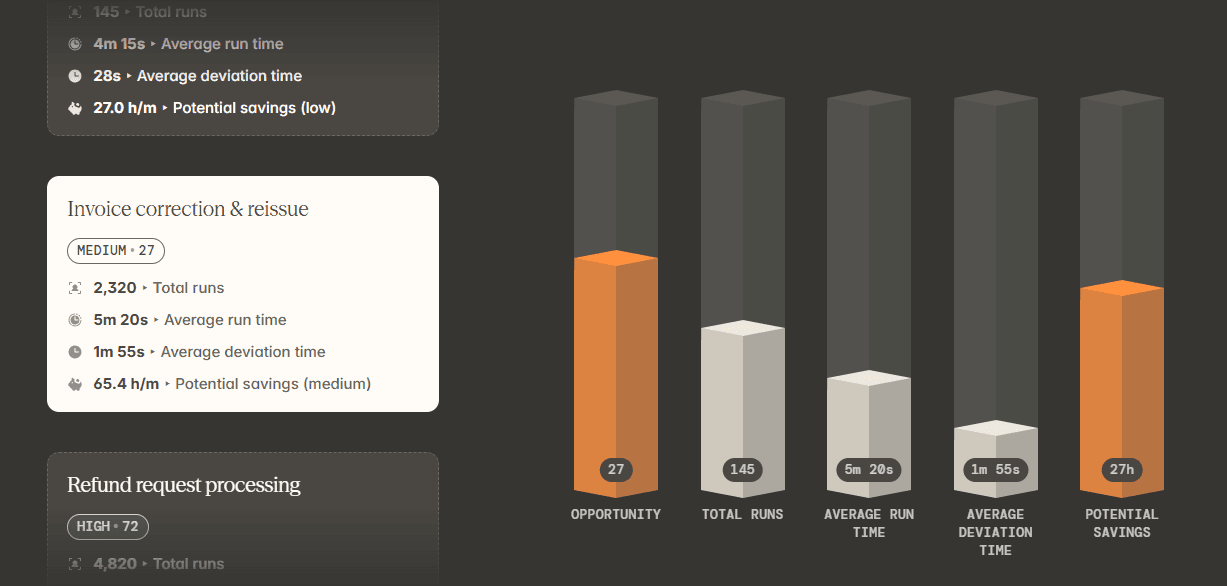
With the loaded cost of the billing specialist handling those cases applied against those figures, the result is a cost per corrected invoice.
That number is what finance needs before signing off on automating the correction step, and it's the number a monthly hours total can't produce.
Deviation from the written procedure, run by run
Reflow holds every run against the SOP it was meant to follow, step for step, so drift surfaces during the work itself and long before a quarterly review would catch it.
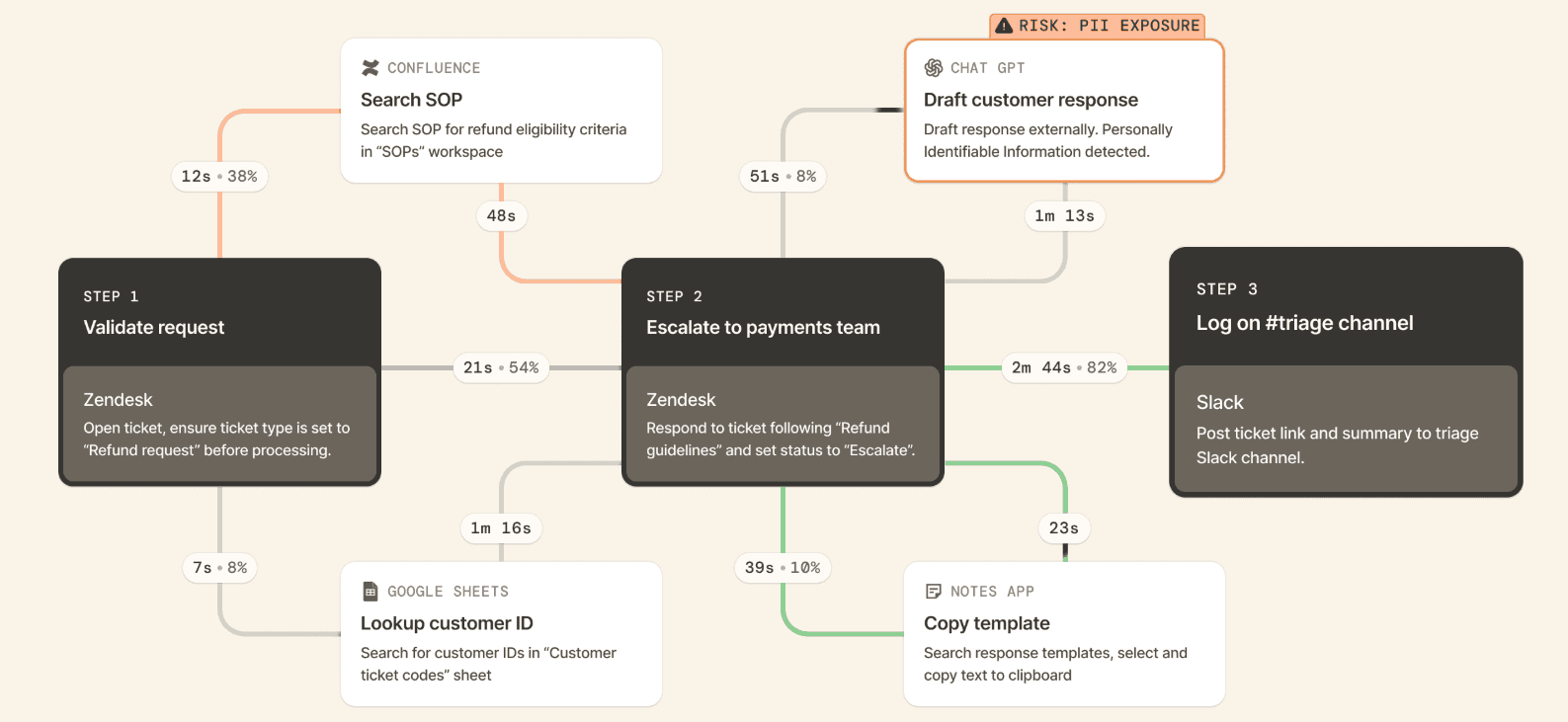
Chargeback dispute triage carries the widest deviation of the processes in that view: 3 minutes 20 seconds on an average run of 9 minutes 40 seconds, repeated 1,140 times a month.
A gap of that size usually means several analysts are working the same written procedure in different ways, and Reflow shows which steps account for the difference.
The same view answers a second question for team leads, which is whether the procedure documented last quarter still describes what happens today.
For processes with a regulatory response window attached, a skipped verification step becomes visible while there's still time to correct the run.
Automation ranked by return, then verified after it ships
Workflows arrive in Reflow already ordered by automation opportunity, each one naming the particular steps a machine should take over.
Reporting on that workflow carries on after the change ships, turning the return into a measured figure and not a forecast.
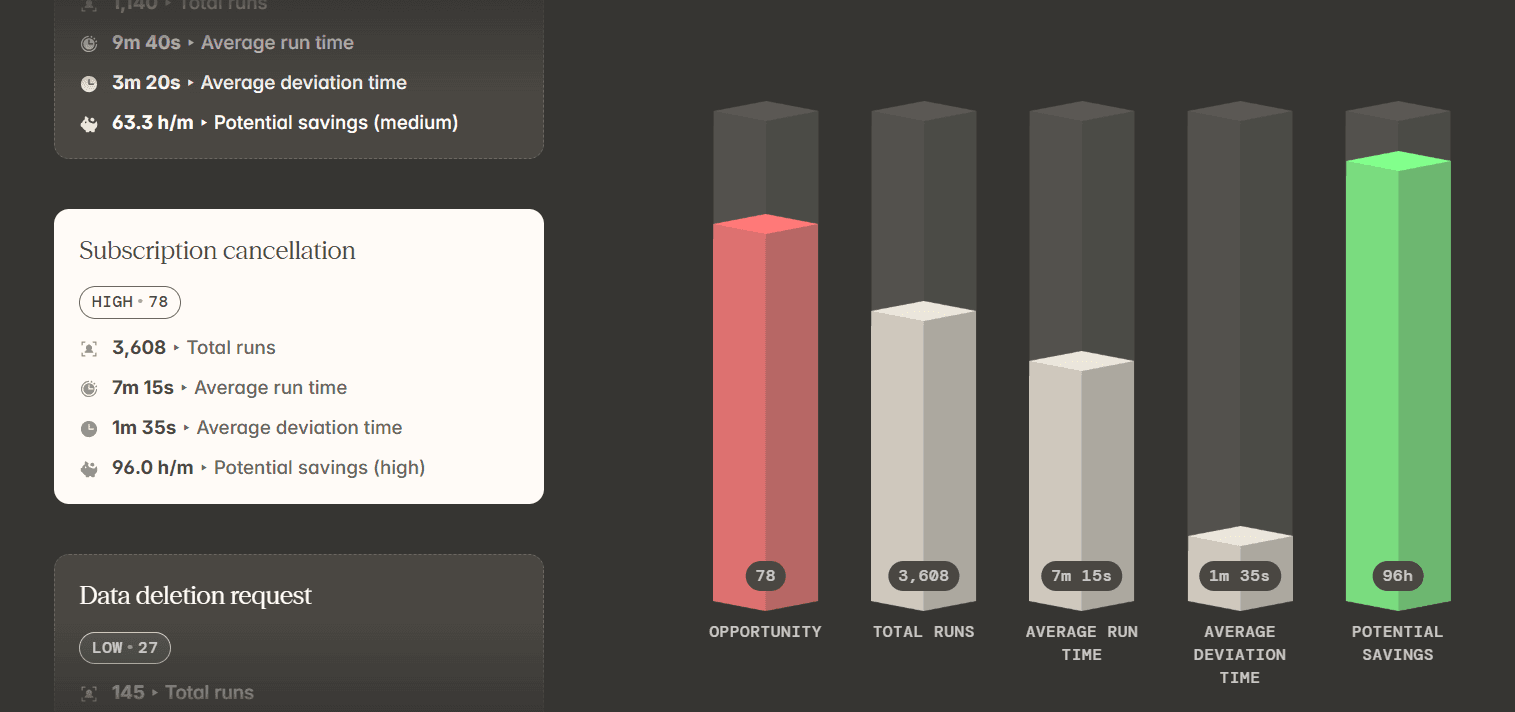
Here’s what a recommendation looks like: the workflow spends 52% of its time on repeatable steps, being lookup, copy-paste, and updating multiple systems, so the lookup, populate, and update sequence in the Refund Requests SOP should be automated.
The projected outcome is a 25-second sequence, 1 minute 40 seconds saved on every case, and missed-field errors removed.
Once that automation is live, the readout continues, and the next decision gets made against observed numbers. The automation can also run on Reflow, which keeps discovery and execution inside one product.
💡 At Reflow, all data is encrypted in transit and at rest using industry-leading standards. We collect information through a privacy-first approach with strict access permissions. Learn more about our compliance and security controls in our Trust Centre.
Capture with no timer and no manual entry
Every interaction on a Mac or Windows machine is captured by Reflow's agent, and models trained on that stream assign each stretch of work to a project, to a type of work, and to a productivity classification. No person tags any of it.
There is no start button, and a forgotten Tuesday afternoon cannot be reconstructed on Friday, because manual entry is disallowed everywhere in the product.
➡️ Where we have run Reflow next to a customer's incumbent tracker on the same machines, the accuracy gap has measured between 50 and 80%.
That same agent supplies the task mining behind the workflow layer, and a person reviews any point where the classification calls for judgment.
That base layer is the workforce intelligence a time tracker is expected to deliver:
Headcount and how work is distributed across it
Average work time
Active time
Session time
Productive time
The direction productivity is moving.
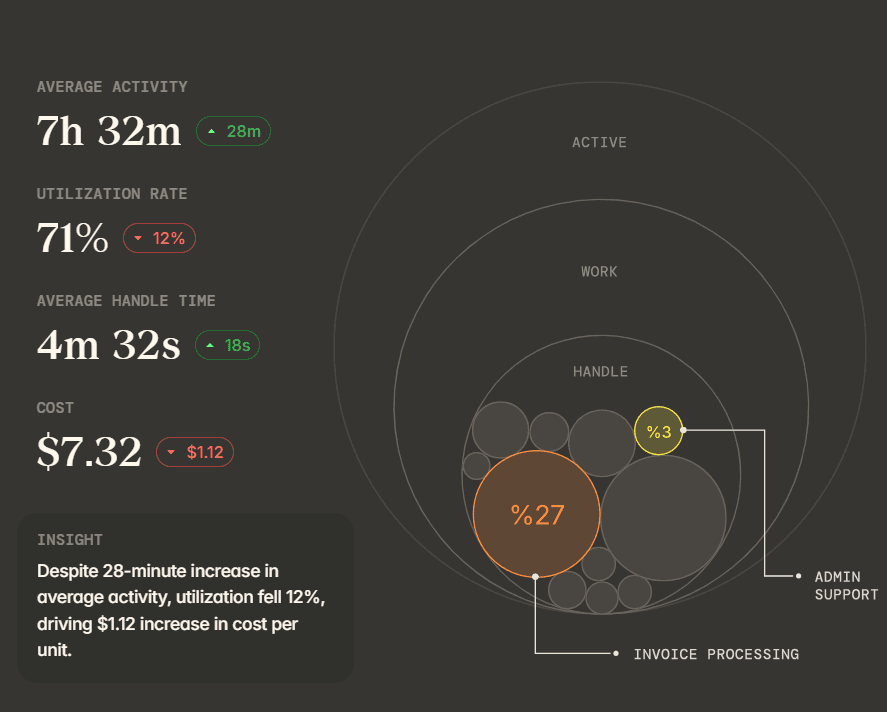
Reflow gives workforce managers all of that, then builds workflow intelligence and workflow automation on the same captured data.
How is Reflow different from Time Doctor?
The main difference is that Time Doctor reports on the person and the day, while Reflow reports on the process and the run, then converts that into an automation decision with a measured return.
Both products capture desktop activity automatically, and both classify applications and websites. The unit of analysis is where the two separate.
Time Doctor organizes its reporting around the employee: hours worked, active against idle time, productivity ratings you configure yourself, attendance and shift patterns, work-life balance metrics, and Benchmarks AI, which sets a team's figures against AI-matched benchmarks drawn from comparable organizations.
For a BPO holding an SLA, a contact centre running shifts across time zones, or any team that needs a visual record for client billing, that feature set is well matched to the job, and Time Doctor has built a deep and mature product around it.
Reflow organizes its reporting around the process.
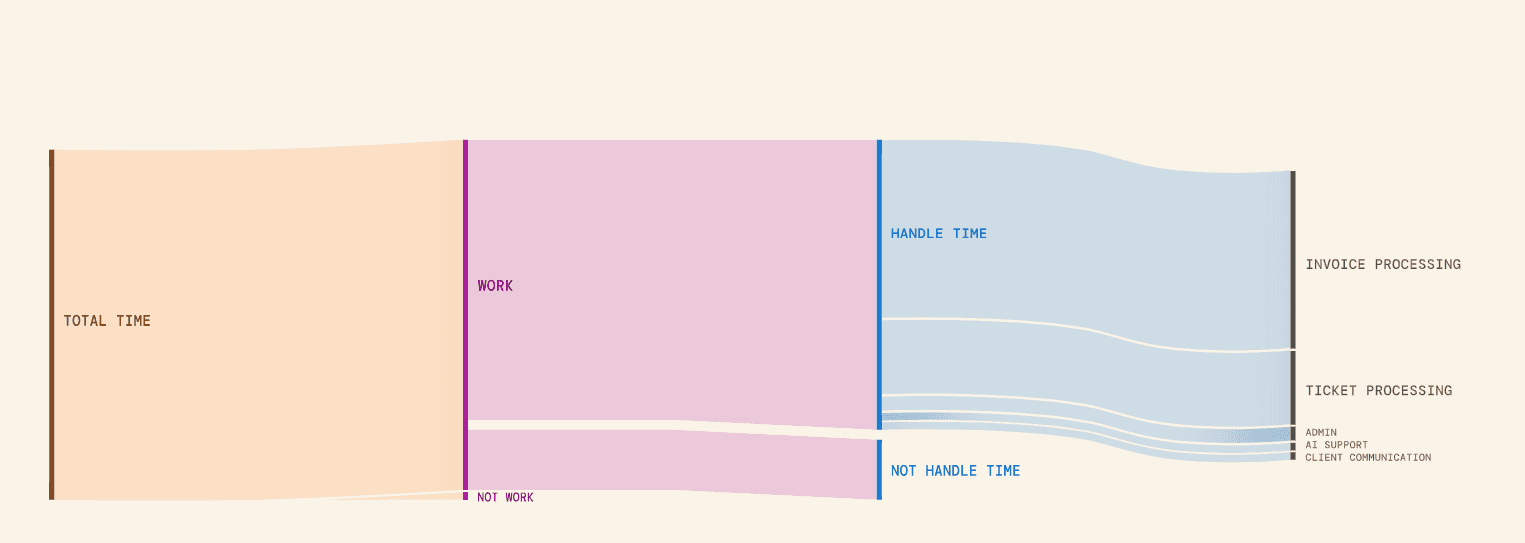
Each workflow carries total runs, average run time, average deviation per run, and monthly hours recoverable through automation, carried next to the productivity and utilization figures a workforce analytics tool provides.
A Reflow report ends in a ranked list of what to automate and, once the change ships, a measurement of what it returned.
A few practical differences follow from that:
Reflow permits no manual time entry at any point, so there is no corrected timesheet and no Friday afternoon spent reconstructing Tuesday.
Reflow requires no integrations, so it can be installed while Time Doctor is still running and the two sets of numbers compared before anything is switched off.
Reflow takes no screenshots and records no video: Organizations that need a visual record for client billing or compliance evidence are better served by a product built for that purpose, and Time Doctor is one of them.
Reflow pricing
Reflow does not publish rates. Pricing follows a demo, which you can book from our website.
💡 Onboarding is white-glove. Our team handles configuration, and the demand on your people is small.
As nothing needs integrating, a trial can run while your current tracker stays live, which makes the two datasets directly comparable. Teams still inside a contract with another vendor can have those terms matched for an initial period.
Reflow pros and cons
✅ A native Mac and Windows agent captures work automatically, and manual time entry is not permitted anywhere in the product.
✅ Every workflow reports total runs, average run time, average deviation per run, and monthly hours recoverable.
✅ Unit economics by customer, task, and project, so finance can cost a single case.
✅ SOP adherence checked run by run, which surfaces drift and compliance exposure as the work happens.
✅ Automation opportunities ranked by impact, with the return measured after each one goes live.
✅ No integrations and no engineering time, with white-glove setup and a parallel trial against your current tracker.
✅ SOC 2 Type 2, HIPAA, GDPR, and CPRA/CCPA in the base plans, plus SSO and OAuth login, configurable collection, and aggregated or anonymized views.
❌ No payroll, per-hour invoicing, scheduling, or HR and resource planning.
❌ Rates are not published.
#2: Hubstaff
Best for: Hybrid and remote teams that want tracked hours to end as a payment, with monitoring intensity set separately for each team.
Similar to: Apploye, eMonitor.
Hubstaff is built so a recorded hour finishes as money in someone's account.
Timers on desktop, web, and mobile feed activity rates, app and URL data, optional screenshots, and project budgets, and the approved total leaves through Payoneer, Wise, PayPal, or Deel without a second system handling it.
Features
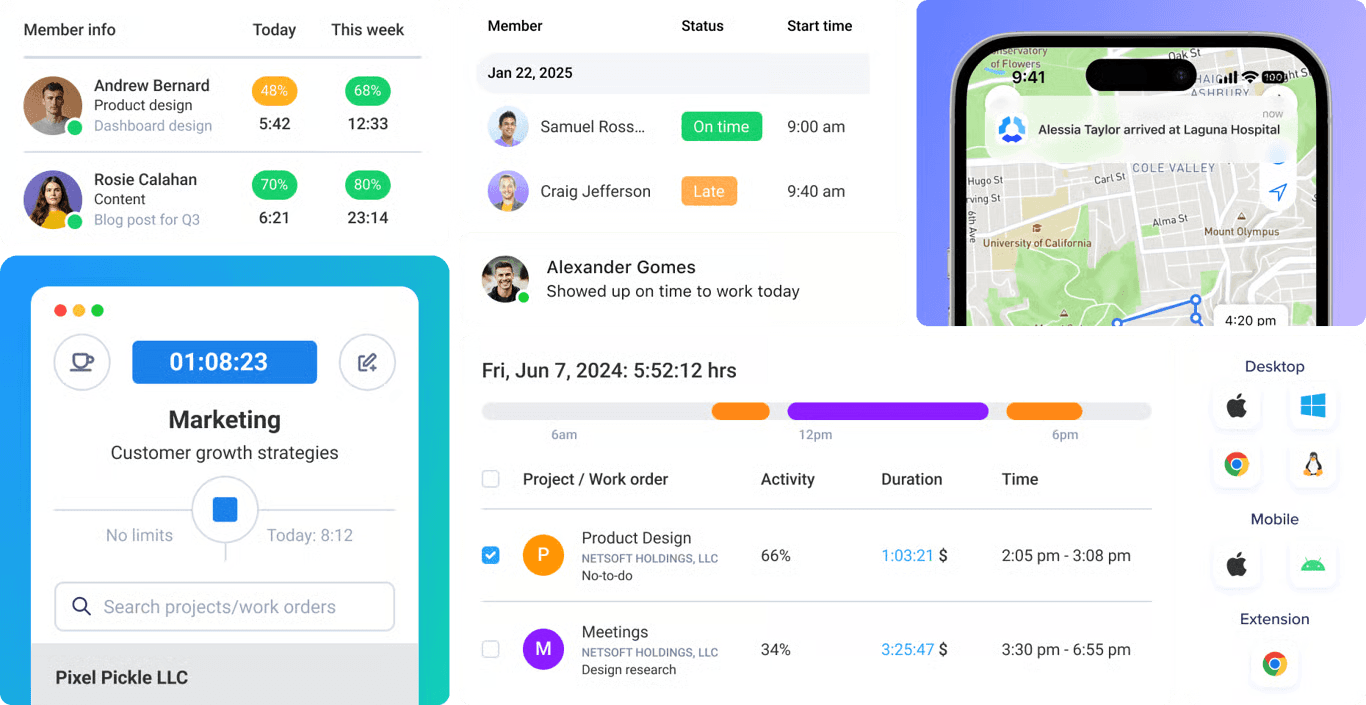
Tracking across devices: desktop, web, and mobile, GPS-based tracking for field work, and background capture on company machines through the Silent app add-on.
Monitoring configured per team: activity rates, app and URL tracking, and screenshots, with visibility settings adjusted team by team and screenshots left optional.
Budgets and profitability: project budgets, spend measured against them, live cost data, and alerts when a project is heading over.
Insights: utilization trends, capacity gaps, focus and meeting time, work classification, and unusual activity detection.
Global payments: multi-currency payouts on your chosen pay frequency, released from approved time through Deel, Wise, PayPal, and Payoneer.
Pricing
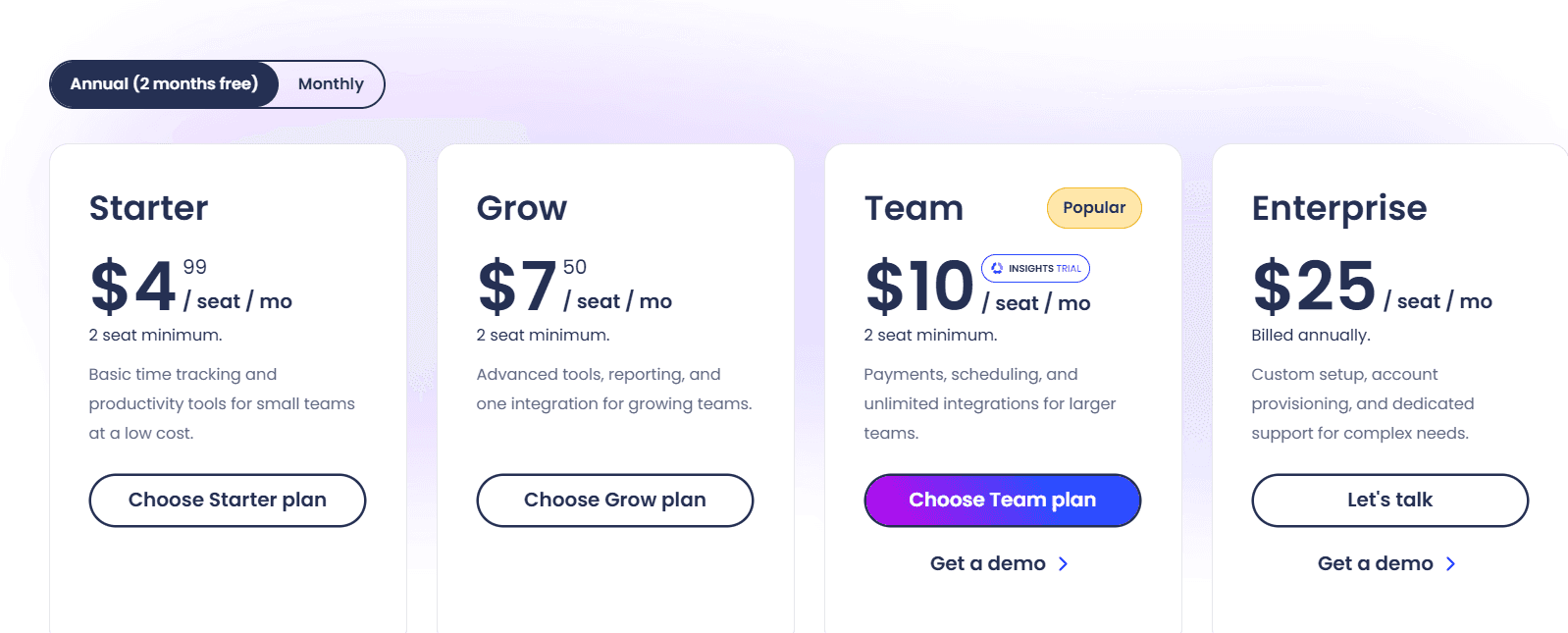
Hubstaff publishes four tiers:
Starter: $4.99 per seat per month, covering the multi-platform timer, timesheets, activity levels, 500 screenshots and app and URL records per seat per month, 5 clients, client invoices, and limited payments and payroll.
Grow: $7.50, adding idle time-out, project budgets, expense tracking, one integration, Tasks, 1,500 screenshots and app and URL records per seat per month, and a one-day email support SLA.
Team: $10, adding timesheet approvals, scheduling and attendance, time off and holidays, overtime, client budgets, team invoices, unlimited integrations, complete payments and payroll, a limited public API, audit logs, chat support, and a three-month Insights trial.
Enterprise: $25 billed annually, folding in Insights, Locations, and the Silent app at no extra charge, alongside SOC 2 Type II and HIPAA compliance, SSO, SCIM provisioning, account provisioning, an assigned account rep, concierge setup, and a two-hour email SLA.
Add-ons: Insights $2.50, Tasks $2.50, More screenshots $2.50, Silent app $2.50, Data retention $1.67, and Locations $3.33, each per seat per month.
The trial lasts 14 days with no card required, and Hubstaff backs a purchase with 30 days of money-back cover.
Pros and cons
✅ Payroll is native, so approved hours reach a bank account in the right currency without a second system.
✅ Monitoring level is configured team by team, from activity rates only up to screenshots.
✅ The API, CLI, and MCP server make Hubstaff data reachable from scripts and AI assistants.
❌ SOC 2, HIPAA, SSO, and SCIM arrive at the $25 Enterprise tier, and Insights is a paid add-on below that.
#3: Apploye
Best for: Remote and hybrid teams that want screenshot and video depth, payroll, and client invoicing at a low per-user rate.
Similar to: Hubstaff, eMonitor.
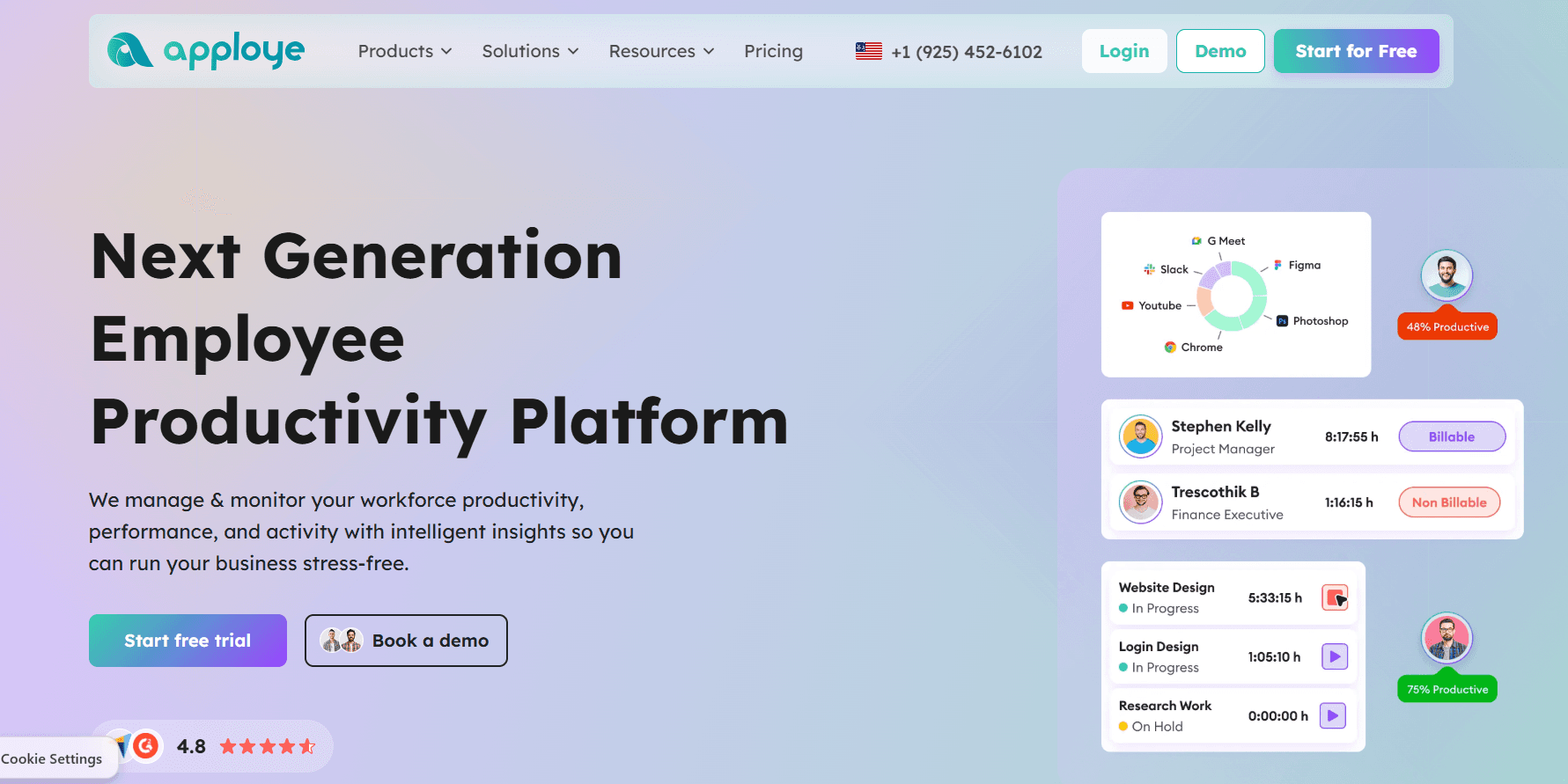
Monitoring depth is what Apploye competes on, and some of that depth arrives before anyone pays.
Screenshots, app and URL tracking, timesheets, payroll runs, and client invoices cover ten users at no cost, while Real Time Active View belongs to Elite and video capture of a full session is priced separately as an add-on.
Features
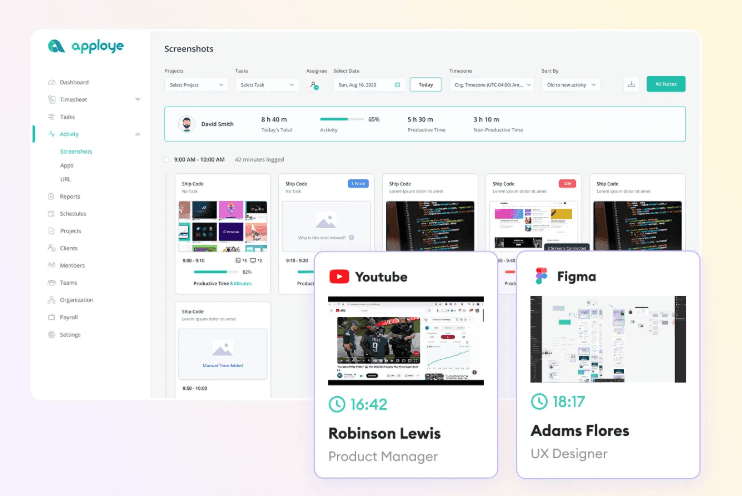
Screen and video capture: periodic screenshots (optional, with a higher-frequency add-on), Real Time Active View, instant screenshots on Power, and full session recording as an add-on.
Tracking and attendance: timers, timesheets generated automatically with an approval step, clock-in and clock-out captured automatically, and leave management.
Productivity analytics: activity levels with app and URL tracking, custom reports from Elite upward, and AI report analysis listed as coming soon.
Payroll and billing: pay rates set per member, payroll runs, and client invoices produced from tracked time.
Platforms: Mac, Windows, Linux, iOS, Android, and Chrome, with Stealth Mode, on-premise hosting, and white labelling available as add-ons.
Pricing
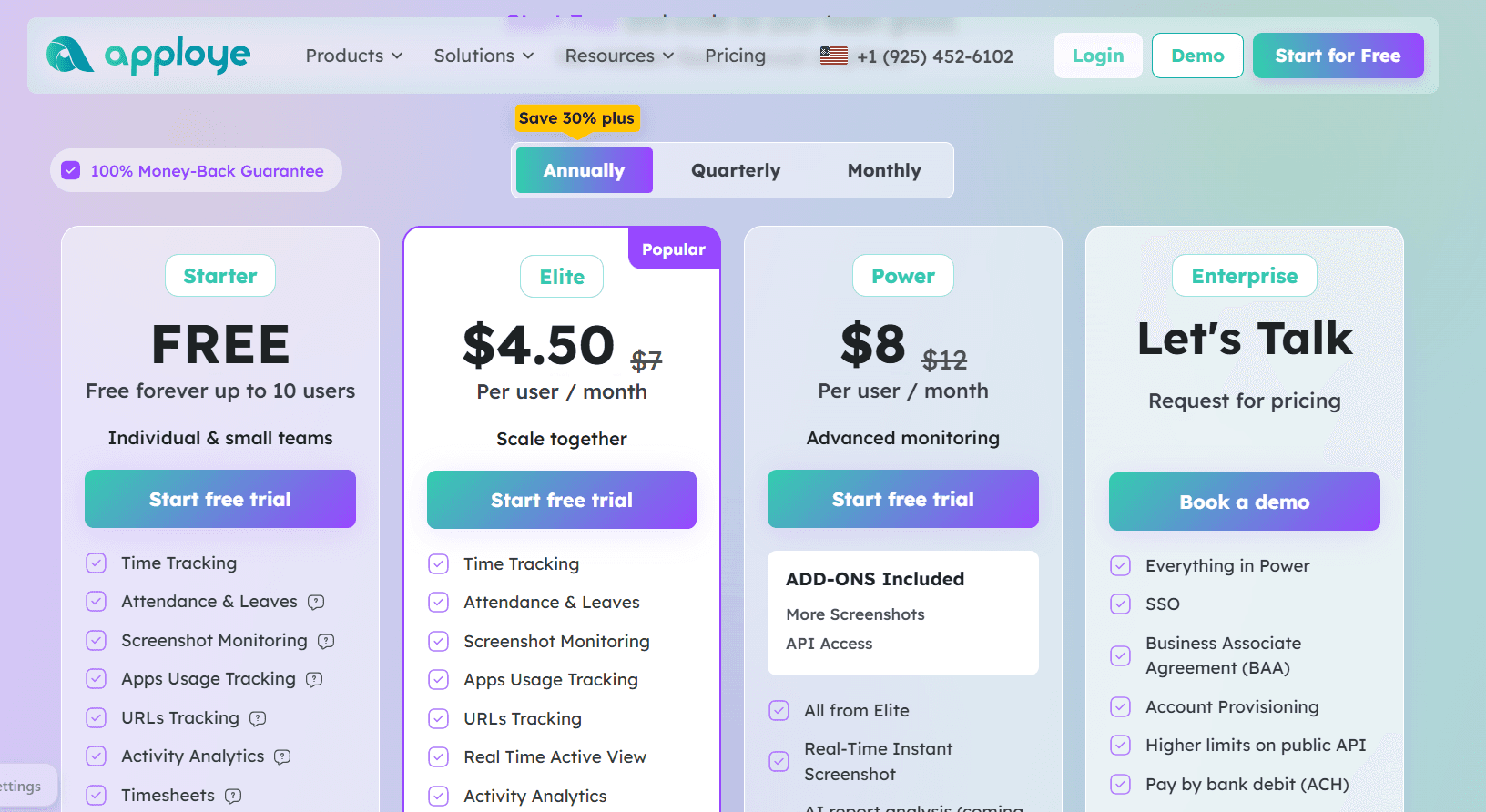
Ten seats cost nothing on Apploye's Starter plan. Elite is then $4.50 and Power is $8 per user per month on annual billing, with Enterprise quoted on request.
Starter: $0 for up to 10 users, permanently, with time tracking, attendance and leaves, screenshot monitoring, app and URL tracking, activity analytics, timesheets and approval, projects, clients and invoices, and payroll.
Elite: $4.50 per user per month billed annually, listed down from $7, adding Real Time Active View, optional screenshots, integrations, and custom reports.
Power: $8 billed annually, listed down from $12, folding in More Screenshots and API Access, plus real-time instant screenshots, with AI report analysis and an AI chatbot marked coming soon.
Enterprise: quoted, with SSO, a Business Associate Agreement, account provisioning, higher API limits, ACH payment, guided onboarding, and dedicated support.
Add-ons: Stealth Mode $2, More Screenshots $2, API Access $1, Screen Recording $4, White Labelling $3, and On Premise $3 (the last two at 100-plus users), each per user per month, plus BigQuery at $1,000 per organization per month.
Pros and cons
✅ Ten free seats that include screenshots and payroll.
✅ GDPR and HIPAA compliance, with a BAA available on Enterprise.
✅ Onboarding at $150 and data migration at $200 are one-time charges.
❌ Stealth Mode, screen recording, and white labelling are priced separately from the plan.
#4: eMonitor
Best for: IT teams supporting a mixed fleet of Windows, macOS, Linux, and Chromebook machines that need attendance, activity data, and DLP alerts from a single agent.
Similar to: Apploye, Hubstaff.
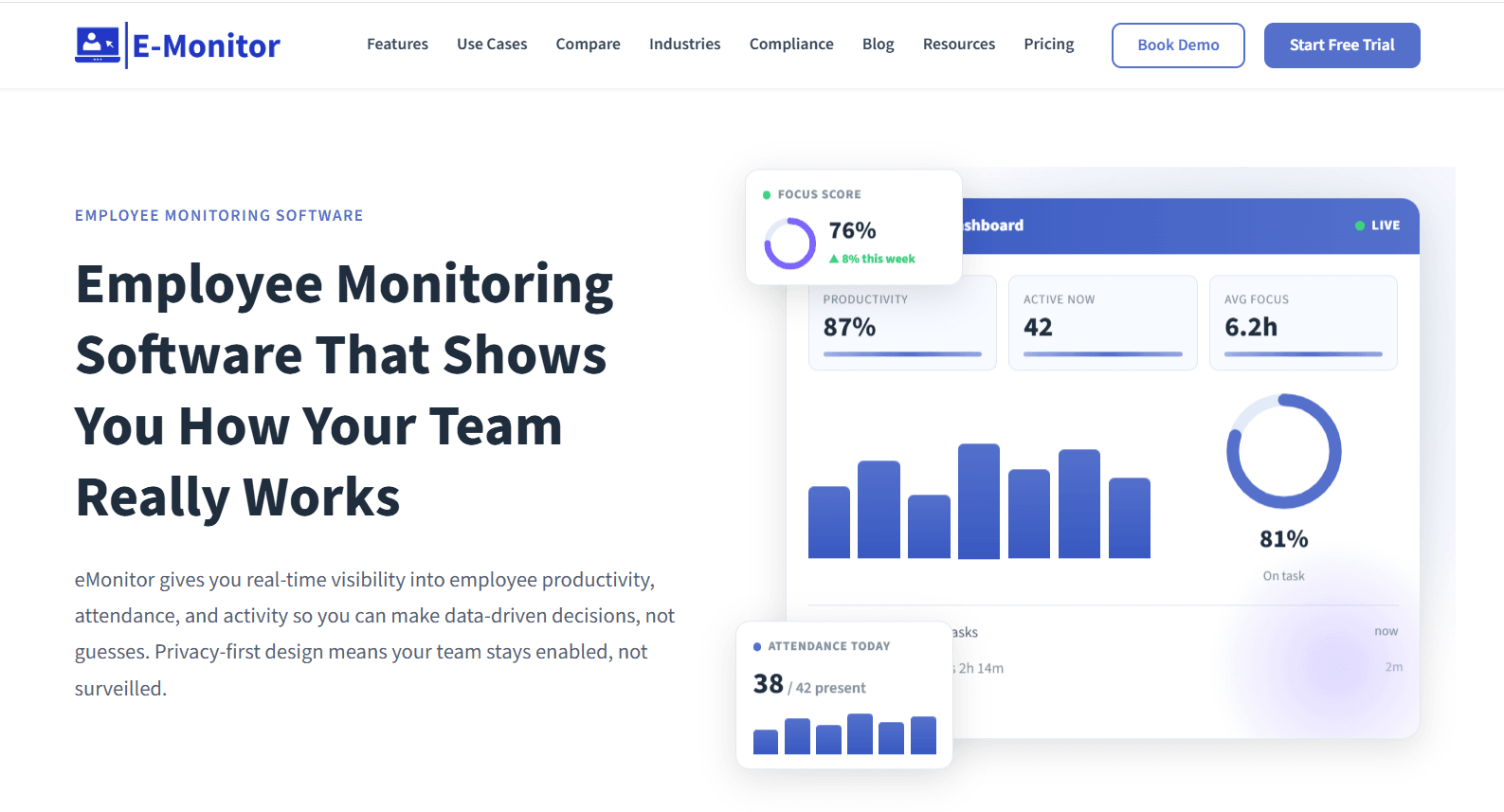
A mixed hardware estate is the problem eMonitor is designed around.
The agent behaves the same way on Windows, on macOS, on Linux, and on a Chromebook, costs the same on each, and reaches machines either through an MDM push or a self-install link sent to staff.
Features
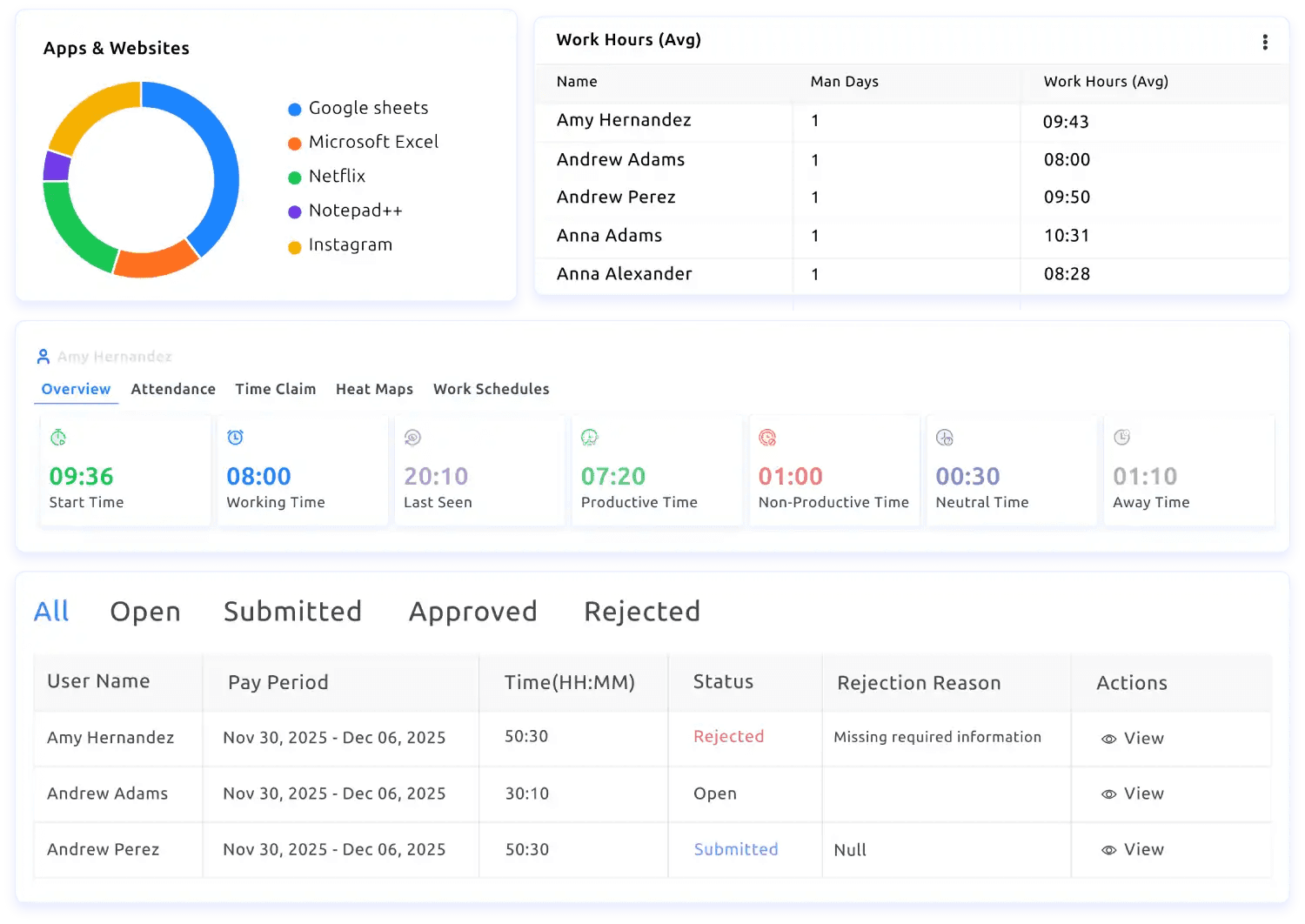
Time and activity: automatic timesheets, active against idle detection, per-app time, and attendance that records clock-in and clock-out and reports lateness, absence, and breaks from a shift pattern.
App and website classification: each application and site marked productive or not by role, readable for one person, a team, or the whole company.
Screen monitoring: screenshots on a schedule or triggered by a change in activity, with sensitive applications blurred, plus live view on Enterprise.
DLP and alerts: USB blocking, file transfer and cloud upload monitoring, and an alert raised when a policy is breached.
Dashboards and exports: managers see only the reports they own, employees can open their own figures, trends are retained over time, and any view exports to CSV or PDF or pushes into a BI tool.
Pricing
There are 3 plans that you can choose from:
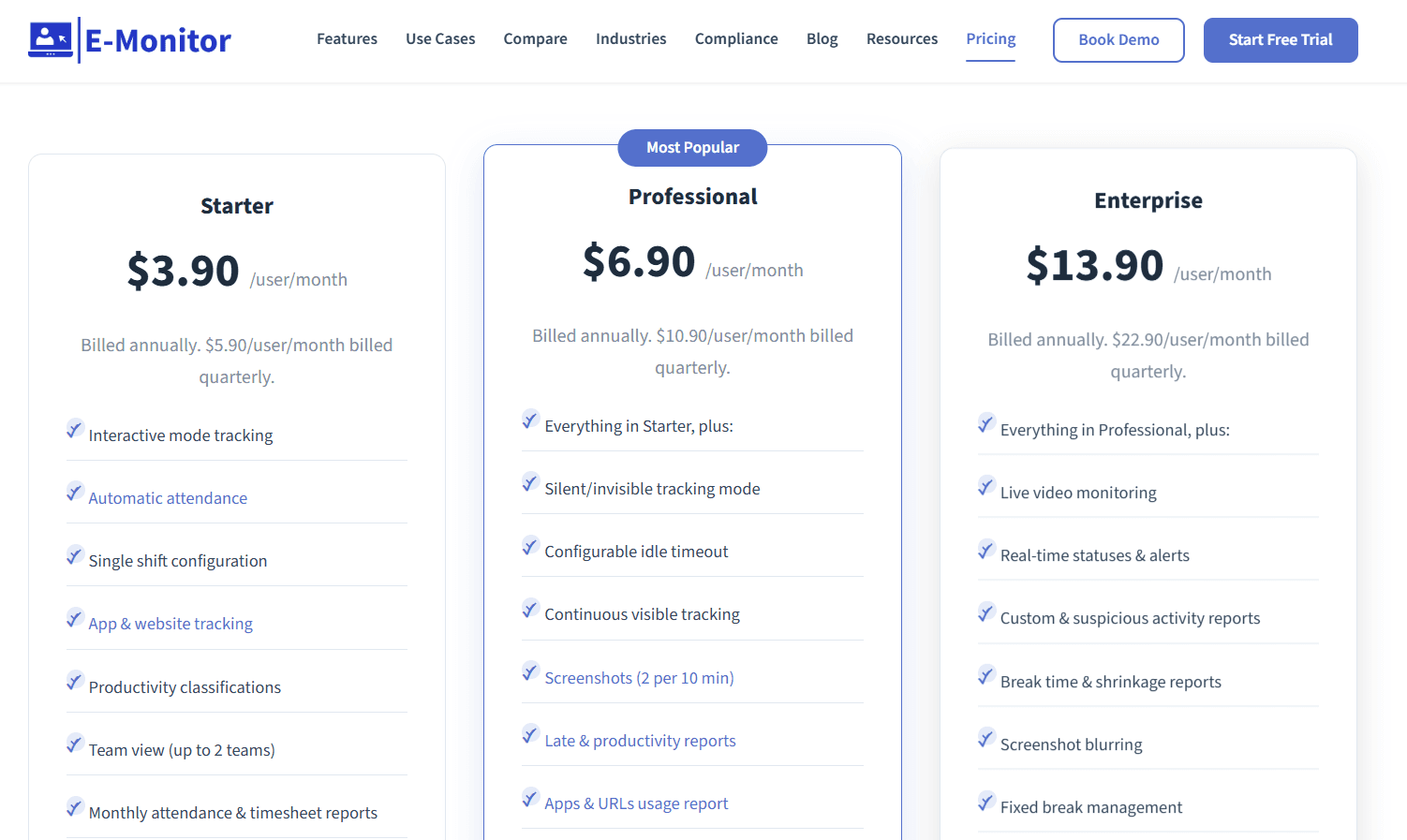
Starter: $3.90 per user per month billed annually ($5.90 quarterly), for up to 25 users, with interactive-mode tracking, automatic attendance, one shift configuration, app and website tracking, productivity classifications, up to 2 teams, monthly attendance and timesheet reports, and 7-day retention.
Professional: $6.90 billed annually ($10.90 quarterly), adding silent tracking mode, a configurable idle timeout, screenshots at two per ten minutes, late and productivity reports, app and URL usage reports, summary alerts, a week of detailed activity, multiple shift configurations, up to 10 teams, and 90-day retention.
Enterprise: $13.90 billed annually ($22.90 quarterly), adding live video monitoring, real-time statuses and alerts, custom and suspicious activity reports, break time and shrinkage reports, screenshot blurring, Azure SSO, API access, up to 50 teams, custom retention, a dedicated account manager, and phone support.
Pros and cons
✅ Identical features on every operating system, Chromebook included, at one price.
✅ DLP alerts from the Professional tier, which most time tracking products don't cover at all.
✅ Employee dashboards are on by default, which makes the rollout announcement easier to write.
❌ Retention is 7 days on Starter and 90 days on Professional, so a longer history requires Enterprise.
#5: DeskTime
Best for: Teams that want capture to begin at power-on with nobody touching a timer, and productivity scored at the level of applications, URLs, and document titles.
Similar to: Timely, TimeCamp.
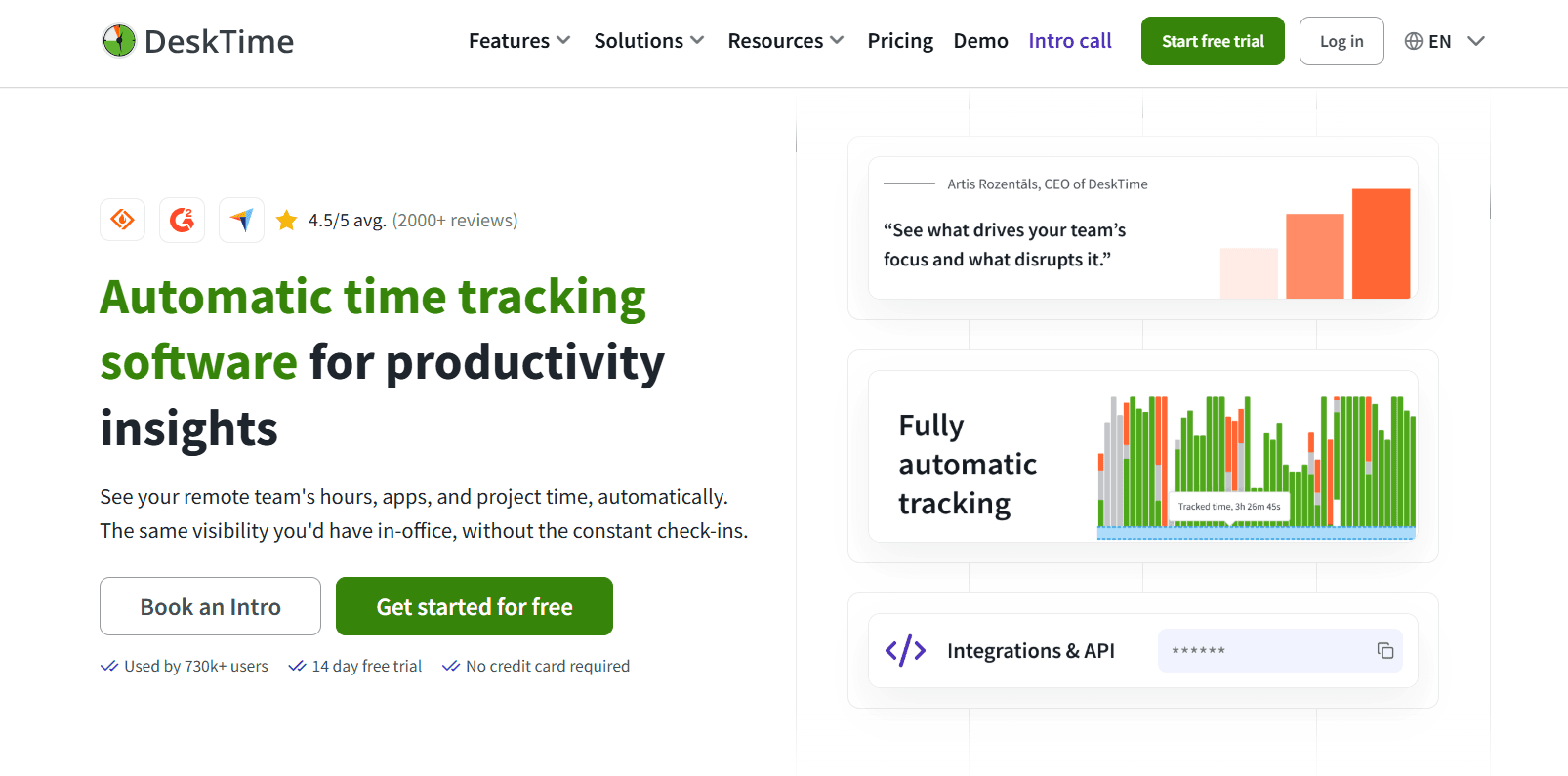
DeskTime has been in automatic tracking since 2011, and the company traces the widely quoted 52/17 work-and-break pattern back to its own dataset.
Recording begins when the machine does, and everything opened during the day, down to the title of a document, receives a productive or unproductive grade.
Features
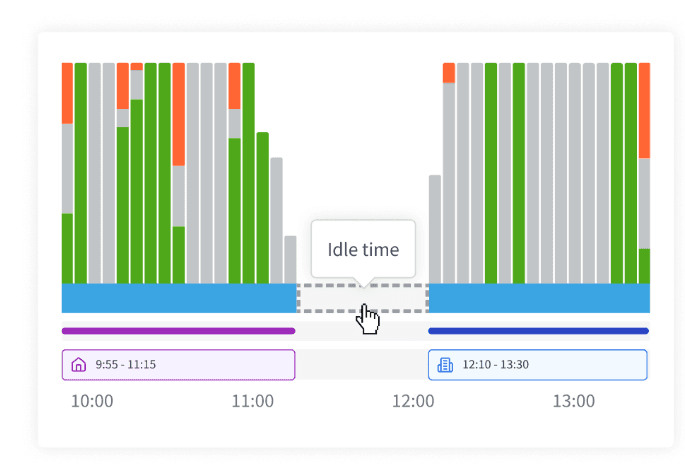
Automatic capture: running from power-on, with idle detection, a route for adding offline time, and meeting and video tracking so calls aren't logged as idle.
URL, app, and document title tracking: the sites, applications, and documents open during the day, email subject lines included, with a productivity score calculated per person and per team.
Projects and shifts: time against tasks and projects, shift planning, and an absence calendar.
Screenshots: proof-of-work capture, from Premium upward.
AI Summary: a written account of each day generated from the tracked data.
Pricing
Two tiers are published, at $6.42 and $9.17 per user per month on annual billing excluding VAT, and Enterprise is quoted for 200 users and above.
Pro: $6.42 per user per month billed annually, aimed at small teams and startups, with document title tracking, productivity calculations, and Google and Outlook calendar integrations.
Premium: $9.17 billed annually, adding screenshots, integrations and API access (Jira, Asana, Zapier, and others), and shift scheduling.
Enterprise: quoted for 200-plus users, adding a custom API on request, an account manager, and employee training.
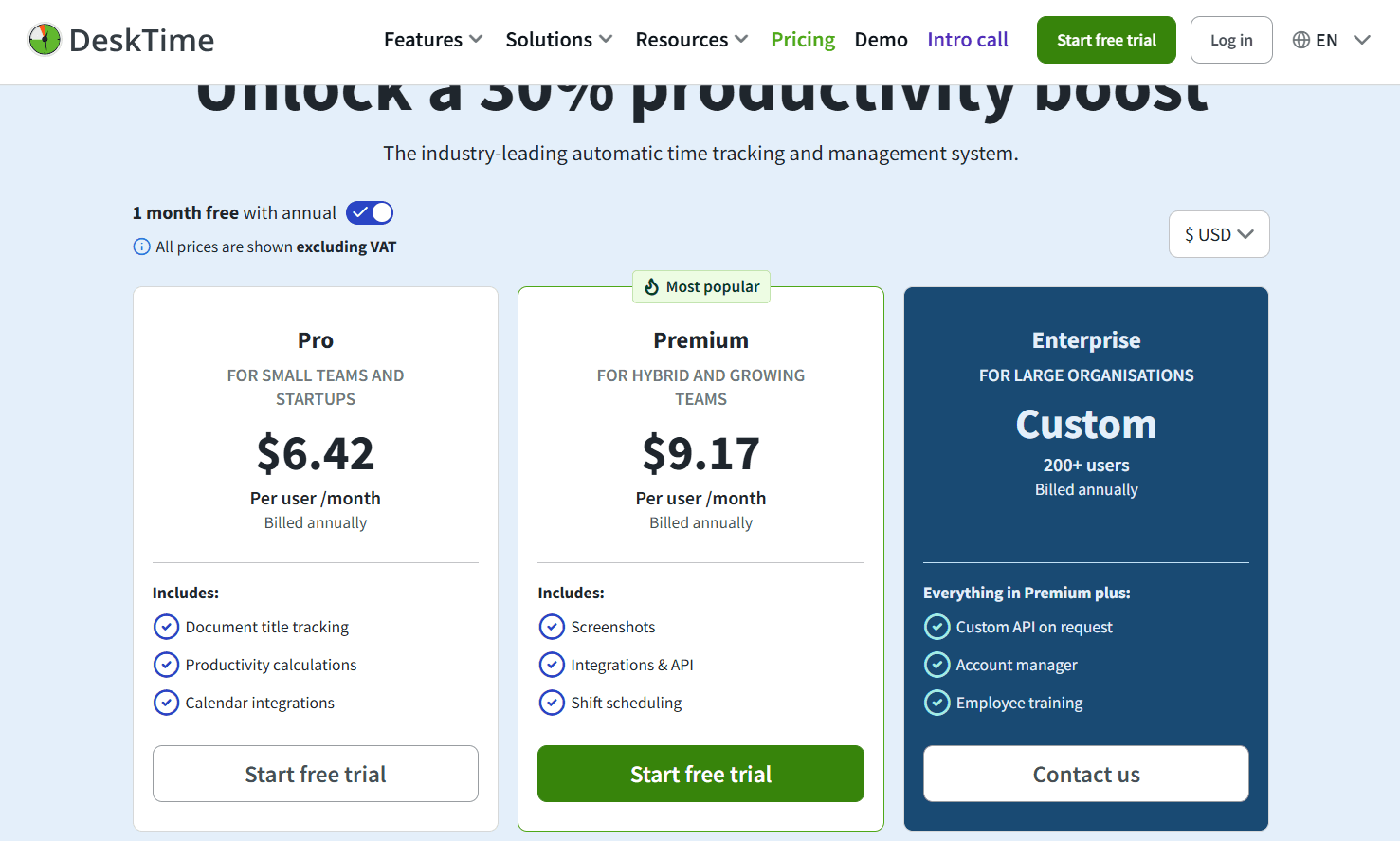
No credit card is needed for the 14-day trial, and one month is free on annual billing.
Pros and cons
✅ Employees do nothing to start it, so adoption never becomes a project of its own.
✅ A document title says more about the work than the name of the application holding it.
✅ ISO 27001 and ISO 27701 certified, with encryption in transit and at rest and 2FA.
❌ Screenshots, API access, and the project management integrations are all Premium features.
#6: TimeCamp
Best for: Teams that want an uncapped free plan with AI-filled timesheets and a route into approvals, budgets, and BI reporting.
Similar to: Timely, Clockify.
Neither headcount nor project count limits TimeCamp's free plan, so team size never enters the decision to try it.
The AI Time Tracking Agent handles the filling-in, sorting applications and websites into categories while people work and leaving the timer untouched.
Features
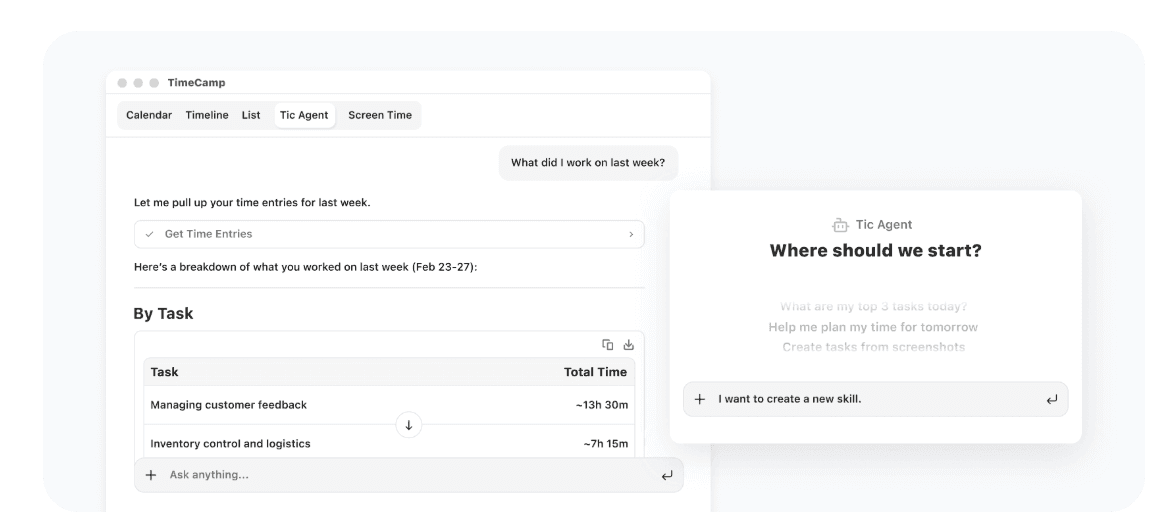
AI Time Tracking Agent and AI Timesheets: entries created without a click, applications and websites sorted into categories automatically, and alerts raised on anything that looks wrong, metered by token usage.
AI Operational Hub: team-wide time data brought into a single privacy-first view that updates in real time.
Keyword-based tracking: time assigned to tasks by keyword, with idle time tracking and a personal activity timeline.
Approvals and payroll-ready data: timesheet approvals, attendance, overtime, time-off, and a time clock kiosk.
Budgets and margins: budgets and estimates with alerts, billable rates, labor costs, fixed-fee projects, and invoices exported to QuickBooks and Xero.
Enterprise data layer: self-hosted or private cloud deployment, custom integrations, data warehouse access, Excel and Power BI API templates, a BigQuery pipeline, and user directory sync.
Pricing
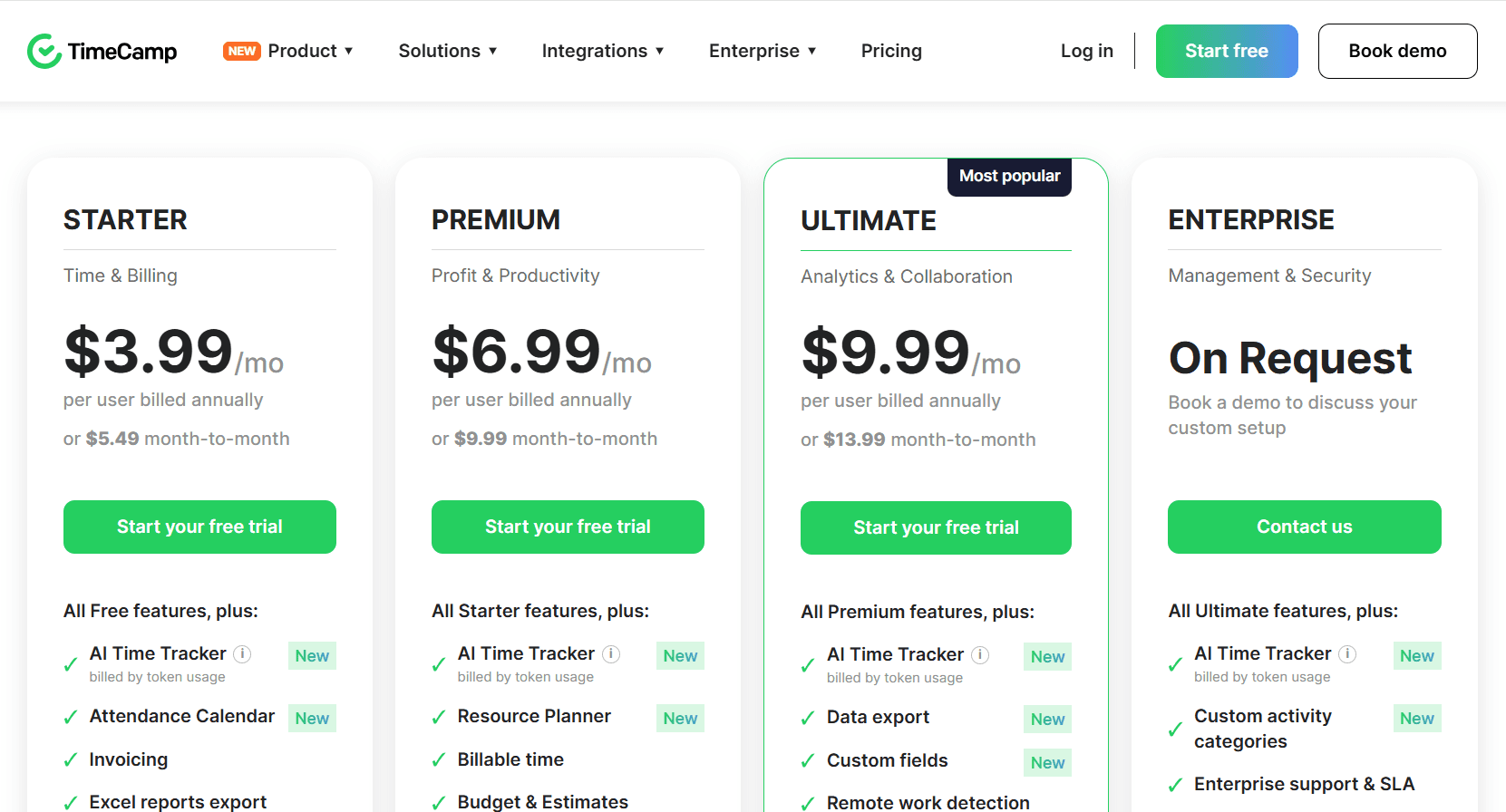
Starter, Premium, and Ultimate are $2.99, $4.49, and $5.99 per user per month billed annually ($3.99, $5.99, and $7.99 month-to-month). The free plan has no user cap, and Enterprise is quoted on request.
Free: $0 permanently, with timesheets, web, desktop, and mobile apps, unlimited projects and users, 2FA, and the AI Time Tracker billed by token usage.
Starter: $2.99 per user per month billed annually ($3.99 monthly), adding an attendance calendar, invoicing, Excel report export, time-off, overtime tracking, unlimited tasks, bulk edit, and project templates.
Premium: $4.49 ($5.99 monthly), adding the Resource Planner, billable time, budgets and estimates, app and website tracking, management roles, one integration, private time, scheduled email reports, budgeting alerts, and time rounding.
Ultimate: $5.99 ($7.99 monthly), adding custom fields, remote work detection, timesheet approvals, billing rates, expenses, a pivot table, screenshots, unlimited integrations, labor costs, fixed-fee projects, SSO, time entry history, and custom user roles.
Enterprise: on request, adding custom activity categories, an enterprise SLA, self-hosted or private cloud deployment, custom integrations, onboarding and training, an audit log, data warehouse access, custom reports, Power BI API templates, a BigQuery pipeline, and user directory sync.
Pros and cons
✅ No user cap on the free plan, so team size never blocks a trial.
✅ Paid tiers open at $2.99 per user, which is the lowest published entry rate in this guide.
❌ The AI Time Tracker is metered by token usage on every plan, so that line of the invoice moves with use.
#7: Clockify
Best for: Small teams that want a free timer and timesheet for up to five people, with invoicing, scheduling, and SSO available further up.
Similar to: Toggl Track, Jibble.
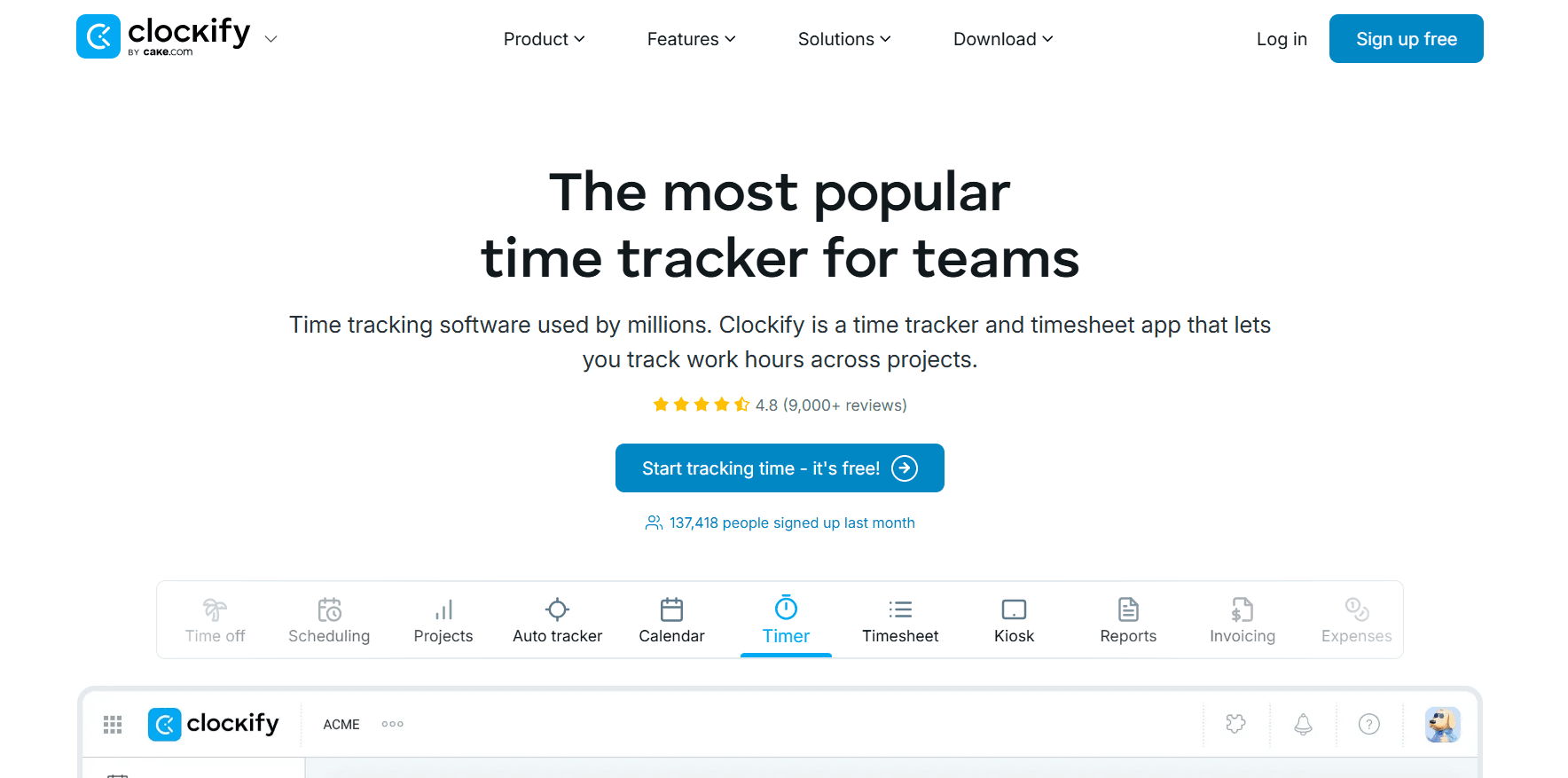
Plenty of teams and agencies meet time tracking for the first time through Clockify.
Five people can use the Timer, the weekly Timesheet grid, the Auto tracker, and the reporting suite without paying anything.
Features
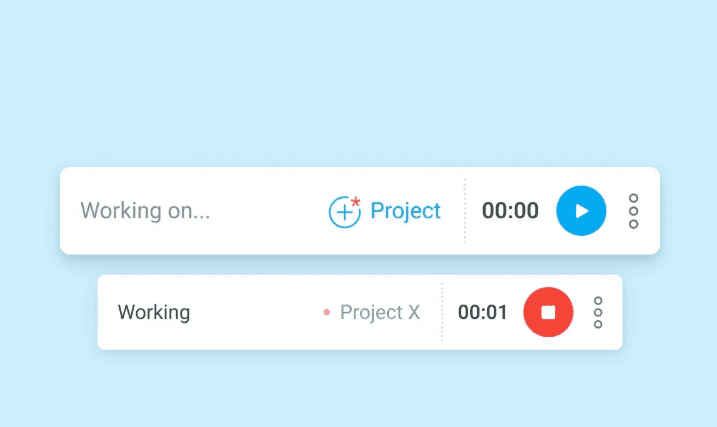
Five capture methods: a live Timer, a weekly Timesheet grid, a Calendar view for planning in blocks, an Auto tracker keeping a record of open applications and sites, and a shared-tablet Kiosk for teams clocking in at a single point.
Rates and profit: billable rates from Basic, task-level rates and rounding from Standard, and labor cost measured against revenue from Pro.
Scheduling and time off: shift and assignment scheduling with forecasting on Pro, plus time off, attendance, and overtime from Standard.
Invoicing and approvals: invoices built from billable hours with recurring invoices included, a timesheet approval flow, and locking of past periods, all from Standard, alongside a QuickBooks connection.
Pricing
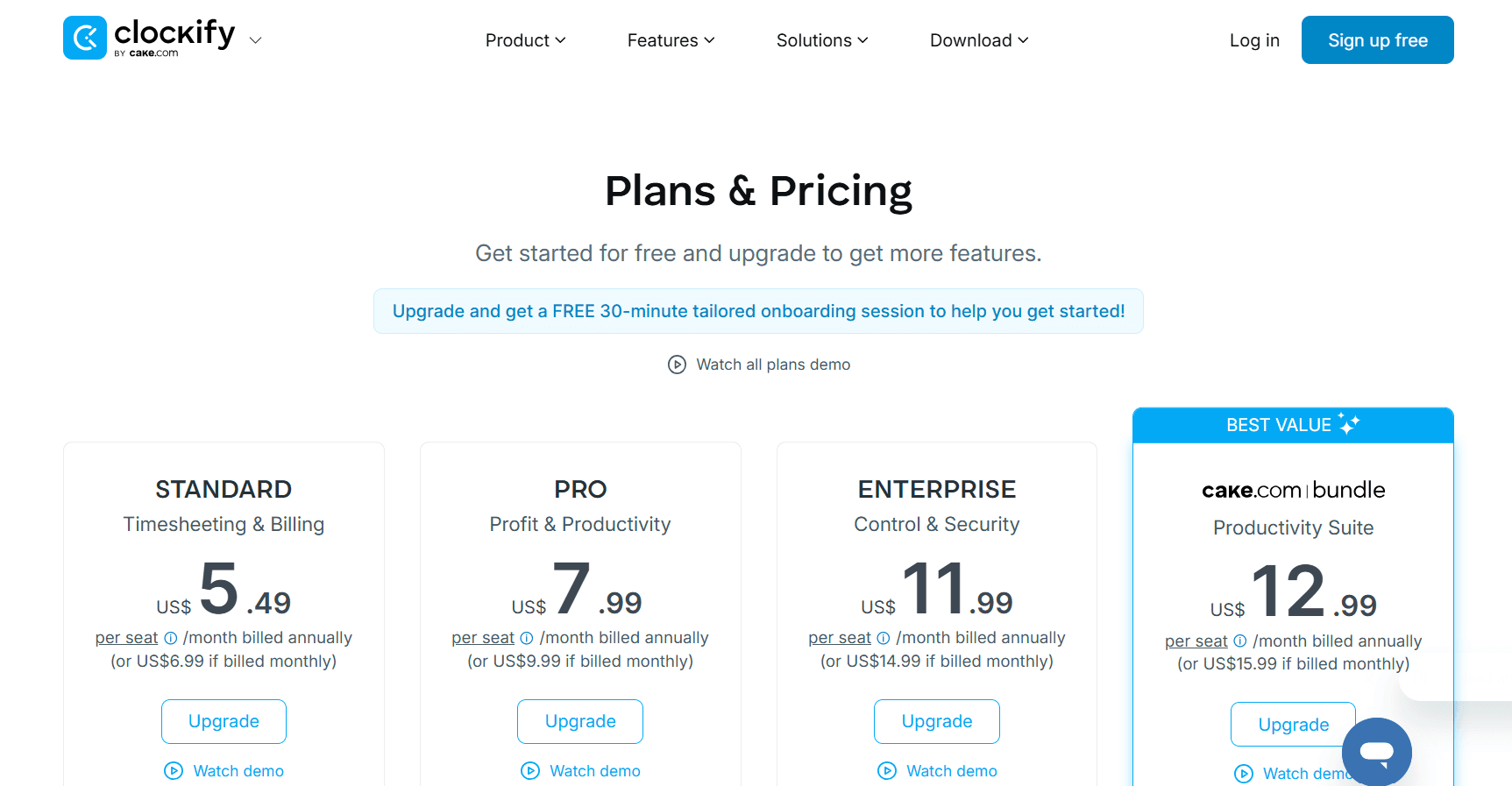
There are 6 plans that you can choose from:
Free: $0 for up to 5 users, with unlimited tracking, the Timer, Timesheet, Auto tracker, Calendar, a Pomodoro timer, idle detection, tracking integrations, team activity, and reports.
Basic: $3.99 per seat per month billed annually ($4.99 monthly), adding time entry on behalf of others, Kiosk, billable rates, bulk edit, time audit, required fields, project templates, and imports.
Standard: $5.49 billed annually ($6.99 monthly), adding time off, invoicing and recurring invoices, approvals, locked time, attendance and overtime, targets and reminders, a manager role, and the QuickBooks integration.
Pro: $7.99 billed annually ($9.99 monthly), adding activity monitoring, scheduling, forecasting, expenses, labor cost and profit, budgets and estimates, custom fields, GPS tracking, screenshots, alerts, and email reports.
Enterprise: $11.99 billed annually ($14.99 monthly), adding SSO, a custom subdomain, SCIM provisioning, control accounts, and an audit log.
CAKE Bundle: $12.99 billed annually ($15.99 monthly), pairing Clockify's Enterprise features with Pumble for team communication and Plaky for project management.
Pros and cons
✅ The free tier carries the Auto tracker and the full reporting set, which not every free plan does.
✅ Each step up the ladder is a small increment, so adding invoicing doesn't produce a jump in cost.
❌ Activity monitoring, scheduling, labor cost, and screenshots begin at Pro, so a team that needs them starts at $7.99 per seat.
#8: Toggl Track
Best for: Teams whose real difficulty is getting people to record their hours at all.
Similar to: Clockify, Timely.
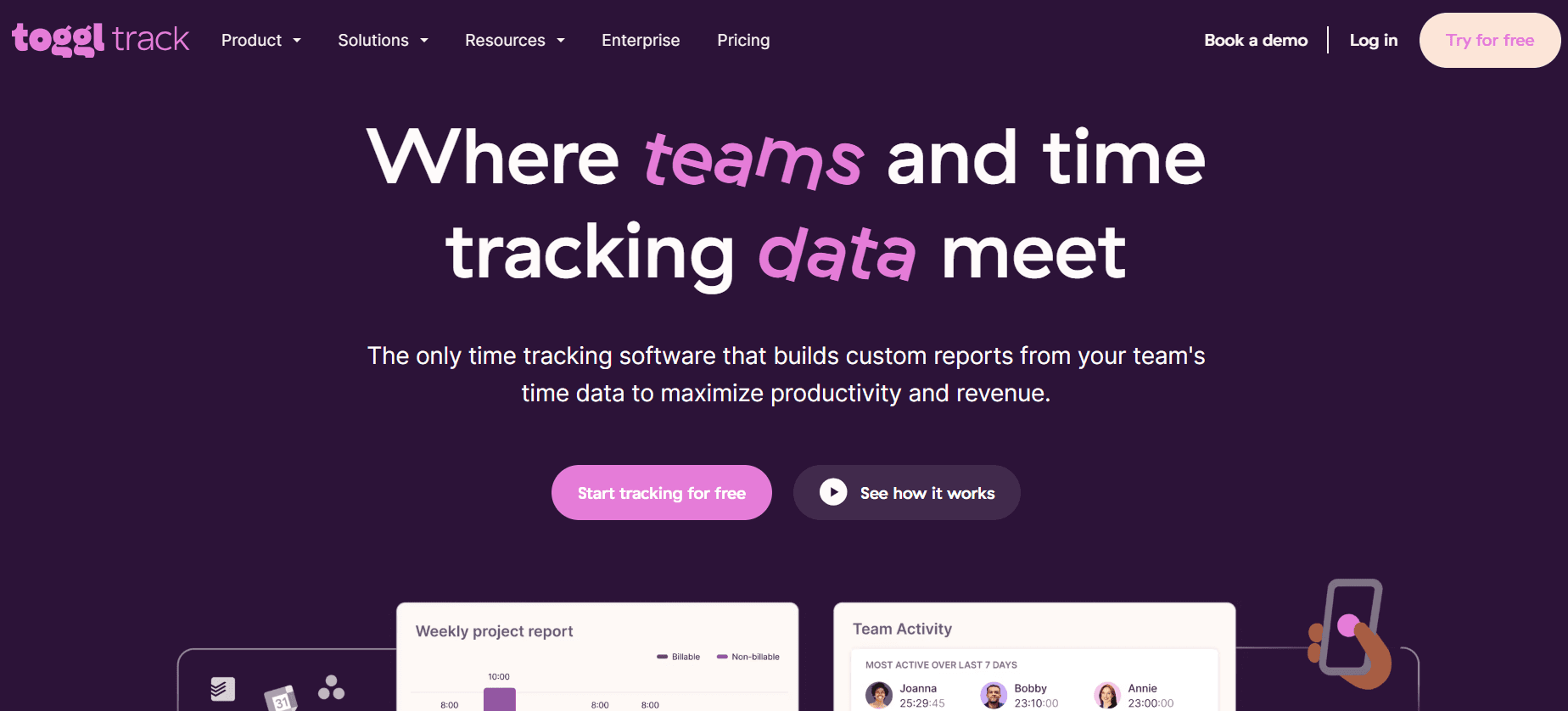
Adoption is the design constraint Toggl Track works to.
Starting the timer takes little enough effort that people keep doing it, the company publishes a position against surveillance that rules out screenshots and camera tracking, and the reporting has enough range that teams keep returning to it.
Features
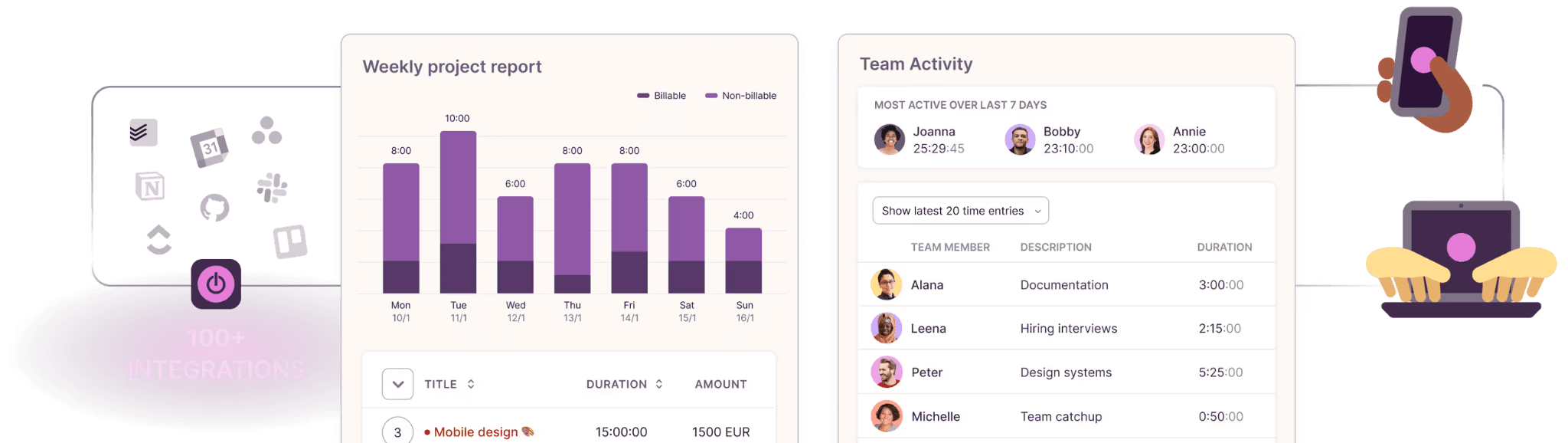
Calendar View: the day's meetings shown next to the timesheet, where any event becomes a time entry with one click. Toggl Track's most-used feature.
Tracking from anywhere: web, desktop, mobile, and browser extensions, plus optional background tracking visible only to the individual until they promote it into a time entry.
Customizable reports: summary, detailed, workload, billing, profitability, and utilization views, with custom columns, up to three grouping levels, and scheduled email delivery on Premium.
Approvals and data accuracy: timesheet approvals and the data accuracy set (required fields, locked entries, team reminders) on Premium, with an audit log.
Pricing
A free tier covers a small number of users, then Starter is $9 and Premium $14 per license per month, with Enterprise quoted.
Free: $0 for a limited number of users, with tracking on web, desktop, and mobile, 100-plus integrations through the browser extension, Google and Outlook calendar integrations, and productivity reports.
Starter: $9 per license per month, adding billable rates, project time estimates and alerts, revenue and productivity analysis, team collaboration features, and project tasks.
Premium: $14 per license per month for the first year on annual billing, renewing at $18, adding profitability analysis, fixed-fee projects, scheduled reports, timesheet approvals, data accuracy features, fully customizable reports, Jira and Salesforce integrations, and SSO.
Enterprise: quoted, with personalized onboarding, a dedicated customer success manager, custom integrations, multiple workspaces under one organization, and volume discounts on annual plans.
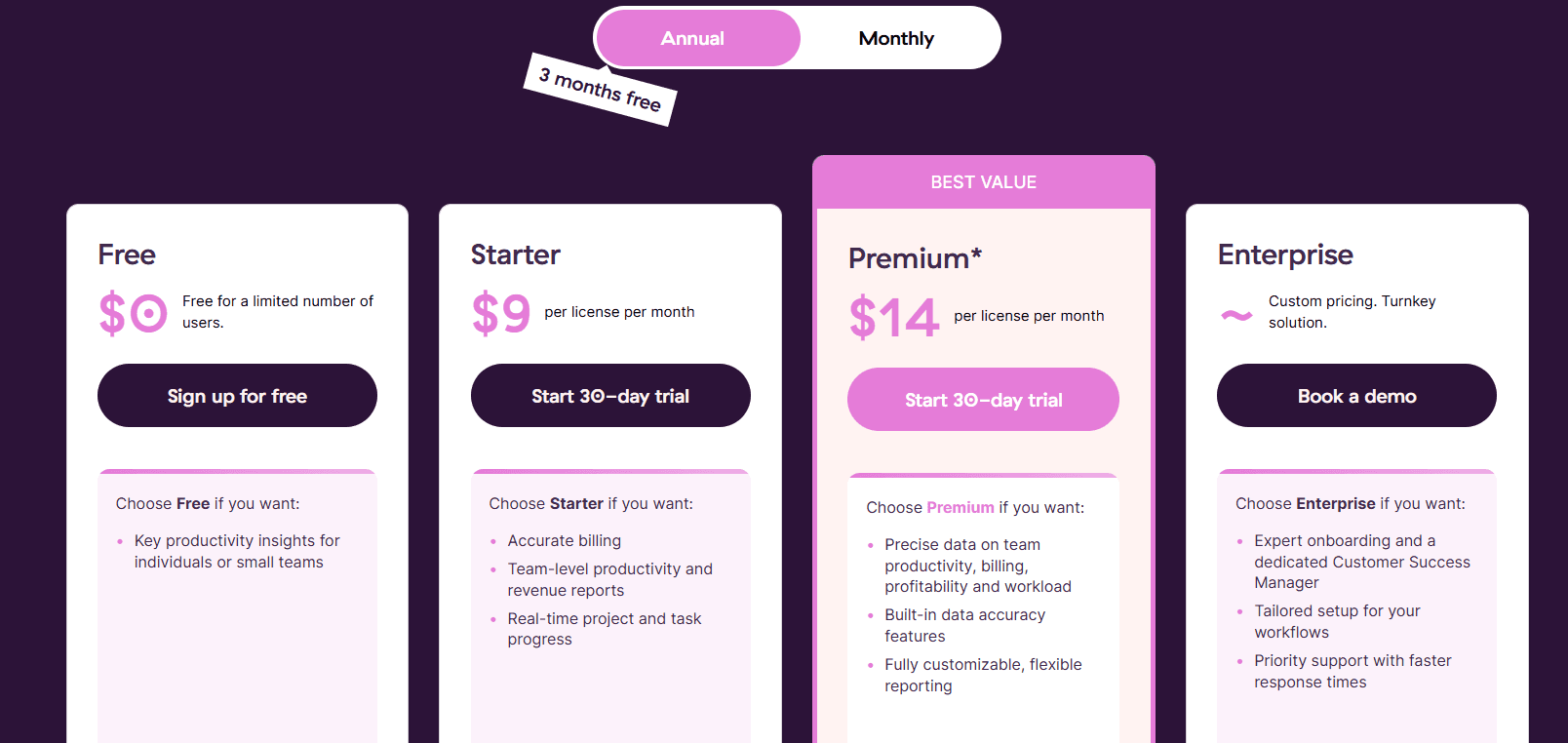
Every paid plan opens with a 30-day trial and no card taken.
Pros and cons
✅ A published position against surveillance: no screenshots, no camera tracking.
✅ Approvals, required fields, and locked entries hold the data accurate once it's recorded.
✅ The most flexible reporting among the timer-first products in this comparison.
❌ The $14 Premium rate applies to the first annual term only and renews at $18 per license.
#9: Timely
Best for: Agencies, consultancies, and professional services firms that bill hourly and want the timesheet drafted for them, with no screenshots involved.
Similar to: Toggl Track, DeskTime.
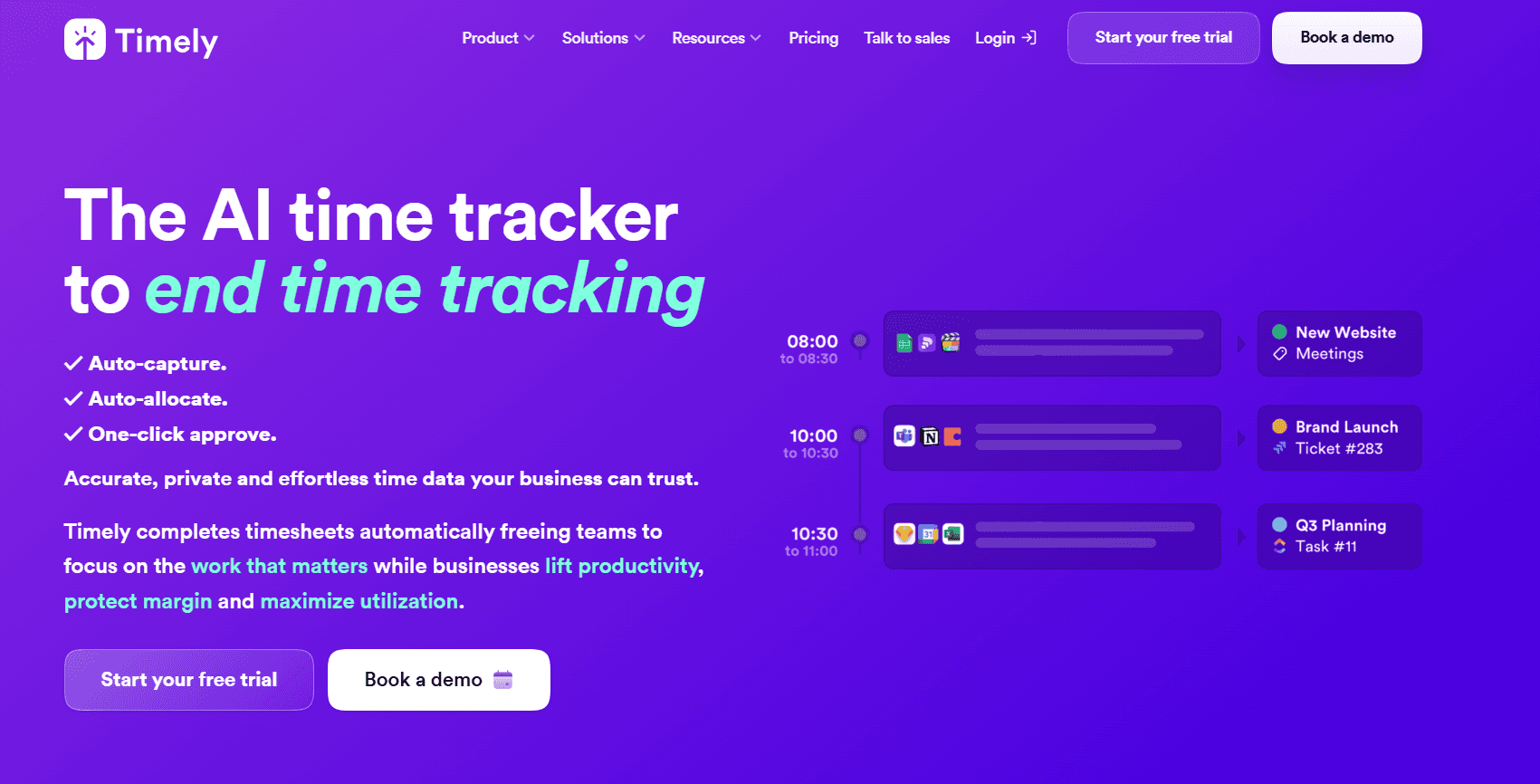
Privacy is Timely's starting position and not a setting added later.
The Memory tracker logs applications, websites, and durations through the day, and that log belongs to the employee alone until they release it.
Features
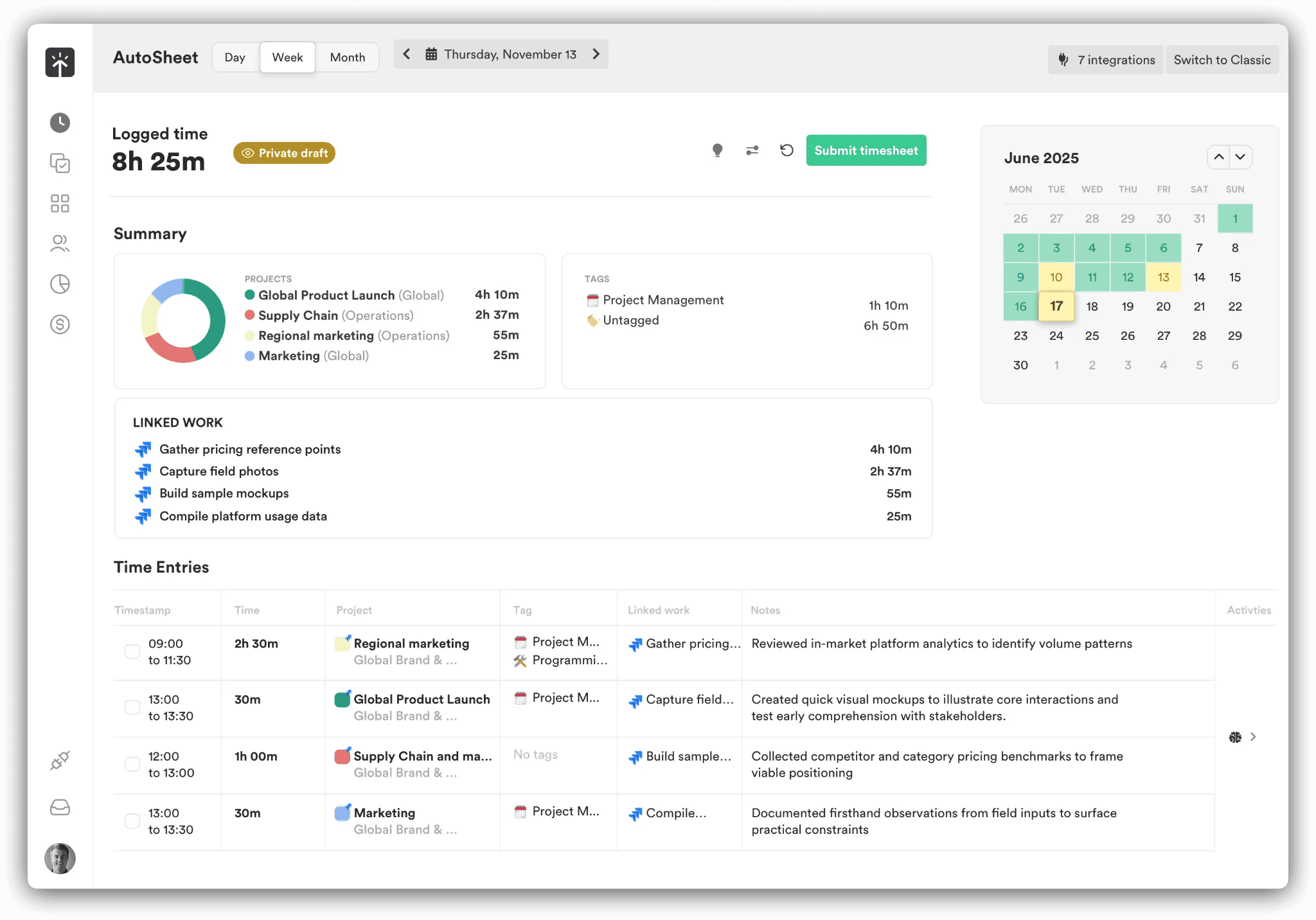
Memory tracker: the background log of application and website activity that feeds everything else, with entries private until approved.
AI timesheets (AutoSheet): captured time sorted into projects and clients automatically and presented as a draft for approval. Timely's own figure for completing one is under two minutes.
People dashboard: a single view of who is over capacity, how much of the week was billable, and where overtime is accumulating.
Planning and budgets: planned time, recurring project budgets, alerts at budget milestones, cost rates set beside billable rates, and locked periods on the higher tiers.
Pricing
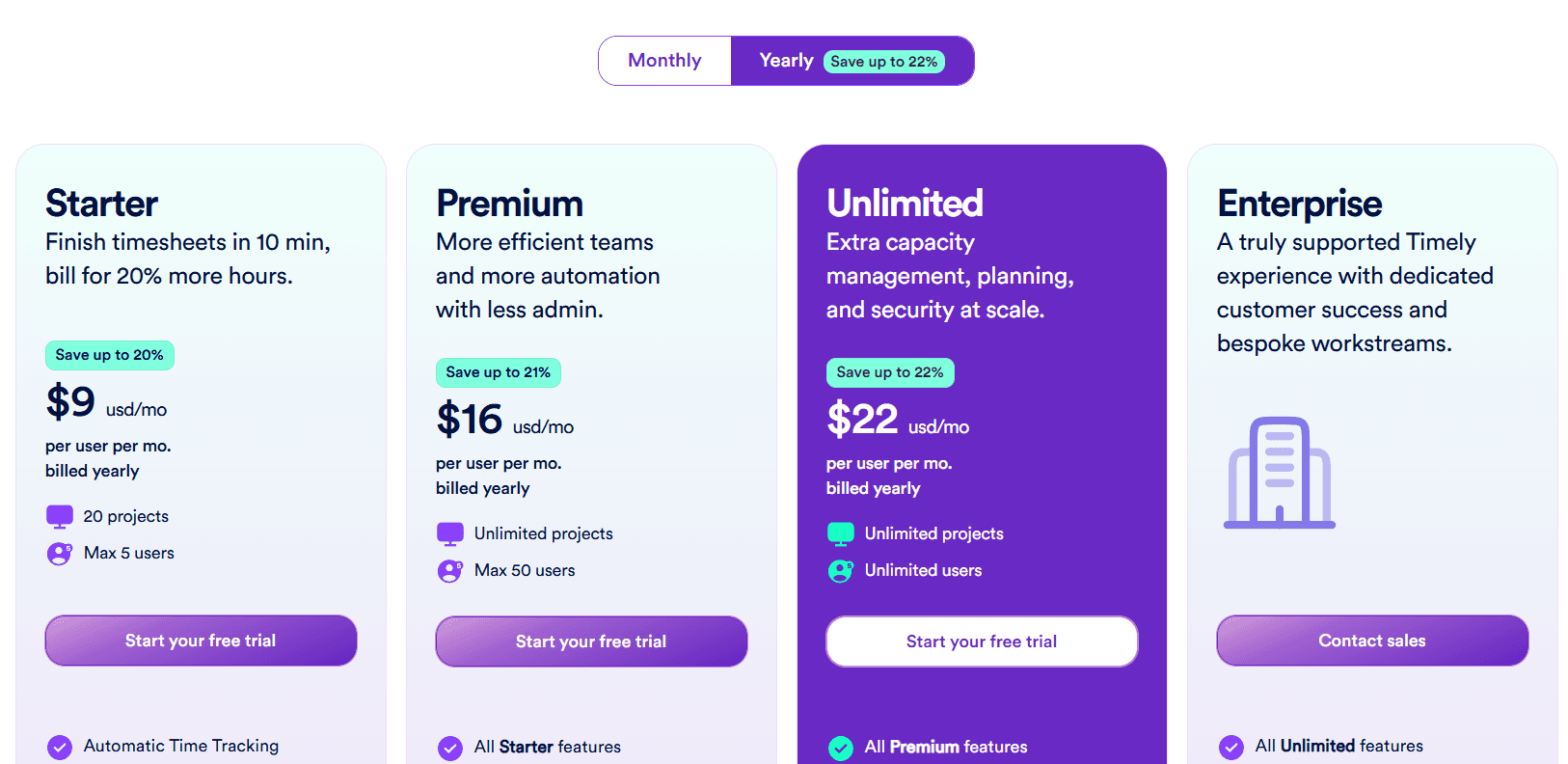
Yearly rates are $9, $16, and $22 per user per month depending on tier, with Enterprise arranged through sales.
Starter: $9 per user per month billed yearly ($11 monthly), for up to 5 users and 20 projects, with automatic time tracking, AI categorization, project health monitoring, billable hours reporting, and API access.
Premium: $16 billed yearly ($20 monthly), for up to 50 users on unlimited projects, adding project management and accounting tool sync, team management, budgets and costs, and planning.
Unlimited: $22 billed yearly ($28 monthly), for unlimited users, adding capacity management and reporting, overtime and undertime, Azure user management, 50-plus currencies, and premium customer success.
Enterprise: through sales, with tailored onboarding, team training, monthly or quarterly reviews, and priority support.
Tasks add-on: from $5 per person on any plan, for assigning, scheduling, and tracking progress against deliverables.
Pros and cons
✅ Time is captured with nobody touching a timer, and the employee decides what a manager sees.
✅ Timely states in writing that it performs no keystroke logging and takes no screenshots, which shortens the rollout conversation.
✅ The People dashboard flags overload before it turns into overtime.
❌ Starter caps at 5 users and 20 projects, so a growing team reaches Premium at $16 fairly quickly.
#10: Jibble
Best for: Frontline, construction, manufacturing, and shift-based teams that need free time and attendance with an identity check at clock-in.
Similar to: Clockify, Toggl Track.

No headcount triggers a bill on Jibble's core product.
It handles clock-in from a phone or a browser, produces basic timesheets, and links out to Slack, Microsoft Teams, and QuickBooks.
Teams on sites and factory floors pick Jibble for a narrower reason: confirming the identity of whoever is standing at the clock-in point.
Features
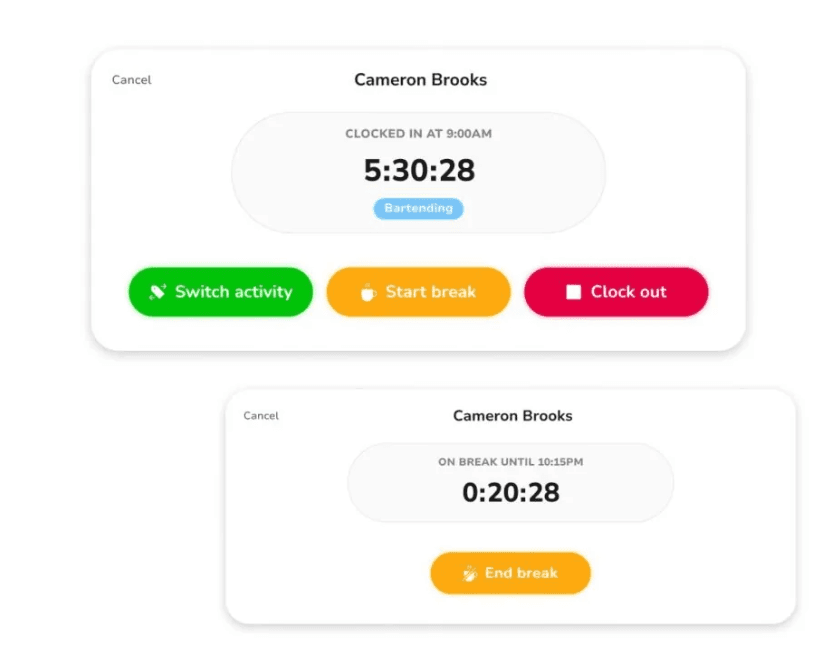
Timer, Timesheets, and Kiosk: staff clock in from a personal device or a shared tablet, timesheets are reviewed and approved each pay period, and Offline Mode holds entries until a connection returns.
Verification: Face Recognition to rule out one person clocking in for another, Selfie Capture on each entry, Geofencing so a clock-in only registers on an approved site, GPS Tracking attached to every entry, and NFC & PIN at the Kiosk.
Time Off and Approvals: leave policies with accruals and requests, one-click timesheet approval, Work Schedules, and People & Groups for organizing staff under role-based permissions.
Reports and Exports: attendance and payroll reporting, a live count of everyone currently clocked in, project-level time, and XLS or CSV files formatted for Xero, QuickBooks, and Deel.
Pricing
Headcount does not affect the price of the core plan, which is zero. Paid upgrades are priced inside the product, and no public list was available when I checked.
Free: $0 for unlimited users, with clock-in from mobile and web, basic timesheets, and integrations with Slack, Microsoft Teams, and QuickBooks.
Paid upgrades: Jibble's site confirms that paid tiers exist and opens a 14-day trial of them at sign-up. Rates show inside the product, so check them there or with sales.
Enterprise: through sales, with SSO, 2FA, dedicated onboarding, and support.
Pros and cons
✅ Free for unlimited users, with no expiry on the plan.
✅ The most thorough identity verification at clock-in in this comparison, from Face Recognition through to NFC.
✅ Offline Mode keeps clock-ins working on sites with no signal and syncs them when one returns.
❌ Paid pricing isn't published.
Put your own workflows on the record
If you're moving off Time Doctor because you now know how much time a process consumes and want to know which parts of it a machine should be handling, Reflow was built for that question.
What Reflow puts in front of you:
A native agent on Mac and Windows machines does the capture, models do the classification, and nobody types a time entry.
The base workforce layer, covering work time, active time, session time, productive time, and which way each is moving.
Per-workflow figures for total runs, average run time, average deviation, and the monthly hours automation could return.
A cost per unit of work, cut by customer, by task, and by project.
Every run checked against its SOP, with drift and compliance exposure raised as it occurs.
Ranked automation recommendations, a measured return once each one ships, and the option to run the automation on Reflow.
Nothing to integrate, no engineering resource required, white-glove setup, and a trial that runs beside whatever you use now.
➡️ Book a demo to see your own operation mapped, or read how Collective turned that visibility into $3.1M in annual cost savings.
⚠️ Disclaimer: This article was last updated on September 14, 2026. If you spot any inaccuracies, contact us and we'll fact-check it.
See Reflow in action
A short demo, tailored to your operations.