Below I've ranked the 10 best Toggl Track alternatives for 2026, with the buyer each one fits and what it costs.
TL;DR
Reflow is the best Toggl Track alternative in 2026 for operations teams whose question has moved past how many hours a project consumed. Reflow records work time, active time, session time, and productive time through a native agent with no timer and no timesheet, then adds two layers a time tracker doesn't reach: a step-by-step map of how each workflow runs, and a ranked list of the steps worth automating, with the return measured after the automation ships.
Harvest and Everhour are the two billing-first options: Harvest applies a person, project, or task rate automatically and lets the client pay from the invoice. Everhour keeps the timer and the budget bar inside Asana, ClickUp, Jira, Linear, and Basecamp.
TimeCamp and Jibble both run free plans with no user cap: TimeCamp's carries unlimited projects and an AI agent that fills timesheets in the background; Jibble's adds Face Recognition and Geofencing for crews clocking in on site.
Timely and DeskTime capture time without anyone starting a timer: Timely holds the record private until the user approves what gets shared and publishes a no-screenshot, no-keystroke-logging position. DeskTime begins at power-on and grades applications, websites, and document titles, with screenshots on Premium.
Clockify, Hubstaff, and Time Doctor cover the operational end: Clockify runs four capture methods on a five-seat free plan and adds the Kiosk from $3.99, Hubstaff takes approved hours through to multi-currency payout, and Time Doctor pairs productivity ratings with AI-matched peer benchmarks.
What are the best Toggl Track alternatives in 2026?
The best Toggl Track alternative in 2026 is Reflow, for enterprise operations teams that want workforce and workflow intelligence captured automatically, with nothing entered by hand at any point.
Honorable mentions are Harvest and Timely.
Harvest suits firms that need a logged hour to end as a paid invoice, and Timely suits teams that want automatic capture with the employee holding the approval switch.
Here's the full shortlist of vendors:
Tool | Use case | Price |
Reflow | Workforce and workflow intelligence captured by a native agent: work time and productivity recognized with no manual entry, a per-workflow readout of runs and deviation, a ranked list of steps to automate, and measured ROI afterwards. No integrations. | Custom pricing (book a demo). |
Harvest | Hours logged against clients and projects, the applicable rate applied automatically, and an invoice the client can pay from the document. | Free for 1 seat; Teams from $9/seat/month (annual). |
Timely | The Memory tracker records work into a private log, and AutoSheet drafts the timesheet for one-click approval. | From $9/user/month (yearly). |
Clockify | Timer, weekly Timesheet, Calendar, Auto tracker, and Kiosk, with a paid ladder reaching invoicing, scheduling, SSO, and an audit log. | Free for up to 5 users; paid from $3.99/seat/month (annual). |
TimeCamp | An AI Time Tracking Agent that categorizes applications and websites in the background, with approvals and a BI-ready data layer above it. | Free for unlimited users; paid from $2.99/user/month (annual). |
DeskTime | Tracking from power-on, with URL, application, and document title data feeding a productivity score per person and per team. | From $6.42/user/month (annual, excluding VAT). |
Everhour | Time tracking, budgets, and invoicing embedded in Asana, ClickUp, Jira, Linear, and other project management tools. | Free for up to 5 seats; Team at $8.50/seat/month (yearly, 5-seat minimum). |
Hubstaff | Timer and GPS capture running through to approved payroll in multiple currencies, with tunable monitoring settings. | From $4.99/seat/month (2-seat minimum). |
Time Doctor | Workforce analytics with productivity ratings, AI-matched peer benchmarks, attendance, and payroll. | From $6.67/user/month (annual). |
Jibble | Free time and attendance for any headcount, with Face Recognition, Geofencing, and Kiosk clock-in. | Free forever for unlimited users; paid upgrades quoted in-app. |
#1: Reflow
Reflow is the best Toggl Track alternative in 2026 for enterprise operations teams that have stopped asking how many hours a project took and started asking what happened inside the work.
Our workflow intelligence platform reports the same base metrics a time tracker reports: work time, active time, session time, productive time, and the direction productivity is moving by team. None of those figures arrives by hand.
Above that base, Reflow maps the workflow itself and produces a readout per process that hours logged cannot generate:
The number of runs in the period.
How long an average run takes.
The average deviation per run.
Hours per month recoverable through automation.
Disclosure: Reflow is our own platform. I'll make the case for the top slot on a Toggl Track alternatives list, and I'll be equally direct about the work Reflow leaves to other software.
Reflow observes operational work while it happens and records every step taken, skipped, repeated, or delayed.
A native Mac and Windows agent handles capture, machine learning handles classification, and no integration project stands between signing and the first readout.
To be fair, our platform doesn't handle per-hour invoicing, shift scheduling, or HR and resource planning. So, if you’re looking for a traditional time tracking system for your agency to bill clients, you can skip to the other Toggl Track alternatives below.
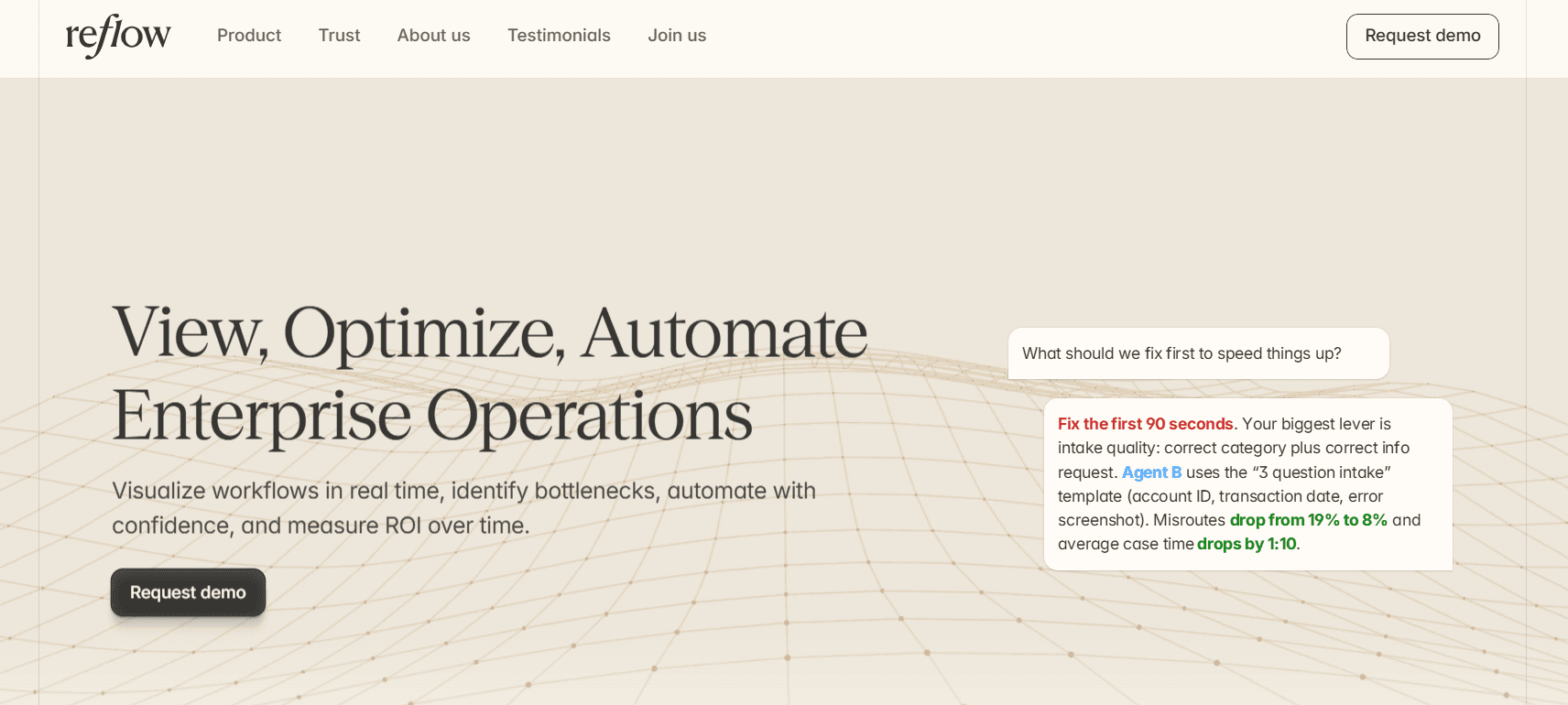
We built the platform so enterprises can visualize workflows in real-time, find the points where operations slow down, and put a measured figure against every improvement.
Here are the capabilities that put Reflow at the top of a Toggl Track alternatives list:
Workflow maps that include the steps nobody logged
Reflow records each step of a workflow in the sequence it occurred and attaches elapsed time to every one, including the steps that were repeated, skipped, or left waiting on someone else.
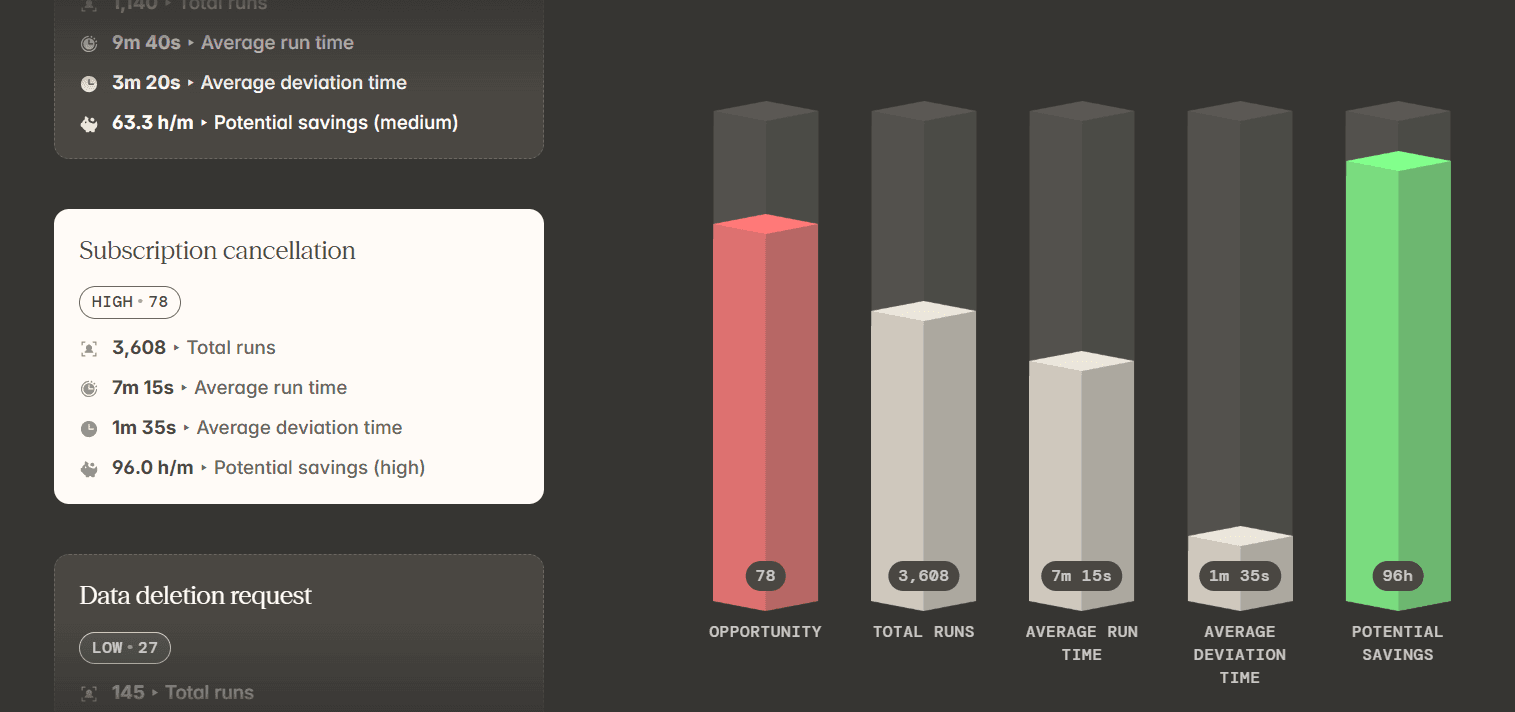
Subscription cancellation is a good test case. On a timesheet it reads as a routine, low-variance process.
A month of tracked hours would show one aggregate figure against that process, and an operations lead would have no way of knowing which part of the cancellation consumed it.
The Reflow readout for the same process shows 3,608 runs at an average of 7 minutes 15 seconds, 1 minute 35 seconds of average deviation per run, and 96 hours a month of potential savings.
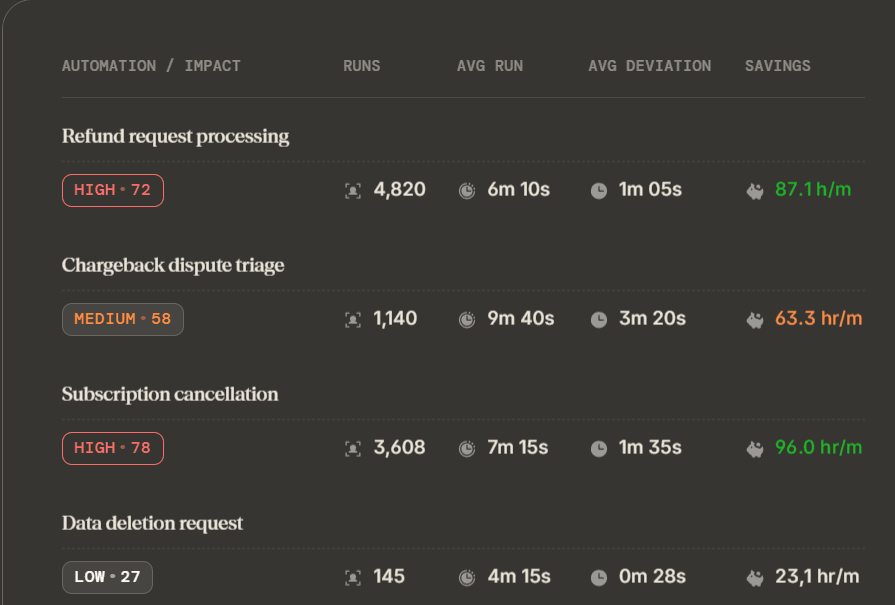
An aggregate hours figure establishes that cancellations are expensive.
The Reflow readout locates the expense inside the process, down to the step where that 1 minute 35 seconds of deviation accumulates.
Unit economics for one case of operational work
Reflow breaks operational time down by customer, task, and project, which converts a month of hours into a cost per case.
Reflow shows invoice correction and reissue running 2,320 times a month at 5 minutes 20 seconds a case, with 1 minute 55 seconds of average deviation per run.
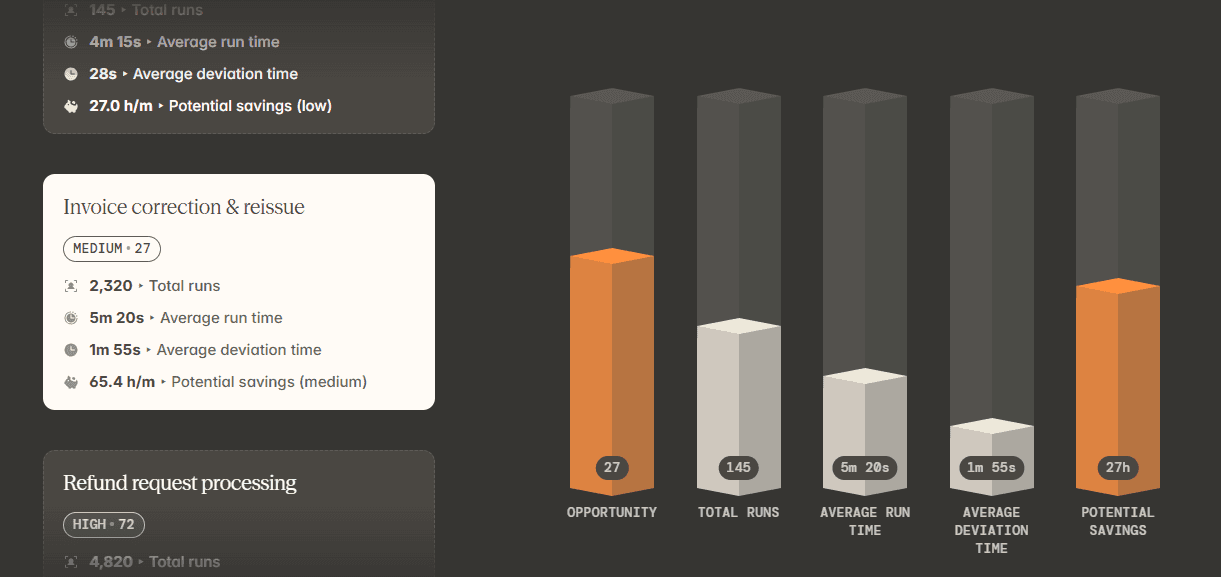
Apply the loaded cost of the specialist handling those corrections, and finance has the true cost of one reissued invoice.
That number is what a CFO needs on the table before approving spend on automating the process, and a monthly hours total has never been able to supply it.
SOP adherence, verified run by run
Reflow compares the steps an SOP specifies against the steps each run performed, and surfaces drift as data while the work is in progress.
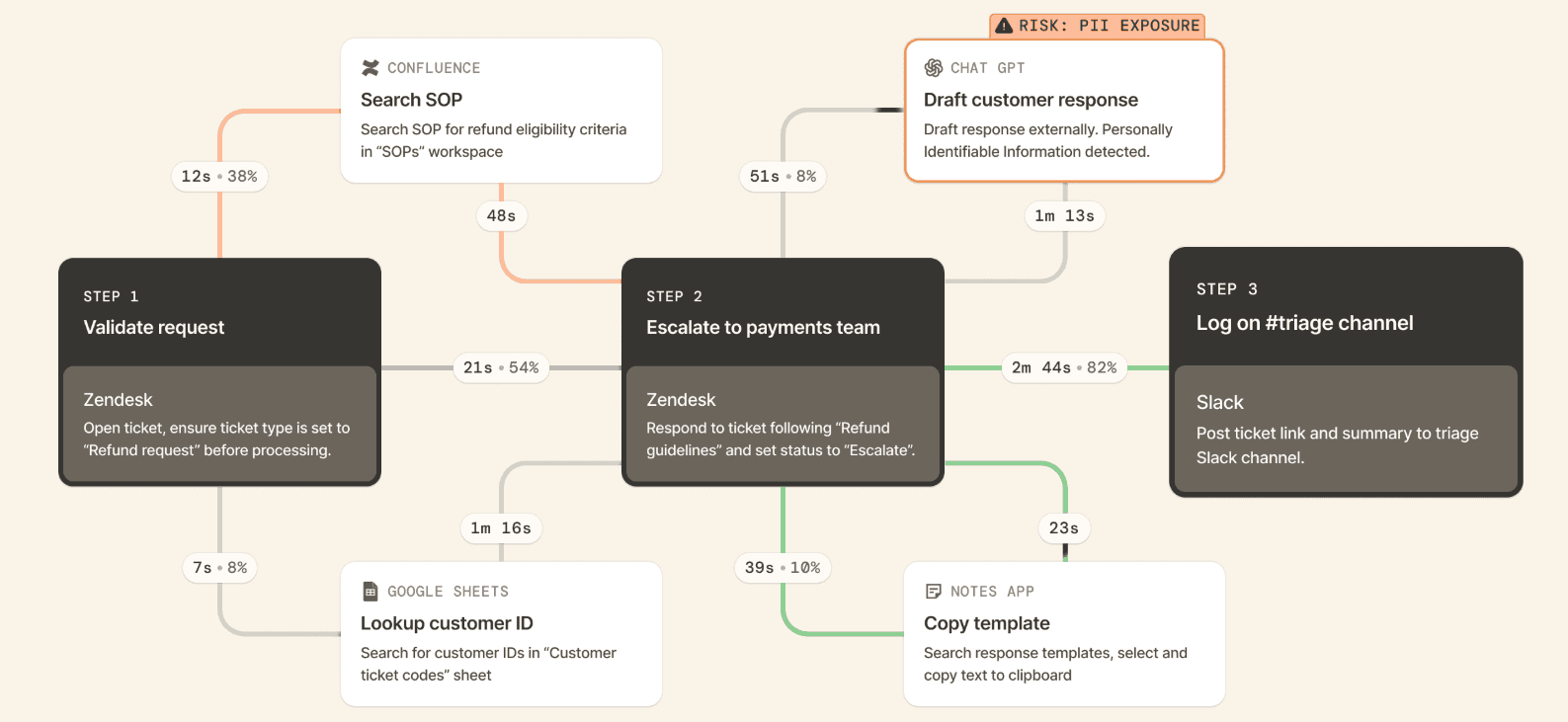
For a data deletion request carrying a regulatory deadline, Reflow shows the runs where a verification step went missing, or the same lookup repeated three times, at a point where the operations team can still correct the record before a customer or a regulator raises it.
Team leads use the same view for a quieter purpose: checking whether the procedure written last quarter matches the procedure the team performs today.
Automation ranked by opportunity, then measured after launch
Reflow ranks workflows by automation opportunity, names the specific steps worth automating, and keeps measuring the process after the change so the return is observed and not projected.
A recommendation from Reflow reads along these lines: The Refund Requests SOP spends 52% of its time on repeatable steps, which Reflow identifies as lookup, copy-paste, and updating multiple systems.
Therefore, automating "lookup + populate + update" brings those steps down to 25 seconds, recovers 1 minute 40 seconds per case, and removes missed-field errors from the process.
Once that automation is live, Reflow keeps reporting on the same workflow. An operations lead can see what improved, what held steady, and what moved in the wrong direction before choosing the next process to automate.
The automation can run on Reflow as well, so the platform that located the opportunity is the platform that executes it and reports the result.
💡 Reflow encrypts data in transit and at rest to industry-leading standards, and collection follows a privacy-first model governed by strict access permissions. Our Trust Centre holds the full details on our security and compliance controls.
Capture that runs without a timer or a timesheet
Reflow's native Mac and Windows agent captures work interaction by interaction, and machine learning assigns each one to a project, a type of work, and a productivity classification.
Manual entry is disallowed throughout the system. There is no start button to forget, and no Friday afternoon spent reconstructing a Thursday from memory.
Where we've run a Reflow trial next to a customer's incumbent tracker, the accuracy gap between the two datasets has been measured between 50 and 80%.
The same agent performs the task mining that feeds the workflow layer above it, with a human in the loop wherever the classification calls for judgment.
That base layer, workforce intelligence, is what our time tracker delivers:
Headcount, and how those people work.
Average work time.
Active time.
Session time.
Productive time.
The direction productivity is moving.
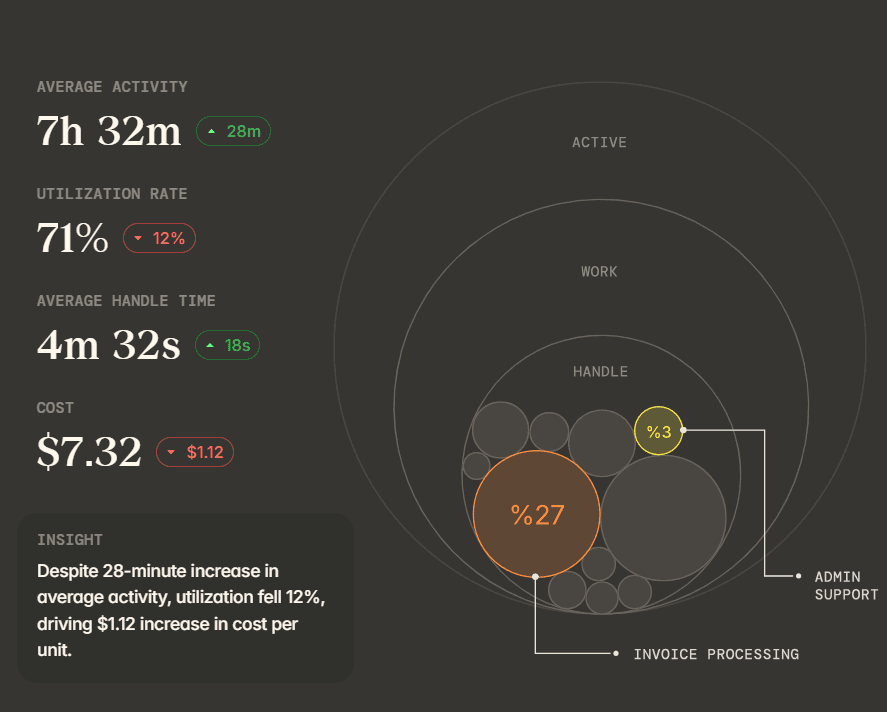
Reflow hands workforce managers the full base layer, then builds workflow intelligence and workflow automation on the same captured data.
How is Reflow different from Toggl Track?
Reflow measures the workflow, while Toggl Track measures the time a person books against a project.
Reflow's output is an automation decision with a measured return behind it, and Toggl Track's output is an approved timesheet feeding billing, profitability, and capacity planning.
In all fairness, Toggl Track is a strong product and a well-chosen one for a large number of teams.
For hourly billing, Toggl Track covers billable rates, labor cost and profitability reporting, fixed-fee projects, and timesheet approvals.
Capacity work happens in the same place as the tracked time, through the Timeline view alongside PTO, public holidays, and flexible working hours.
Rollout is where Toggl Track has built its reputation.
The timer is quick enough that people use it, the Board and Calendar views match how most teams already picture a week, and background tracking stays on the user's own device until that user copies an activity into a time entry.
Agencies, law firms, accounting practices, and software teams billing against matters, engagements, and sprints describe the work Toggl Track was designed for, and Toggl Track performs it well.
Reflow started from a separate problem: understanding what occurs inside a process, and identifying the parts of it a machine should own.
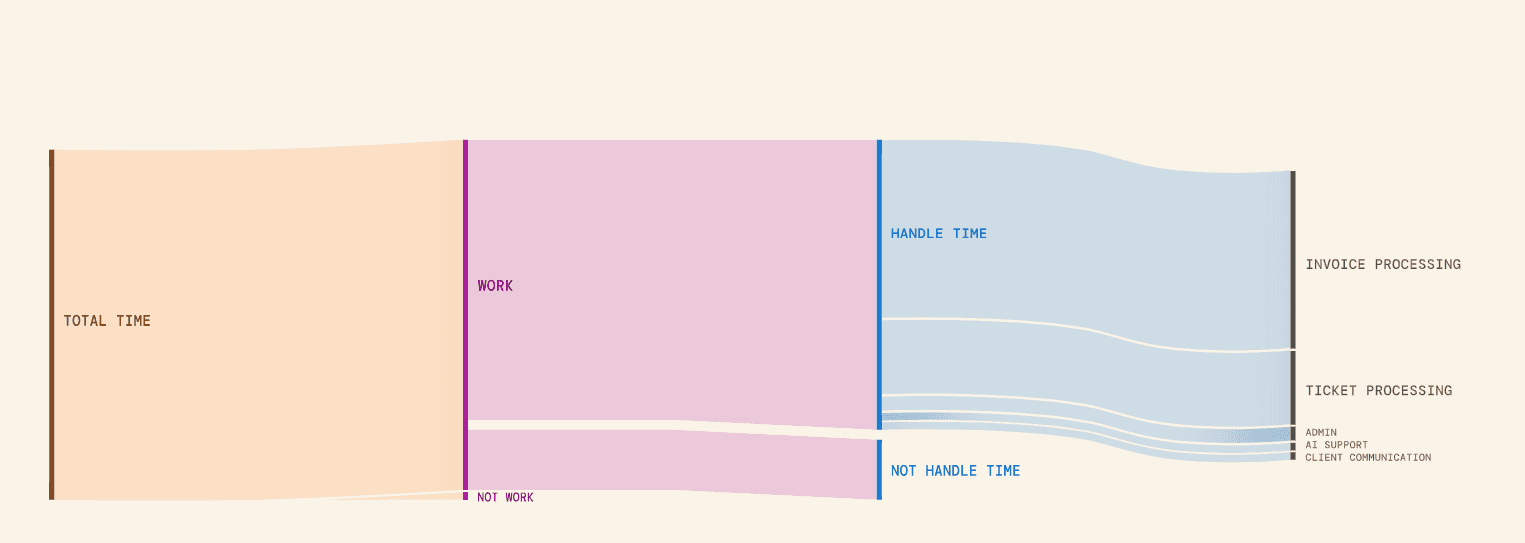
The way we think about it is a pyramid.
At the base is workforce intelligence. If the team works differently from the way leadership assumed, every optimization above that base is filling a leaky bucket.
Workflow intelligence occupies the middle, mapping how a process runs, where it deviates from the SOP, where people wait, and where errors enter.
Workflow automation belongs at the top, and it only pays once the two layers beneath it are in place.
A traditional time tracker operates on the base layer. Reflow covers all three from one platform, on one dataset.
Here’s how both platforms stack up:
Set side by side, the two products diverge on what they are built to produce:
Toggl Track | Reflow | |
Primary output | An approved timesheet feeding billing, profitability, and capacity reports | A per-workflow readout of runs, average run time, average deviation, and recoverable hours |
How time is captured | Manual and real-time timers, plus optional automated background tracking on desktop | A native Mac and Windows agent running automatically |
Manual time entry | Supported. Entries can be added or edited, and background activity becomes a time entry when the user copies it across | Disallowed throughout the system |
Who decides what is shared | The individual. Recorded applications and sites stay on their device until they promote an activity to a time entry | Set by configuration, with aggregated or anonymized views available |
Unit of measurement | Time against projects, tasks, and clients | Each step of a process, in sequence, including the skipped and repeated ones |
Process compliance | Data accuracy features: required fields, alerts, time audits, and locked entries on Premium | Each run compared against the SOP, with drift flagged while the work is live |
Automation guidance | Estimated versus actual comparisons inform the next scoping round | Workflows ranked by automation opportunity, with named steps and ROI measured after launch |
Billing and invoicing | Billable rates, rounding, fixed-fee projects, labor cost and profitability reporting | Not covered. Reflow leaves per-hour billing to other software |
Capacity and project planning | Timeline, Board, and Calendar views, PTO, public holidays, flexible hours, individual capacity | Not covered |
Integrations | Jira, Asana, calendar integrations, browser extension, public API, MCP and CLI | None required. The agent works across systems without connecting to them |
Platforms | Web, Windows, macOS, Android, iOS, Chrome and Firefox extensions | Native Mac and Windows agent |
Time to first data | Immediate. Sign up and start tracking | Days, after white-glove configuration |
Security and compliance | ISO-certified and SOC 2 Type 1, GDPR, 99.9% uptime | SOC 2 Type 2, HIPAA, GDPR, CPRA/CCPA, encryption in transit and at rest |
Trialling it | 30-day trial of the paid features, no credit card | A trial that runs in parallel with an existing tracker |
Pricing | Published: a free plan for a limited number of users, Starter at $9 and Premium at $16 per user per month, Enterprise on request | Not published. Quoted after a demo |
Reflow pricing
Reflow doesn't publish a price list. Request a demo, and we'll come back to you shortly with pricing built around your headcount and the processes you want mapped.
💡 Onboarding is white-glove.
Our team does the configuration and asks very little of yours, and the trial can sit alongside your incumbent tracker so both datasets can be read against each other.
Reflow pros and cons
✅ Capture runs through a native Mac and Windows agent, and manual time entry is disallowed anywhere in the system.
✅ Every step of a workflow is recorded in sequence, including the steps that were skipped, repeated, or left waiting.
✅ Each process comes back with its own run count, average duration, average deviation, and recoverable hours per month.
✅ SOP adherence is verified run by run, which surfaces compliance drift as it happens.
✅ Automation recommendations name specific steps, and Reflow keeps measuring the process after each one ships.
✅ Nothing to integrate and no engineering resources required, with configuration handled by our team and a trial that runs beside your incumbent tracker.
✅ SOC 2 Type 2, HIPAA, GDPR, and CPRA/CCPA, with configurable collection and aggregated or anonymized views.
❌ Reflow doesn't cover per-hour billing, invoicing, shift scheduling, or HR and resource planning.
❌ Pricing isn't published.
#2: Harvest
Best for: Professional services firms that need a tracked hour to finish its life as a paid invoice.
Similar to: Everhour, Clockify.
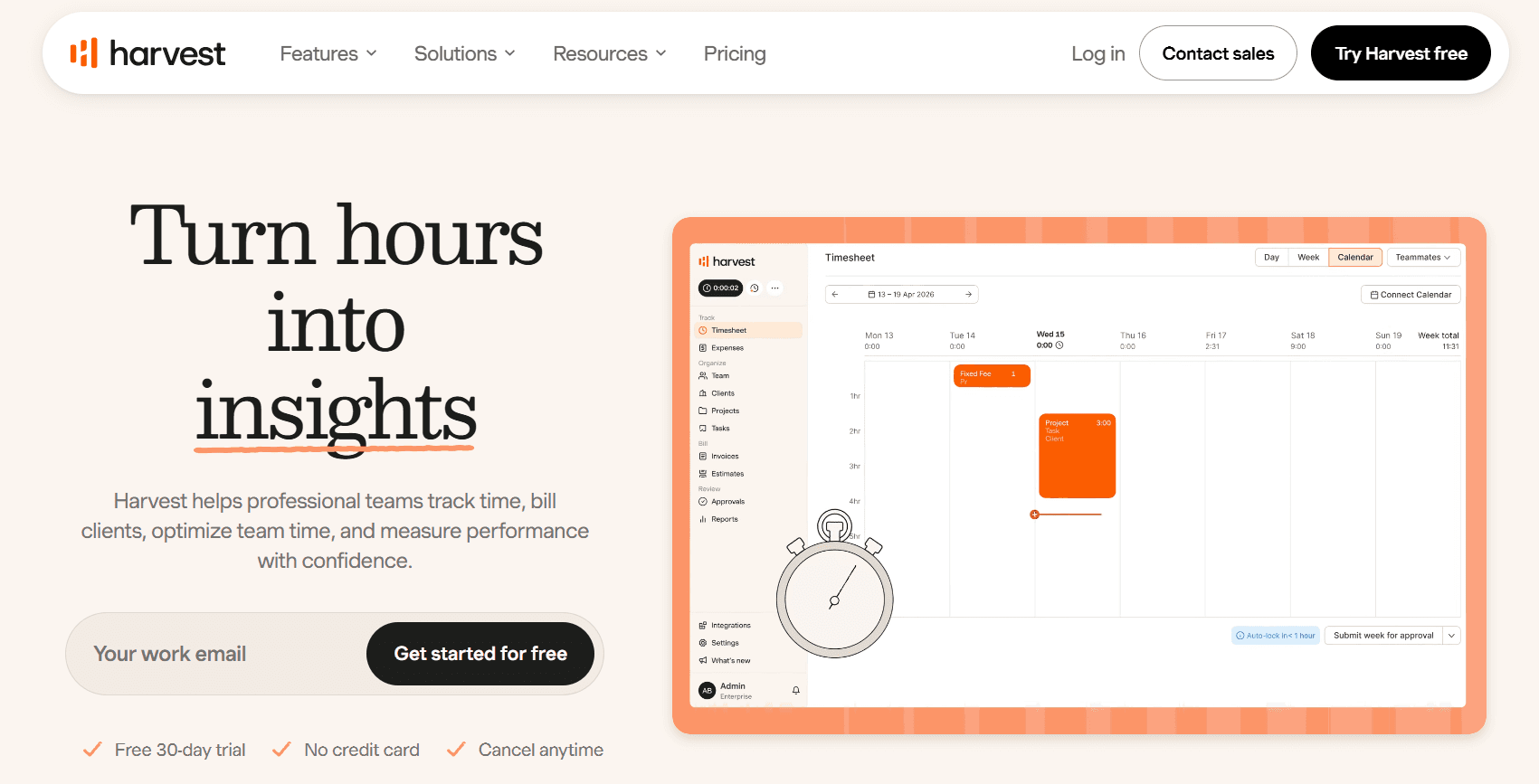
Harvest takes a logged hour through to money received. Hours attach to clients and projects, Harvest selects the applicable billing rate on its own, and the client settles the finished invoice from the document itself.
Profitability and utilization reporting then shows which engagements pay their way before a retainer empties or a budget closes.
Features
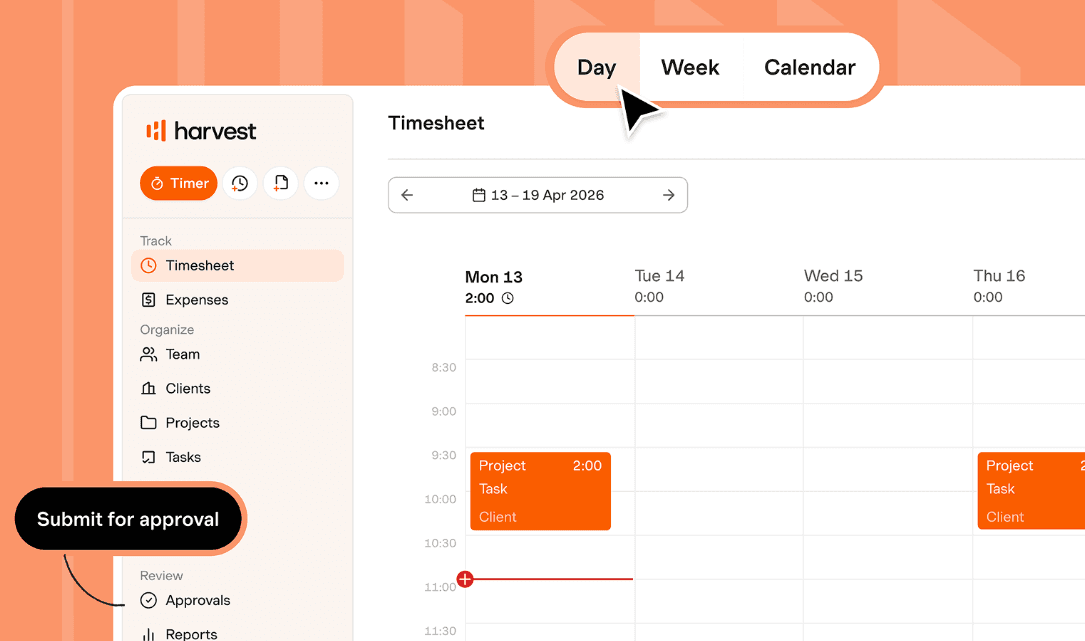
Three routes into a time entry: a one-click timer, a daily or weekly timesheet, or an entry generated from a connected calendar event, available across desktop, mobile, and browser.
Multi-tiered billing rates: rates defined per person, per project, or per task type, with Harvest choosing the applicable one at the moment of entry.
Retainers and estimates: recurring hour banks and project estimates that draw down in real time as work is logged against them.
Profitability reports and budgeting: profit reported by project and by client, with an alert raised before a budget is exceeded.
Invoicing and payments: tracked time and expenses become an invoice, receivables are followed against it, the client settles from the document, and the record exports into accounting software. Harvest Forecast is available for scheduling people across projects.
Pricing
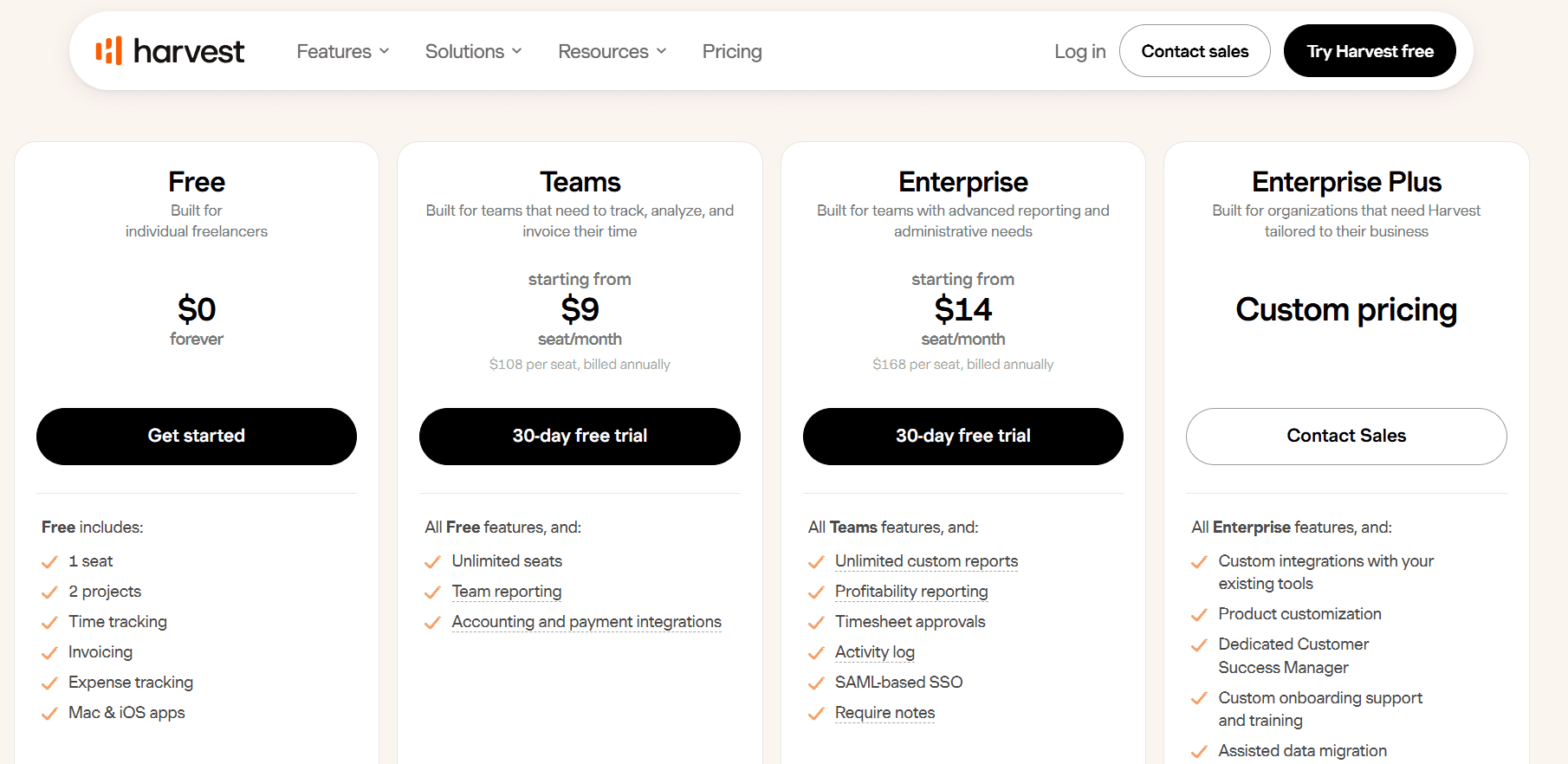
Harvest's Teams plan starts at $9 per seat per month billed annually, or $108 per seat per year. A Free plan covers one person, and Enterprise begins at $14.
Free: $0 forever. One seat, two projects, and the basics: expense tracking, invoicing, time tracking, and the Mac and iOS apps.
Teams: from $9 per seat per month on annual billing. Seats are unlimited at this level, and the plan adds team reporting, billable and cost rates, payment and accounting integrations, import for projects and people, and up to 4 custom reports.
Enterprise: from $14 per seat per month on annual billing, or $168 per seat per year. Custom reports go unlimited, and the tier brings SAML-based SSO, timesheet approvals, profitability reporting, required notes, custom exports, and an activity log.
Enterprise Plus: custom pricing. White labelling, product customization, custom integrations, assisted data migration, tailored onboarding, and a dedicated Customer Success Manager.
Pros and cons
✅ A time entry can begin three ways, including from a calendar event already on the schedule.
✅ Harvest Forecast is available alongside the tracking for scheduling people across projects.
✅ Budget alerts fire ahead of an overrun, so a project manager still has room to act while the engagement is open.
❌ Timesheet approvals, profitability reporting, and SAML-based SSO all begin on Enterprise at $14 per seat, and both Teams and Enterprise carry usage-based charges that belong in the budget model before a signature.
#3: Timely
Best for: Agencies, consultancies, and professional services firms that bill hourly and want the timesheet drafted for them, with no screenshots involved.
Similar to: TimeCamp, DeskTime.
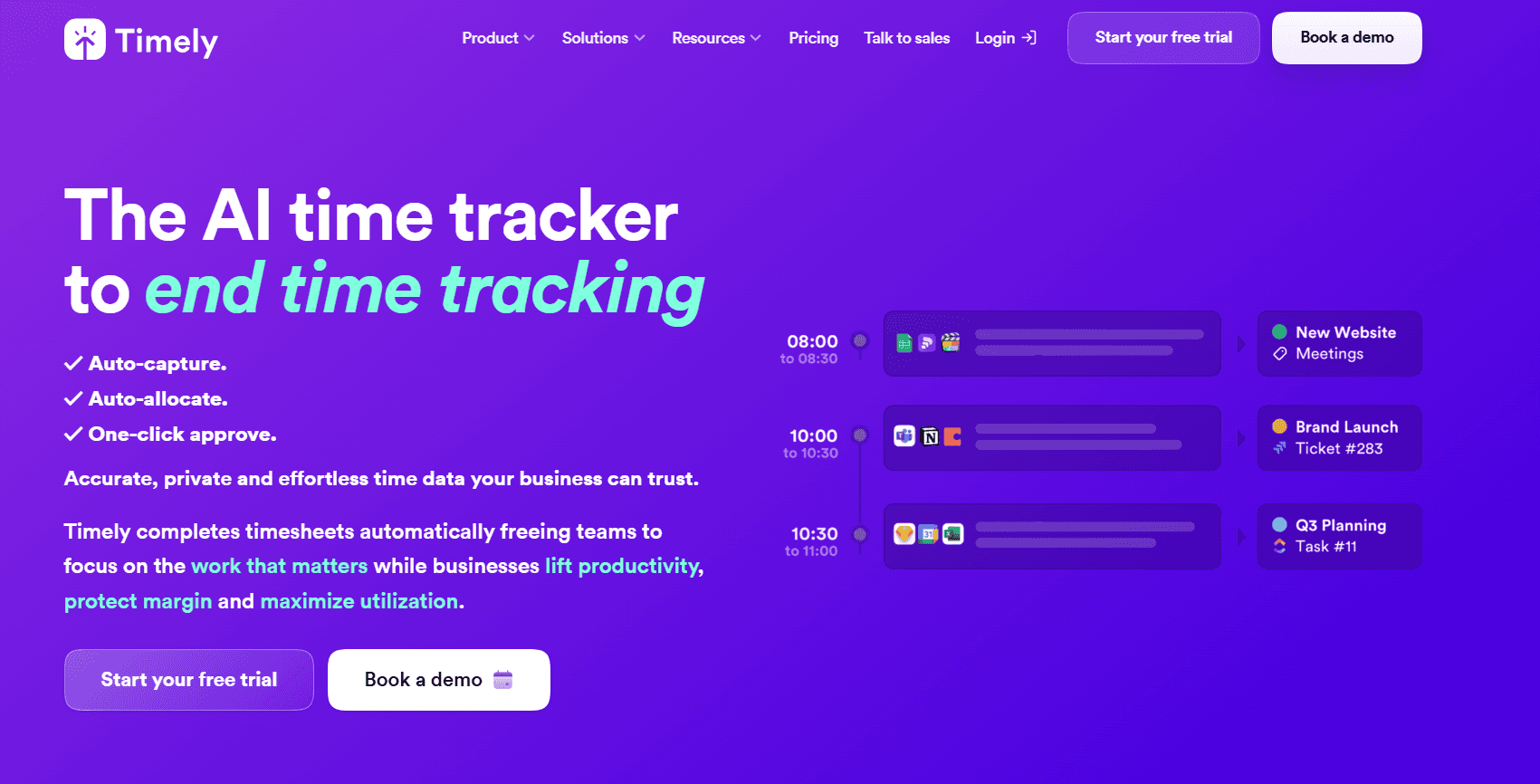
Timely's capture begins as a private record. The Memory tracker logs which applications and websites were open and for how long, visible to nobody except the person the log belongs to.
From there, AI assigns the captured time to the right client and project and produces a draft timesheet.
Features
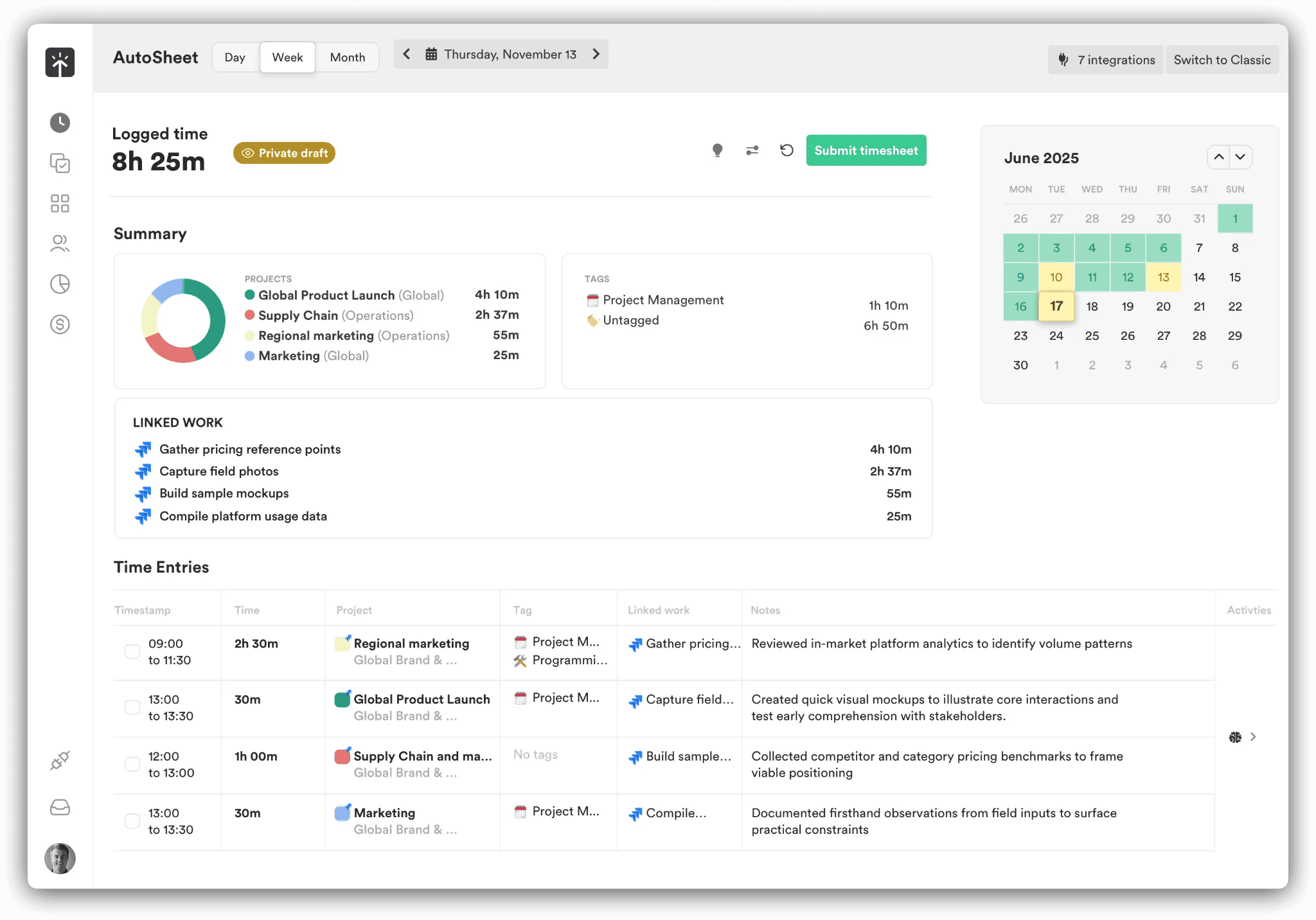
Memory tracker: the background log of application and website activity that supplies everything above it, with entries held private until approval.
AI timesheets (AutoSheet): captured time sorted into projects and clients automatically, producing a draft timesheet ready for review. Timely's own figure for completing one is under two minutes.
People dashboard: a single view covering who has gone past capacity, what share of the week was billable, and where overtime is accumulating.
Planning and budgets: planned time against recurring project budgets, milestone alerts as a budget is consumed, cost rates recorded next to billable rates, and period locking on the upper tiers.
Pricing
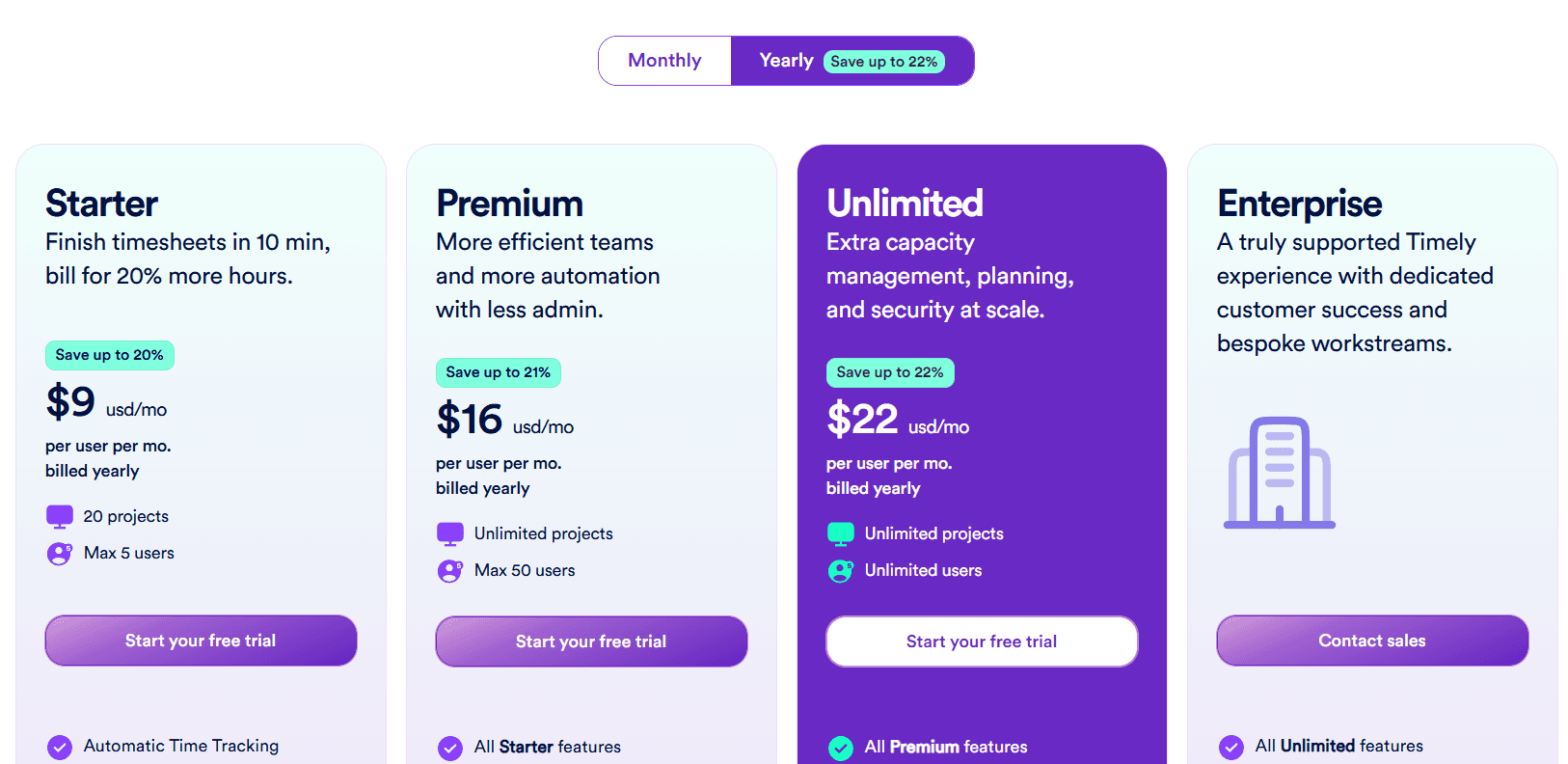
Timely's three published tiers land at $9, $16, and $22 per user per month on yearly billing, with Enterprise arranged through sales.
Starter: $9 per user per month billed yearly, $11 monthly. Holds 5 users and 20 projects, and includes automatic time tracking, AI categorization, billable hours reporting, project health monitoring, and API access.
Premium: $16 yearly, $20 monthly. Raises the ceiling to 50 users with no project limit, and adds planning, budgets and costs, team management, and sync with project management and accounting tools.
Unlimited: $22 yearly, $28 monthly. Removes the user ceiling and adds capacity management and reporting, overtime and undertime, 50-plus currencies, Azure user management, and premium customer success.
Enterprise: arranged with sales. Tailored onboarding, team training, priority support, and monthly or quarterly reviews.
Tasks add-on: from $5 per person on any plan, for assigning and scheduling work against deliverables and tracking how far it has got.
Pros and cons
✅ API access is included from the $9 Starter tier, so time data can move into other systems without an upgrade.
✅ AutoSheet drafts the timesheet from captured time, and Timely puts completion at under two minutes.
✅ Cost rates run alongside billable rates, with milestone alerts and locked periods on the higher tiers.
❌ Starter holds 5 users and 20 projects, so a team crossing either line moves up to Premium at $16.
#4: Clockify
Best for: Small teams that want a working timer and timesheet at no cost for five people, with invoicing, scheduling, and SSO available further up the ladder.
Similar to: TimeCamp, Jibble.
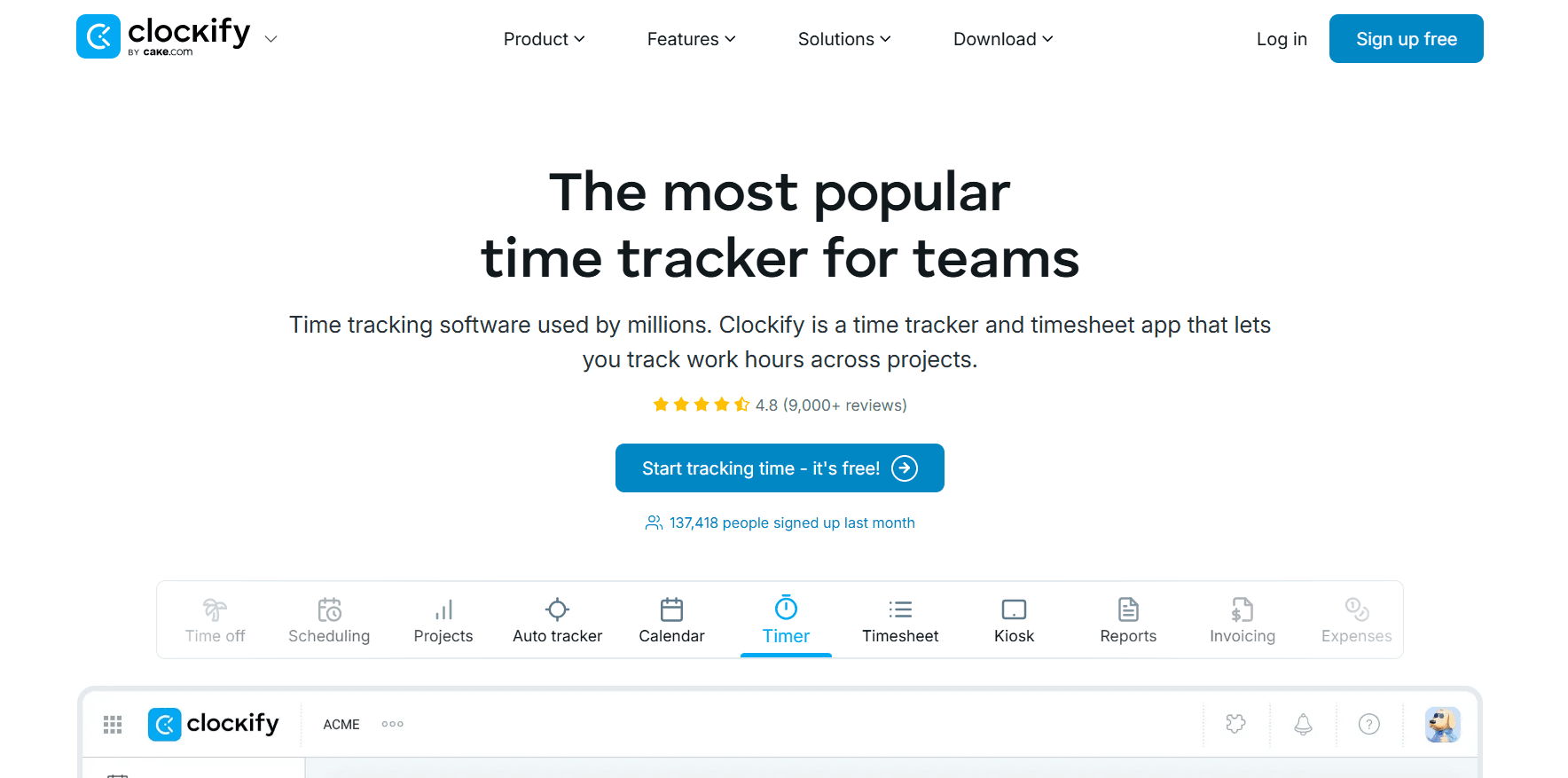
Clockify gives a five-person team a working timer and timesheet for nothing, and each paid step above it is a small increment.
The free tier carries unlimited tracking through the Timer, the weekly Timesheet, the Calendar, and the Auto tracker, with reports included.
Features
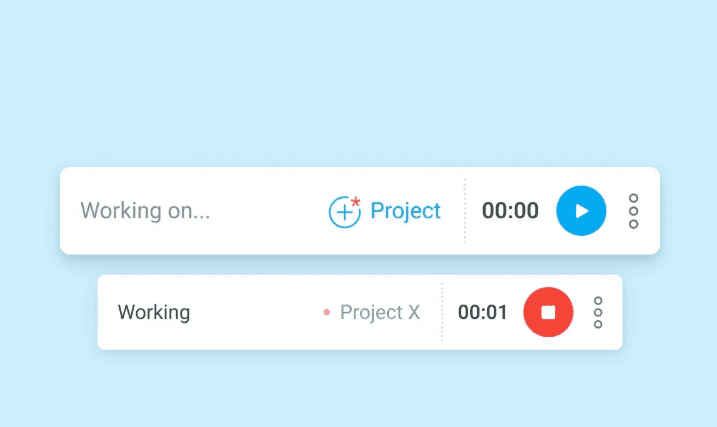
Five capture methods: the live Timer, a weekly Timesheet grid, a Calendar for blocking the day into segments, an Auto tracker that keeps a record of open applications and sites, and a shared-tablet Kiosk for clocking a whole team in and out.
Rates and profit: billable rates start on Basic, task-level rates and rounding arrive with Standard, and Pro sets labor cost against revenue.
Scheduling and time off: Standard covers attendance, overtime, and time off, and Pro adds shift and assignment scheduling with forecasting.
Invoicing and approvals: billable hours convert into invoices, recurring ones included, past periods can be locked, timesheets route through an approval flow, and QuickBooks connects. All of it from Standard.
Pricing
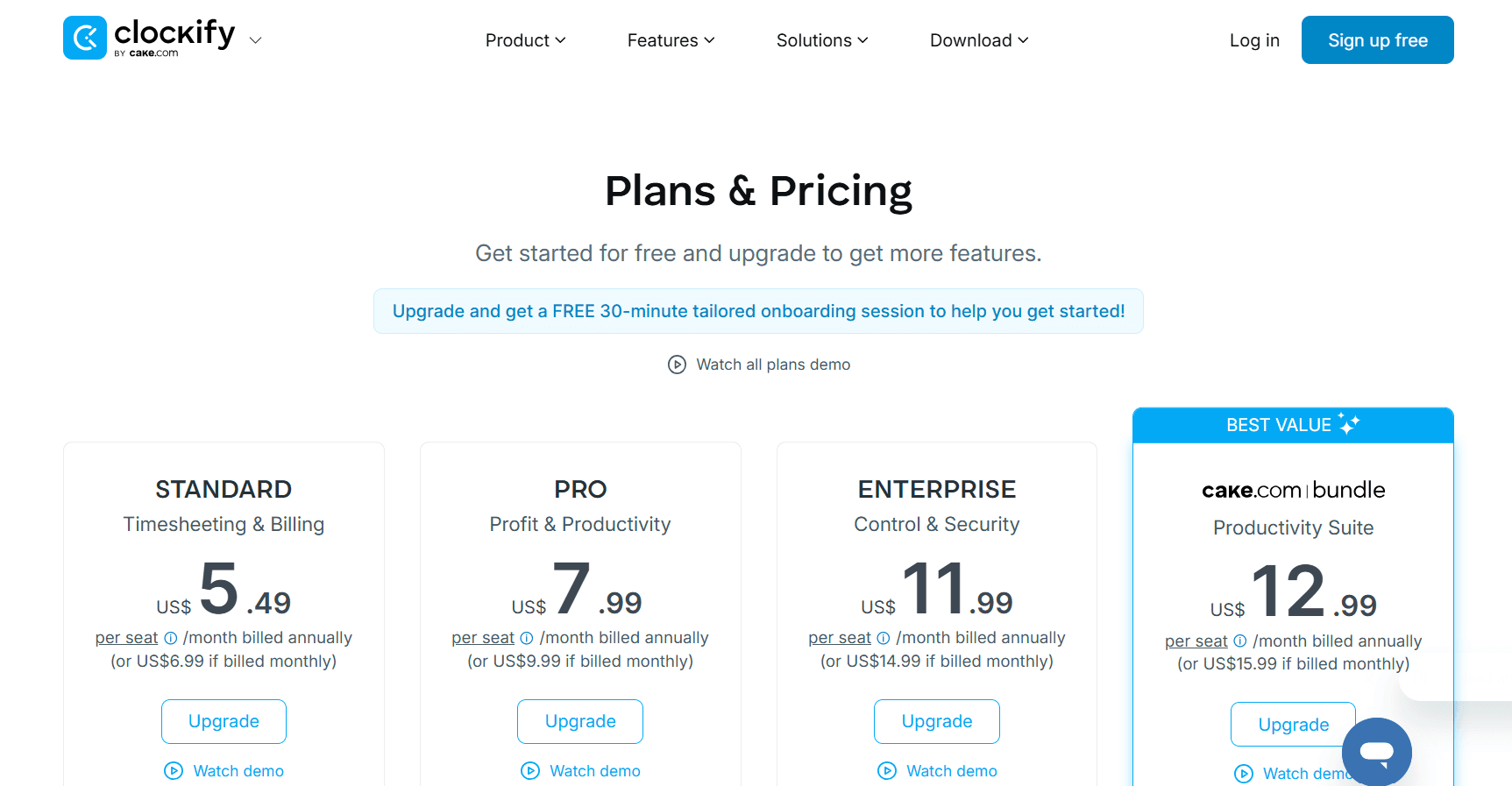
Nothing to pay for a team of five, and the paid ladder climbs from $3.99 to $11.99 per seat per month on annual billing.
Free: $0 for up to 5 users. Tracking is unlimited and covers the Timer, Timesheet, Auto tracker, and Calendar, with idle detection, a Pomodoro timer, tracking integrations, team activity, and reports.
Basic: $3.99 per seat per month billed annually, $4.99 monthly. Adds the Kiosk, billable rates, entry on behalf of others, bulk edit, time audit, required fields, imports, and project templates.
Standard: $5.49 annually, $6.99 monthly. Brings invoicing and recurring invoices, approval, locked time, time off, attendance and overtime, a manager role, targets and reminders, and the QuickBooks integration.
Pro: $7.99 annually, $9.99 monthly. Activity monitoring, screenshots, GPS tracking, scheduling and forecasting, labor cost and profit, budgets and estimates, expenses, custom fields, alerts, and email reports.
Enterprise: $11.99 annually, $14.99 monthly. Covers SSO, SCIM provisioning, a custom subdomain, control accounts, and an audit log.
CAKE Bundle: $12.99 annually, $15.99 monthly, pairing Clockify's Enterprise feature set with Pumble for team communication and Plaky for project management.
Pros and cons
✅ Five capture methods are available on a single account, from the live Timer on the free plan to a shared-tablet Kiosk from Basic.
✅ Unlimited tracking for five people at no cost, with idle detection and a Pomodoro timer included at that level.
✅ SSO, SCIM provisioning, a custom subdomain, and an audit log all arrive at $11.99, with no custom quote needed.
❌ Activity monitoring, shift scheduling, and labor cost reporting all begin at the $7.99 Pro tier.
#5: TimeCamp
Best for: Teams of any size that want unlimited free seats and AI-filled timesheets, with approvals and BI reporting available above.
Similar to: Timely, Clockify.
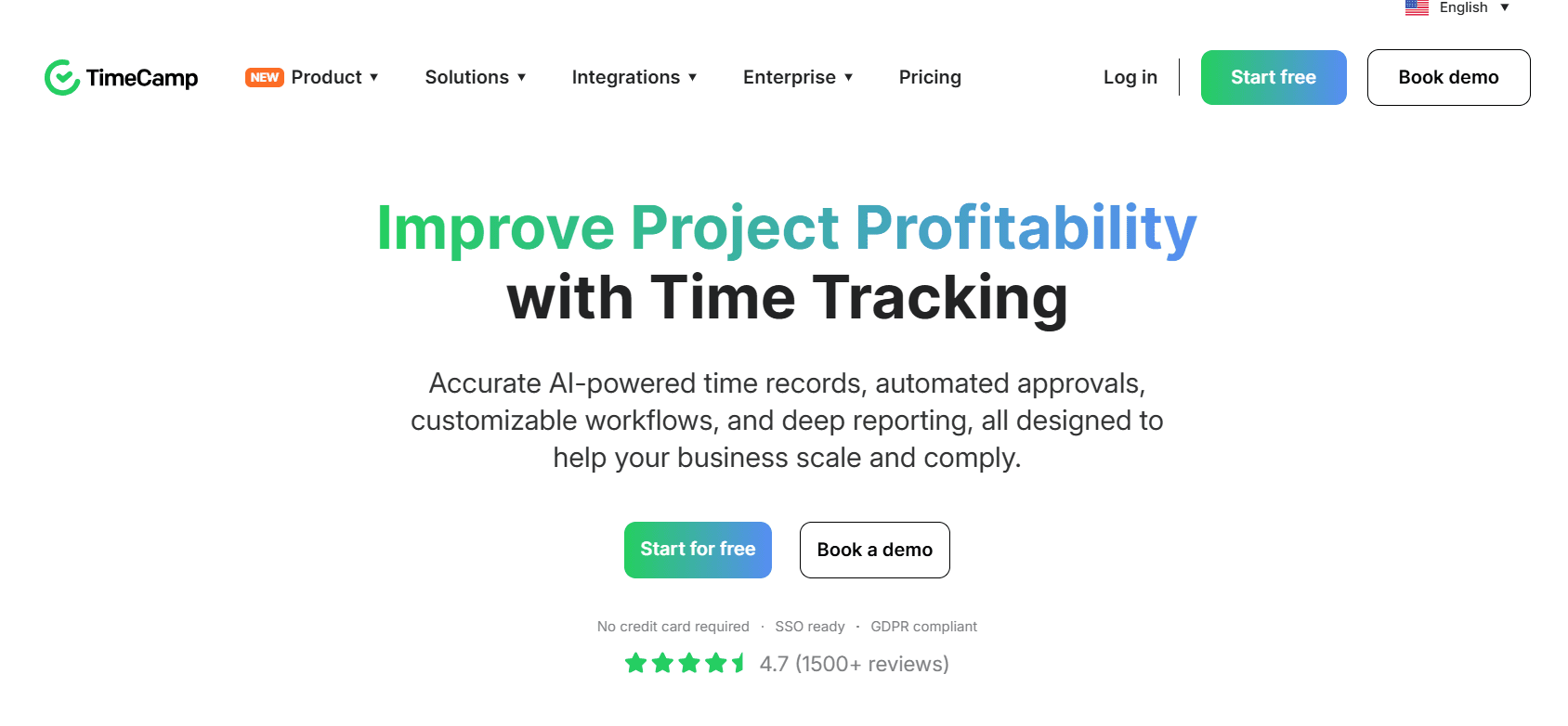
TimeCamp puts unlimited users and unlimited projects on a plan that costs nothing.
Its AI Time Tracking Agent fills the timesheet in the background, categorizing applications and websites with no timer started by anyone.
Features
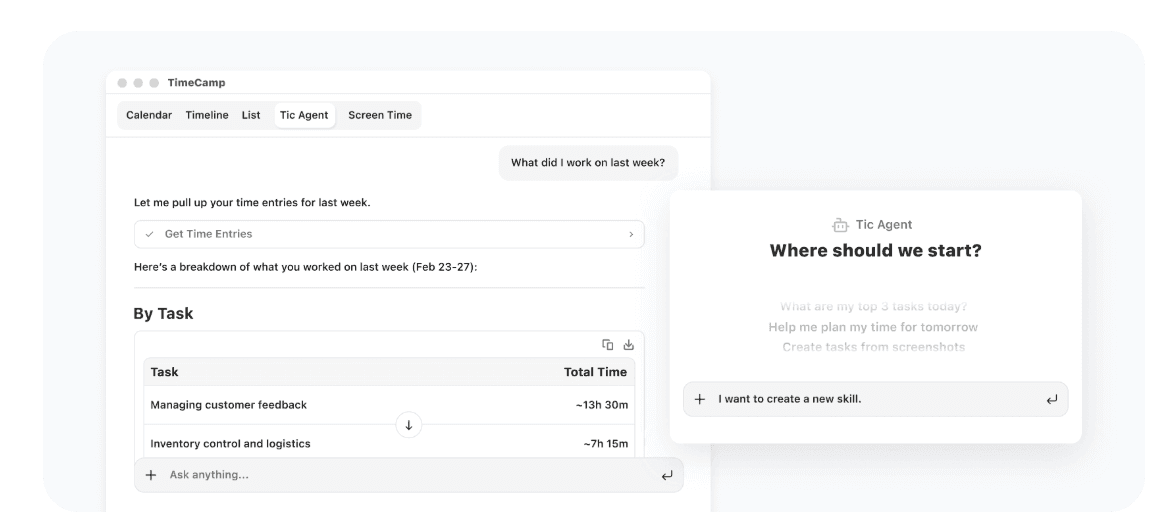
AI Time Tracking Agent and AI Timesheets: logging that needs no clicks, automatic categorization of applications and websites, and alerts when an entry needs a human look. Billing for the agent is metered by tokens.
AI Operational Hub: team-wide time data collected into one privacy-first view that updates in real time.
Keyword-based automatic tracking: keywords route time to the right task, alongside idle time tracking and a personal activity timeline.
Approval workflows and payroll-ready data: attendance, overtime tracking, time-off, a time clock kiosk, and an approval step on the timesheet.
Budget and margin control: billable rates and labor costs set against budgets and estimates, alerts as a budget is consumed, fixed-fee projects, and invoices pushed to QuickBooks and Xero.
Enterprise data layer: hosting on private cloud or self-hosted, custom integrations, user directory sync, warehouse access, a BigQuery data pipeline, and API templates for Excel and Power BI.
Pricing
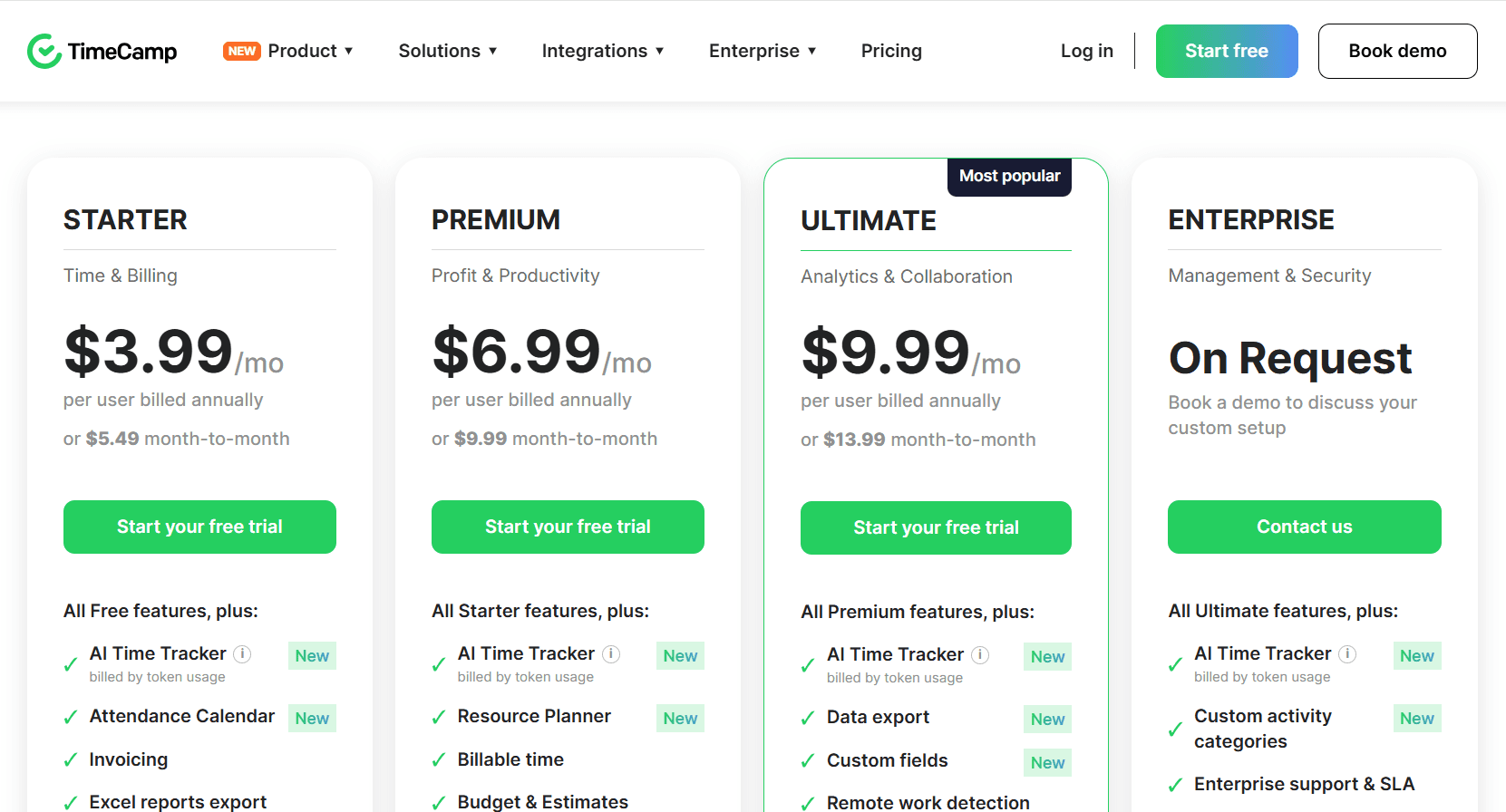
Paid rates run $2.99, $4.49, and $5.99 per user per month on annual billing, rising to $3.99, $5.99, and $7.99 month-to-month. No user cap applies to the free plan, and Enterprise is quoted on request.
Free: $0 forever. Unlimited projects and unlimited users, timesheets, 2FA, apps for web, desktop, and mobile, and the AI Time Tracker billed by token usage.
Starter: $2.99 per user per month annually, $3.99 monthly. Brings invoicing, an attendance calendar, time-off and overtime tracking, unlimited tasks, bulk edit, project templates, and Excel report export.
Premium: $4.49 annually, $5.99 monthly. Adds the Resource Planner, billable time, budgets and estimates, application and website tracking, time rounding, private time, budgeting alerts, management roles, scheduled email reports, and one integration.
Ultimate: $5.99 annually, $7.99 monthly. Timesheet approvals, billing rates, labor costs, expenses, fixed-fee projects, screenshots, remote work detection, custom fields, a pivot table, custom user roles, time entry history, SSO, and unlimited integrations.
Enterprise: quoted on request. An enterprise SLA, self-hosted or private cloud deployment, custom activity categories, custom integrations and reports, an audit log, onboarding and training, warehouse access, user directory sync, a BigQuery pipeline, and Power BI API templates.
Pros and cons
✅ 2FA is included on the free plan and not held back for a paid tier.
✅ Attendance and overtime tracking arrive at the $2.99 Starter tier, with a time clock kiosk in the same product for shift-based staff.
✅ Keyword rules assign time to the right task on their own, so categorization doesn't turn into a weekly chore.
❌ Token-metered billing on the AI Time Tracker means that line of the invoice moves with usage on every plan, the free one included.
#6: DeskTime
Best for: Teams that want capture underway before anyone thinks about it, with productivity data resolved down to individual applications, URLs, and document titles.
Similar to: Time Doctor, Timely.
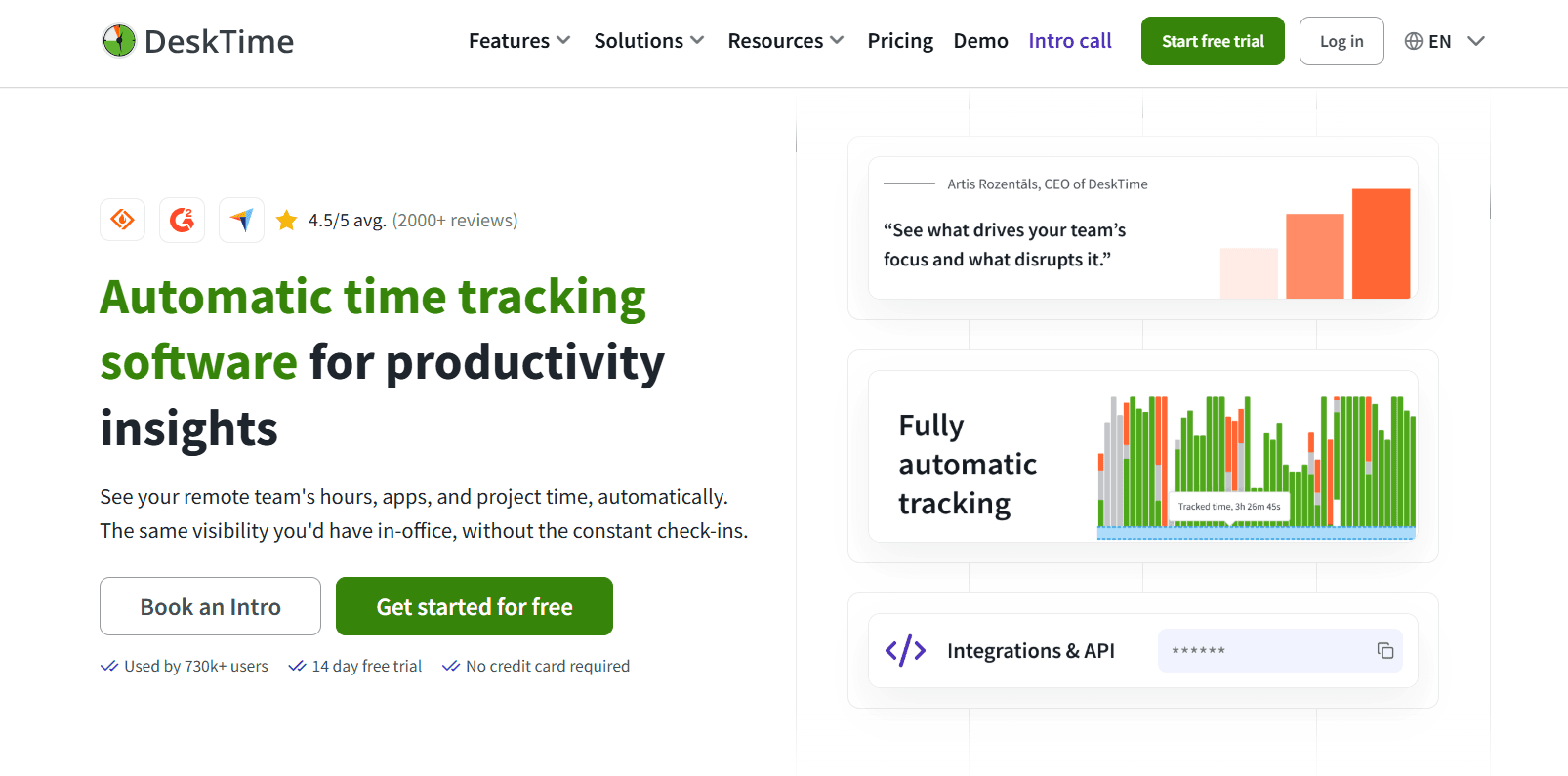
DeskTime has run automatic tracking since 2011, and the company attributes the widely cited 52/17 work-and-break pattern to its own data.
Nobody starts anything. DeskTime records while the computer is on, and through the day it grades each application, website, and document title as productive or unproductive.
Features
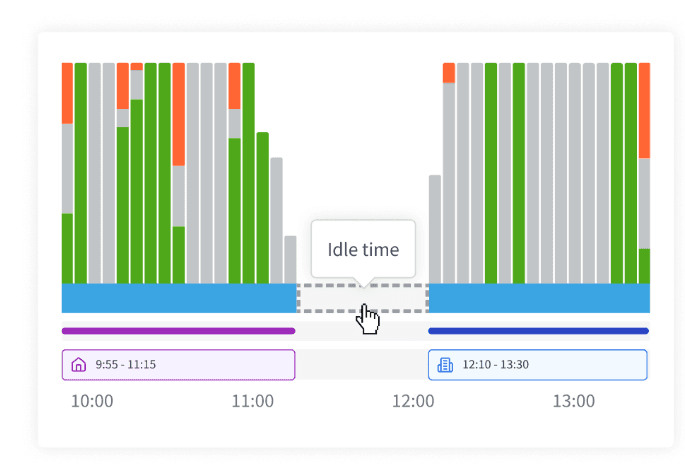
Automatic time tracking: running from power-on, with idle detection, a route for adding offline time, and meeting and video tracking so a long call doesn't register as idle.
URL, application, and document title tracking: a record of open sites, applications, and documents, email subject lines among them, feeding a productivity score at both individual and team level.
Project tracking and shift scheduling: hours attached to tasks and projects, shift planning, and an absence calendar.
Screenshots: proof-of-work captures, available on Premium and above.
AI Summary: each day's tracked activity written up as a short narrative summary.
Pricing
Two tiers are published, at $6.42 and $9.17 per user per month on annual billing excluding VAT, with Enterprise quoted for organizations past 200 users.
Pro: $6.42 per user per month billed annually. Aimed at startups and small teams. Productivity calculations, document title tracking, and Google and Outlook calendar integrations.
Premium: $9.17 billed annually, adding screenshots, shift scheduling, and integrations and API access across Jira, Asana, Zapier, and others.
Enterprise: custom pricing above 200 users, with employee training, an account manager, and a custom API on request.
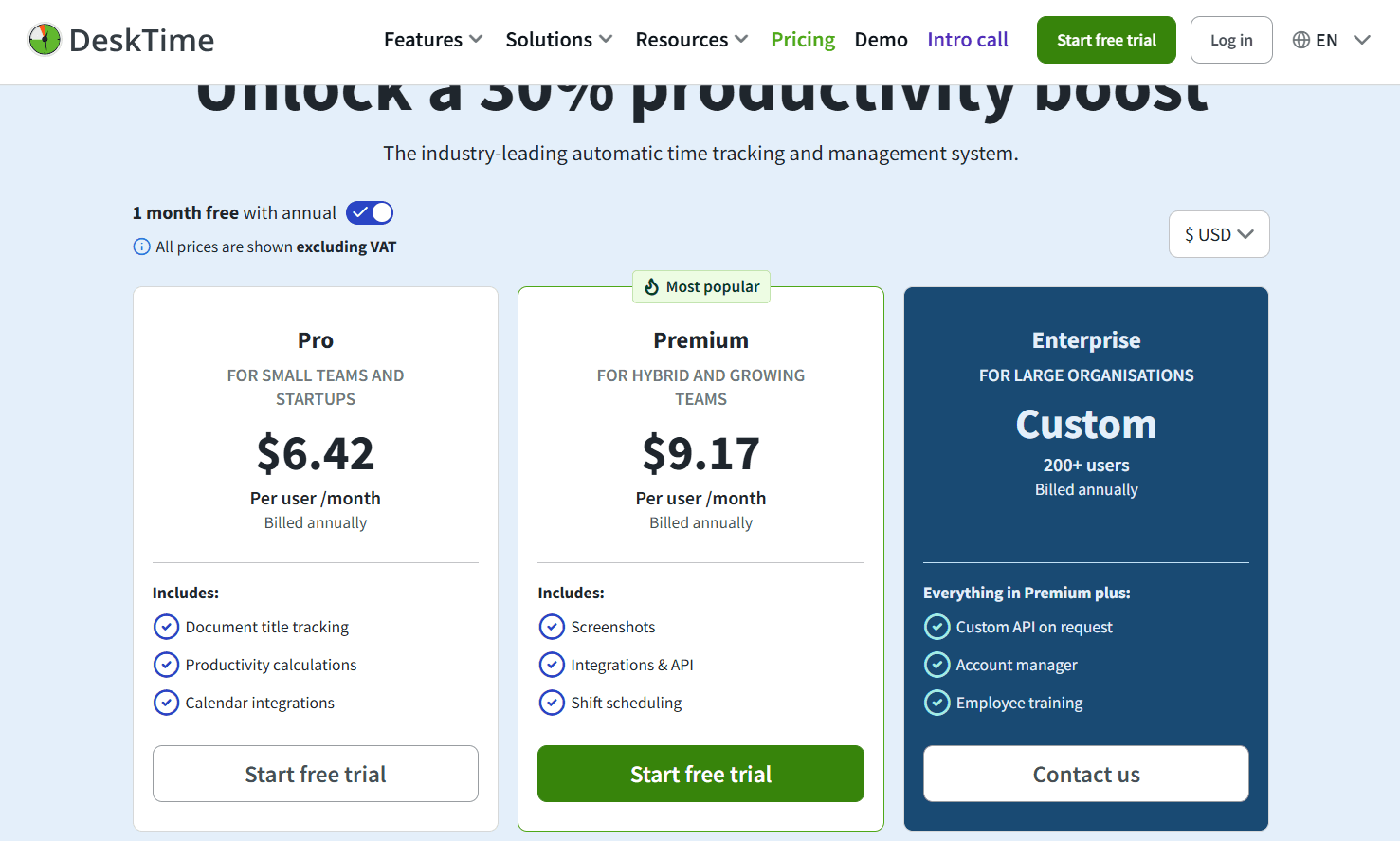
A 14-day free trial runs without a credit card, and annual billing includes one month free.
Pros and cons
✅ The AI Summary condenses a day's tracked activity into a short written readout, so a manager doesn't have to read the raw timeline.
✅ Document title tracking and productivity calculations are present from the $6.42 Pro tier, with no upgrade needed for either.
✅ Account security covers two-factor authentication, with encryption applied in transit and at rest.
❌ Screenshots, shift scheduling, API access, and the Jira, Asana, and Zapier connections all require Premium at $9.17.
#7: Everhour
Best for: Teams working in Asana, ClickUp, Jira, Linear, or Basecamp that want the timer and the budget bar inside those tools.
Similar to: Harvest, Clockify.
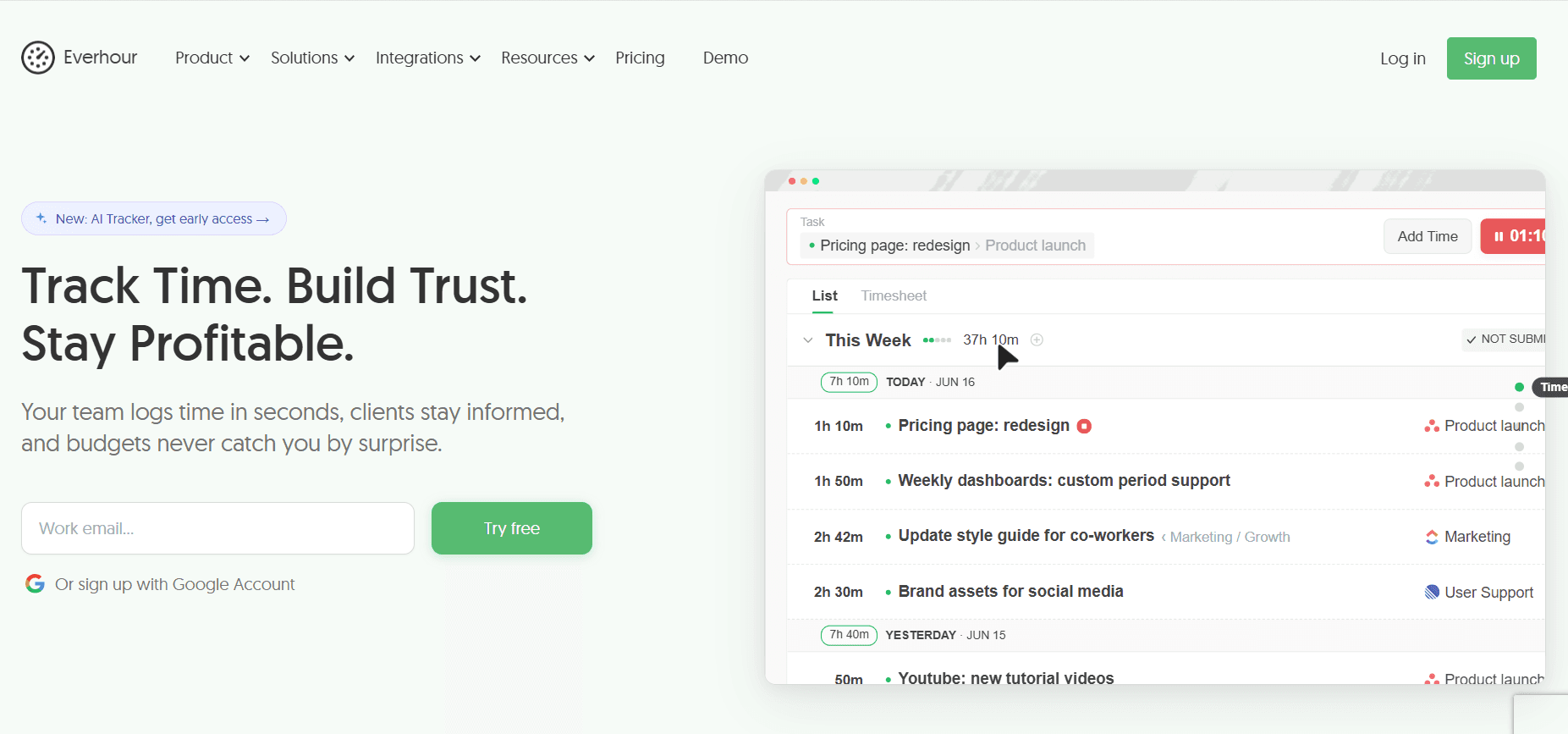
Everhour places its controls inside the project management tool a team already has open.
The Start Timer button is attached to the task itself, with the estimate-versus-actual figure beside it and a budget bar on the project.
From there, Everhour handles the commercial end. Budgets alert at 75%, 90%, and 100%, timers stop once a budget is spent, and invoices export to Xero or QuickBooks.
Features
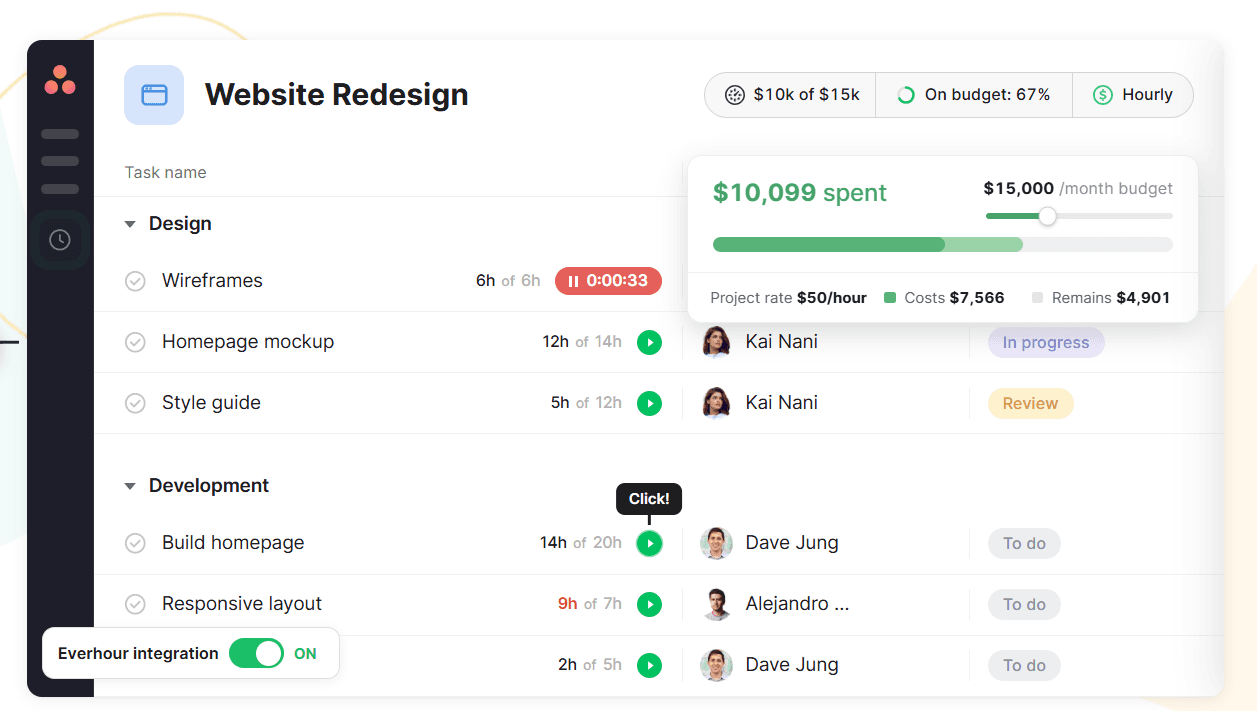
Native integrations: task-level tracking inside Jira, Asana, ClickUp, Linear, Basecamp, Monday, Notion, Trello, GitHub, and Wrike.
Budgets and alerts: a budget set in hours or money per project, thresholds of your choosing that trigger an email, a hard stop on the timer once the budget is consumed, and monthly resets for recurring engagements.
Invoicing: billable hours grouped by member, project, and period, turned into an invoice, sent to Xero or QuickBooks, with payment status followed afterwards.
Timesheet approval and time off: an approved timesheet closes to further editing, and time off accrues automatically with requests approved in the same place.
Pricing
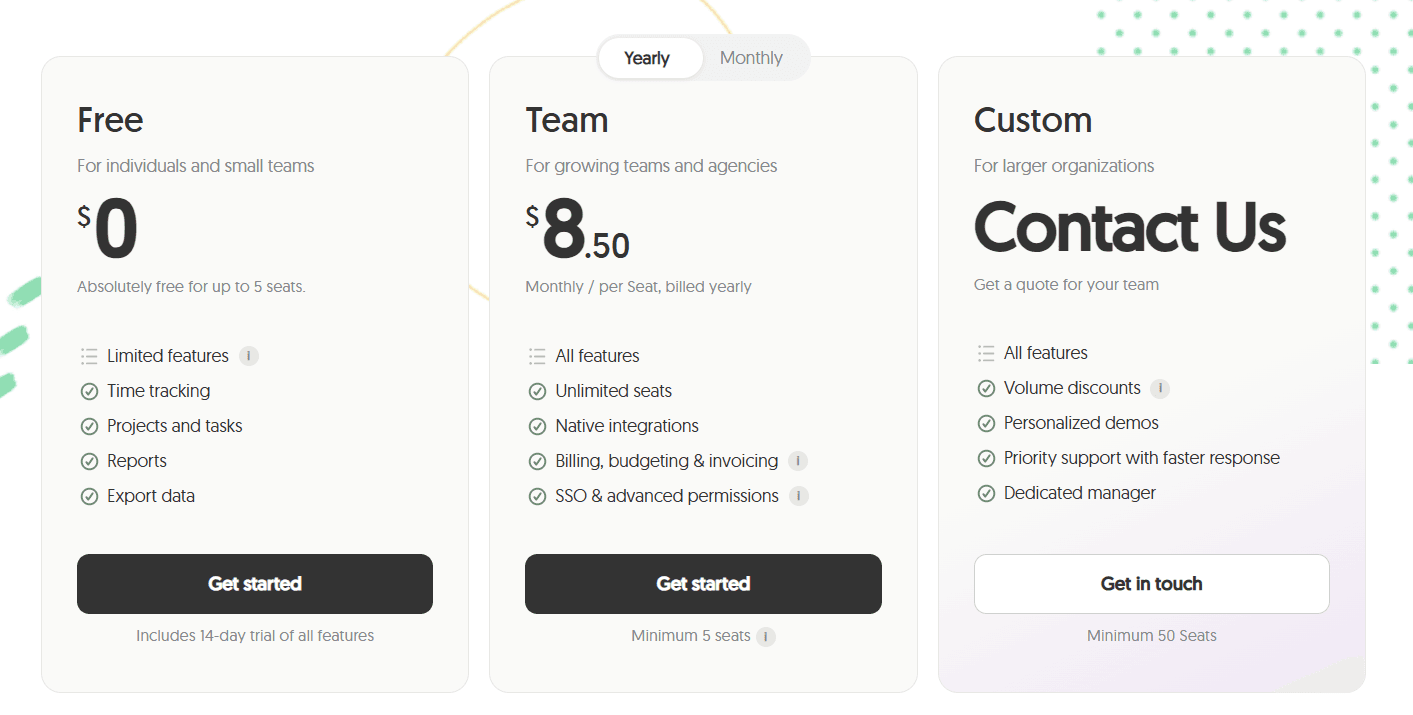
Everhour publishes a single paid plan at $8.50 per seat per month on yearly billing, alongside a free plan for five seats and a Custom plan opening at 50.
Free: $0 for up to 5 seats, with tracking, projects and tasks, reports, and data export, plus a 14-day trial of the full feature set.
Team: $8.50 per seat per month on yearly billing with a five-seat minimum. Everything is included at this tier: the native integrations, budgeting, billing and invoicing, advanced permissions, and SSO.
Custom: quoted above 50 seats, bringing volume discounts, a dedicated manager, priority support, and personalized demos.
Pros and cons
✅ Everhour stores time data in its own system, not in project management tool fields, so moving off Asana or Jira leaves the history intact.
✅ The Team tier carries no feature gating above it, so SSO and advanced permissions never require a second upgrade.
✅ Five free seats include a 14-day run at the complete feature set, enough to test the integration against a live project before any spend.
❌ Team carries a five-seat minimum on yearly billing, so a three-person paid team still pays for five.
#8: Hubstaff
Best for: Remote and hybrid teams that want the timer to end at a payout, with each team setting its own monitoring depth.
Similar to: Time Doctor, DeskTime.
Hubstaff starts from a stop-start timer on the desktop, or GPS capture where the work happens in the field, and feeds that into activity rates, application and URL tracking, optional screenshots, and project budgets.
Payroll completes inside Hubstaff, with approved hours paid out through Payoneer, Wise, PayPal, or Deel.
Features
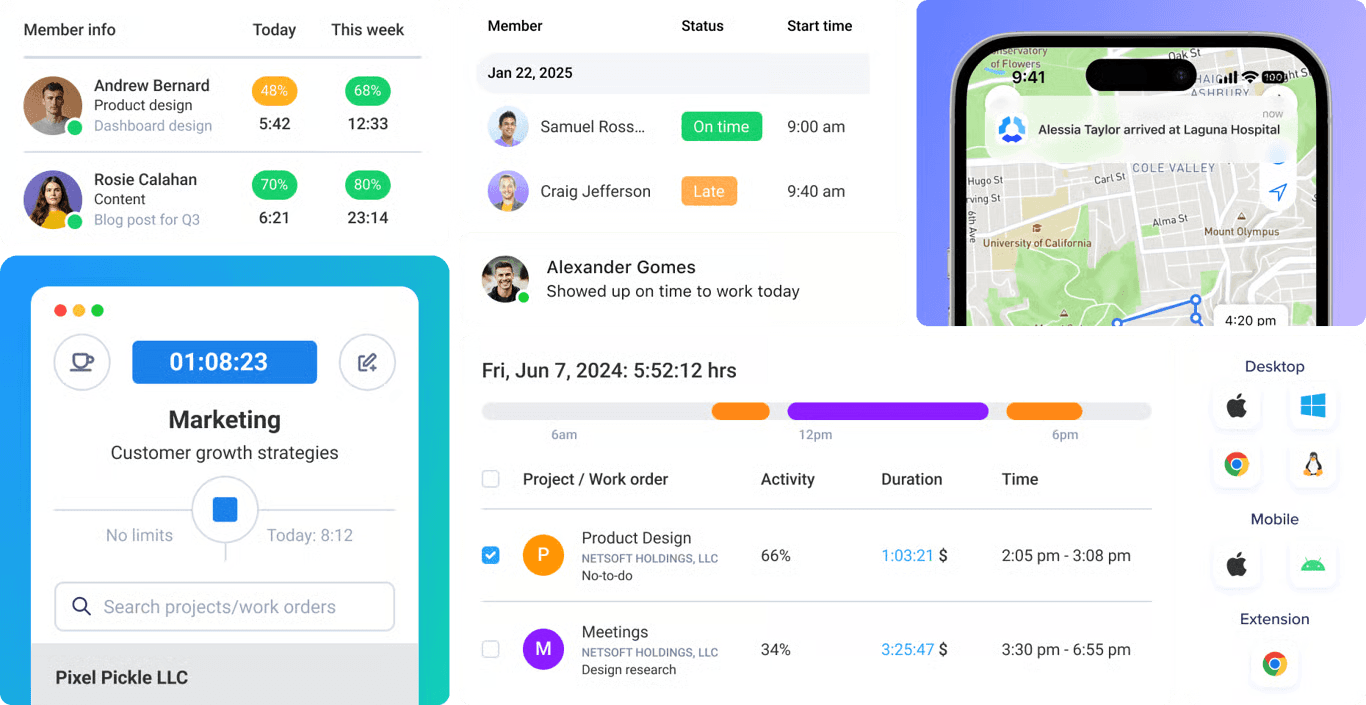
Multi-device time tracking: apps for desktop, web, and mobile, GPS capture for crews in the field, and background tracking on company hardware through the Silent app add-on.
Customizable productivity monitoring: activity rates, application and URL tracking, and screenshots, with settings and visibility adjustable per team and screenshots optional.
Project tracking and profitability: budgets with live spend against them, real-time cost data, and an alert raised when a project looks likely to overrun.
Insights: work classification, focus and meeting time, capacity gaps, utilization trends, and unusual activity detection.
Automated global payments: pay frequencies, approvals, and multi-currency payouts through Deel, Wise, PayPal, and Payoneer, drawn from approved time.
Pricing
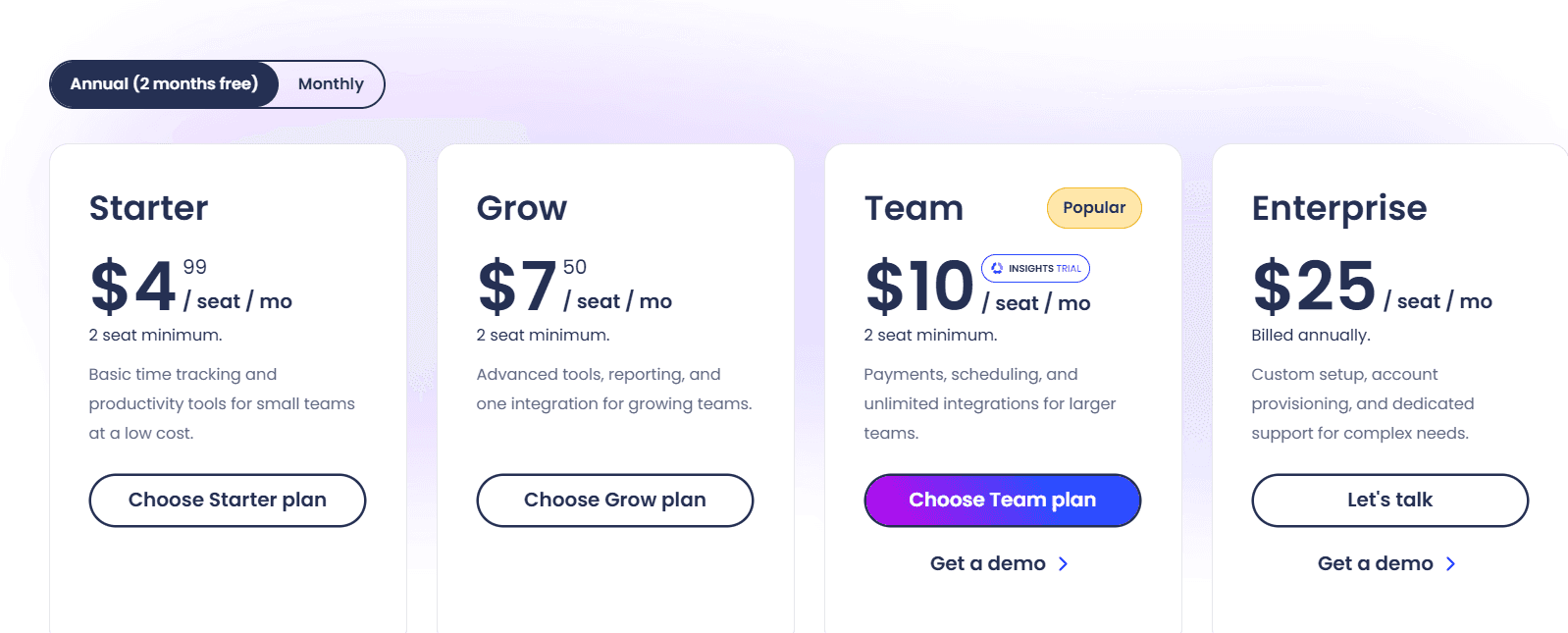
Starter, Grow, and Team run at $4.99, $7.50, and $10 per seat per month, each with a two-seat minimum, and Enterprise is $25 per seat per month billed annually.
Starter: $4.99 per seat per month. The multi-platform timer, timesheets, activity levels, 5 clients, client invoices, limited payments and payroll, and 500 screenshots and application and URL records per seat per month.
Grow: $7.50. The screenshot and application record allowance rises to 1,500 per seat per month, and the tier brings project budgets, expense tracking, idle time-out, Tasks, one integration, and a one-day email support SLA.
Team: $10. Timesheet approvals, attendance and scheduling, overtime, time off and holidays, client budgets, team invoices, full payments and payroll, unlimited integrations, audit logs, a limited public API, chat support, and a three-month Insights trial.
Enterprise: $25 billed annually. Insights, Locations, and the Silent app are included at this level, alongside SOC 2 Type II and HIPAA compliance, SSO, SCIM and account provisioning, concierge setup, an assigned account rep, and a two-hour email SLA.
Add-ons: Locations at $3.33, Data retention at $1.67, and Insights, Tasks, More screenshots, and the Silent app at $2.50 each, all per seat per month.
A 14-day trial runs without a credit card, backed by a 30-day money-back guarantee.
Pros and cons
✅ Monitoring depth is a per-team setting, so one organization can run activity rates alone for engineering and screenshots for a contractor pool.
✅ Insights derives work classification, focus time, and capacity gaps from tracked data already in Hubstaff, with no second tool needed.
✅ A 30-day money-back guarantee backs the 14-day trial, which lowers the risk on a multi-seat commitment.
❌ Insights, the Silent app, Locations, extra screenshots, and extended data retention are each priced as per-seat add-ons below the Enterprise tier.
#9: Time Doctor
Best for: BPOs, contact centers, and distributed teams looking for productivity ratings, screenshots, and sector benchmarks under one subscription.
Similar to: Hubstaff, DeskTime.
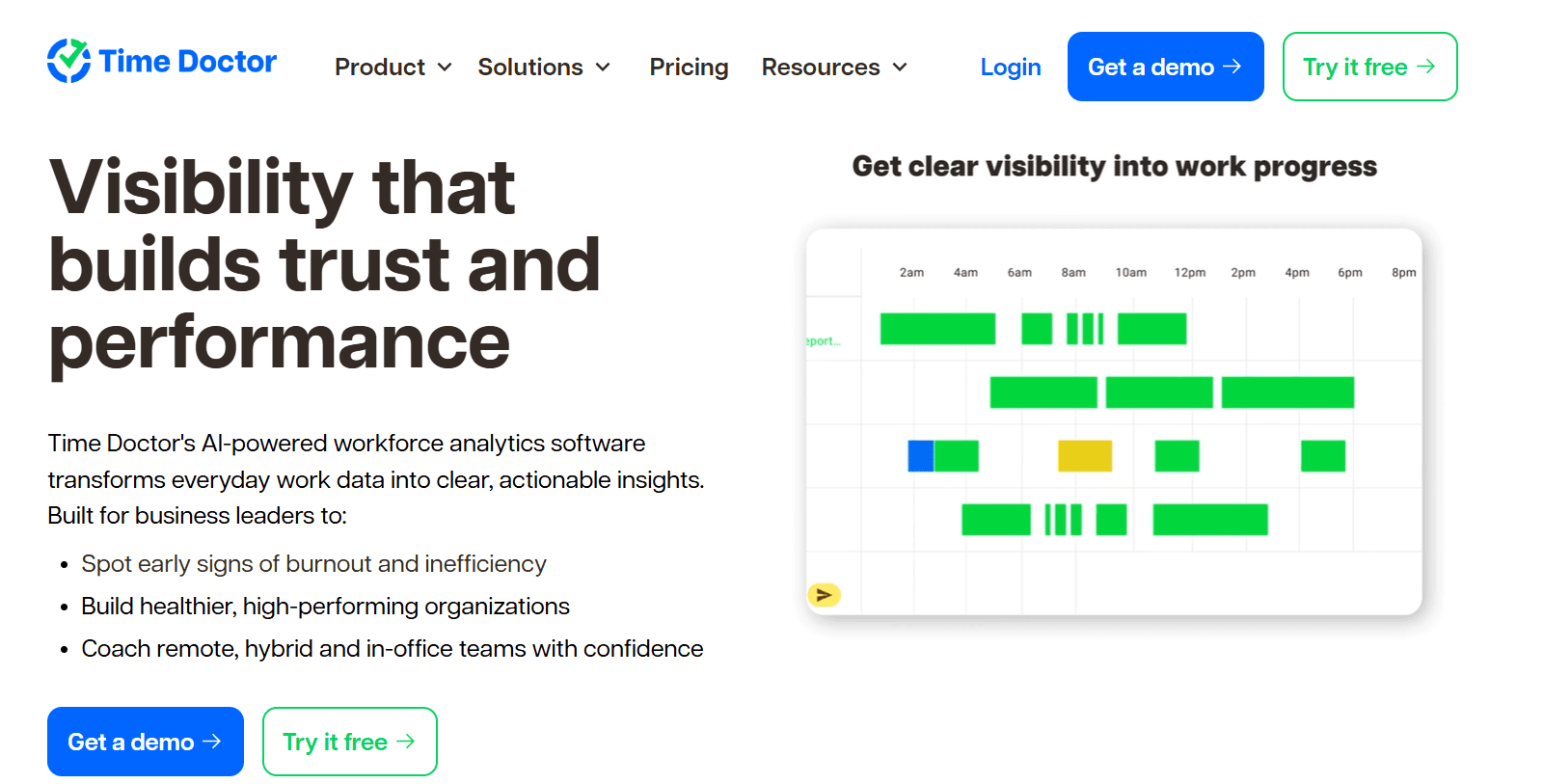
Time Doctor calls itself workforce analytics, and the product matches the description.
Capture runs automatically in the background, and the bulk of what a buyer gets is the reporting layer above it, from productivity ratings and application usage up to an executive dashboard.
Features
Benchmarks AI: a team's productivity figures placed next to AI-matched benchmarks drawn from comparable teams elsewhere, so a manager can judge whether a number reads high or low for the sector. Included on Premium, or purchasable at $3 per user below it.
Unusual Activity AI Report: keyboard and mouse patterns examined for input that doesn't look human, mouse jigglers and keyboard simulators included.
Web and app usage: application and website time grouped into productivity ratings that you set the definitions for.
Attendance, schedules, and payroll: shift schedules, time approvals, break and leave tracking, and a payroll run, all present from Standard. Native HRIS and payroll integrations carry a separate charge.
Pricing
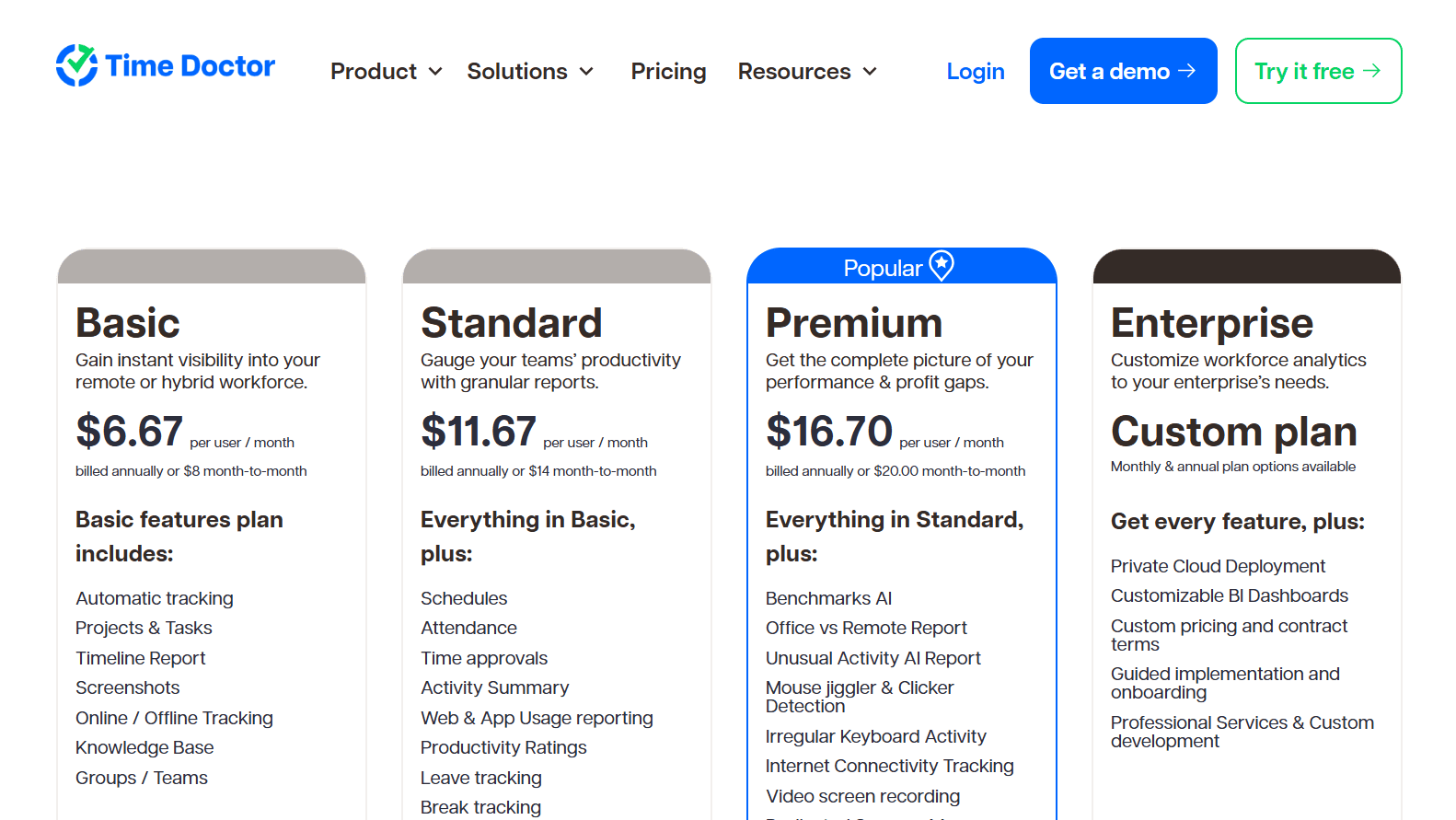
Time Doctor's published rates span $6.67 to $16.70 per user per month on annual billing, with a custom Enterprise plan and a menu of optional add-ons beside them.
Basic: $6.67 per user per month billed annually, $8 monthly. Covers automatic tracking, projects and tasks, groups, screenshots, the timeline report, and online and offline capture.
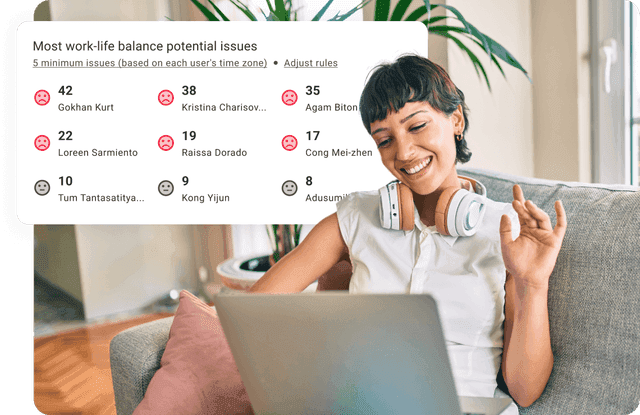
Standard: $11.67 annually, $14 monthly. Productivity ratings, web and app usage reporting, schedules and attendance, break and leave tracking, time approvals, payroll, work-life balance metrics, real-time notifications, and 60-plus integrations.
Premium: $16.70 annually, $20 monthly. Benchmarks AI, the Office vs Remote and Unusual Activity AI reports, an executive dashboard, video screen recording, Meeting Insights, Software Cost Insights, client login, open API access, SSO, and a dedicated success manager.
Enterprise: custom pricing, with private cloud deployment, professional services, guided implementation, and customizable BI dashboards.
Add-ons: Benchmarks AI, Unusual Activity Reporting, and Software Cost Insights each cost $3 per user per month on Basic and Standard, and a native HRIS or payroll integration is $200 per integration per month.
Pros and cons
✅ Premium bundles Meeting Insights, Software Cost Insights, and an executive dashboard into the same subscription as the tracking.
✅ Tracking runs both online and offline from the $6.67 Basic tier, so low-connectivity work still reaches the record.
✅ Payroll, time approvals, attendance, and shift schedules all become available at the Standard tier, with no add-on required.
❌ Video screen recording, the executive dashboard, open API access, and SSO are Premium features at $16.70 per user.
#10: Jibble
Best for: Shift-based, frontline, construction, and manufacturing teams that need attendance at no cost, with the identity of the person clocking in confirmed.
Similar to: Clockify, TimeCamp.

Jibble's core product costs nothing at any headcount.
Clock-in from a phone or a browser, basic timesheets, and connections to Slack, Microsoft Teams, and QuickBooks all belong to the free plan.
Features
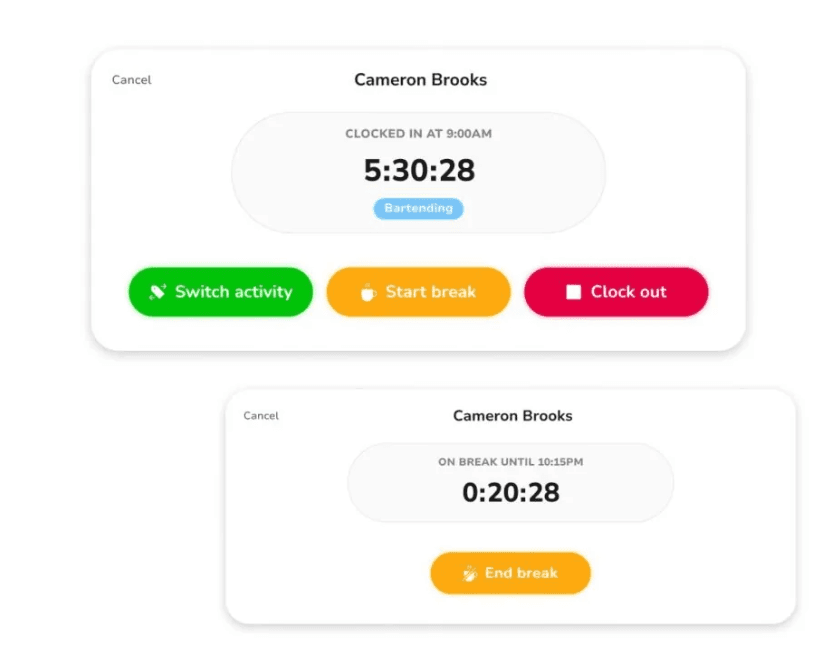
Timer, Timesheets, and Kiosk: clock-in from a personal phone or a shared tablet, timesheet review and approval each pay period, and an Offline Mode that holds entries locally until a connection returns.
Verification: Face Recognition stops one person clocking in on another's behalf, Selfie Capture attaches a photo to each entry, Geofencing restricts clock-ins to approved sites, GPS Tracking stamps location onto the entry, and the Kiosk accepts NFC or a PIN.
Time Off and Approvals: accrual-based leave policies with a request flow, Work Schedules, timesheets approved in one click, and People & Groups for structuring staff under role-based permissions.
Reports and Exports: payroll and attendance reports, project-level time, a live view of everyone currently clocked in, and XLS or CSV output that loads into Xero, QuickBooks, and Deel.
Pricing
The core Jibble plan carries no charge at any headcount. Paid rates appear in-app, and no public price list existed when I checked.
Free: $0 at any headcount, with mobile and web clock-in, basic timesheets, and Slack, Microsoft Teams, and QuickBooks integrations.
Paid upgrades: Jibble confirms paid tiers exist and offers a 14-day trial of them at sign-up. Rates appear in-app, so confirm them there or through sales.
Enterprise: arranged through sales, with SSO, 2FA, dedicated onboarding, and support.
Pros and cons
✅ Headcount never enters the pricing conversation, since the core plan has no user ceiling and no expiry date.
✅ Five verification methods run at the moment of clock-in, covering both who is clocking in and where they are standing.
✅ Offline Mode holds entries on sites without signal and syncs them later, so remote locations don't leave gaps in the record.
❌ Paid rates are quoted in-app and not published on a page, so budgeting past the free plan means a conversation with sales.
See your own workflows in Reflow
If you're leaving Toggl Track because an approved timesheet accounts for the hours and stops there, Reflow was built for the question you're now asking.
Here's what you get with Reflow:
Capture from a native Mac and Windows agent, classified by machine learning, with manual entry disallowed throughout.
Workforce intelligence across the base layer: work time, active time, session time, productive time, and productivity trends by team.
Real-time workflow maps covering each step, including the ones skipped, repeated, or left waiting.
Per-process figures for run count, average duration, average deviation, and hours recoverable each month.
Unit economics of operational work broken down by customer, task, and project.
SOP adherence verified run by run, flagging drift and compliance risk as it appears.
Automation recommendations ranked by opportunity, with the return measured after each one ships.
Workflow automation on the same platform, so the system that located the opportunity is the system that executes it.
Configuration handled by our team, no engineering resources required, and a trial that runs beside your incumbent tracker.
➡️ Book a demo to see your own operation mapped, or read how Collective turned that visibility into $3.1M in annual cost savings.
⚠️ Disclaimer: This article was last updated on September 16, 2026. If you spot any inaccuracies, contact us, and we'll fact-check it.
See Reflow in action
A short demo, tailored to your operations.