Fluency, the work intelligence platform, maps observed work into a Work Ontology and deploys AI agents against what it finds. I've ranked ten alternatives below by how well they suit teams moving off Fluency.
TL;DR
Reflow leads my list for enterprise operations teams planning to give repetitive SOP work to AI agents. It picks those processes from step-level run data and reports their return after launch, while each agent works from its own laptop and email address and calls on a person when it can't fix a broken step.
Skan AI and Klarity (Within) come closest to Fluency's approach of modeling work before automating it. Skan AI observes screens through computer vision and runs agents on Agentic Operating Procedures, whereas Klarity (Within) builds a Work Brain from screen capture and staff interviews.
Mimica, KYP.ai and Soroco Scout lean toward discovery at scale: Mimica rates each process for ROI and ease of automation. KYP.ai writes agent code for platforms such as UiPath, while Soroco Scout maps human and agent work in a Work Graph.
8Flow suits leaders who want a briefing whenever a team or vendor drifts from its learned baseline.
UiPath Process Intelligence and Celonis connect desktop task mining to wider process mining and automation platforms.
Scribe offers free guide capture, with Scribe Optimize for ranking improvements.
What are the best Fluency alternatives?
Reflow is the best Fluency alternative in 2026 for operations teams that need AI agents to handle SOP work, with step-level run data to justify each automation.
Skan AI and Klarity (Within) rank next as the platforms nearest to Fluency's observe-then-automate model.
Here's my shortlist, with the buyer I'd match to each tool and how it captures work:
Tool | Best for | How work is captured |
Reflow | SOP-driven agents picked from run-level data and measured after launch | Native Mac and Windows agent |
Skan AI | An AI roadmap and AOP-governed agents from screen observation | Computer vision on the desktop |
Klarity (Within) | One queryable map of documented and tacit work | Screen capture, AI Interviews and file uploads |
Mimica | A scored backlog of automation candidates | Click and keystroke recording |
KYP.ai | Agent code for an existing automation platform | Real-time desktop activity capture |
Soroco Scout | Human and agent work mapped together, with simulated changes | Anonymized interaction data |
8Flow | Proactive leader briefings on deviations from learned baselines | Browser extension and desktop client |
UiPath Process Intelligence | Mining findings handed to UiPath robots and agents | Task Mining plus system event logs |
Celonis | Desktop activity read against an enterprise-wide process model | Task Mining Client plus Data Core |
Scribe | Step-by-step guides with ranked improvement opportunities | Browser and desktop capture |
How were these Fluency alternatives selected?
Three tests set the lineup:
It must observe work where people do it: at the desktop or through interaction data, with system logs as an optional extra.
It must recommend what to change: through scored automation opportunities, ranked signals or improvement recommendations.
It must offer a route from finding to action: agents, automations, generated code, exports, simulations or drafted next steps.
#1: Reflow
Reflow is the best Fluency alternative in 2026 for enterprise operations teams handing repetitive, SOP-defined tasks to AI agents and letting measured workflow data set the order.
Our agents operate a company's applications on screen, so software without an API or MCP server stays within reach. Where sign-off is needed, an agent can pass finished work to a reviewer before submission.
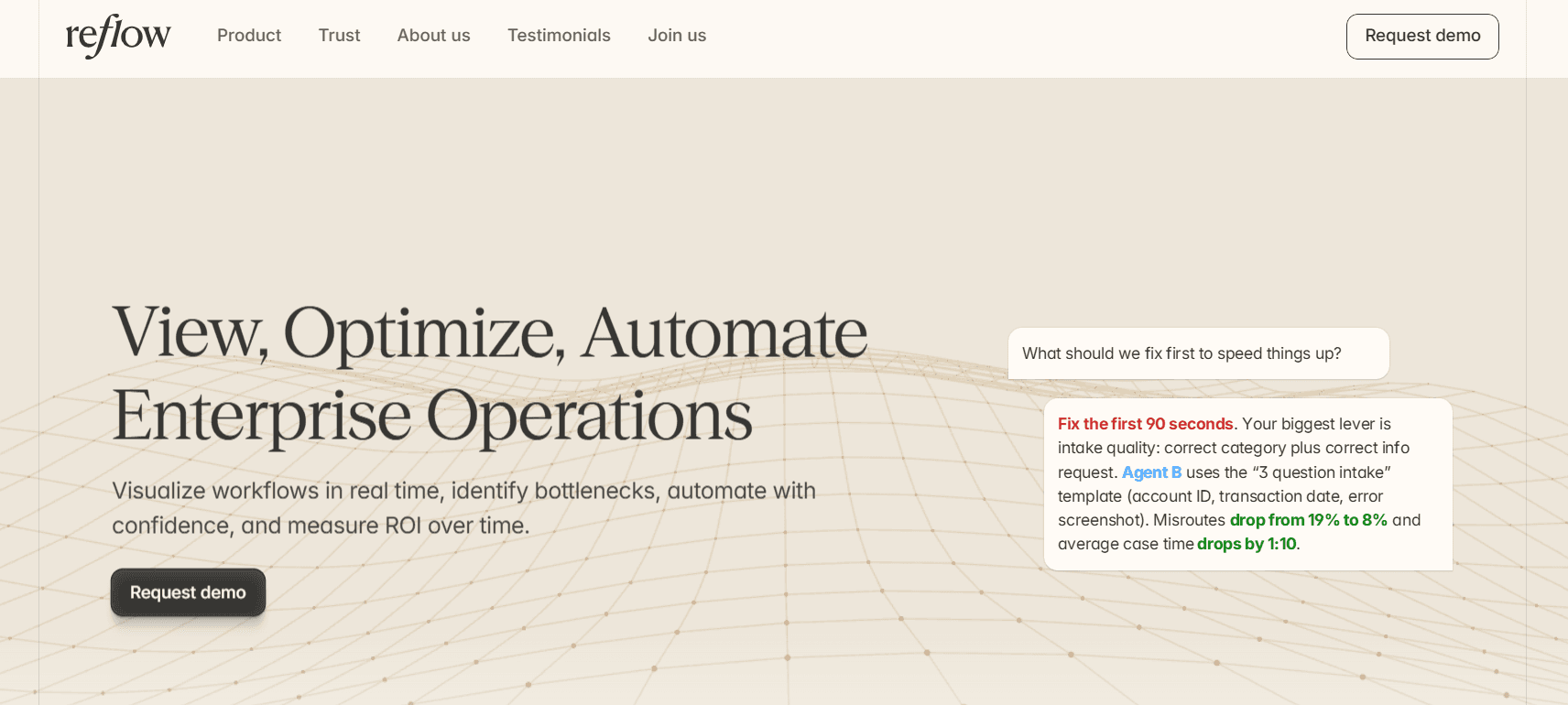
Before any agent is built, Reflow's workflow intelligence reports four figures per process:
Total runs.
Average run time.
Average deviation time per run.
Potential savings, in hours per month.
Disclosure: Reflow is our own platform. I'm making the case for ranking it first, and I'll say where Fluency remains the stronger choice.
Capture comes from a native agent on Mac and Windows that logs each step of operational work as it happens, with machine learning classifying the log.
And the best part? Getting started requires no integrations or engineering time.
💡 Reflow is designed around workflows and the systems they pass through, which leaves employee monitoring outside its scope.
By default, personal content isn't collected. Leaders can limit reporting to aggregated or anonymized views.
To be fair to Fluency, its Work Ontology joins activities, the actors behind them and the artifacts they produce into a single graph, and it infers why each action was taken.
Fluency's agents also consult that live graph whenever they make a decision.
Reflow's agents follow a fixed SOP sequence by design, and if you want agents that reason from an enterprise-wide model of work, I'd say Fluency is closer to that goal.
Our platform automates computer-based work that's written down in an SOP and repeated anywhere between tens and thousands of times each month. Form filling and data entry are common cases.
If you're weighing Reflow against Fluency, these are the five capabilities you'll want to compare first:
A fixed SOP sequence, with AI for the exceptions
Reflow runs each agent as a series of robotic process automation (RPA) steps taken from the team's SOP. AI comes in only when one of those steps fails.

At that point, the agent attempts its own repair. If the repair doesn't hold, it stops and asks a person what went wrong, and the answer is applied at once or after review. Later runs then follow the updated workflow.
How much human review remains is the customer's call. A team that wants approval on each submission gets an agent that prepares the work and flags it as ready, leaving the send to a reviewer.
💡 For accuracy-first work, I prefer this design because the agent can't improvise a new route partway through a task.
Agent accounts IT can grant and revoke
Reflow issues a laptop and an email address to each agent. Customers manage its access the way they manage an employee's, up to cutting it off on the spot.
Agents are assigned to a single team, and that team's SOP defines what each one knows how to do.
A chargeback team's agent, for instance, would learn triage from that team's own SOP and come back when a case is ready for someone to review.
Because the agents work through computer use, older systems with no API or MCP server, a frequent sticking point for engineering teams, are in scope. That reach covers jobs as dated as faxing a signed IRS form and as routine as moving payroll from one system to another.
Starting from a ranked readout or a recording
Reflow scores automation opportunity per workflow from runs it has already recorded, then lists the steps suited to an agent.
Chargeback dispute triage, from our demo data, shows what a medium rating looks like:
Opportunity score: 58 (medium).
Runs: 1,140.
Average run time: 9 minutes 40 seconds.
Average deviation: 3 minutes 20 seconds.
Potential savings: 63.3 hours a month.

Each recorded run is also held up against the SOP. Drift shows wherever a step was skipped or repeated, and a recurring pattern can signal compliance risk.
Because operational time is also split by customer and project, finance can cost a single chargeback case and weigh that figure against automating it.
In my experience, those figures give an operations lead enough to make the case internally or to ask our team to build the agent. If you already know which task to hand over, it's ideal to start with a recording.
How a recording becomes a production agent
A Reflow automation starts with the people who already do the work. Getting to production takes four stages:
People on your team run the task two or three times on record, exceptions included.
Our team assembles the workflow from what was recorded.
We test the workflow on our side.
Your team tests it with us before launch.
Whoever knows the task best sets the method the agent copies.
Guardrails and access permissions are configured per automation, and the aim is for operations teams to automate without deep engineering or AI skills.
How is Reflow different from Fluency?
Reflow records each workflow run at the step level and builds agents that follow a team's SOP, while Fluency maps work into an enterprise-wide Work Ontology whose agents adapt by traversing it.

Fluency is well built for programs that want one living model of how work runs across business functions, with an Assistant that answers questions about it, and we leave that enterprise-wide mapping to Fluency.
Workforce intelligence, workflow intelligence and agent automation all run on one Reflow dataset, captured with no integrations.
Here’s how they stack up:
Fluency | Reflow | |
Best for | COOs, CFOs and CIOs deciding where AI goes first and proving its return | Mid-market and enterprise operations teams running repeatable computer work at volume |
How work is captured | Observation at the point of execution, with no integrations or screen recording | A native Mac and Windows agent recording each step |
Model of the work | The Work Ontology: actors, activities and artifacts linked by handoffs, with intent inferred | Step-level records of each run, including skipped, repeated and delayed steps |
Prioritization | Opportunities ranked by projected hours saved and confidence | An opportunity rating per workflow, with total runs, average run time, average deviation and potential monthly savings |
Agent design | Agents that traverse the live ontology and adapt as the business changes, built and maintained by Fluency | RPA steps from the SOP, AI repair when a step fails, and escalation to a person |
Human oversight | Autonomy levels from shadow to autonomous | Configurable review, up to sign-off on each submission, with each agent on its own laptop and email address |
Measuring results | Hours saved, error rates and cycle time compared before and after, using a live baseline | Each automation's return measured on the dataset behind its business case |
Security and compliance | SOC 2 Type I and II, encryption in transit and at rest, and automatic PII redaction | SOC 2 Type 2, HIPAA, GDPR and CPRA/CCPA; encryption in transit and at rest; local data storage |
Pricing | Custom enterprise pricing through a demo | Not published; quoted after a demo |
Reflow pricing
Reflow doesn't publish prices. After a demo, we quote based on headcount and the processes you want covered.
💡 Onboarding is white-glove, with our team doing the configuration and yours putting in little time.
Reflow pros and cons
✅ Each workflow gets run counts, average duration, deviation and potential monthly savings before an agent is commissioned.
✅ SOP checks on each run surface drift ahead of automation.
✅ Agents carry their own laptops and email addresses, and their access can be withdrawn at once.
✅ Customers choose the review points, up to approval of each submission.
✅ Computer use reaches older applications that have no API or MCP server.
✅ A task recording is enough to begin a build, with no wait on an engineering backlog.
✅ Nothing needs integrating or engineering work, and current tools are left untouched.
❌ Reflow's agents follow a fixed SOP sequence. Programs that want agents reasoning from an enterprise-wide model of work may prefer Fluency.
❌ Pricing isn't published.
#2: Skan AI
Best for: Enterprises that want an AI roadmap and governed agents built from computer-vision observation of desktop work.
Similar to: Klarity (Within), Mimica.

Skan AI uses computer vision to see what people do on screen, an approach that leaves the underlying applications free of integrations.
Skan's planning, analytics and agent products all draw on one context graph of observed work.
Skan AI key features

Agentic Operating Procedures (AOPs): machine-readable task definitions that fix each step, the decision rules, the escalation points and the success criteria Skan's agents run on.
Blueprint: proposed AI projects scored on readiness and expected financial impact, laid out as a roadmap, with ROI followed after delivery.
Intelligence: ongoing observation that yields process discovery, automation scores and productivity data for operations teams.
Screen coverage: web and office applications alongside mainframe terminals, VDI sessions and legacy screens.
Engineering Intelligence: software development teams observed with the method Skan uses for operations staff.
How is Skan AI priced?
Skan AI doesn't list prices on its site and sells an enterprise subscription after a demo. I'd go into that demo with one high-volume process in mind to give the scoping conversation something concrete.
Skan AI advantages and drawbacks
✅ Blueprint gives each proposed AI project a readiness score and a financial-impact estimate.
✅ Software development work is in scope too, through Engineering Intelligence.
✅ Observation reaches mainframe terminals and VDI sessions.
❌ Skan AI publishes no prices, and quotes follow scoping by its team.
#3: Klarity (Within)
Best for: Transformation teams that want documented and tacit process knowledge gathered into one queryable map for people and AI agents.
Similar to: Skan AI, Soroco Scout.

Klarity, renamed Within in 2026, builds a Work Brain that maps how a company operates from what it captures on screen and learns in staff interviews.
People and AI agents can query that map, and Klarity (Within) updates it as work changes.
Klarity (Within) key features

Work Brain: an AI-built map of everything Klarity (Within) captures, with search and views shaped by role.
Advisor: a natural-language interface that surfaces automation opportunities and recommendations, ordered by their ROI potential.
Video to SOP: walkthrough recordings, or videos a team already holds, become written SOP documents.
Signals: alerts on drift and anomalies, along with improvements individual team members have made that could spread further.
Three discovery inputs: AI Companion for on-screen activity, AI Interviews for the process knowledge staff carry, and uploads for documents a team already has.
Skill files and Within MCP: good practices packaged as playbooks and checklists that agents can run, with the Work Brain opened up to the AI assistants already in use at a company.
How is Klarity (Within) priced?
Klarity (Within) sells subscriptions and compares them with traditional consulting engagements, though no figures appear on its site.
As solutions are packaged by function (finance, IT, GTM, HR and operations), you'll want to scope the demo around the function you'd start with.
Klarity (Within) advantages and drawbacks
✅ AI Interviews record knowledge that never shows up on a screen.
✅ SOP documents come straight from walkthrough recordings and existing videos.
✅ Signals point out useful habits of individual team members, as well as anomalies.
❌ Pricing is only shared during a demo.
#4: Mimica
Best for: Automation teams that want a scored backlog of candidates from recorded clicks and keystrokes, plus process maps and SOPs to hand to builders.
Similar to: KYP.ai, Soroco Scout.

Mimica's AI reads click and keystroke data recorded on the desktop and draws detailed process maps from it.
Each mapped process then receives an automation-potential score, giving teams an order of work.
Mimica key features

Mimica Miner: each process gets three ratings, for ROI, automatability and ease of automation.
Mimica Mapper: one AI-generated map per process, reconciling the different ways team members perform the same work.
Step-level detail: for each step, Mimica logs the application, the time and cost involved, how often it occurs and how automatable it is.
Mimica Measure: ongoing process monitoring that checks SOP conformance and calculates the savings from each change.
Hand-off material: SOPs generated from the recordings, exports to process mapping and automation tools, and maps positioned as context for AI agents.
Mimica Maker: agents built from a discovered process map, with code tested against real runs of the work.
How is Mimica priced?
Mimica's subscriptions are quoted by sales, with no price list online.
As the size of the discovery effort shapes that quote, it's worth agreeing which teams and processes to record before the first pricing call.
Mimica advantages and drawbacks
✅ Mimica quotes as little as two weeks to a transformation roadmap.
✅ On-premises deployment is available for teams with strict data-handling rules.
✅ Automatability is scored for individual steps as well as whole processes.
❌ Without a published price, early budgeting has to wait for scoping.
#5: KYP.ai
Best for: Shared-services and operations leaders who want real-time productivity data and agent code they can run on an automation platform they already own.
Similar to: Soroco Scout, Skan AI.

KYP.ai describes itself as an agentic process intelligence platform, with its Productivity 360 product capturing how work happens across functions and geographies.
From that capture, KYP.ai quantifies inefficiencies and produces agent code that carries business context with it.
KYP.ai key features

Agentic AI Enabler: writes agent code that carries business context and deploys it to ServiceNow, Camunda, n8n, SAP Joule or UiPath.
Business Transformation Engine: puts numbers on inefficiencies, works out automation ROI and ranks what to tackle first.
360 Enterprise View: real-time desktop activity data from across the organization.
KYP AI Concierge and MCP Gateway: the Concierge answers natural-language questions on operations data, and the MCP Gateway lets AI models query the same process intelligence.
Connections: ERP and CRM systems, plus collaboration and productivity software.
How is KYP.ai priced?
KYP.ai has no public rate card and scopes each quote individually. Its packages expand by business unit or market, and I usually recommend pricing a single unit first.
KYP.ai advantages and drawbacks
✅ Generated agents can run on any of five named execution platforms.
✅ AI models can reach the process intelligence layer through the MCP Gateway.
✅ ERP and CRM data connect alongside desktop capture.
❌ Each engagement is scoped and quoted separately.
#6: Soroco Scout
Best for: Large operations organizations that want to see how people and AI agents share work, and to simulate changes before teams feel them.
Similar to: Mimica, KYP.ai.

Scout, Soroco's work discovery product, builds what it calls a Work Graph out of anonymized interaction data collected across teams.
The platform pitches Scout at the way work runs day to day, workarounds and exceptions counted, in organizations where AI agents and people share processes.
Soroco Scout key features

Mixed workforces: workflows in which people and AI agents both take steps appear in one view.
Simulation: a proposed workflow change is modeled before any team adopts it.
Work Graph: shows where friction slows teams and ties it to business outcomes, based on clicks and keystrokes.
Outcome categories: findings sorted into education, standardization, automation and compliance.
Mining in layers: process mining and desktop interaction data analyzed together, with SAP, ERP, CRM and log data available as overlays.
How is Soroco Scout priced?
Scout is sold to enterprises through a demo, and Soroco doesn't list prices. For UK public sector buyers, I'd check the G-Cloud reseller route before going direct.
Soroco Scout advantages and drawbacks
✅ Simulation tests a workflow change before rollout.
✅ Findings include training and standardization fixes alongside automation.
✅ Because interaction data is opt-in, less manual configuration goes into the Work Graph.
❌ Buying Scout starts with an enterprise demo.
#7: 8Flow
Best for: Business leaders who want proactive briefings on what has moved away from normal across sales, engineering, support, product, operations and security.
Similar to: KYP.ai, Klarity (Within).

8Flow captures metadata on how work happens through a browser extension and desktop client, with no integrations needed to start.
Ocho, 8Flow's AI, learns how each person, team and vendor normally works, then briefs leaders on deviations and drafts a next move for them to review.
8Flow key features

Ocho briefings: signals ranked by impact across teams, each with a drafted message or action that waits for the leader's decision.
Baselines: a normal learned from weeks of activity for each person, team and vendor, with alerts on meaningful breaks and a follow-up on whether the metric recovered.
Living graph: each event linked to its account, people and workflow, drawn from applications such as Zoom, Salesforce, Gmail and Slack plus more than 200 others.
Function workspaces: views for sales, engineering, support, product, operations and security, surfacing items such as a quiet renewal, PR hours against a person's median or vendor cost above its baseline.
AI usage linked to output: AI-tool usage tied to shipped work per person in the engineering view.
Metadata-only capture: IT deploys the extension and desktop client, with no APIs, repo hooks or CI changes.
How is 8Flow priced?
8Flow doesn't publish pricing, and access starts with a demo request.
The platform says a one-team pilot can be running in an afternoon, with a first briefing on that team's data within 48 hours. I'd use that pilot on a single function before widening it.
8Flow advantages and drawbacks
✅ Alerts are judged against each entity's learned normal.
✅ Ocho checks back after a leader acts to report whether the metric returned to baseline.
✅ Function workspaces give each leader a view built around their own team.
❌ Ocho needs weeks of activity to learn each baseline, and its picture of the business deepens over months.
#8: UiPath Process Intelligence
Best for: Organizations building on UiPath that want process and task mining to pass findings straight to UiPath robots and Maestro orchestration.
Similar to: Celonis, KYP.ai.

UiPath Process Intelligence joins two discovery products, Task Mining for the desktop steps people take and Process Mining for the event logs that enterprise systems store.
Findings can move into Maestro orchestration on the same platform, and UiPath also supports running Process Intelligence as standalone discovery.
UiPath Process Intelligence key features

Prebuilt scenarios: days sales outstanding for finance and maverick-buying alerts for procurement, plus order-to-cash and IT service management.
Choosing what to automate: time and cost savings estimates put candidates in order, and expected workflows are checked against the ones teams follow.
Two data sources: Task Mining records desktop steps with personally identifiable information redacted, and Process Mining reads logs from Workday, ServiceNow, Salesforce, Oracle, SAP and hundreds more systems, with a connector framework for custom apps.
Operating after launch: rules or KPIs trigger alerts and automations, performance is compared before and after, and conformance is monitored continuously under role-based access and audit trails.
Testing a redesign: simulation predicts the effect of a process change, and BPMN models support reengineering.
How is UiPath Process Intelligence priced?
UiPath arranges its plans as Community, Basic, Standard and Enterprise, and the two mining products appear only on the last two.
I'd normally run the Standard trial against one process the team already knows well:
Community ($0): a free automation plan without the mining products.
Basic (from $25 per month): a paid automation plan, also without Process Mining or Task Mining.
Standard (quoted by sales, with a 60-day free trial): the first plan with Process Mining and Task Mining, together with agent building and orchestration, a bring-your-own identity provider, opting out of data collection, and hosting in UiPath regions or on premises.
Enterprise (quoted by sales): production processes can be monitored, optimized and simulated, UI automation self-heals, and customers may bring their own AI models, credential vaults and encryption keys.
User and robot licenses (priced separately): depending on the rollout, Basic, Plus or Pro users and Unattended Robots may be extra purchases.

UiPath Process Intelligence advantages and drawbacks
✅ The 60-day Standard trial includes both mining products.
✅ Teams may start with standalone discovery and add orchestration later.
✅ On Enterprise, security teams can hold their own encryption keys and credential vaults.
❌ Neither mining product is available without a sales-quoted plan.
#9: Celonis
Best for: Enterprises that want desktop task mining read against system-level process mining in one model of the business.
Similar to: UiPath Process Intelligence, Soroco Scout.

The Celonis Platform centers on a live digital twin of the business, drawn from system data.
Desktop activity enters that twin through Task Mining, a premium product that also underpins Celonis's Workforce Productivity solution.
Celonis key features

Context Model: Celonis's system-agnostic representation of the business, used for what-if scenarios, predictions, recommendations and root-cause work.
Data Core: built to take in data from any source and run queries over billions of records.
Task Mining Client and extension: a desktop app captures clicks, shortcuts and similar actions in applications on an allowlist; a denylist excludes others, and a Chrome or Edge extension adds detail.
Workforce Productivity: department-level reporting on how team time divides across applications.
Analyze, design, operate: process simulation and guarded redesign, then monitoring of adherence and agent activity.
How is Celonis priced?
Celonis quotes paid plans through its sales team, and its website offers a "Try for free" option.
As Task Mining is a premium product, I'd ask for it to be priced as its own line.
Celonis advantages and drawbacks
✅ Desktop events and ERP data feed one model.
✅ Free Task Mining courses are available through Celonis Academy.
✅ Allowlists and denylists let admins control which apps and URLs are recorded.
❌ Paid plans are custom-priced, and Task Mining adds a premium product on top.
#10: Scribe
Best for: Teams that want step-by-step guides captured as they work, with Scribe Optimize ranking improvement opportunities from the same workflows.
Similar to: Mimica, Klarity (Within).

Scribe's first product, Scribe Capture, records someone completing a workflow and outputs a screenshot-based, step-by-step guide.
Scribe Optimize followed in late 2025, observing team workflows in the background and producing a ranked set of places to improve within days.
Scribe key features

Improvement projects: a project per selected workflow, with AI included in the fix Scribe proposes.
Guide creation: browser capture for all users, desktop capture on paid seats, plus redaction, branding and exports to PDF, HTML or Markdown.
Optimize agent: an AI agent for each user that fields questions on how work gets done and maps a workflow when asked.
Opportunity ranking in Optimize: candidates scored on frequency, effort and impact, across teams and the tools they use.
Claude MCP integration: customers have connected Optimize to Claude to generate agent skills from the workflows it found.
How is Scribe priced?
Scribe splits its offer in two, with self-serve capture plans priced per seat and Scribe Optimize and Enterprise sold through a demo.
Basic ($0): guides captured in the browser.
Pro Personal ($25 per seat per month billed annually, $35 monthly): available from one seat, adding desktop and mobile capture, branding, redaction of screenshots and exports in PDF, HTML or Markdown.
Pro Team ($13 per seat per month billed annually, $17 monthly): the Pro Personal feature set with collaboration comments, for five seats or more.
Enterprise and Scribe Optimize (quote): Enterprise includes SSO, roles, auto-redaction and version history, and Optimize covers workflow mining and recommendations.

Scribe advantages and drawbacks
✅ One guide can serve staff as documentation and agents as skill context.
✅ Browser guides cost nothing on the Basic plan.
✅ The Optimize agent can draw a process map on request.
❌ The lower Pro Team rate applies only at five seats or more.
How do the Fluency alternatives compare from discovery to automation?
Reflow, Skan AI, Mimica and UiPath build agents or automations on their own platforms.
Celonis orchestrates AI alongside people and systems, and KYP.ai generates agent code for another platform.
The others hand off skill files, exports, ranked opportunities or drafted actions for people or other tools to carry forward.
Here’s how they compare head-to-head:
Tool | Where discovery starts | How opportunities are ranked | What happens next |
Fluency (for reference) | Observation at the point of execution | Projected hours saved and confidence | Agents deployed from the Work Ontology, with results measured against a live baseline |
Reflow | A native Mac and Windows agent recording each step | An opportunity rating per workflow, beside runs, run time, deviation and potential monthly savings | Agents built from two or three recordings, with their return measured after launch |
Skan AI | Computer vision on the desktop | Automation scores, plus Blueprint readiness and financial impact | Agents that run on Agentic Operating Procedures |
Klarity (Within) | Screen capture, AI Interviews and file uploads | Advisor recommendations ordered by ROI potential | Agent skill files, with the Work Brain shared through Within MCP |
Mimica | Click and keystroke recording | Miner ratings for ROI, automatability and ease | Agents built in Mimica Maker, plus SOPs and exports to automation tools |
KYP.ai | Real-time desktop activity capture | Business Transformation Engine ROI rankings | Agent code for UiPath, SAP Joule, n8n, Camunda or ServiceNow |
Soroco Scout | Anonymized interaction data, with optional system overlays | Friction mapped in the Work Graph, with changes simulated | Education, standardization, automation and compliance outcomes |
8Flow | Browser extension and desktop client metadata | Signals ranked by impact against learned baselines | Drafted briefings and next moves for leaders to approve |
UiPath Process Intelligence | Task Mining recordings plus system event logs | Time and cost savings estimates | UiPath automation and Maestro orchestration |
Celonis | Task Mining Client plus Data Core system data | Context Model root causes and recommendations | AI orchestrated alongside people and systems |
Scribe | Browser and desktop capture | Optimize scores for effort, impact and frequency | Improvement projects and agent skills through MCP |
💡 Pro tip: If agents are the end goal, I usually start a shortlist with the tools that run them. Our Klarity (Within) alternatives guide goes deeper on the observation-based platforms.
When is Fluency the better fit?
Fluency is the better fit when an enterprise wants one continuously updated model of how work runs across functions, with agents that consult that model as the business changes.
Based on my experience, Fluency also makes sense in these situations:
Leaders want to ask the Assistant natural-language questions about how the enterprise's work runs.
The program depends on keeping tacit knowledge and hidden steps on record after the people who hold them leave.
Agents need to adapt to business changes, such as a moved field or a departed owner, by reading the live Work Ontology.
Process analysis has to infer intent behind actions and identify a golden path for each process.
The CFO and CIO are both involved, one focused on ROI evidence and the other on deployment governance.
Fluency's team is expected to build and maintain the automations.
Run Reflow beside Fluency
The most useful comparison is a short parallel pilot on one high-volume, SOP-based workflow, with Fluency left in place across the wider business.
Here's the setup I'd recommend:
Start with one computer-based workflow your team repeats at high volume, chargeback dispute triage being a good example.
We handle Reflow's configuration, after which capture on your Mac and Windows machines starts without any integration work.
After a few days, put Reflow's runs, run time, deviation and potential savings next to what Fluency shows for the same work.
If the figures support an agent, your task experts run through it two or three times on record, and we build and test the agent with them.
Watch the agent's return in Reflow's reporting from launch onward.
➡️ Book a demo, and we'll rank your workflows by automation potential. For a customer example, read the Collective case study, which reports $3.1M in annual cost savings.
⚠️ Disclaimer: We reviewed each vendor's public information in 9th of November 2026. If you notice a change we've missed, contact us, and we'll review the article.
Frequently asked questions
Which Fluency alternative is best for operations teams automating SOP work?
Reflow is the best Fluency alternative when an operations team performs the same SOP at high volume and wants an AI agent doing it.
Before any agent is commissioned, Reflow's capture shows how often the workflow runs and how much deviation each run carries, and that data later shows the agent's return.
Agents operate from their own laptops and email addresses, with review points set by the customer.
Does Fluency publish its pricing?
No. Fluency offers custom enterprise pricing, arranged through a demo or its sales team.
Among the alternatives here, UiPath and Scribe publish some prices.
UiPath's Basic plan starts at $25 a month, though its mining products require the sales-quoted Standard plan, and Scribe Pro Team costs $13 per seat a month on annual billing.
Reflow, Skan AI, Klarity (Within), Mimica, KYP.ai, Soroco Scout, 8Flow and Celonis quote their prices. If you need a figure before a sales call, I'd look at UiPath and Scribe first.
Which Fluency alternatives work without system integrations?
Reflow, Skan AI and 8Flow say they need no system integrations to start, and Klarity (Within) needs none for discovery.
Each takes a different route to the data. Reflow's desktop agent logs workflow steps on Mac and Windows, Skan AI reads screens with computer vision, 8Flow collects metadata through a browser extension and desktop client, and Klarity (Within) pairs screen capture with staff interviews and uploaded documents.
Which Fluency alternatives can run AI agents?
Reflow, Skan AI and UiPath build and run agents or automations themselves, and Celonis orchestrates AI alongside people and systems.
KYP.ai takes a different approach and generates agent code for UiPath, SAP Joule, n8n, Camunda or ServiceNow.
Reflow's agents follow a team's SOP, while Skan AI's follow Agentic Operating Procedures. UiPath passes findings to its own robots and Maestro, and Klarity (Within) packages good practices as skill files that agents can run.
If you're comparing general-purpose AI agents with no discovery step, our Grok Bot alternatives guide covers that category.
How is Fluency different from process mining tools like Celonis?
Fluency watches work as it's carried out on the desktop and records decisions and handoffs absent from system logs. Celonis starts from system data, drawn largely from ERPs, and adds desktop activity through Task Mining, a premium product.
Our Celonis alternatives guide covers the process mining side in detail.
Is there a Fluency alternative that also reports workforce productivity?
Yes. Reflow's workforce intelligence layer gives work time, active time, session time and productive time, all drawn from the capture behind its workflow readouts.
If activity-based productivity analytics is the main need, our ActivTrak alternatives guide reviews tools in that category.
See Reflow in action
A short demo, tailored to your operations.