Skan AI uses computer vision to observe on-screen work in mainframe, VDI, legacy desktop, web and office applications, then plans AI projects in Blueprint and runs agents under Agentic Operating Procedures.
Below, I walk through ten platforms that also learn from observed work, noting who each one suits and what happens to its findings once a team decides to act.
TL;DR
Reflow is my first pick for operations teams that want AI agents running SOP-defined computer work, with step-level run data deciding which workflow goes first. Agents work from a laptop and email account IT controls and call in a person when a repair fails. Their return is measured on the capture that justified the build.
Fluency and Klarity (Within) share Skan AI's context-first approach: Fluency maintains a model of work and runs agents on the steps a team approves; Klarity (Within) assembles a Company Brain from screen sharing, AI Interviews and uploaded files.
Mimica and KYP.ai carry discovery through to build material: Mimica scores single steps for automatability and builds agents in Mimica Maker, whereas KYP.ai produces agent code for platforms such as ServiceNow and UiPath.
Soroco Scout simulates changes in a Work Graph that shows human and agent steps together.
Celonis and UiPath Process Intelligence pair system event logs with desktop task mining for programs that need ERP data in the same model.
Scribe Optimize produces an AI roadmap with ROI-backed recommendations.
8Flow alerts executives when a person, team or vendor moves off its learned baseline.
What are the best Skan AI alternatives?
Reflow is the best Skan AI alternative in 2026 when the goal is AI agents running SOP-based operations work, chosen by step-level run data and measured on it after launch.
Fluency comes second for enterprises that want a continuously updated model of work, with agents running approved steps behind review gates.
Here's how the ten line up by buyer and by the layer each one offers for agents or automation:
Tool | Who it suits | Agent or automation layer |
Reflow | Operations teams handing high-volume SOP work to agents | SOP-based agents built by Reflow, with escalation to a person |
Fluency | Enterprises choosing where AI goes and checking whether it worked | Agents that run approved steps, with review gates |
Mimica | Automation teams that need step-level automatability scores | Agents built in Mimica Maker from discovered process maps |
Klarity (Within) | Programs that combine screen capture with staff interviews and documents | Skills Factory instructions and Within MCP for AI assistants |
KYP.ai | Shared-services leaders with an existing automation platform | Generated agent code for UiPath, SAP Joule, ServiceNow, n8n or Camunda |
Soroco Scout | Large teams where people and AI agents share processes | Simulated changes and recommendations, with agent steps observed |
Celonis | ERP-heavy enterprises reading desktop activity against system data | AI orchestrated with people and systems |
UiPath Process Intelligence | Companies already running UiPath automation | UiPath robots, agents and Maestro orchestration |
Scribe Optimize | Leaders who need an AI roadmap with business cases | Workflow context passed to agents through MCP |
8Flow | Executives who want briefings on deviations from normal | Drafted next moves that a leader approves |
How did I choose these Skan AI alternatives?
Three tests set the lineup:
It must learn from observed work: what people do at the desktop or on screen, whether or not the tool also reads system logs.
It must give agents or automation something to act on: agents of its own, generated code, skill instructions, an MCP connection or a hand-off to an automation platform.
It must give a view of whole processes or teams: reporting a transformation lead can plan a program around.
➡️ A note on scope: I ranked these by fit for operations teams handing SOP work to agents.
#1: Reflow
Reflow ranks as the best Skan AI alternative in 2026 for enterprise operations teams whose next step is putting AI agents on repetitive SOP work, with run data captured at the step level deciding where to start.
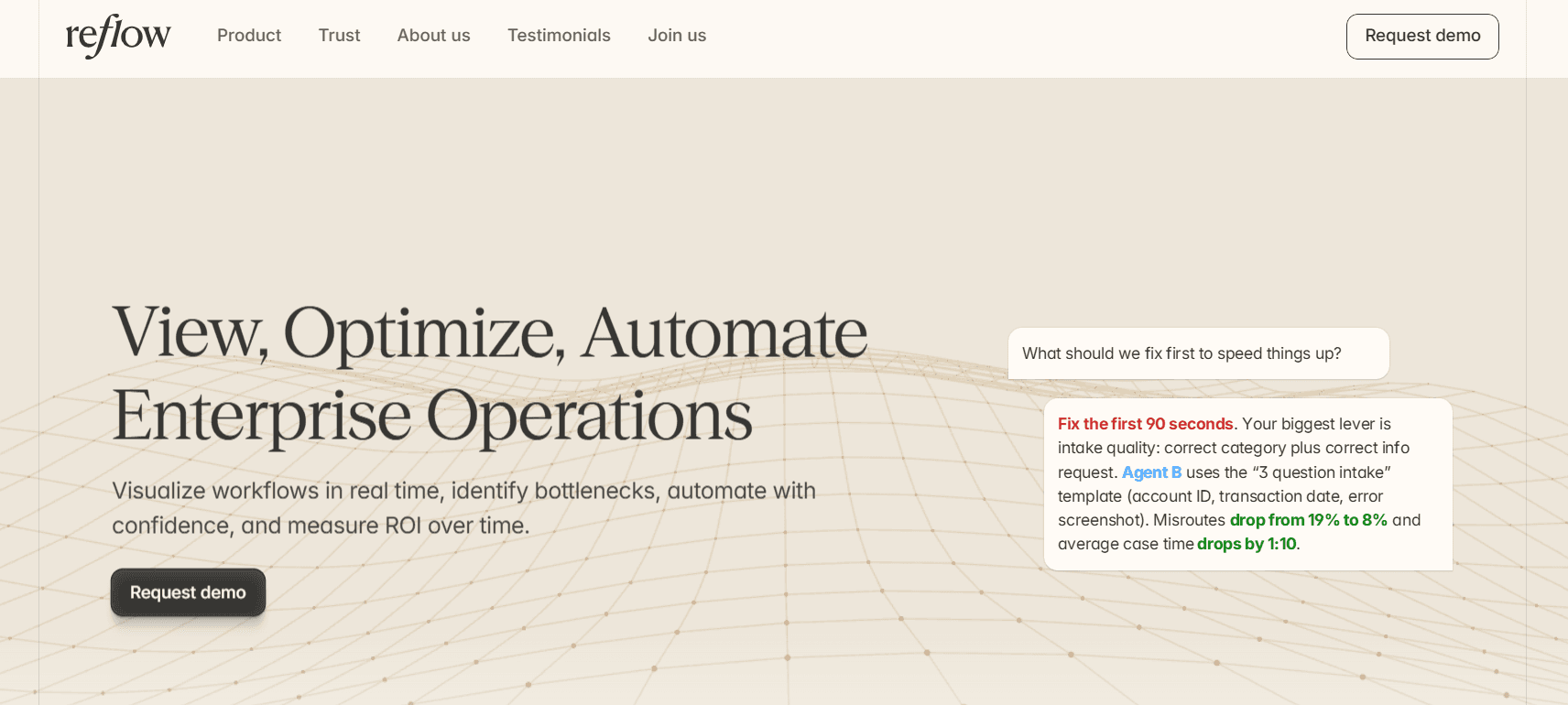
When operations leaders explain to me why AI agents haven't moved past the pilot stage, the reasons tend to overlap:
The AI mandate is clear, yet there's no data showing which workflow an agent should take first.
Core work runs in older systems with no API or MCP server, beyond the reach of standard integrations.
Accuracy-first teams need agents that follow the written SOP and hand problems to a person.
IT wants to grant and revoke an agent's access the way it handles an employee's.
Automation requests wait months for engineering time.
Once an agent goes live, there's no baseline to prove what it returned.
Reflow approaches these problems with run data first and agents second. It rates each workflow's automation opportunity from recorded runs.
Our team then builds an agent that follows the SOP and calls in a person when an AI repair fails, with the return measured on the same capture.
The ranking draws on four figures that Reflow's workflow intelligence tracks for every observed process:
Total runs: the volume an agent would take on.
Average run time: the effort each run takes today.
Average deviation time: how much time runs spend away from the expected sequence.
Potential savings: the hours a month automation could return.

Disclosure: Reflow is our product. I'll explain why it ranks first and name the areas where Skan AI goes further.
Capture runs on a native desktop agent for Mac and Windows.
It logs every step of a workflow, machine learning gives that log its structure, and setup requires no integrations or engineering time.
💡 Reflow is built to understand workflows and systems; it isn't employee surveillance software. Collection leaves personal content out by default, and reporting can be held to aggregated or anonymized views.
I’d make the argument that Reflow is designed for operational teams in areas like customer support, accounting, tax, legal and compliance.
If your program also needs developer workflows analyzed, or confirmed mainframe and VDI coverage, Skan AI is closer to that brief.
Here are our process intelligence platform’s capabilities:
Reflow features

SOP-following agents: each agent works through the team's SOP as robotic process automation (RPA) steps, and AI enters only when a step breaks. A failed self-repair goes to a person, whose answer is applied immediately or after review so later runs use the corrected workflow. Where accuracy comes first, I find this fixed sequence much easier to review.
Review points you set: customers decide where people check the work, up to sign-off before any submission leaves the agent.
Agent accounts under IT control: a dedicated laptop and email account per agent, scoped to one team's SOP, which IT grants and withdraws the way it would for a new hire. One example Reflow gives is faxing a signed IRS form.
Opportunity ratings from run data: an automation opportunity rating for every observed workflow, plus the steps an agent could handle. In Reflow's demo data, subscription cancellation rates high (78) on 3,608 runs averaging 7 minutes 15 seconds. Chargeback dispute triage rates medium (58) on 1,140 runs, with 3 minutes 20 seconds of its 9-minute-40-second average spent in deviation, so I'd check whether its SOP still matches how the team handles disputes before an agent takes it on.
SOP drift detection: every recorded run checked against the steps listed in its SOP, with skipped or repeated steps and emerging compliance risks visible while the work is underway.
Cost per case: operational time allocated by customer, task and project, giving finance the cost of one subscription cancellation to weigh against the price of automating it.
Before-and-after measurement: the workflow remains in the same readout after an agent goes live, so pre-launch and post-launch figures can be compared without a separate time study.
Builds from two or three recordings: the people who do the task record two or three runs, exceptions included. Reflow's team assembles and tests the workflow, then tests it again with the customer before launch, with guardrails and access permissions set per automation.
💡 For security reviews, Reflow lists SOC 2 Type 2 and HIPAA alongside GDPR and CPRA/CCPA. Data is encrypted at rest and in transit, with local storage available.
How is Reflow different from Skan AI?
Reflow measures operational workflows one run at a time and builds SOP-following agents from that record, while Skan AI distills observed work into a Context Graph of Work shared by its Blueprint, Intelligence and Agents products.
To be fair, Skan AI is well built for enterprise-wide AI roadmaps and for mainframe and VDI observation, and we leave that scope to Skan AI.
Underneath, Reflow runs on a single integration-free capture that serves its workforce intelligence, workflow intelligence and workflow automation layers.
Here’s how both platforms compare head-to-head:
Skan AI | Reflow | |
Best for | Complex work in regulated industries such as financial services, insurance and healthcare | Operations teams in mid-market and enterprise companies with high-volume, repeatable computer-based work |
How work is captured | Computer vision, NLP and deep learning models across mainframe, legacy desktop, VDI, web and office tools | Desktop agent on Mac and Windows logging every workflow step |
Data handling | Raw screen processing inside the customer's environment; only anonymized, abstracted metadata reaches the Skan AI Cloud | Encryption in transit and at rest, with local data storage available |
Model of the work | The Context Graph of Work, linking processes, people and systems, and outcomes | Each run broken into steps, with skipped, repeated and delayed ones marked |
Prioritization | Blueprint ranks initiatives by value, complexity and risk | Opportunity rating per workflow beside its run count, average run and deviation times and potential monthly savings |
Agent design | Agents governed by Agentic Operating Procedures | SOP steps executed as RPA; AI attempts repairs; a person resolves what AI can't |
Human oversight | People kept involved where judgement is needed, with agent decisions logged | Customer-chosen review points, which can include approval of every submission; laptop and email per agent |
Measuring results | Adoption, productivity and ROI tracked over time | Return measured on the dataset behind the business case |
Compliance marks | SOC 2, GDPR, CCPA, HIPAA and ISO 42001, among others | SOC 2 Type 2, HIPAA, GDPR and CPRA/CCPA |
Pricing | Custom quote | Not published; a quote follows the demo |
Reflow pricing
Reflow's prices aren't published. A quote follows the demo, sized to the people and processes in scope.
💡 Onboarding is white-glove, so the configuration work falls to our team.
Reflow pros and cons
✅ Agents run the SOP as fixed RPA steps and use AI only to repair a failed step.
✅ A failed repair calls in a person, whose fix carries into later runs.
✅ IT manages every agent through its own laptop and email account.
✅ Human review can be set as tight as approval of every submission.
✅ Computer use lets agents work in systems that lack an API or MCP server.
✅ Opportunity ratings and potential savings are available before anyone commissions a build.
✅ Return after launch comes from the capture that built the business case.
❌ Reflow is built for operational teams, so programs that want developer workflows analyzed beside operations will find Skan AI's Engineering Intelligence closer to that need.
❌ Pricing isn't published.
#2: Fluency
Best for: Enterprises that want one platform to find AI opportunities and then report whether each change worked.
Similar to: Klarity (Within), Mimica.

Fluency observes how people, AI agents and scheduled jobs work across applications and records the result in a Work Ontology that updates as the work changes.
From that model, Fluency ranks opportunities by hours and dollars, and its agents then run the steps a team approves while decisions stay with people.
Fluency features

Observation scope: desktop work in applications such as Excel, Outlook and SAP, agents and scripts operating in the same systems, and work in warehouses, on factory floors and in field teams.
Work Explorer: every observed workflow and process, with the applications and artifacts each one touches and the handoffs and rework loops along the way.
Opportunities: a ranked list that can be filtered by outcome, whether that is saving time, improving quality, reducing risk or adding capacity.
Agents: runs that mix actions, AI steps and decisions, with review gates that hold chosen steps for a person.
Chat: questions about the work answered with the observed runs behind each answer.
Measurement: each change labeled as worked, didn't or not yet, against handling time recorded before it.
Security controls: SOC 2 Type I and II, HIPAA and GDPR, plus single sign-on with SCIM provisioning, bring-your-own encryption keys, redaction of personal data ahead of any AI processing, and customer-set observation hours.
How much does Fluency cost?
Fluency sets prices per customer after a demo request.
Fluency strengths and limitations
✅ Observation extends to AI agents and scheduled jobs running in the same systems as people.
✅ Opportunities can be filtered by the outcome a program is after, from time saved to lower risk.
✅ Customers can hold their own encryption key and set the hours when observation runs.
❌ There is no list price, so budgeting starts with a sales conversation.
#3: Mimica
Best for: Automation and transformation teams that want each process, and each step inside it, scored for automatability before builders start work.
Similar to: KYP.ai, Soroco Scout.

Mimica records clicks and keystrokes on employees' desktops, and its AI reconciles the different ways people perform a task into one process map.
Each process then gets a Miner score on three axes, and Mimica Maker can start an agent build from the finished map.
Mimica features

Step records: the application used, time and cost, frequency and automatability logged for each step.
Mimica Mapper: an AI-built map per process that merges the variations between team members.
Mimica Miner: a three-part score per process that weighs return on investment against how automatable the work is and how easily it could be automated.
Mimica Maker: agent builds that start from a mapped process, with the generated code checked against recorded executions of the task.
Mimica Measure: monitoring of SOP conformance after a change, with the savings each change produces.
Hand-offs: SOP documents written from the recordings, exports for other process mapping and automation software, and maps shared with AI agents as context.
How much does Mimica cost?
Mimica sells subscriptions on a quote from its sales team, with no prices on its website.
The size of the discovery work shapes that quote. In my experience, raising the on-premises option early helps when raw activity data has to stay in-house.
Mimica strengths and limitations
✅ Mimica cites two weeks as the shortest path to a transformation roadmap.
✅ Scores at the step level let builders automate part of a process.
✅ Mimica Measure continues checking conformance once a change is live.
❌ Cost isn't visible until Mimica's team has scoped the discovery.
#4: Klarity (Within)
Best for: Organizations that want process knowledge from screens, staff interviews and existing documents combined into one map that AI agents can query.
Similar to: Fluency, Soroco Scout.

Klarity, now operating as Within, has employees share their screen through a web app with nothing to install, and it adds AI Interviews and uploaded files to what it observes.
Within's agents consolidate those inputs into a Company Brain recording how work runs, how decisions and approvals flow and how controls are enforced.
Klarity (Within) features

Discovery inputs: screen activity through the AI Companion, guided AI Interviews with staff, and uploaded SOPs, documents and recordings.
Company Brain: activities, decisions, approvals and controls held in one map that updates as work changes.
Advisor: ROI-prioritized opportunities, plus answers to strategic questions such as how to reduce operating costs.
Signals: drift and anomaly flags, along with private insights for each person, who decides which ones managers see.
Agent context: Skills Factory writes task-specific agent instructions from observed workflows, and Within MCP connects the Company Brain to AI assistants already in use.
Security: SOC 2 Type II certification and zero data retention.
How much does Klarity (Within) cost?
Subscriptions to Klarity (Within) are scoped in a demo before any figure is shared.
Within groups its use cases under finance, IT, GTM, HR and operations. You'll want to build the demo around one of those functions so the quote has a clear starting point.
Klarity (Within) strengths and limitations
✅ AI Interviews record the reasons behind decisions, something screen capture alone can't show.
✅ Employees choose which of their personal insights reach a manager.
✅ Skills Factory produces agent instructions from the workflows Within has observed.
❌ No figures appear before the scoping demo.
#5: KYP.ai
Best for: Shared-services and BPO leaders who already license an automation platform and want discovery to produce agent code for it.
Similar to: Mimica, UiPath Process Intelligence.

KYP.ai pairs real-time desktop capture from its Productivity 360 product with connectors to ERP, CRM, collaboration and productivity systems.
When an inefficiency is worth fixing, KYP.ai generates agent code for it, with business context included, for an automation platform the company may already run.
KYP.ai features

Agentic AI Enabler: agent code for ServiceNow, UiPath, n8n, Camunda or SAP Joule.
Business Transformation Engine: a value on each inefficiency, an ROI estimate for each automation and a ranked order of work.
360 Enterprise View: a live picture of desktop work by function, team and geography.
KYP AI Concierge: a chat interface for operations questions, answered from KYP.ai's data.
MCP Gateway: an MCP endpoint that external AI models can use to pull KYP.ai's process findings.
How much does KYP.ai cost?
KYP.ai prices each engagement once it has been scoped, without a public rate card.
Since later phases are added one business unit or market at a time, I treat the first unit as a self-contained project when pricing it.
KYP.ai strengths and limitations
✅ Code for five execution platforms leaves the choice of runtime with the customer.
✅ ERP and CRM connectors add system data to what desktop capture shows.
✅ The MCP Gateway gives AI models direct access to KYP.ai's findings.
❌ Generated agents run on a destination platform that becomes part of the program's setup.
#6: Soroco Scout
Best for: Large operations teams whose processes are shared between people and AI agents, and who want changes simulated before rollout.
Similar to: Mimica, Celonis.

Scout, Soroco's work discovery product, collects opt-in, anonymized interaction data and assembles it into a Work Graph of how teams operate day to day.
Where AI agents already handle part of a process, Scout places their steps beside the people's, and friction can be traced across both.
Soroco Scout features

Friction analysis: clicks and keystrokes examined for slowdowns, each linked to a business outcome.
Shared workflows: human steps and agent steps shown together.
Simulation: the effect of a planned change estimated ahead of rollout.
Recommendation types: education, standardization, automation and compliance.
Layered data: CRM, ERP, SAP and log data overlaid on Scout's combined view of process mining and desktop interactions.
How much does Soroco Scout cost?
Soroco publishes no rates for Scout.
Enterprise buyers begin with a demo. For UK public bodies, there's also a G-Cloud reseller route.
Soroco Scout strengths and limitations
✅ Recommendations can point to education or standardization as well as automation.
✅ Simulation shows a change's likely effect before teams adopt it.
✅ Opt-in collection is part of how the Work Graph is built.
❌ A sales engagement comes before any cost estimate.
#7: Celonis
Best for: Enterprises running core processes in ERP systems that want desktop activity read against that system data.
Similar to: UiPath Process Intelligence, Soroco Scout.

Celonis starts from data that enterprise systems already hold, ingested by Data Core and organized by the Context Model into a live twin of how the business runs.
Task Mining, sold as a premium product, adds desktop activity through a client and a browser extension that log clicks and shortcuts in approved applications.
Celonis features

Context Model: the basis for root-cause analysis, predictions, recommendations and what-if scenarios, independent of any one source system.
Data Core: an ingestion and query layer that Celonis says handles billions of records from any source.
Task Mining controls: admins allowlist or denylist applications and URLs, and a Chrome or Edge extension adds browser detail.
Workforce Productivity: a solution built on Task Mining that shows each department's time by application.
Process design and operations: changes simulated and redesigned within guardrails, with adherence and agent activity monitored once live.
How much does Celonis cost?
Celonis quotes its paid plans through sales; a free trial starts from the website.
As desktop capture relies on the premium Task Mining product, it's ideal to see it priced as a separate line.
Celonis strengths and limitations
✅ System data and desktop events are analyzed in a single Context Model.
✅ Celonis Academy's Task Mining courses are free.
✅ Admins decide which applications and URLs are recorded.
❌ Desktop visibility depends on Task Mining, an extra premium product.
#8: UiPath Process Intelligence
Best for: Companies standardized on UiPath that want mining results to flow into UiPath robots, agents and Maestro orchestration.
Similar to: Celonis, KYP.ai.

UiPath Process Intelligence combines Process Mining, which reads event logs from enterprise systems, with Task Mining, which records desktop steps and redacts personal data.
Findings can stay as standalone discovery or move into UiPath's own robots, agents and Maestro orchestration on the same platform.
UiPath Process Intelligence features

System logs: SAP, Oracle, Salesforce, ServiceNow, Workday and hundreds more, with a connector framework for in-house applications.
Prebuilt scenarios: templates that include procurement alerts on maverick buying, a finance view of days sales outstanding, order-to-cash and IT service management.
Candidate ranking and conformance: estimated time and cost savings for each automation candidate, plus a comparison of the designed workflow with what teams do.
Change testing: simulation of a process change, with BPMN models for redesign.
Post-launch operation: KPI- or rule-based triggers for alerts and automations, before-and-after performance reporting, and ongoing conformance checks under role-based access and audit trails.
How much does UiPath Process Intelligence cost?
UiPath's mining products appear only on its two upper plans, both priced by sales.
Community ($0): automation at no cost, with no mining products included.
Basic (from $25 per month): entry-level paid automation; Process Mining and Task Mining aren't part of it.
Standard (sales quote, 60-day free trial): both mining products, agent building and orchestration, an identity provider of your choice, a data-collection opt-out, and a choice between UiPath-region and on-premises hosting.
Enterprise (sales quote): production process monitoring, optimization and simulation, self-healing UI automation, and support for customer-owned AI models, credential vaults and encryption keys.
Licenses (priced separately): Unattended Robots and Basic, Plus or Pro user licenses as the rollout requires.

UiPath Process Intelligence strengths and limitations
✅ Both mining products can be tested during a 60-day Standard trial.
✅ Hosting can run in UiPath regions or on premises.
✅ Enterprise customers can supply their own AI models and encryption keys.
❌ User and robot licenses can add to the plan cost.
#9: Scribe Optimize
Best for: Leaders with an AI mandate who want a roadmap and ROI-backed recommendations from captured workflows, next to Scribe's documentation tools.
Similar to: Klarity (Within), Mimica.

Scribe Optimize captures workflows across the applications an admin approves and maps the processes it finds, with AI-powered agents answering questions about bottlenecks and time spent.
Each recommendation carries ROI projections built from that workflow data, and Scribe says a first AI roadmap takes 7 days.
Scribe Optimize features

Recommendation types: process standardization, tool adoption, tool configuration, automation without AI, new tools and agentic automation.
Business cases: ROI projections for each recommendation, with the biggest wins sequenced first.
Process maps: generated from real workflow data and kept current as that data changes.
Agent connection: MCP access that gives a company's agents the specialized intelligence Optimize collects.
Capture controls: recording limited to admin-approved apps, automatic redaction, domain restrictions and IP whitelisting, with SOC 2 Type II, HIPAA, FERPA and GDPR compliance.
Scribe Capture alongside it: step-by-step guides, Autocapture and on-screen walkthroughs from the same vendor.
How much does Scribe Optimize cost?
Scribe Optimize is sold after a demo, with no published price. Scribe's documentation product, Scribe Capture, lists per-seat plans:
Basic ($0): browser-based guides with link and embed sharing.
Pro Personal ($25 per seat per month billed annually, $35 monthly): web, mobile and desktop capture, company branding, screenshot editing and redaction, and PDF, HTML and Markdown exports, from one seat.
Pro Team ($13 per seat per month billed annually, $17 monthly): comments plus Autocapture with a view of team activity across top apps, from five seats.
Enterprise (custom): auto-redaction of PII and PHI, SSO, Creator, Viewer and Admin roles, central user and document management and language translations.

Scribe Optimize strengths and limitations
✅ Scribe says most recommendations can be acted on within days and without new budget.
✅ Scribe puts the first AI roadmap at 7 days.
✅ FERPA compliance is listed with SOC 2 Type II, HIPAA and GDPR.
❌ Optimize has no public price, unlike Scribe's capture plans.
#10: 8Flow
Best for: Executives across sales, engineering, support, product, operations and security who want daily briefings on what changed against normal.
Similar to: Soroco Scout, KYP.ai.

IT deploys 8Flow as a browser extension and desktop client that gather metadata on how work happens, without APIs, repo hooks or CI changes.
The platform's AI, Ocho, learns a baseline for each person, team and vendor, then briefs leaders with a drafted response when activity breaks from it.
8Flow features

Function workspaces: one each for sales, engineering, support, product, operations and security, flagging events like PR hours over a person's median, a renewal that has gone quiet or vendor spend above baseline.
Living graph: events tied to accounts, people and workflows across Zoom, Salesforce, Gmail, Slack and 200-plus other applications.
Recovery check: after a leader acts, Ocho follows up on whether the metric got back to its baseline.
Agent candidates: some drafted moves identify tasks an AI agent could handle.
AI tool oversight: per-engineer links between AI usage and shipped work, plus an alert if case data lands in a personal AI tool.
Security: metadata-only capture, SOC 2 Type II and HIPAA.
How much does 8Flow cost?
8Flow doesn't list prices; access begins with a demo request.
8Flow says one team can be piloting within an afternoon and receive its first briefing inside 48 hours.
8Flow strengths and limitations
✅ Ocho drafts the follow-up message or action for the leader to approve.
✅ One feed spans six business functions.
✅ A pilot can produce its first briefing within 48 hours.
❌ Alerts depend on baselines that form over several weeks of activity.
How do the Skan AI alternatives govern AI agents?
The alternatives differ most on who builds the agent and where a person or a check stays involved.
Reflow, Fluency, Mimica, Klarity (Within) and UiPath build or run agents themselves. KYP.ai hands generated code to another platform, while Soroco Scout and 8Flow focus on observation and drafted moves.
Skan AI, the reference point here, governs each agent task through an Agentic Operating Procedure.
Tool | Who builds or runs the agent | How a person or a check stays involved |
Skan AI (for reference) | Skan AI's Agents product | Agentic Operating Procedures set steps, decision rules and escalation points, and agent decisions are logged inside the perimeter |
Reflow | Reflow's team, from two or three recorded runs | A person resolves failures the agent can't repair, at review points the customer chooses |
Fluency | Fluency's agents | Review gates hold chosen steps, and each result is labeled worked, didn't or not yet |
Mimica | Mimica Maker | Code is checked against recorded runs, and Mimica Measure monitors conformance |
Klarity (Within) | Within, with instructions from Skills Factory | Signals flag drift, and Within describes a governance view of where AI is used and what is working |
KYP.ai | The destination platform, running code from the Agentic AI Enabler | Code ships with its business context attached |
Soroco Scout | Agent steps observed beside human steps | Proposed changes are simulated before rollout |
Celonis | AI orchestrated with people and systems | Adherence and agent activity are monitored |
UiPath Process Intelligence | UiPath robots and agents, coordinated in Maestro | Rule or KPI triggers, conformance monitoring, role-based access and audit trails |
Scribe Optimize | The customer's own agents, connected through MCP | Scribe says Optimize makes agent work measurable |
8Flow | Drafted moves can flag tasks for an AI agent | Each drafted move waits for a leader's approval |
I've compared Fluency and 8Flow against their own competitors in our Fluency alternatives guide and 8Flow alternatives guide.
When is Skan AI the better choice?
Skan AI is the better choice when an enterprise needs mainframe and VDI observation with raw data processed inside its own environment.
In my view, these situations favor Skan AI:
Core work runs in mainframe terminals, VDI sessions or legacy desktop software.
Security policy requires raw screens and records to stay inside the company's perimeter.
Software delivery teams belong in the same program, through Engineering Intelligence.
The rollout has to observe tens of thousands of operators, a scale Skan AI says its platform supports.
Each agent task needs an Agentic Operating Procedure, with agent decisions logged for auditors.
Leadership wants a Blueprint roadmap that ranks initiatives by value, complexity and risk.
ISO 42001 appears on the procurement checklist.
Run Reflow beside Skan AI on one workflow
The clearest test is a short pilot on one SOP-based workflow that Skan AI already observes, with Skan AI left in place across the wider program.
Here's the sequence I'd suggest:
Pick a high-volume workflow with a written SOP, such as subscription cancellation, where Skan AI's Intelligence already shows the volume.
Our team configures Reflow, and capture of the same work begins on Mac and Windows without integration work.
After a few days, set Reflow's opportunity rating, deviation time and cost per case against Skan AI's automation score for that process.
If Reflow's figures support an agent, the people who run the task record two or three runs, and we build and test the agent with them.
Launch with sign-off on every submission, then reduce review as run data builds confidence.
Read the agent's effect in Reflow by setting post-launch run time and deviation against the pre-launch figures.
➡️ Request a Reflow demo to see which of your workflows an agent should take first. Collective, an early customer, reports $3.1M in annual cost savings in its case study.
⚠️ Disclaimer: Vendor details reflect public websites and documentation reviewed on 16 November 2026. Let us know if something has changed since then, so we can check it and update this guide.
Frequently asked questions
Which Skan AI alternative is best for handing SOP work to AI agents?
Reflow is the best Skan AI alternative for teams that want agents running high-volume SOP work inside their existing applications.
Before a build, Reflow reports each workflow's runs, run time, deviation and potential savings.
After launch, it measures the agent's return on that data. Agents work from their own laptop and email account, with a person stepping in when a failed step can't be repaired.
What is Skan AI's Context Graph of Work?
The Context Graph of Work is Skan AI's model of how an enterprise operates, built from observed work and enriched with documents and expert input.
It links processes, people and systems, and outcomes. Skan AI's Blueprint, Intelligence and Agents products all draw on that graph.
Does Skan AI publish its pricing?
No. Skan AI's pricing page offers a customized quote for its platform, which spans Blueprint, Intelligence and Agents.
Among the alternatives here, UiPath lists a Basic plan from $25 per month, though its mining products need a sales-quoted plan.
Scribe publishes per-seat prices for Scribe Capture but quotes Scribe Optimize. The other tools in this guide quote after a demo or scoping call.
Which Skan AI alternatives build AI agents themselves?
Reflow, Fluency, Mimica, Klarity (Within) and UiPath build or run agents on their own platforms. KYP.ai's route is generated code for ServiceNow, UiPath, n8n, Camunda or SAP Joule.
Reflow's agents follow the team's SOP as RPA steps, whereas Fluency's run approved steps behind review gates. For general-purpose AI agents without a discovery layer, see our Grok Bot alternatives guide.
How is Skan AI different from Celonis?
Skan AI observes work on screen through computer vision with no integration projects, while Celonis starts from data held in ERP and other enterprise systems and adds desktop activity through its premium Task Mining product.
Our Celonis alternatives guide covers process mining tools in more depth.
How does Skan AI compare with Scribe Optimize?
Both produce an AI roadmap from observed work. Skan AI's Blueprint ranks initiatives by value, complexity and risk before its Agents product carries them out under Agentic Operating Procedures. Scribe Optimize pairs ROI-backed recommendations with Scribe's documentation tools and connects agents through MCP.
Our Scribe Optimize alternatives guide compares Scribe Optimize with ten other tools.
Which Skan AI alternatives combine screen capture with staff interviews?
Klarity (Within) is the alternative built around that combination, pairing screen sharing with AI Interviews and uploaded documents. Skan AI enriches its observations with documents and expert input.
For more options in that group, read our Klarity (Within) alternatives guide.
See Reflow in action
A short demo, tailored to your operations.