Scribe Optimize records workflows in the applications an admin approves and hands back recommendations with ROI projections.
I've compared ten alternatives that also start from captured work.
For each one, I'll show you what it recommends and how it puts a number on the case for change.
TL;DR
Reflow is my top pick for operations teams that want hard numbers on a workflow before changing it. It records every run step by step and checks the work against its SOP. Cost per case comes from the same capture, as does the measured return once an automation goes live.
Skan AI and Fluency plan AI from observed work and then run agents on the result. Skan AI orders initiatives in Blueprint by value, complexity and risk, while Fluency prices each opportunity in hours and dollars before recording whether the change worked.
Klarity (Within) and Mimica write SOP documents alongside their recommendations. Within writes them from walkthrough recordings and videos; Mimica drafts them from recorded clicks and keystrokes.
Celonis and UiPath Process Intelligence read desktop activity against system event logs. UiPath ranks candidates by estimated savings; Celonis tests changes in what-if scenarios.
KYP.ai and Soroco Scout suit large shared-services operations: KYP.ai values each inefficiency and generates agent code, whereas Scout's recommendations extend to training and standardization.
8Flow drafts next moves for executives whenever activity leaves its learned baseline.
What are the best Scribe Optimize alternatives?
Reflow is the best Scribe Optimize alternative in 2026 for operations teams that need run-level workflow data behind each recommendation and a measured result after the change.
Skan AI is my second pick, mainly for regulated enterprises that want a Blueprint roadmap and governed agents built from screen-level observation.
The shortlist below matches each tool to its best fit and to the evidence its recommendations rest on:
Tool | Best fit | Basis for each recommendation |
Reflow | Operations teams validating automation with run-level data | Runs, run time, deviation time, potential savings and cost per case |
Skan AI | Regulated enterprises planning AI at scale | The Context Graph of Work, with initiatives weighed on value, complexity and risk |
Fluency | Enterprises deciding where AI pays off and checking the result | Hours and dollars per opportunity, from a living model of work |
Klarity (Within) | Teams that want documented and tacit knowledge in one map | ROI potential drawn from the Company Brain |
Mimica | Automation teams building a scored backlog | Ratings for ROI, automatability and ease, per process and per step |
Celonis | Enterprises whose core processes run in ERP systems | Root causes and what-if scenarios from the Context Model |
KYP.ai | Shared-services organizations with an automation platform | ROI estimates from the Business Transformation Engine |
Soroco Scout | Operations groups with mixed human and agent workflows | Friction in the Work Graph, tied to business outcomes |
UiPath Process Intelligence | Companies already automating with UiPath | Time and cost savings estimates from mined processes |
8Flow | Executives tracking change against normal | Deviations from learned baselines, ranked by impact |
How did I choose these Scribe Optimize alternatives?
Three tests set the lineup:
It must capture workflows without manual documentation: desktop, screen or interaction data gathered while people work.
It must recommend specific changes: ranked opportunities, recommendations, roadmaps or drafted actions.
It must put a figure on the case: hours, cost, ROI or an impact ranking a budget holder can weigh.
➡️ A note on scope: I ordered the list by fit for operations teams that want measured workflow data behind each change.
#1: Reflow
Reflow is the best Scribe Optimize alternative in 2026 for enterprise operations teams that want each recommendation backed by run-level workflow data and a cost per case, then checked against the measured result once the change is live.
Based on my experience, operations leaders who look at tools like Scribe Optimize tend to describe the same problems:
Leadership wants an AI and automation plan, yet there's no reliable data on how work moves between people and systems.
The automation backlog is longer than the team can build, with no objective way to rank it.
SOPs exist on paper, but runs drift from them until an error or an audit exposes the gap.
When finance asks what one case costs to process, the answer is an estimate.
Months after an automation goes live, its return is still unproven.
The usual workarounds, such as time studies or consultants, take months or a large budget.
Reflow solves these with a single desktop capture.
A native agent on Mac and Windows records every workflow run step by step, with no integrations or engineering time.
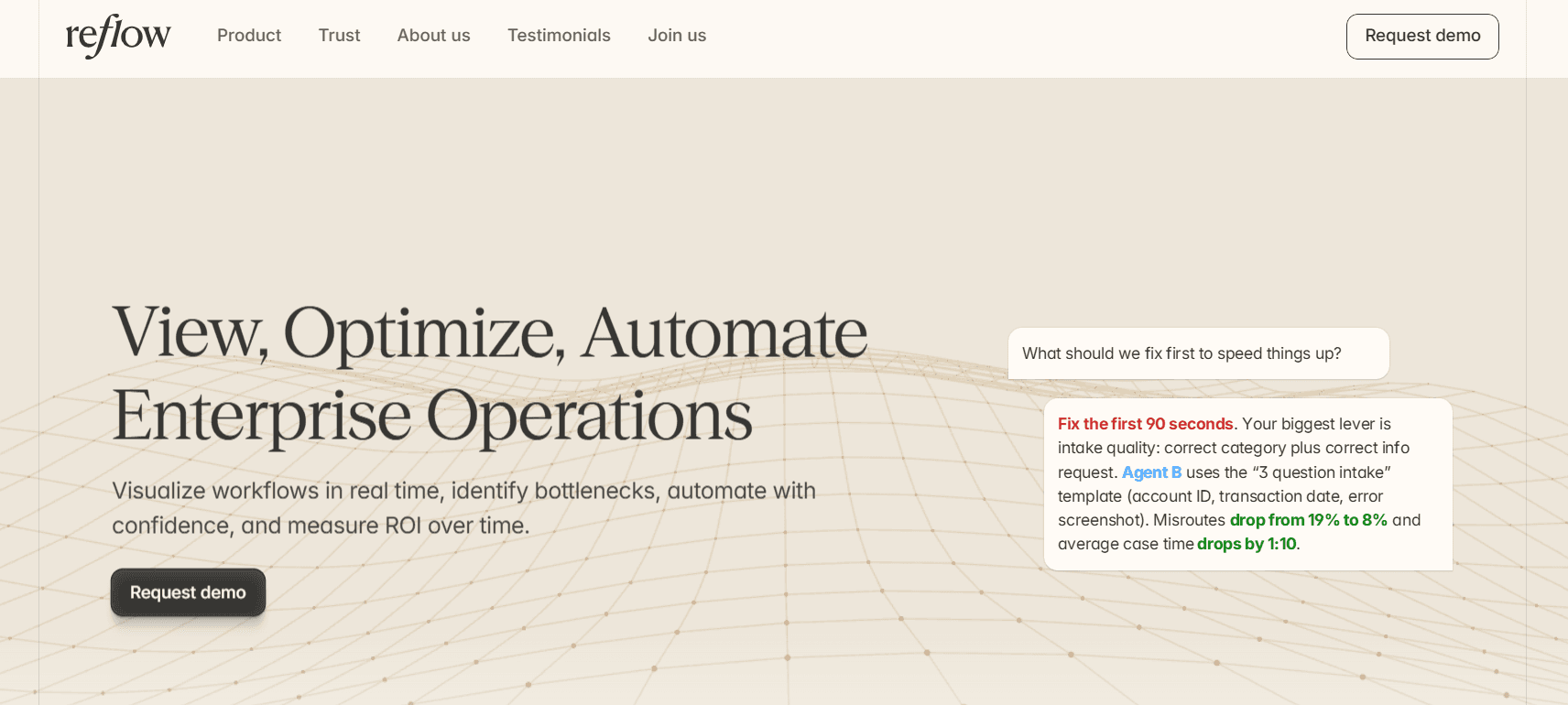
From that record, Reflow reports total runs, average run time, average deviation time and potential savings for each workflow.

The same data shows where runs drift from their SOP and what one case costs. Once a change launches, Reflow measures its return there too.
💡 Reflow isn’t employee surveillance software. By default, personal content is left out of collection. Leaders can also limit reports to aggregated or anonymized data.
Our platform’s recommendations focus on workflow automation. It doesn't produce how-to guides or software consolidation advice.
In my experience, Reflow fits best where computer-based work follows an SOP and repeats at volume, as it does in support, accounting, tax, legal and compliance teams.
Here are the Reflow capabilities you'll want to compare with Scribe Optimize first:
Reflow capabilities

Run-level workflow maps: each run laid out as it happened, with every step taken, skipped, repeated or delayed and its timing. For example, refund request processing shows 4,820 runs averaging 6 minutes 10 seconds, 1 minute 5 seconds of average deviation, a high opportunity rating (72) and 87.1 hours of potential savings a month.
Cost per case: operational time split by customer, task and project, so finance can see what one processed refund costs before building a business case.
SOP adherence checks: the steps an SOP expects compared with what each run executed. Drift and emerging compliance risks show up in the run data, such as a required refund check that starts getting skipped.
Automation recommendations: opportunities surfaced proactively with the steps involved, such as the sample recommendation to automate "lookup + populate + update" in refund requests to shorten each case and remove missed-field errors.
Measured return: the workflow remains in the same readout after launch, and an automation's return is measured on the data behind the recommendation.
Agents built by Reflow: agents that run the SOP step by step, try an AI fix when a step breaks and hand the case to a person if the fix fails.
Workforce intelligence: work, active, session and productive time from the same capture, which records installed applications and the browser without timers or timesheets.
💡 Our compliance credentials cover SOC 2 Type 2, HIPAA, GDPR and CPRA/CCPA. We encrypt data at rest and in transit and offer local data storage.
How is Reflow different from Scribe Optimize?
Reflow measures operational workflows run by run and prices individual cases, while Scribe Optimize captures workflows across approved apps and issues recommendations with projected ROI.
Scribe Optimize is well built for roadmaps that reach into tool adoption and documentation, and we leave that breadth to Scribe.
Reflow's workforce intelligence, workflow intelligence and automation layers all draw on one capture that needs no integrations.
Here’s how both of them compare:
Scribe Optimize | Reflow | |
Best for | Leaders turning an AI mandate into a roadmap and showing AI ROI | Operations-heavy companies whose teams repeat computer-based SOP work at volume |
How work is captured | Automatic capture across admin-approved apps | Native agent on Mac and Windows, recording each workflow step |
What a recommendation includes | One of six types, from process standardization to agentic automation, with an ROI projection | A ranked automation candidate with named steps, an opportunity rating and potential monthly savings |
Process view | Process maps generated from workflow data | Each run's steps, with skipped, repeated and delayed ones marked |
Consistency checks | Standardization recommendations where teams do one task differently | Every run compared with its SOP |
Cost view | ROI projections, plus overlapping and underused tools | Case-level cost from time split by customer, task and project |
After a change | ROI shown for automation and transformation initiatives, plus where AI tools are underused | Return measured on the same capture that produced the recommendation |
Agents | Specialized intelligence passed to agents through MCP | Agents that Reflow builds from the SOP, handing failures they can't fix to a person |
Security and compliance | SOC 2 Type II, HIPAA, FERPA and GDPR, with automatic redaction | SOC 2 Type 2, HIPAA, GDPR and CPRA/CCPA, plus at-rest and in-transit encryption |
Pricing | Not published; sold after a demo | Not published; quote prepared after a demo |
Reflow pricing
Reflow sets prices per customer.
The quote follows a demo and depends on headcount and the processes included.
💡 Our team handles configuration as part of white-glove onboarding.
Reflow pros and cons
✅ Four figures per workflow (total runs, average run time, average deviation time and potential savings) are ready before any change.
✅ Each run's record shows skipped and repeated steps, plus delays.
✅ Time split by customer and project gives finance a cost per case.
✅ SOP checks on every recorded run surface drift early.
✅ An automation's return is measured on the data that justified it.
✅ Reflow can build the automation too, using agents that hand unresolved failures to a person.
✅ Setup needs no integrations, and existing tools stay as they are.
❌ Documentation and tool-consolidation work fits Scribe Optimize better, since Reflow doesn't write how-to guides or review software spend.
❌ Pricing isn't published.
#2: Skan AI
Best for: Regulated enterprises in sectors such as banking, insurance and healthcare that want an AI roadmap with ROI behind each step and agents that run under written procedures.
Similar to: Fluency, Klarity (Within).

Skan AI reads work from the screen in mainframe, legacy desktop, VDI, web and office applications using computer vision, NLP and deep learning models, with no integration project.
Blueprint uses the resulting Context Graph of Work to sequence AI initiatives by value, complexity and risk, and Skan AI's Agents product runs governed agents on that same context.
Skan AI capabilities

Blueprint: a sequenced AI roadmap built from a scan of current operations and a model of the target state, with ROI tracked after delivery.
Process Intelligence: living process maps that show bottlenecks and hidden effort, along with automation priorities.
Agents: agents grounded in observed work and governed by Agentic Operating Procedures, with people involved where judgement is needed.
Engineering Intelligence: analysis of how work moves across development tools, beyond the code repository.
Data handling: raw screens and records processed inside the customer's environment, with only anonymized metadata reaching the Skan AI Cloud. Every action and agent decision is logged for audit.
Compliance marks: SOC 2, ISO 42001, GDPR, CCPA and HIPAA among the compliance marks on Skan AI's site.
What is Skan AI's pricing?
Skan AI prices by custom quote and doesn't publish rates.
I'd normally scope a single process first. That also lets you test Skan AI's claim that it can move from observations to an agent in 6 weeks or less.
Benefits and trade-offs of Skan AI
✅ Blueprint weighs complexity and risk next to value.
✅ Raw screen data is processed inside the customer's environment.
✅ Auditors get a log of agent decisions.
❌ There's no figure to budget against until Skan AI prepares a quote.
#3: Fluency
Best for: Enterprises that want each AI opportunity estimated in hours and dollars and each change judged on its measured result.
Similar to: Skan AI, Mimica.

Fluency models observed processes down to individual handoffs and rework loops, then connects that model to the outcomes the work serves.
An opportunity from the model carries an estimate of annual value and capacity hours, with a verdict recorded after the change runs.
Fluency capabilities

Opportunity estimates: annual value and capacity hours for each opportunity, grouped by goal (time, quality, risk or capacity).
Types of fix: integrations, rules automation, policy or process changes, AI assistance and AI agents.
Measurement: handling time and observed runs compared across periods, with every change rated worked, didn't or not yet.
Chat: answers to questions such as where a workflow waits longest, with the runs that support each answer.
Agents: agent runs limited to the steps a team approves, with decisions left to people.
Industry focus: financial services, insurance, legal and professional services, BPO and customer operations, healthcare and life sciences, and private equity portfolios.
Security: single sign-on with SCIM, an optional customer-held encryption key, personal data redacted before AI models see it, and customer-set observation hours, under SOC 2 Type I and II, HIPAA and GDPR.
What is Fluency's pricing?
Fluency quotes customers individually, starting from a demo request.
During that demo, you'll want to see one opportunity's annual value estimate next to the result Fluency recorded after the change.
Benefits and trade-offs of Fluency
✅ Opportunities are typed by fix, from a policy change to an AI agent.
✅ A change ends with a worked, didn't or not-yet verdict.
✅ Chat cites the runs behind its answers.
❌ No list prices are published.
#4: Klarity (Within)
Best for: Transformation teams that want SOPs, recommendations and agent instructions built from what employees show and explain.
Similar to: Mimica, Soroco Scout.

Klarity, renamed Within, learns how work happens from screen sharing in a web app and AI-guided interviews, plus files a team uploads.
That material forms a Company Brain behind Advisor's ROI-ranked recommendations and the Signals that flag drift or highlight what individual employees do well.
Klarity (Within) capabilities

SOP documents: procedures written from screen walkthroughs or videos a team has already recorded.
Advisor: strategic questions, such as how to lower operating costs, answered with opportunities ranked by ROI potential.
Signals: coaching insights that stay private to each employee until shared, plus alerts when a process drifts.
Company Brain: a continuously updated record of activities, decisions, approvals and controls.
Skills Factory and Within MCP: task-specific agent instructions written from observed workflows, and a connection from the Company Brain to AI assistants a company already uses.
Functional coverage: finance, IT, GTM, HR and operations.
What is Klarity (Within)'s pricing?
Klarity (Within) doesn't list prices, and subscriptions follow a demo.
Within compares its subscriptions with consulting engagements, so I usually suggest bringing an existing consulting estimate to that conversation.
Benefits and trade-offs of Klarity (Within)
✅ SOPs can come from recordings a team already holds.
✅ Signals point out good practice as well as drift.
✅ Assistants a company already uses can query the Company Brain through Within MCP.
❌ Costs come only after a demo.
#5: Mimica
Best for: Automation leads who want a scored backlog with step-level detail and SOP documents from the same recordings.
Similar to: KYP.ai, UiPath Process Intelligence.

Mimica's AI learns processes from recorded clicks and keystrokes and maps them step by step.
Mimica Miner then scores each process on ROI, automatability and ease, while Mimica Measure follows conformance and savings after a change goes live.
Mimica capabilities

Mimica Mapper: a single map per process that reconciles how different team members perform the same work.
Mimica Miner: a score for each process across ROI, automatability and ease of automation.
Step detail: each step's application, time, cost and frequency, with its own automatability rating.
SOPs and exports: procedure documents drafted from the recordings, with export options for other mapping and automation software.
Mimica Maker: agents built from a mapped process and tested against recorded runs.
Mimica Measure: ongoing checks on SOP conformance, with the savings each change delivers.
What is Mimica's pricing?
Mimica's sales team quotes subscriptions; the website lists no prices.
It's ideal to start with the handful of processes you'd automate first, since the size of the discovery shapes the quote. Mimica's fastest stated timeline to a transformation roadmap is two weeks.
Benefits and trade-offs of Mimica
✅ A single step can be automated without taking on the whole process.
✅ SOP documents come from the discovery recordings.
✅ On-premises deployment is an option.
❌ A quote needs scoping by Mimica's team first.
#6: Celonis
Best for: ERP-centric enterprises that want desktop time by application read against a system-level model of their processes.
Similar to: UiPath Process Intelligence, KYP.ai.

Celonis models a business from its system data and adds desktop work through Task Mining, a premium product with a desktop client and a Chrome or Edge extension.
Its Workforce Productivity solution reports how each department's time splits across applications, which is the closest Celonis gets to Scribe Optimize's view of tool use.
Celonis capabilities

Workforce Productivity: department-level time by application, built on Task Mining data.
Context Model: root causes, predictions, recommendations and what-if scenarios across source systems.
Process redesign: simulation and redesign within guardrails before a change rolls out.
Recording scope: admin allowlists and denylists that decide which applications and URLs Task Mining records.
Operations monitoring: checks on process adherence and on agent activity after launch.
Data Core: ingestion from any source and queries across billions of records.
What is Celonis's pricing?
Celonis has no public price list for paid plans. A free trial is available from the website.
I'd recommend naming Task Mining in your first quote request, because desktop visibility depends on that premium product.
Benefits and trade-offs of Celonis
✅ Department-level time by application supports software adoption decisions.
✅ What-if scenarios test a change before rollout.
✅ Recording can be limited to approved applications and URLs.
❌ Desktop capture costs extra as a premium product.
#7: KYP.ai
Best for: Shared-services and BPO organizations that want inefficiencies priced and fixes delivered as agent code for an automation platform they already run.
Similar to: Mimica, Celonis.

KYP.ai's Productivity 360 product captures desktop work across functions and geographies in real time, while its Business Transformation Engine puts a value on each inefficiency.
Fixes can leave the platform as agent code from the Agentic AI Enabler, built for UiPath, ServiceNow, SAP Joule, Camunda or n8n.
KYP.ai capabilities

Business Transformation Engine: inefficiencies valued, automation ROI estimated and work ordered by return.
Agentic AI Enabler: agent code that carries business context for the chosen execution platform.
360 Enterprise View: real-time activity across functions, teams and geographies.
KYP AI Concierge: a conversational way to query operational data.
System connectors: ERP, CRM, collaboration and productivity applications linked to desktop capture.
MCP Gateway: AI model access to KYP.ai's process intelligence.
What is KYP.ai's pricing?
KYP.ai scopes an engagement before quoting and publishes no rate card.
From what I've seen, a single business unit gives the cleanest first quote. KYP.ai engagements can then expand by unit or market.
Benefits and trade-offs of KYP.ai
✅ Every inefficiency comes with a value attached.
✅ Generated code can target the automation platform a company already licenses.
✅ The Concierge answers operations questions in natural language.
❌ Running the generated agents depends on a separate execution platform.
#8: Soroco Scout
Best for: Large operations teams that want recommendations spanning training and standardization as well as automation, tested in simulation first.
Similar to: Klarity (Within), Celonis.

Soroco's Scout analyzes opt-in, anonymized clicks and keystrokes to find where teams lose time and maps the result in a Work Graph tied to business outcomes.
Its findings fall into four recommendation groups (education, standardization, automation and compliance), with an option to simulate proposed changes before rollout.
Soroco Scout capabilities

Recommendation groups: education, standardization, automation and compliance.
Simulation: the likely effect of a workflow change estimated before teams adopt it.
Work Graph: friction located across teams and linked to business outcomes.
People and agents together: steps taken by AI agents shown beside human steps in the same workflow.
Data overlays: system data from SAP, ERP and CRM sources and from log mining, combined with interaction and process mining data.
What is Soroco Scout's pricing?
Scout has no published price list.
Most buyers start with an enterprise demo. In the UK, public sector organizations can buy through a G-Cloud reseller too.
Benefits and trade-offs of Soroco Scout
✅ Training and standardization appear as recommendation types, the closest match here to Scribe Optimize's process standardization.
✅ Simulation lets a team test a change on paper first.
✅ Scout anonymizes what it gathers from opt-in collection.
❌ Prices come only through a sales engagement.
#9: UiPath Process Intelligence
Best for: UiPath customers that want automation candidates ranked by estimated time and cost savings, then built on the same platform.
Similar to: Celonis, Mimica.

UiPath Process Intelligence pairs Process Mining for enterprise event logs with Task Mining for desktop steps, redacting personal data from the desktop recordings.
Candidates are ranked by estimated time and cost savings. From there, a candidate can move into UiPath's robots and agents under Maestro orchestration or stay as standalone discovery.
UiPath Process Intelligence capabilities

Savings estimates: time and cost savings calculated for each automation candidate.
Conformance: the intended workflow compared with the one teams follow, monitored continuously after launch.
Before-and-after reporting: performance compared across a change, with alerts and automations triggered by rules or KPIs.
Redesign tools: simulation of process changes and BPMN models.
Prebuilt scenarios: maverick-buying alerts, days sales outstanding, IT service management and order-to-cash.
Connectors: logs from SAP, Salesforce, Workday, Oracle, ServiceNow and hundreds more, plus a framework for custom apps.
What is UiPath Process Intelligence's pricing?
UiPath publishes four plans, but its two mining products are included only in the sales-quoted tiers. Before a sales call, you'll want to list the user and robot licenses your rollout needs, because they're priced apart from the plan.
Community ($0): free automation with no mining products.
Basic (from $25 per month): paid automation; the mining products aren't included.
Standard (sales quote, 60-day free trial): Process Mining and Task Mining become available here, along with agent building and orchestration, identity-provider choice, a data-collection opt-out and hosting in UiPath regions or on premises.
Enterprise (sales quote): self-healing UI automation, monitoring and simulation of production processes, and room for customer-owned AI models, encryption keys and credential vaults.
Licenses (priced separately): user seats at Basic, Plus or Pro level and Unattended Robots, bought to fit the rollout.

Benefits and trade-offs of UiPath Process Intelligence
✅ Automation candidates come with time and cost savings estimates.
✅ Discovery and execution can share one vendor.
✅ The Standard trial runs for 60 days.
❌ Mining starts at a sales-quoted plan.
#10: 8Flow
Best for: Executives who want AI-tool usage, vendor cost and team activity checked against a learned normal, with drafted responses.
Similar to: Soroco Scout, Klarity (Within).

8Flow's AI, Ocho, builds a picture of normal activity for every person, team and vendor and alerts leaders when something moves off it, from a renewal going quiet to vendor cost rising.
Capture is limited to metadata, collected by a browser extension and a desktop client that IT rolls out with no API work.
8Flow capabilities

Vendor and spend signals: vendor cost compared with its baseline and flagged when it rises.
AI usage: AI-tool use connected to shipped work for each engineer, with alerts when case data goes into a personal AI tool.
Briefings: impact-ranked signals, each paired with a draft reply or task for the leader to approve.
Follow-up: a later report on whether the metric recovered.
Function workspaces: sales, engineering, support, product, operations and security.
Living graph: events linked to accounts, people and workflows, with Zoom, Salesforce, Gmail and Slack among more than 200 sources.
What is 8Flow's pricing?
Pricing for 8Flow comes after a demo request.
According to 8Flow, a one-team pilot takes an afternoon to set up, with a first briefing inside 48 hours. I'd choose a pilot team whose leader is ready to act on the briefings, because Ocho's recovery check reports on what happens after a leader responds.
Benefits and trade-offs of 8Flow
✅ Vendor cost is tracked against its own baseline.
✅ Engineering leaders can see AI-tool use beside the work it shipped.
✅ Sales, engineering, support, product, operations and security share one briefing feed.
❌ Each baseline takes several weeks of activity to form.
What does each Scribe Optimize alternative recommend?
Each alternative recommends a different kind of change and backs it with a different figure.
Reflow, Mimica and UiPath concentrate on automation candidates with time or savings estimates.
Fluency and Soroco Scout also propose fixes outside automation, such as a policy change or staff training, while Klarity (Within) surfaces good practice through Signals.
As the reference point, Scribe Optimize covers six recommendation types, from tool configuration to agentic automation:
Tool | What it recommends | How the value is shown |
Scribe Optimize (for reference) | Process standardization, tool adoption, tool configuration, non-AI automation, new tools and agentic automation | ROI projections from workflow data, sequenced into an AI roadmap |
Reflow | Automation candidates for each workflow, with the steps to automate | Opportunity rating, potential monthly savings and cost per case, then the measured return after launch |
Skan AI | AI initiatives in a Blueprint roadmap | Value, complexity and risk, with ROI tracked over time |
Fluency | Integrations, rules automation, policy or process changes, AI assistance and AI agents | Estimated annual value and capacity hours, then a worked, didn't or not-yet verdict |
Klarity (Within) | Advisor opportunities, plus good practice surfaced by Signals | ROI potential |
Mimica | Automation candidates at process and step level | Miner ratings for ROI, automatability and ease, with savings tracked in Mimica Measure |
Celonis | Root causes, recommendations and redesigns from the Context Model | What-if scenarios and simulation |
KYP.ai | Fixes for quantified inefficiencies, delivered as agent code | ROI estimates from the Business Transformation Engine |
Soroco Scout | Education, standardization, automation and compliance changes | Friction tied to business outcomes, with simulation |
UiPath Process Intelligence | Automation candidates from mined processes | Time and cost savings estimates, with before-and-after reporting |
8Flow | Drafted next moves for leaders | Signals ranked by impact, with a follow-up on recovery |
If you need deeper process mining coverage, I'd point you to our Celonis alternatives guide.
When is Scribe Optimize the better choice?
Scribe Optimize is the better choice when an AI program needs documentation and software-spend advice from the same vendor that builds its roadmap.
Based on what I've seen, these situations favor Scribe Optimize:
Teams also want step-by-step guides and on-screen walkthroughs from Scribe Capture.
Software spend is in scope, including overlapping tools, paid tools that go underused and misconfigured settings.
The board expects evidence of where AI tools deliver value and where they're underused.
Agents need the organization's specialized intelligence through an MCP connection.
Leadership wants a first AI roadmap within 7 days.
Procurement lists FERPA among its requirements.
The rollout covers thousands of users who need granular workspace controls.
Test a Scribe Optimize recommendation with Reflow
The most direct comparison is to take one automation recommendation from Scribe Optimize and measure that workflow in Reflow before and after the change.
Here's how I'd normally run it:
Choose a recommendation from the Optimize roadmap that targets a high-volume workflow with a written SOP.
Our team sets up Reflow for the people who run that workflow, with nothing to integrate.
Within a few days, set Reflow's runs, run time, deviation time and cost per case against the ROI projection Optimize attached.
If the case holds, decide whether your team automates the work or Reflow builds an agent from two or three recorded runs.
After launch, read the result in Reflow against the pre-launch baseline and compare it with Optimize's projection.
➡️ Book a Reflow demo, and we'll show a readout for your own workflows. Collective's case study records $3.1M in annual cost savings.
⚠️ Disclaimer: Pricing and product details come from each vendor's public pages as read on 16 November 2026. If anything has changed, contact us so we can verify it and revise this article.
Frequently asked questions
Which Scribe Optimize alternative measures results after an automation launches?
Reflow measures the result on the same run-level data that produced the recommendation.
Our platform records a workflow's runs, run time, deviation time and cost per case before the change.
The workflow then remains in the same readout after launch. Fluency also rates each change as worked, didn't or not yet, and Mimica Measure calculates the savings from each change.
UiPath Process Intelligence reports performance before and after a change.
What is the difference between Scribe Capture and Scribe Optimize?
Scribe Capture is Scribe's documentation product, whereas Scribe Optimize is its workflow analysis and recommendation product.
Capture produces step-by-step guides and on-screen walkthroughs. Autocapture drafts guides from work a team has already done, and guides can reach AI agents through MCP or an API.
Optimize captures workflows across approved apps and maps processes before issuing recommendations with ROI projections as part of an AI roadmap.
Which Scribe Optimize alternatives check work against an SOP?
Reflow compares every recorded run with its SOP. Mimica Measure monitors SOP conformance after a change.
UiPath Process Intelligence compares intended and actual workflows. Celonis monitors process adherence, while Signals in Klarity (Within) flag drift.
Which Scribe Optimize alternatives can build the automation they recommend?
Six of the alternatives build or run what they recommend: Reflow, Skan AI, Fluency, Mimica, UiPath and Klarity (Within). KYP.ai takes a different route, generating agent code that runs on UiPath, ServiceNow, SAP Joule, Camunda or n8n.
Our Fluency alternatives guide and Klarity (Within) alternatives guide compare more of the platforms that pair discovery with agents.
How does Scribe Optimize compare with Skan AI?
Each builds its AI roadmap from observed work. Scribe Optimize adds tool adoption advice and Scribe's documentation products. Skan AI adds mainframe and VDI observation plus agents governed by Agentic Operating Procedures.
Our Skan AI alternatives guide compares Skan AI with ten other platforms.
Is there a Scribe Optimize alternative focused on AI tool usage and cost?
8Flow ties AI-tool use to shipped work for each engineer and tracks vendor cost against a baseline.
For AI adoption and productivity reporting from activity data, our ActivTrak alternatives guide and 8Flow alternatives guide cover more options.
See Reflow in action
A short demo, tailored to your operations.