Below I've ranked the 10 best Veriato alternatives for 2026, with the buyer each one fits and what it costs.
TL;DR
Reflow is the best Veriato alternative in 2026 for operations teams whose question has moved past what an individual did at their desk. Our workflow intelligence platform captures work time, active time, session time, and productive time through a native agent, then maps each workflow step by step and ranks the steps worth automating.
Teramind and Controlio are the closest like-for-like replacements to Veriato: Teramind separates productivity monitoring, user activity monitoring, and data loss prevention into three priced tiers on one agent. Controlio carries live screen view and video recording on its entry plan and licenses by concurrent session.
ActivTrak and Insightful suit teams leaving Veriato because legal or HR asked for a narrower collection footprint. ActivTrak keeps screenshots and URL-level detail in a separately licensed add-on. Insightful states on its site that it does not track keystrokes, and it pairs activity data with workflow mapping.
Time Doctor, eMonitor, and Apploye cover the operational middle: Time Doctor pairs productivity ratings with AI-matched sector benchmarks, eMonitor runs one agent across Windows, macOS, Linux, and Chromebook with data loss alerts from Professional, and Apploye carries screenshots and payroll on ten free seats.
Hubstaff and TimeCamp are the two budget-led exits: Hubstaff takes approved hours through to multi-currency payout from $4.99, and TimeCamp fills timesheets through an AI agent with no user cap on its free plan.
What are the best Veriato alternatives in 2026?
The best Veriato alternative in 2026 is Reflow, for enterprise operations teams that need workforce and workflow intelligence captured automatically, with no manual entry anywhere in the system.
Here's the full shortlist of vendors:
Tool | Use case | Price |
Reflow | Workforce and workflow intelligence from a native agent: work time and productivity classified with no manual entry, a per-workflow readout of runs and deviation, a ranked list of steps to automate, and ROI measured afterwards. No integrations. | Custom pricing (book a demo). |
Teramind | User activity monitoring, insider risk detection, and data loss prevention on one agent, with cloud, private cloud, and on-premise deployment. | From $14/user/month, 5-seat minimum. |
ActivTrak | Workforce analytics covering productivity, utilization, and capacity, with screenshots and URL detail in a separately licensed add-on. | Free for 3 workers; paid from $10/worker/month (annual). |
Insightful | Employee monitoring paired with workflow mapping and measurement, on cloud or on-premise, with no keystroke tracking. | From $8/seat/month (annual). |
Controlio | Productivity measurement, live screen stream, video recording, and behavior rules, licensed by concurrent session. | From $6.67/user/month (annual). |
Time Doctor | Workforce analytics with productivity ratings, AI-matched peer benchmarks, attendance, and payroll. | From $6.67/user/month (annual). |
eMonitor | One agent across Windows, macOS, Linux, and Chromebook, with attendance, activity classification, and data loss alerts. | From $3.90/user/month (annual). |
Hubstaff | Timer and GPS capture running through to approved payroll in multiple currencies, with monitoring depth set per team. | From $4.99/seat/month (2-seat minimum). |
Apploye | Screenshots, session recording, payroll, and invoicing at a low per-user rate, with stealth and on-premise as add-ons. | Free for up to 10 users; paid from $4.50/user/month (annual). |
TimeCamp | An AI agent that fills timesheets in the background, with approvals, cost control, and a self-hosted Enterprise option. | Free for unlimited users; paid from $2.99/user/month (annual). |
Three tests decided which tools made this list:
The tool has to replace something a Veriato customer is paying for today: Attendance, activity classification, screen capture, behavior alerts or workflow measurement (at least one of them) at a standard a Veriato buyer would recognize.
The buyer profile has to match: Veriato sells to security, HR, legal, compliance and operations leaders in mid-market and enterprise organizations. Tools built for freelancers and five-person agencies were excluded even where the feature list overlapped.
It has to be buyable now: Everything listed is generally available. Features still in beta or marked coming soon are flagged as such in the section where they appear.
➡️ A note on scope: this shortlist runs from full content-capture platforms down to light time and activity tools, as the reasons for leaving Veriato pull in opposite directions. Some teams need the same depth at a different price. Others were told by legal to collect considerably less. Both are covered below.
#1: Reflow
Reflow is the best Veriato alternative in 2026 for enterprise operations teams that have moved past asking what an individual did at their desk and started asking how a process runs.
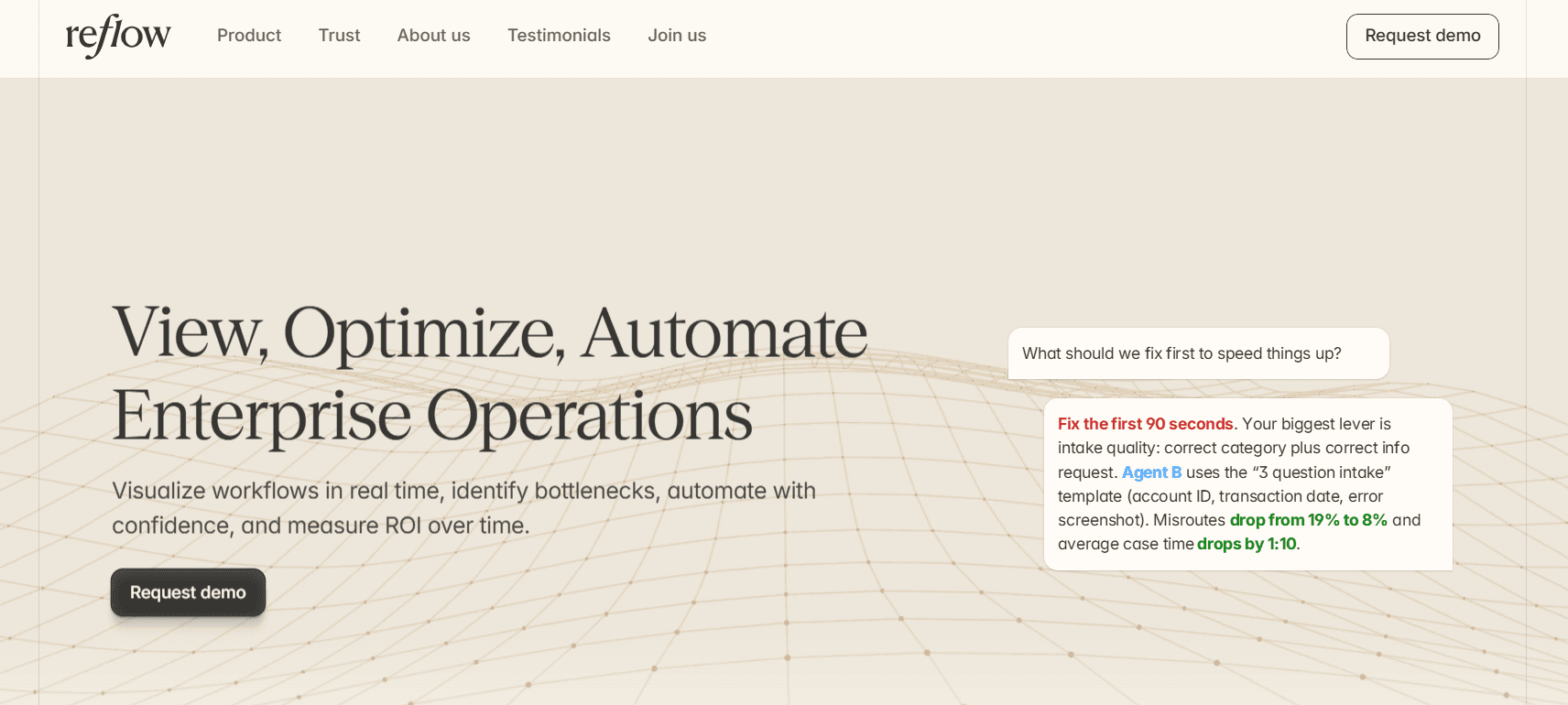
Our workflow intelligence platform reports the base metrics any workforce tool reports (work time, active time, session time, productive time, and the direction productivity is moving by team) and none of those figures is entered by hand.
On top of that base, Reflow produces a readout for each process that individual activity data cannot generate:
The number of runs in the period.
How long an average run takes.
The average deviation per run.
Hours per month recoverable through automation.
Disclosure: Reflow is our own platform. I'll make the case for the top slot on a Veriato alternatives list, and I'll be equally direct about the work Reflow leaves to other software.
Reflow observes operational work while it happens and records every step taken, skipped, repeated, or delayed.
The way it works is that a native Mac and Windows agent performs the capture, machine learning performs the classification, and no integration project stands between signing and the first readout.
To be fair, Reflow is not employee surveillance software, and our own site says so.
Reflow does not record everything an employee does or capture personal content, and collection is fully configurable.
If your requirement is forensic evidence for a disciplinary case, keystroke capture, or email and chat content for an investigation, Reflow was not built for that work, and several of the Veriato alternatives further down this list were.
Here are the capabilities that put Reflow at the top of a Veriato alternatives list:
Workflow maps that include the steps nobody logged
Reflow records each step of a workflow in the order it occurred and attaches elapsed time to every one, covering the steps that were repeated, skipped, or left waiting on another person.
Let’s take refund request processing as a test case.
Activity data alone will show that a support specialist spent the morning in a billing console and a CRM.
It will not show how many refunds were completed, how long a typical one took, or where the variation came from.
The Reflow readout for the same process reports 4,820 runs at an average of 6 minutes 10 seconds, with 1 minute 5 seconds of average deviation per run, and 87.1 hours a month of potential savings.
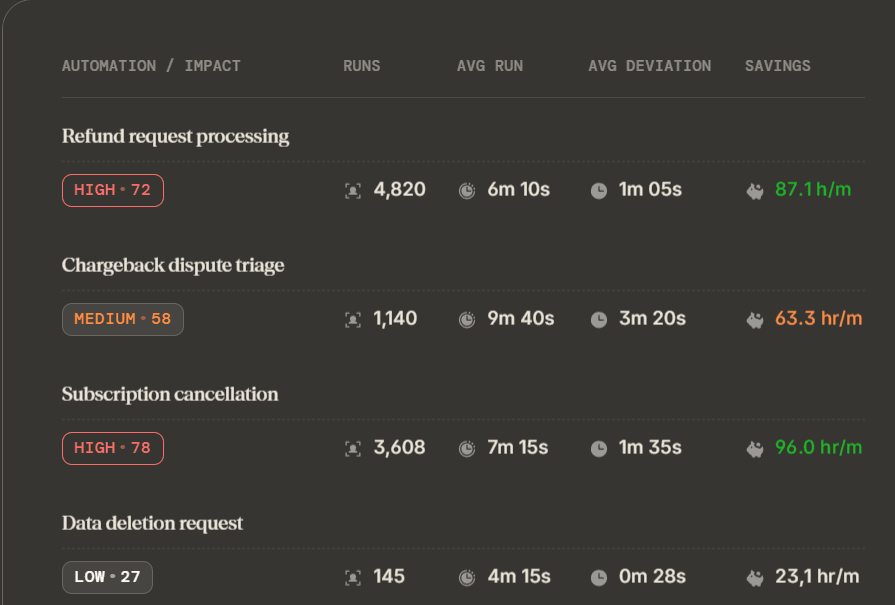
Activity data establishes that refunds consume the team.
The Reflow readout locates that consumption inside the process, down to the step where the deviation accumulates.
Unit economics for one case of operational work
Reflow breaks operational time down by customer, task, and project. A month of hours becomes a cost per case.
For chargeback dispute triage, Reflow reports 1,140 runs a month at 9 minutes 40 seconds each, with 3 minutes 20 seconds of average deviation per run.
Against the loaded cost of the analyst handling those disputes, finance has the true cost of triaging one chargeback.
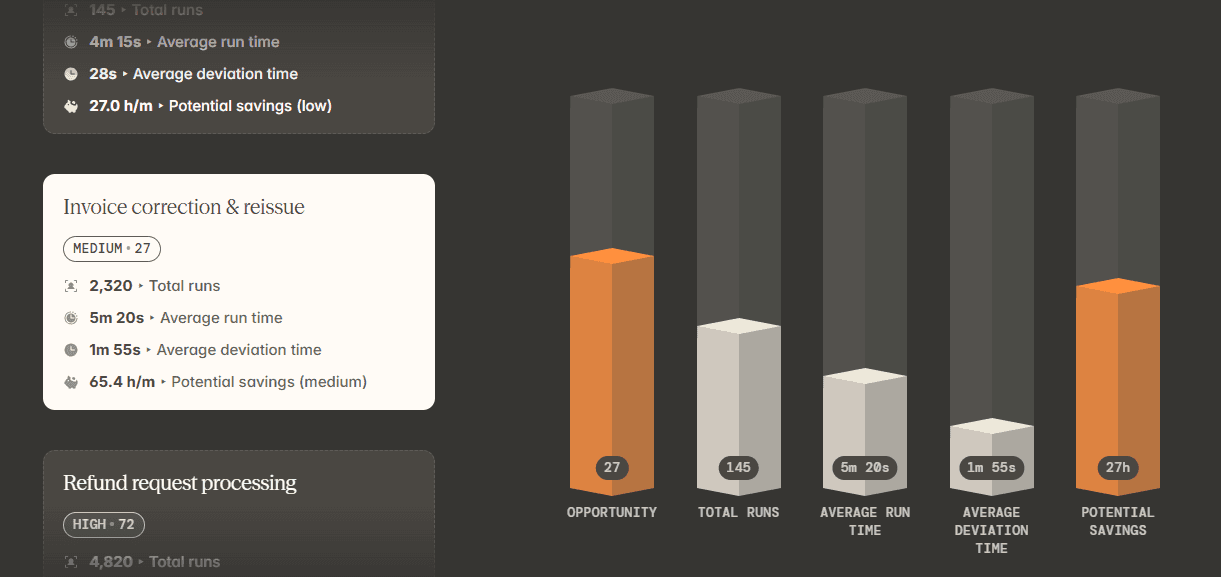
That figure is what a CFO needs before approving spend against the process. A monthly activity total has never been able to supply it.
SOP adherence, verified run by run
Reflow compares the steps an SOP specifies against the steps each run performed, and surfaces drift as data while the work is still in progress.
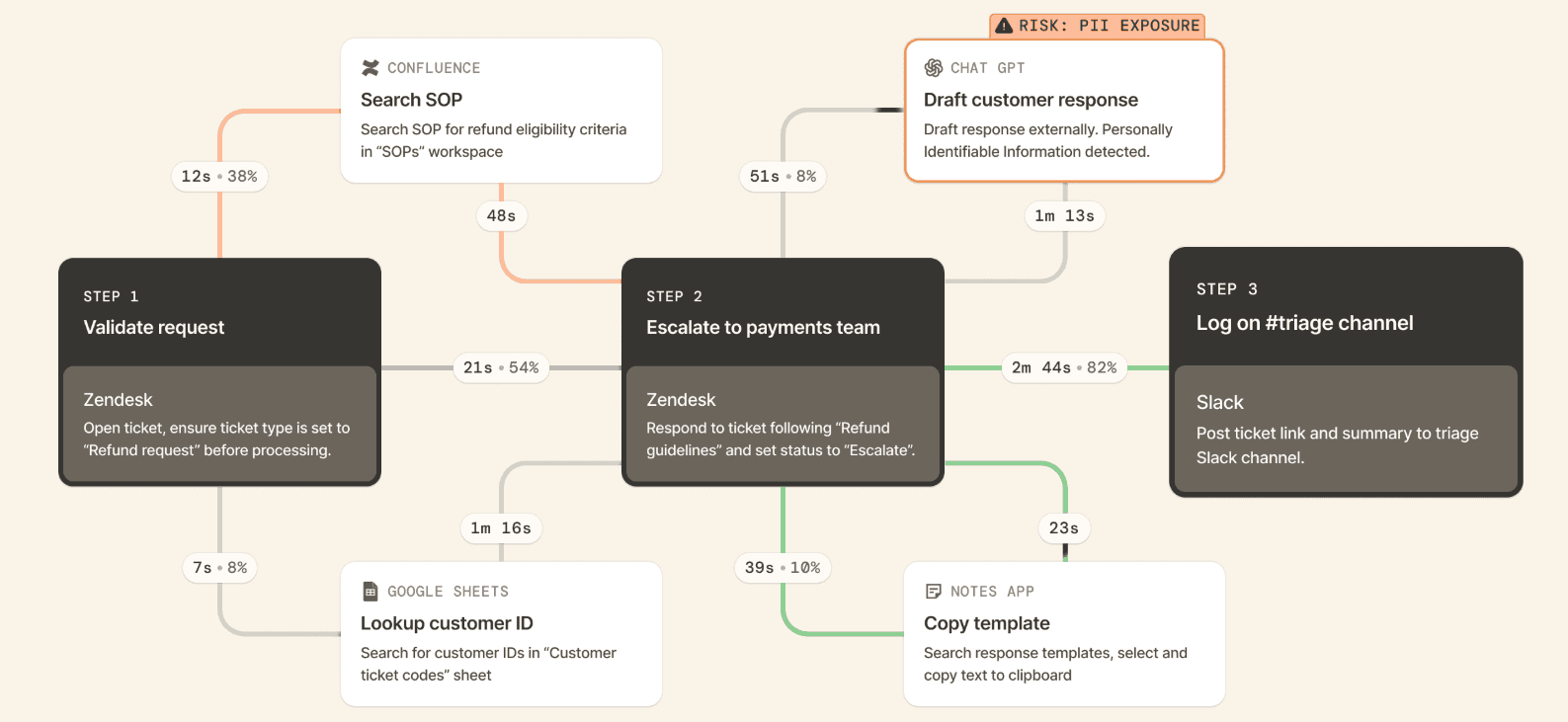
For a data deletion request carrying a regulatory deadline, Reflow shows the runs where a verification step went missing, or where the same lookup repeated three times, at a point where the operations team can still correct the record before a customer or a regulator raises it.
Team leads use the same view for a quieter purpose: checking whether the procedure written last quarter matches the procedure the team performs today.
Automation ranked by opportunity, then measured after launch
Reflow ranks workflows by automation opportunity, names the specific steps worth automating, and keeps measuring the process after the change. The return is observed, not projected.
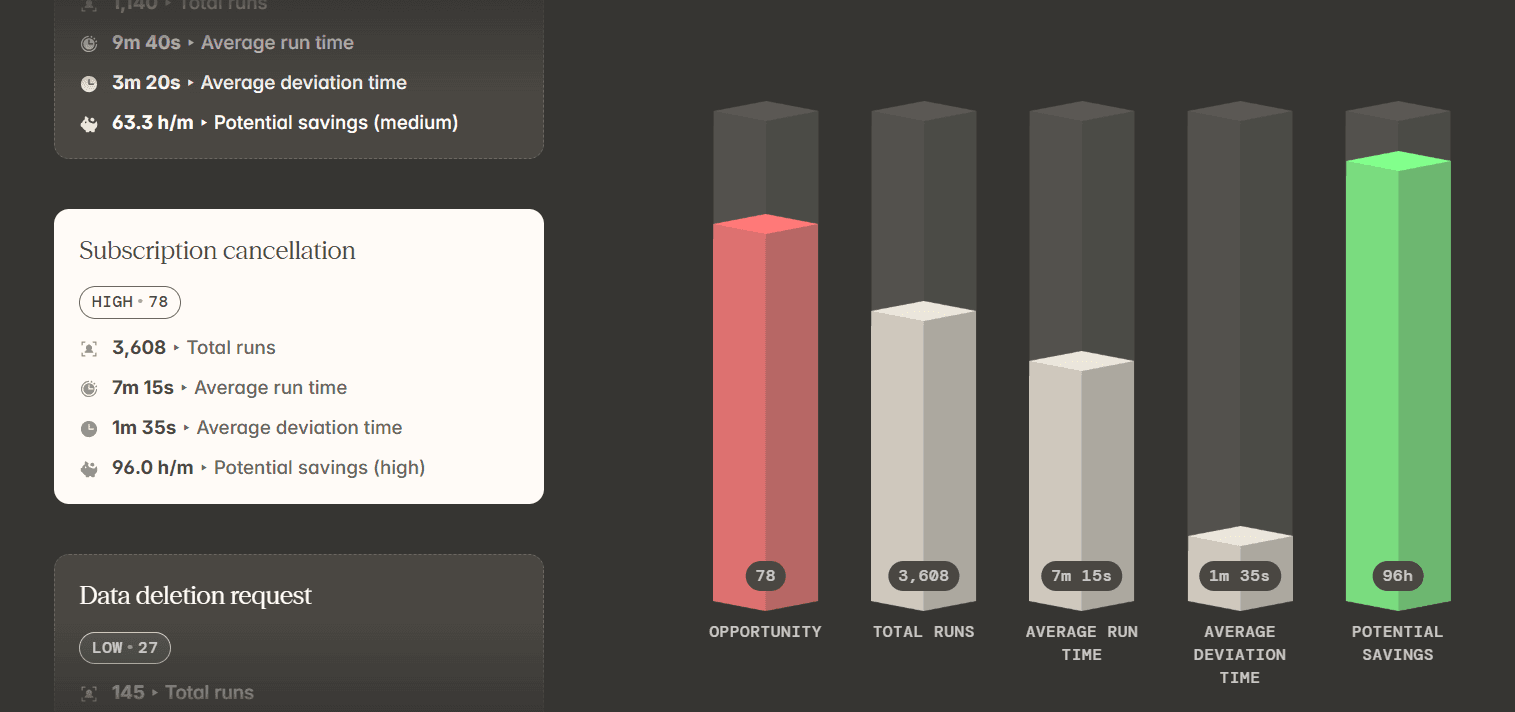
A recommendation from Reflow reads along these lines: the Refund Requests SOP spends 52% of its time on repeatable steps, which Reflow identifies as lookup, copy-paste, and updating multiple systems.
Automating "lookup + populate + update" brings those steps down to 25 seconds, recovers 1 minute 40 seconds per case, and removes missed-field errors from the process.
Once that automation is live, Reflow keeps reporting on the same workflow.
An operations lead can see what improved, what held steady, and what moved in the wrong direction before choosing the next process to automate.
The automation itself can run on Reflow, so the system that located the opportunity is the system that executes it and reports back.
💡 Reflow encrypts data in transit and at rest to industry-leading standards, and collection follows a privacy-first model governed by strict access permissions. Our Trust Centre holds the full details on our security and compliance controls.
Capture that runs without a timer or a timesheet
Reflow's native Mac and Windows agent captures work interaction by interaction, and machine learning assigns each one to a project, a type of work, and a productivity classification.
Manual entry is disallowed throughout the system.
There is no start button to forget, and no Friday afternoon spent reconstructing a Thursday from memory.
The same agent performs the task mining that feeds the workflow layer above it, with a human in the loop wherever the classification calls for judgment.
That base layer, workforce intelligence, is what Reflow delivers before any workflow analysis begins:
Headcount, and how those people work.
Average work time.
Active time.
Session time.
Productive time.
The direction productivity is moving.
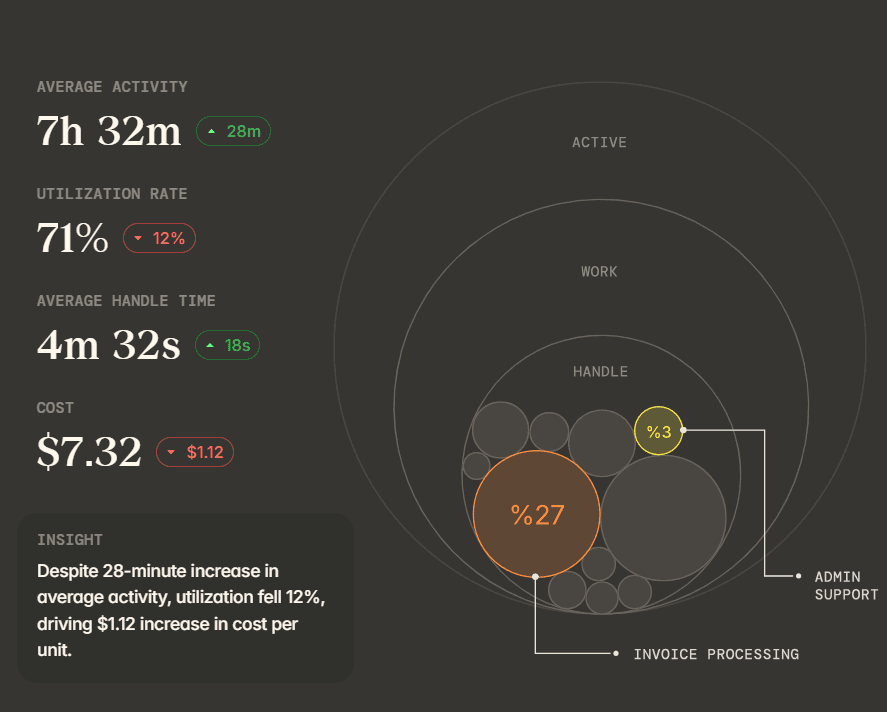
Reflow hands workforce managers the full base layer, then builds workflow intelligence and workflow automation on the same captured data.
How is Reflow different from Veriato?
Reflow measures the workflow, while Veriato measures the behavior of the person at the endpoint.
Our platform's output is an automation decision with a measured return behind it. Veriato's output is behavioral visibility: an audit-ready record of user actions, scored for risk, that a security, HR, legal, or compliance team can act on.
Veriato is a well-established product with a long history in this category, and for the job it was built to do, there are few substitutes.
Veriato captures 130+ data points, covering screenshots, email, chat, website and application use, documents, file transfers, login and logoff, idle time, network activity, and keystrokes.
Veriato IRM layers Gen AI risk scoring, user behavior baselining, anomaly detection, and natural language sentiment analysis over that capture, with automatic PII and PHI identification and redaction.
Deployment runs on cloud or on-premise, and Veriato monitors Windows, Mac, Chrome, and Android devices.
Legal and HR investigations, compliance documentation, insider risk detection, and disengagement signals describe the work Veriato was designed for, and Veriato performs it to a very, very high standard.
Reflow started from a separate problem: understanding what occurs inside a process, and identifying the parts of it a machine should own.
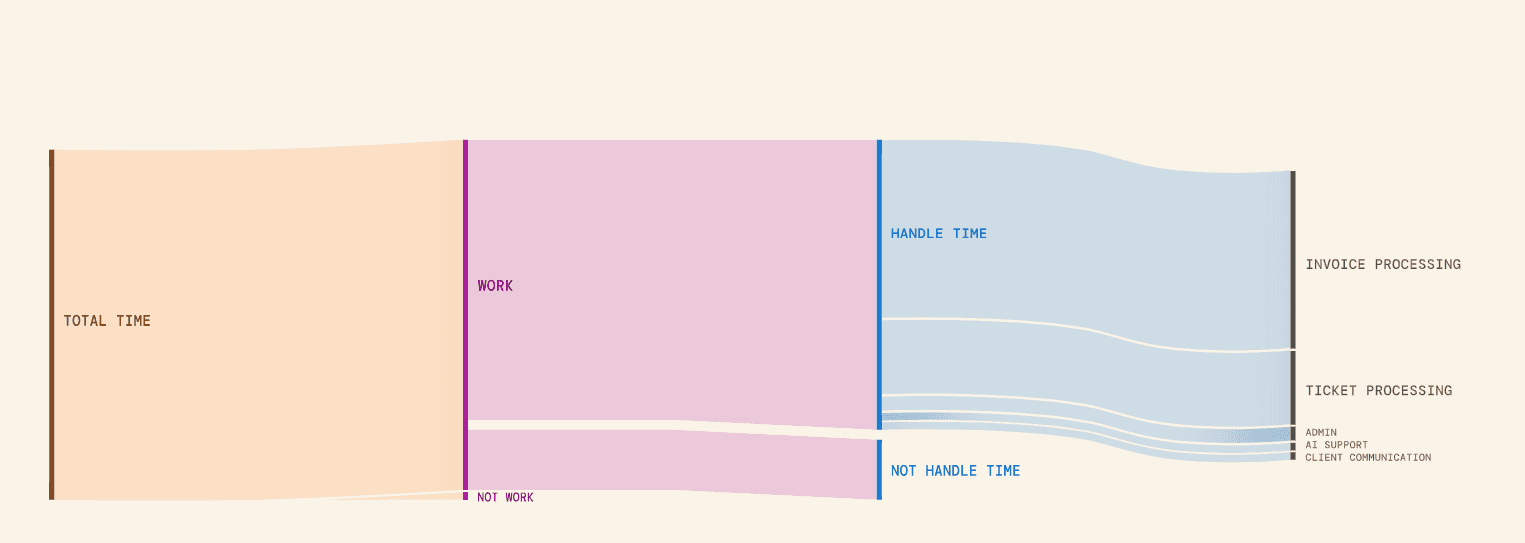
The way we think about it is a pyramid.
At the base is workforce intelligence: If the team works differently from the way leadership assumed, every optimization above that base is filling a leaky bucket.
Workflow intelligence occupies the middle, mapping how a process runs, where it deviates from the SOP, where people wait, and where errors enter.
Workflow automation belongs at the top, and it only pays once the two layers beneath it are in place.
A user activity monitoring platform operates on the base layer with far more forensic depth than Reflow carries.
Reflow covers all three layers from one platform, on one dataset, with a narrower collection footprint.
Here's how both platforms compare:
Veriato | Reflow | |
Primary output | Behavioral visibility: an audit-ready record of user actions with risk and productivity scoring | A per-workflow readout of runs, average run time, average deviation, and recoverable hours |
Unit of measurement | The individual user and their activity across devices and applications | Each step of a process, in sequence, including the skipped and repeated ones |
Data points captured | 130+, covering screenshots, email, chat, web and application use, documents, file transfers, keystrokes, login/logoff, idle time, and network | Work interactions classified into project, work type, and productivity by machine learning |
Content-level capture | Yes. Email, chat, keystrokes, and documents, with sensitive data detection and redaction | No. Reflow does not capture personal content or record everything an employee does |
Insider risk and DLP | Gen AI risk scoring, user behavior baselining, anomaly detection, NLP sentiment analysis, website blocking and redaction | Not covered. Reflow leaves insider risk and data loss prevention to security software |
Investigations and evidence | Holistic action audit log and forensic documentation for legal, HR, and compliance cases | Not covered |
Process compliance | Policy adherence documented for audit | Each run compared against the SOP, with drift flagged while the work is live |
Automation guidance | Not a stated function of the platform | Workflows ranked by automation opportunity, with named steps and ROI measured after launch |
Manual time entry | Not a stated function of the platform | Disallowed throughout the system |
Who decides what is shared | Configurable monitoring policies and flexible recording policies, administered centrally | Set by configuration, with aggregated or anonymized views available |
Integrations | Microsoft 365 and an open RESTful API | None required. The agent works across systems without connecting to them |
Deployment | Cloud or on-premise, on a microservices architecture | Native Mac and Windows agent |
Devices covered | Windows, Mac, Chrome, and Android | Mac and Windows |
Time to first data | Deployment and onboarding available as professional services | Days, after white-glove configuration |
Security and compliance | SSO and MFA on Veriato IRM, automatic PII and PHI identification with redaction | SOC 2 Type 2, HIPAA, GDPR, CPRA/CCPA, encryption in transit and at rest |
Trialling it | Free trial offered from the site | A trial that runs in parallel with an existing tool |
Pricing | Published: Veriato UAM at $18 per user per month billed annually, 5-user minimum; Veriato IRM quoted, 20-user minimum | Not published. Quoted after a demo |
Reflow pricing
We at Reflow haven’t published a price list that you can compare with other solutions.
You’ll have to request a demo, and we'll come back to you shortly with pricing built around your headcount and the processes you want mapped.
💡 Onboarding is white-glove.
Our team handles the configuration and asks very little of you, and the trial can run alongside Veriato while both datasets are read against each other.
Reflow pros and cons
✅ Capture runs through a native Mac and Windows agent, with manual time entry disallowed anywhere in the system.
✅ Every step of a workflow is recorded in sequence, covering the steps that were skipped, repeated, or left waiting.
✅ Each process comes back with its own run count, average duration, average deviation, and recoverable hours per month.
✅ SOP adherence is verified run by run, and compliance drift surfaces while the work is still open.
✅ Automation recommendations name specific steps, and Reflow keeps measuring the process after each one ships.
✅ Nothing to integrate and no engineering resources required, with configuration handled by our team and a trial that runs alongside your current tool.
✅ SOC 2 Type 2, HIPAA, GDPR, and CPRA/CCPA, with configurable collection and aggregated or anonymized views.
❌ Reflow captures no keystrokes and no message content, so an HR or legal investigation needing that evidence still runs through separate software.
❌ Pricing isn't published.
#2: Teramind
Best for: Security and compliance teams that need insider risk detection and data loss prevention running on the same agent that produces productivity reporting.
Similar to: Controlio, Veriato.
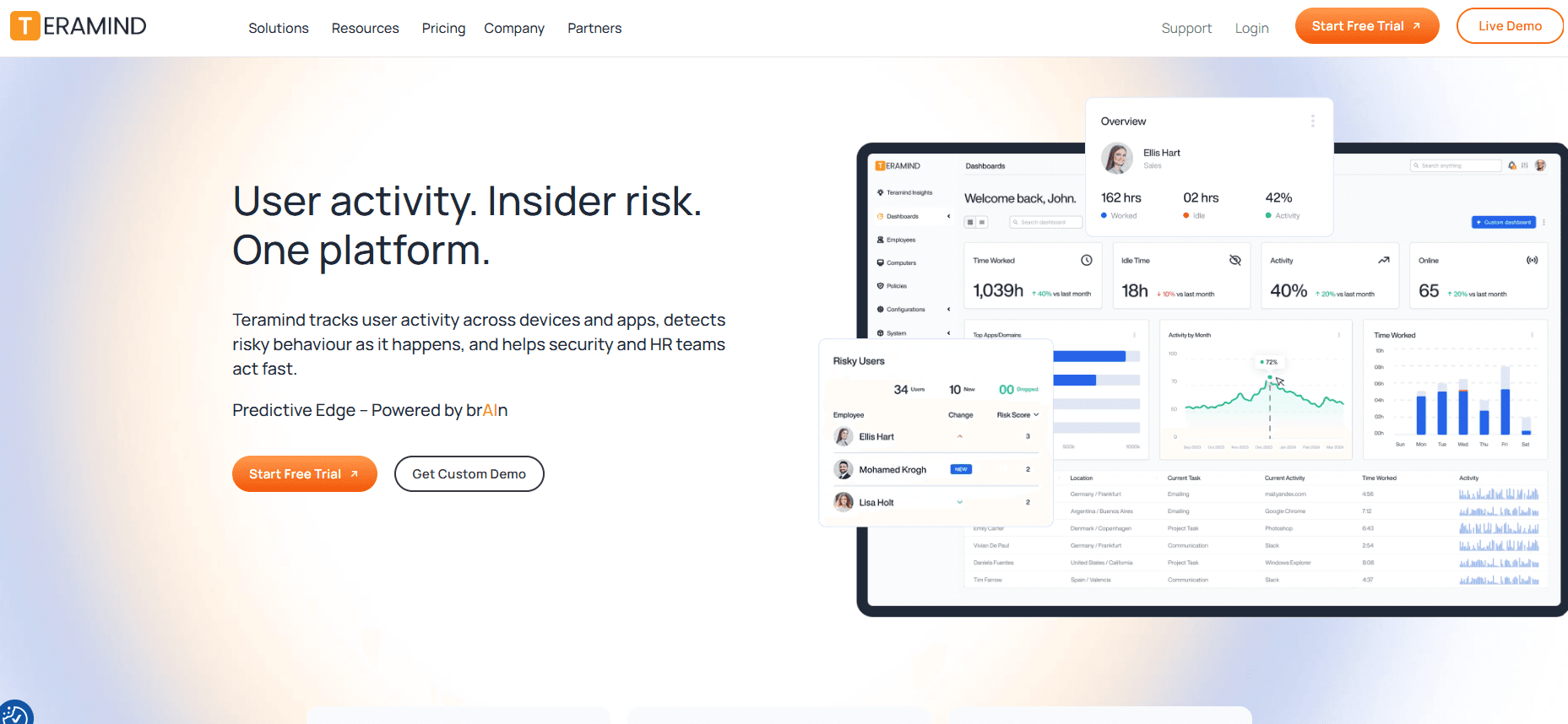
Teramind is a user activity monitoring and insider risk platform built around behavior rules that trigger automated responses.
Four tiers separate light productivity monitoring from full content-level data loss prevention, and each tier contains everything below it.
Features
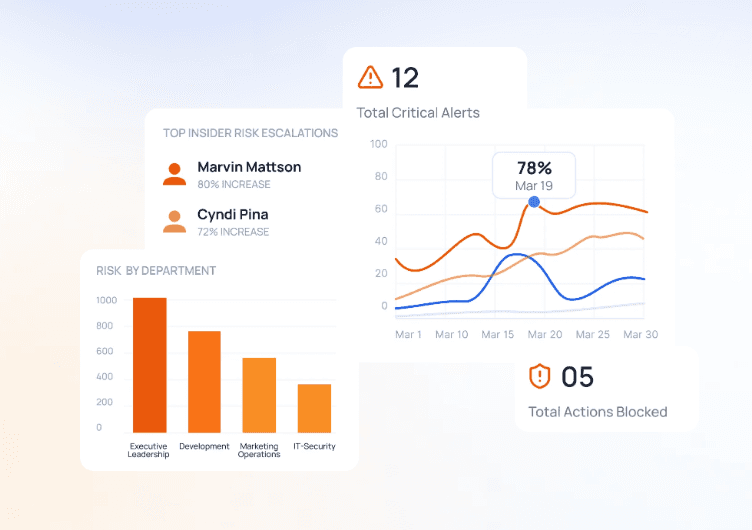
Capture by tier: screen recording, live view, remote control, web pages and applications, instant messaging, social media activity, searches, activity blocking, and time tracking are present from Starter.
Behavior rules and policy management: a policy manager and visual rule editor on every tier, with regular expression support and out-of-the-box rule templates from UAM, plus unlimited activity-based rules.
AI governance: AI Conversations Recording, AI Data Exfiltration Control, and Agentic AI Governance arrive at UAM, alongside SIEM integration.
Data loss prevention: content-based rules, file operation rules, sensitive content detection and redaction, fingerprinting and tagging, pre-defined data discovery and classification, malicious activity blocking, automatic DLP blocking, and 200 pre-packaged DLP rules, all at the DLP tier.
Audit and forensics: video and optional audio recording on every tier, full-text search and violation-only recording from UAM, and an OCR engine at Enterprise.
Deployment: cloud, private cloud in a customer's own AWS or Azure account through a pre-configured image, or on-premise via VMware, Hyper-V, or Nutanix.
Pricing
Three Teramind tiers carry a published rate on annual billing: Starter at $14, UAM at $28, and DLP at $32 per user per month. A five-seat minimum applies to all of them, and Enterprise is quoted.
Starter: $14 per user per month, five-seat minimum. Visual evidence capture with live playback, website and application tracking, limited digital forensics and telemetry, limited behavior rules, and a customizable BI dashboard.
UAM: $28 per user per month. Complete digital forensics and telemetry, UEBA, unlimited activity-based behavior rules, pre-packaged productivity rules, keystroke logging, SIEM integration, dynamic risk scoring, anomaly detection, and the three AI governance features.
DLP: $32 per user per month. The full data loss prevention set, including content-based rules, sensitive content detection and redaction, malicious activity blocking, and 200 pre-packaged DLP rules.
Enterprise & Government: custom pricing. In-app parsing for fraud detection, the OCR engine, AWS GovCloud and Azure Government availability, premium support with an SLA, and professional services.
Pros and cons
✅ Three capture depths run on one agent. A security team can apply DLP to a regulated group and lighter monitoring everywhere else without bringing in a second vendor.
✅ Deployment reaches SaaS, a customer's own AWS or Azure account, or a private data center (good where data residency rules rule out cloud hosting).
✅ The five-seat minimum keeps a first deployment small, and annual billing carries one month free.
❌ A Starter licence stops short of keystroke logging and email capture. Reaching either means moving up to UAM at double the rate.
#3: ActivTrak
Best for: HR and operations groups that need productivity and capacity analytics with a documented limit on what the agent collects.
Similar to: Insightful, Time Doctor.
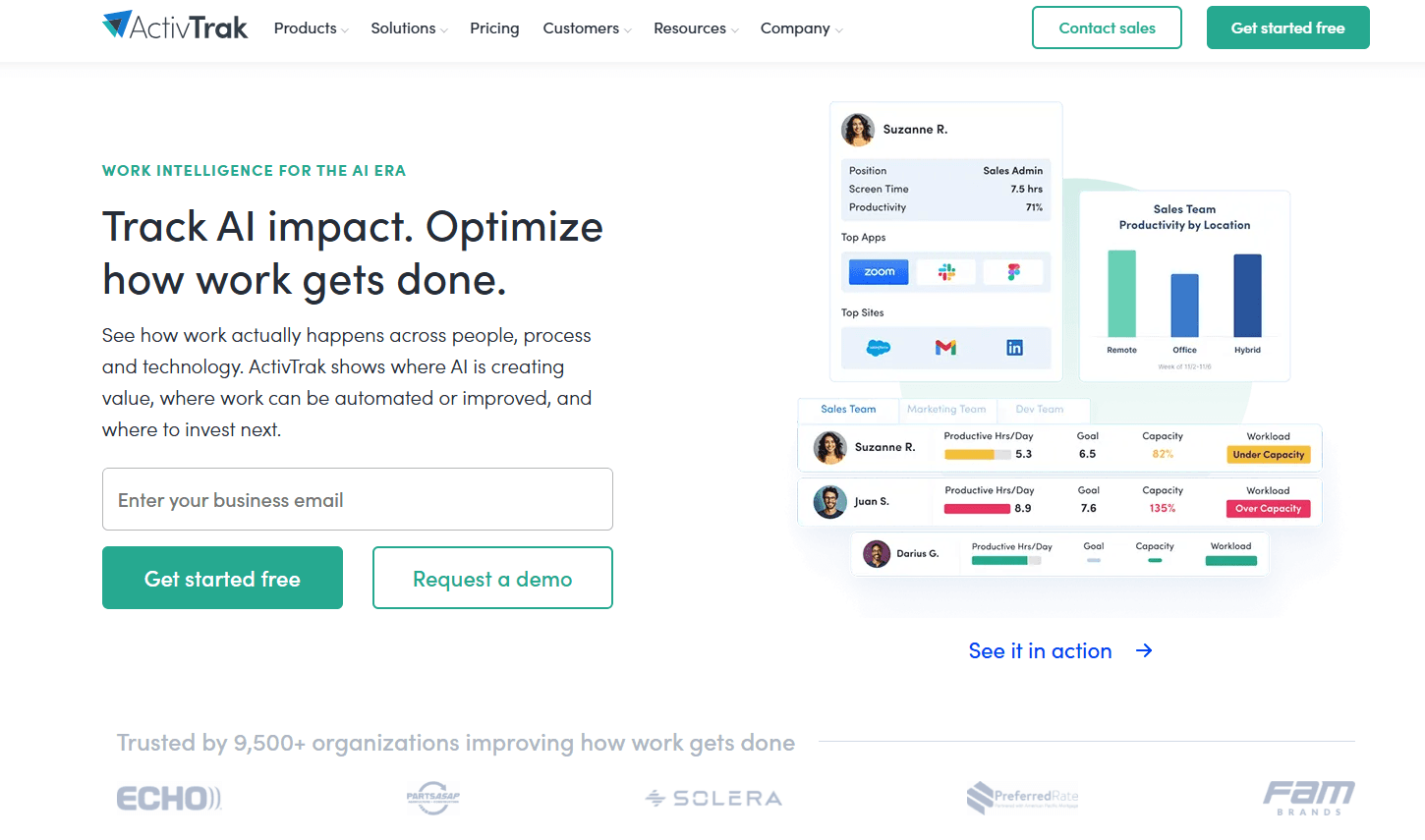
ActivTrak is a workforce analytics platform that reports productivity, utilization, and capacity from desktop activity data.
Screenshots, live screen view, and URL-level detail are licensed separately through the Screen Details add-on, which is not included in any standard tier.
Features
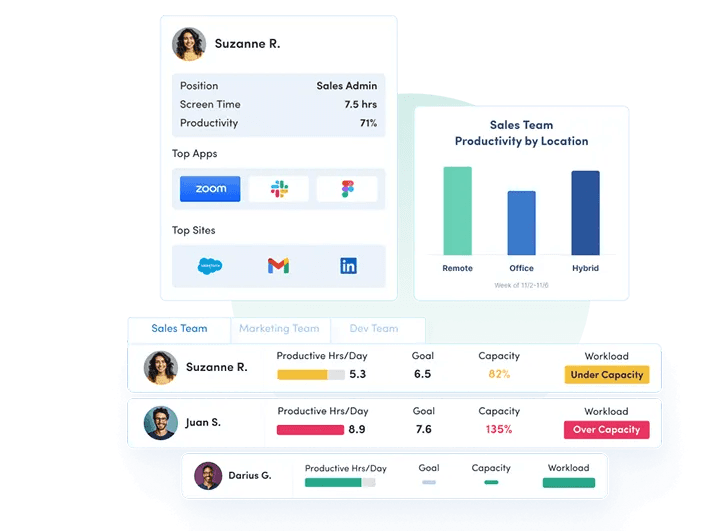
Workforce management: automatic time tracking, real-time visibility, daily work metrics, schedule adherence with exception reporting and trends, break time identification, offline meeting time tracking, work location policy validation, and potential false activity detection including mouse-jiggler detection.
Productivity optimization: organization utilization and productivity overview, goal setting and team benchmarks, activity alignment and workflow insights, workload balance and capacity planning, burnout and engagement signals, AI-powered coaching opportunities, and personal insights employees can open themselves.
Workflow plan: work pattern and task discovery, opportunity identification, prioritized recommendations, AI and automation opportunities, and post-change impact measurement.
AI Insights add-on: AI compliance and governance, adoption benchmarking, productivity impact, cost optimization, and impact on capacity.
Alerts: compliance alarms, sensitive content detection, USB device and file transfer detection, alarm analysis, and delivery through email, Microsoft Teams, Slack, or webhooks.
Integrations: Workday, ADP, ServiceNow, Zendesk, Jira, Salesforce, Slack, Microsoft Teams, Outlook, Google Calendar, Microsoft Viva, and the ChatGPT, Claude, and Gemini AI tools, with SQL access and BI dashboard templates through ActivConnect.
Pricing
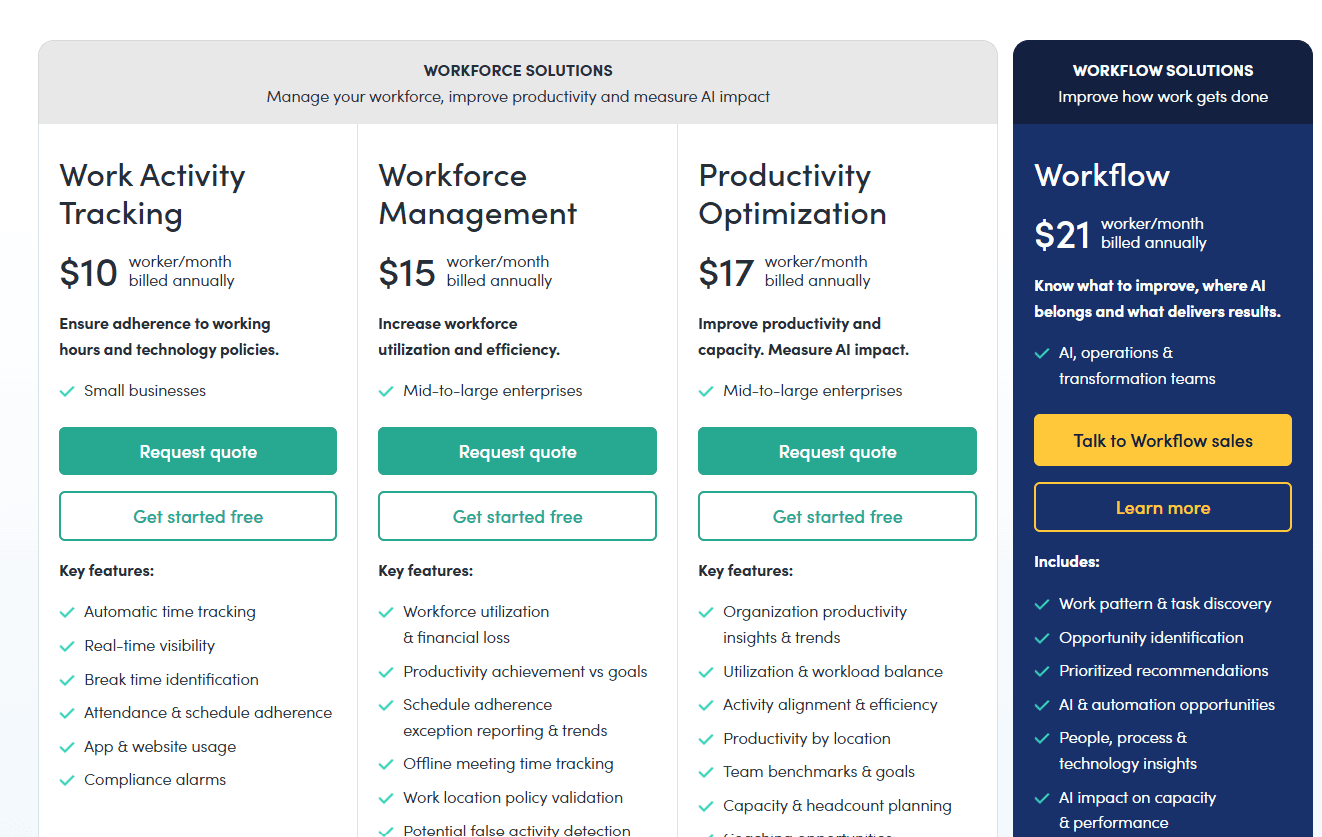
ActivTrak charges per worker per month on annual billing, with a free tier for three workers. Paid plans run from $10 to $21, and several capabilities carry separate add-on charges.
Free: $0 for up to 3 workers, with 30 days of data history and limited application functionality.
Work Activity Tracking: $10 per worker per month. Automatic time tracking, real-time visibility, break time identification, attendance and schedule adherence, application and website usage, compliance alarms, and 6 months of history.
Workforce Management: $15 per worker per month. Workforce utilization and financial loss reporting, productivity achievement against goals, schedule adherence exception reporting, offline meeting time tracking, work location policy validation, false activity detection, and Work Advisor, with 6 months of history.
Productivity Optimization: $17 per worker per month. Organization productivity insights, utilization and workload balance, activity alignment, productivity by location, team benchmarks and goals, capacity and headcount planning, coaching opportunities, technology investment analysis, and 1 year of history.
Workflow: $21 per worker per month, aimed at AI, operations, and transformation teams.
Add-ons: AI Insights at $4 per worker per month, Screen Details at $2 per user per month, and Data History at $1 per worker per month, extending total history in one-year increments to a maximum of three years. ActivConnect, HRIS integration, and the MCP Server are add-ons that ActivTrak does not price on its public page.
Pros and cons
✅ SOC 2 Type 2, HIPAA, GDPR, CCPA, single sign-on, and MFA are all listed in ActivTrak's plan comparison, with no custom enterprise contract needed to reach them.
✅ Employees can open their own personal insights on the Productivity Optimization plan, and that shortens the rollout conversation.
❌ No standard tier includes screenshots or live screen view. Both arrive through the $2 Screen Details add-on, and ActivTrak requires add-on licences to match the full account count, so a single department cannot be covered on its own.
#4: Insightful
Best for: Operations leaders in process-heavy organizations that need activity data and workflow mapping from one agent, with on-premise storage available.
Similar to: ActivTrak, Controlio.
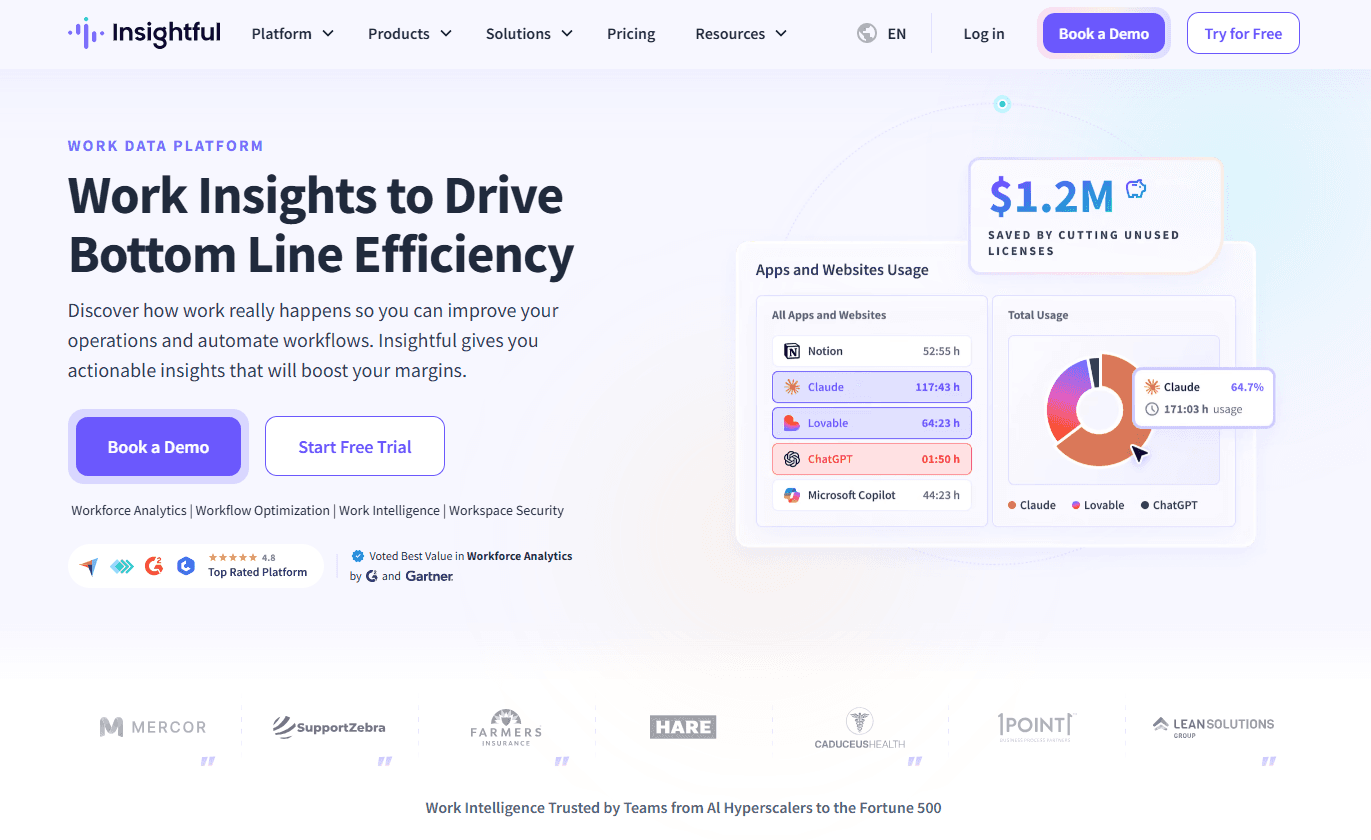
Insightful is a work data platform that pairs employee monitoring with workflow mapping and measurement.
The platform states on its site that it does not track keystrokes (one line fewer for a legal review to work through).
Features

Attendance and time: automatic and manual clock in and out, break time capture, manual and offline time capture, shift scheduling, automatic timesheets, schedule adherence, absence alerts, and automatic time-off sync through HRIS.
Activity tracking: real-time overview, activities timeline, active and idle time, time on online meetings, engagement levels, and alerts for idle time and irregular behavior.
Automated Project Tracking: time assigned to projects and tasks from file naming conventions. Nobody starts a program or logs an entry by hand.
Process optimization: workflow mapping, tracking, and measurement, process and workflow analysis, and optimization toolsets built for finance, insurance, and support teams.
AI visibility: an AI Adoption Report on every plan, with Shadow AI Detection in the Workspace Security add-on.
Deployment modes: Visible Mode and Stealth Mode on company computers, with a clock in and out model on personal computers where the employee controls capture. Windows, macOS, and Linux endpoints, on cloud or on-premise.
Pricing
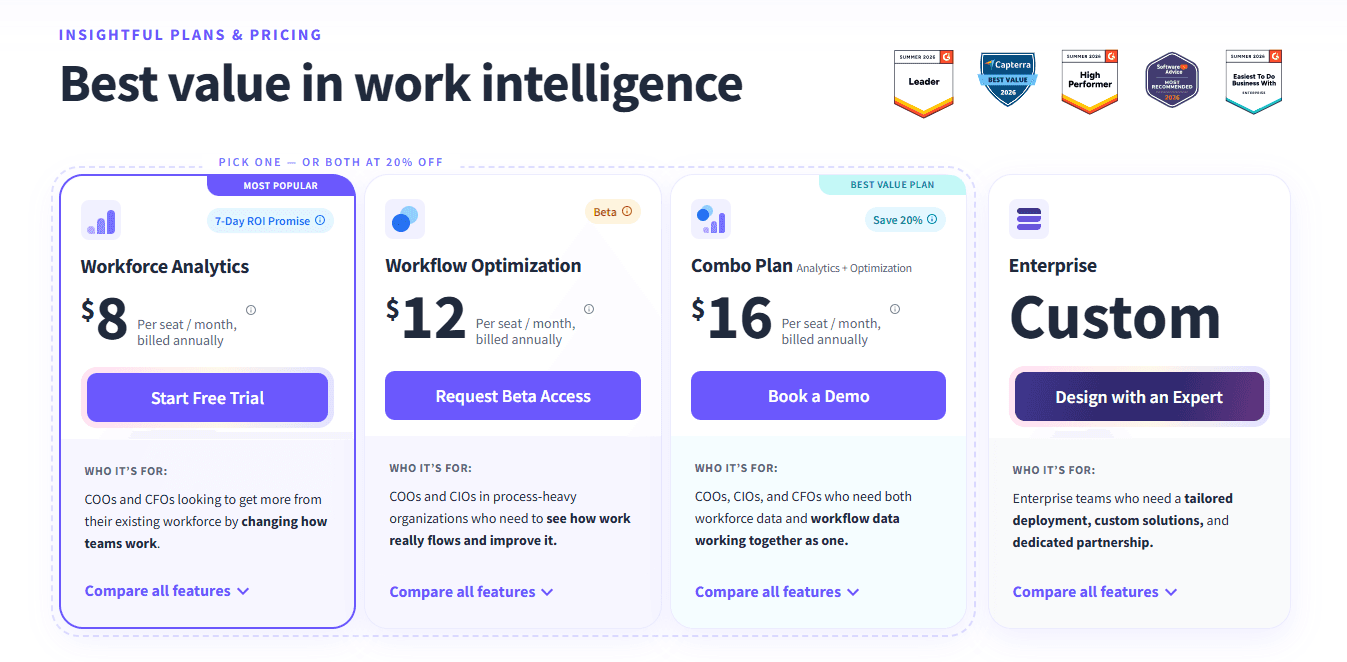
Insightful lists three annual rates: Workforce Analytics at $8, Workflow Optimization at $12, and the two together at $16 per seat per month. Enterprise is quoted.
Workforce Analytics: $8 per seat per month billed annually. Attendance, activity tracking, productive time analysis, application and website usage, capacity analysis, workload balancing, work location insights, time on projects and tasks, and the AI Adoption Report.
Workflow Optimization: $12 per seat per month, currently in beta. Workflow mapping, tracking, and measurement, process and workflow analysis, and the finance, insurance, and support optimization toolsets.
Combo Plan: $16 per seat per month, pairing both plans at a 20% saving.
Enterprise: custom pricing, adding phone support, a dedicated account manager, customized onboarding, tailored deployment, and an increased SLA.
Add-ons: Workspace Security at $4 per seat per month, On-Demand Screenshots at $4, Screen Recording at $4, Increased Frequency Screenshots at $3 for up to 120 captures per hour, and Data Warehouse Integrations at $0.50 covering custom API access, BigQuery, and Snowflake.
Pros and cons
✅ Data retention runs 24 months on every plan, the $8 entry tier included. Year-over-year comparison needs no history add-on.
✅ Linux endpoints carry the same rate as Windows and macOS, useful in an engineering-heavy fleet.
✅ Two-factor authentication and role-based access are standard, and both cloud and on-premise deployments carry the same SOC 2, ISO 27001, HIPAA, GDPR, and CSA compliance.
❌ The $8 rate buys activity data with no screen capture attached. Rebuilding toward a Veriato-style configuration means stacking the Workspace Security and screenshot add-ons on top of it.
#5: Controlio
Best for: Teams that need live screen view, video recording, and behavior rules on either cloud or their own servers, licensed by concurrent session.
Similar to: Teramind, eMonitor.
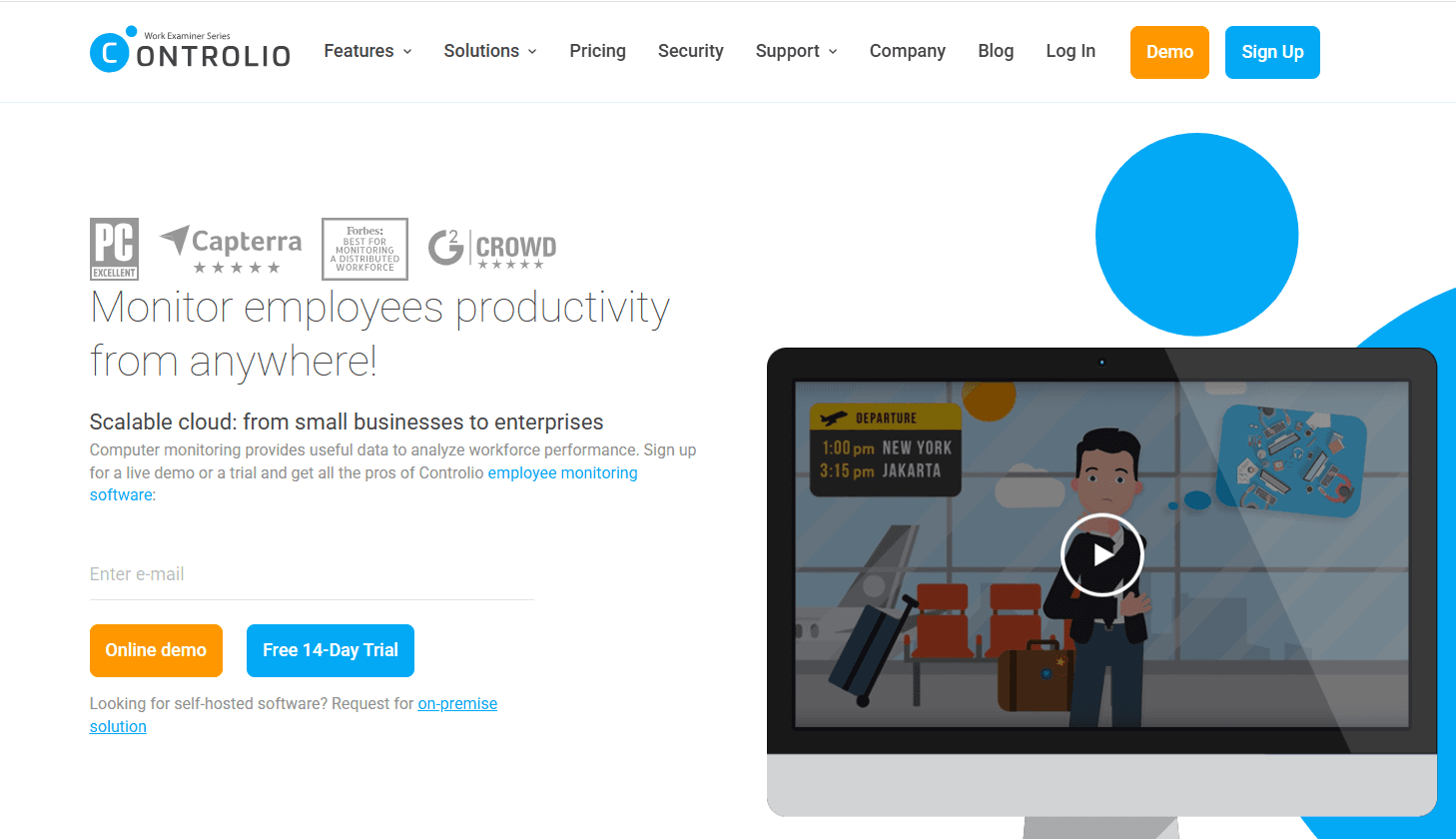
Controlio is a monitoring platform covering productivity measurement, screen recording, and behavior rules, available on cloud, on-premise, or private cloud.
Licensing counts concurrent user sessions, not named employees, and dashboard admins, managers, and employees are not licensed.
Features
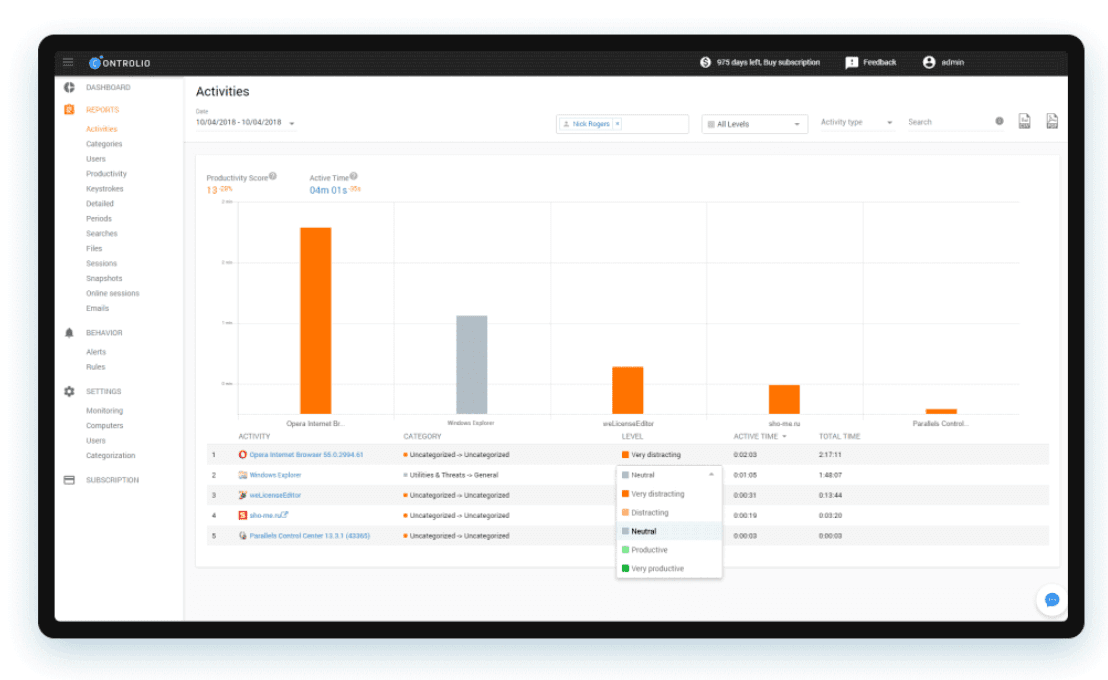
Productivity measurement: AI-based activity categorization, a productivity summary per user on Basic and per department on Advanced, productivity baselines and coaching, and a time breakdown across days, applications, and websites.
Work time analysis: clocking and attendance records of start and end times, a working hours breakdown that compares workload across employees in the same role, and real-time monitoring showing the current application, website, and foreground window title with 60-minute activity charts.
Time distribution insights: Workload & Burnout, Focus & Multitasking, Input Operations, and Categories Distribution, all on Advanced, alongside locations tracking.
Behavior rules: web filtering, applications control, removables, keystrokes, user activity, and sessions, with violation screen recording and mouse jiggler and clicker blocking available.
Optional capture: keystrokes, files, emails, printing, and screen streaming and recording, each switched on or left off by policy.
Administration: customizable dashboards, GDPR mode, access control management with an org units tree, audit log, multi-factor authentication, remote agent installation over LAN, and stealth or tray icon modes.
Pricing
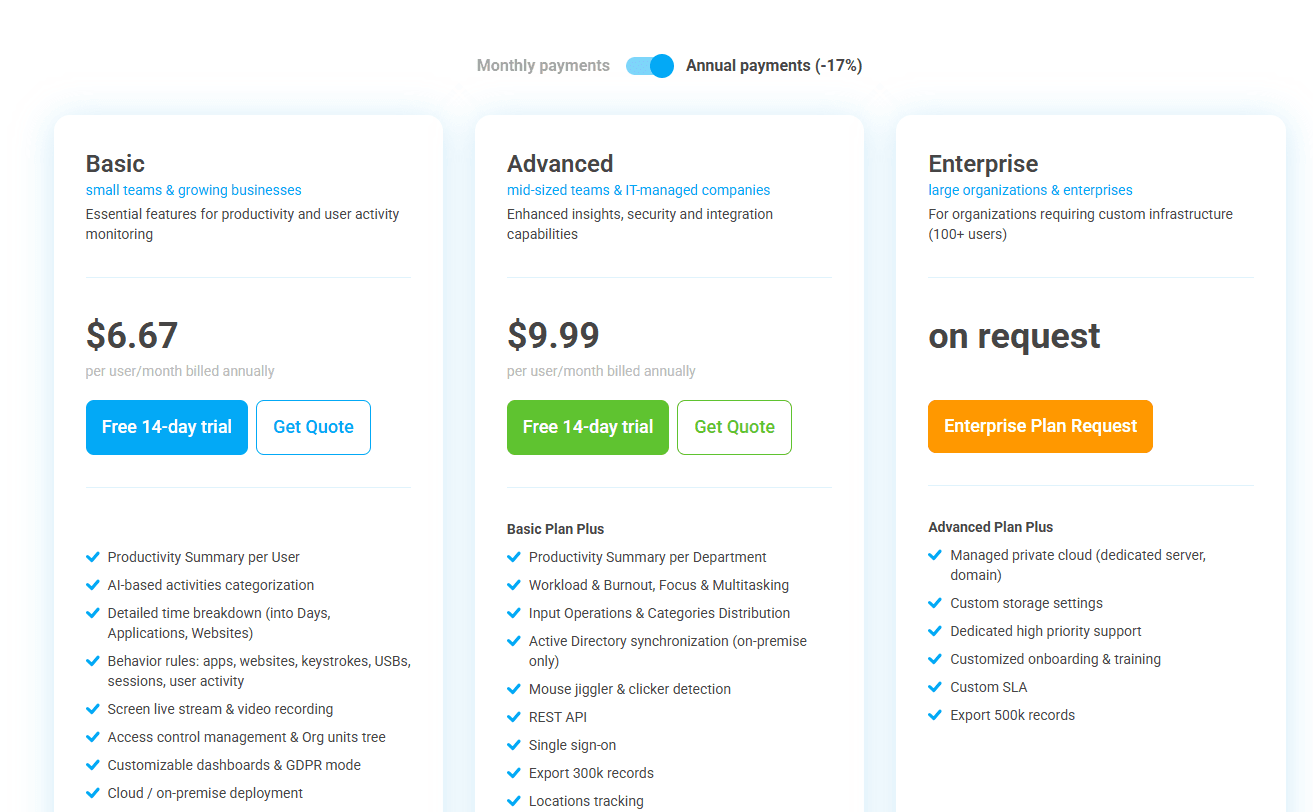
Controlio's two per-user rates are $6.67 for Basic and $9.99 for Advanced on annual billing, with annual payment discounted 17% against monthly. Enterprise is quoted above 100 users.
Basic: $6.67 per user per month billed annually. Productivity summary per user, AI-based categorization, detailed time breakdown, behavior rules across applications, websites, keystrokes, USBs, sessions and user activity, screen live stream and video recording, access control management, customizable dashboards and GDPR mode, cloud or on-premise deployment, 6 months of storage expandable to 3 years, 100k record export, MFA, and the audit log.
Advanced: $9.99 per user per month billed annually. Productivity summary per department, Workload & Burnout, Focus & Multitasking, Input Operations, Categories Distribution, Active Directory synchronization on on-premise, mouse jiggler and clicker detection, REST API, single sign-on, locations tracking, and 300k record export.
Enterprise: on request, for 100 users and above. Managed private cloud with a dedicated server and domain, custom storage settings, dedicated high-priority support, customized onboarding and training, a custom SLA, and 500k record export.
Pros and cons
✅ Screen live stream and video recording are present on the $6.67 Basic plan, with no add-on and no tier upgrade.
✅ Licensing counts concurrent sessions, so a shift-based team sharing machines can run fewer licences than it has staff.
✅ Storage opens at 6 months on both paid tiers and stretches to 3 years, enough for most retention policies without an Enterprise quote.
❌ Everything an IT team needs for identity (single sign-on, the REST API, Active Directory synchronization on on-premise deployments) waits until Advanced at $9.99.
#6: Time Doctor
Best for: BPOs and contact centers that need productivity ratings, screen recording, and sector benchmarks under one subscription, with payroll in the same product.
Similar to: Controlio, Hubstaff.
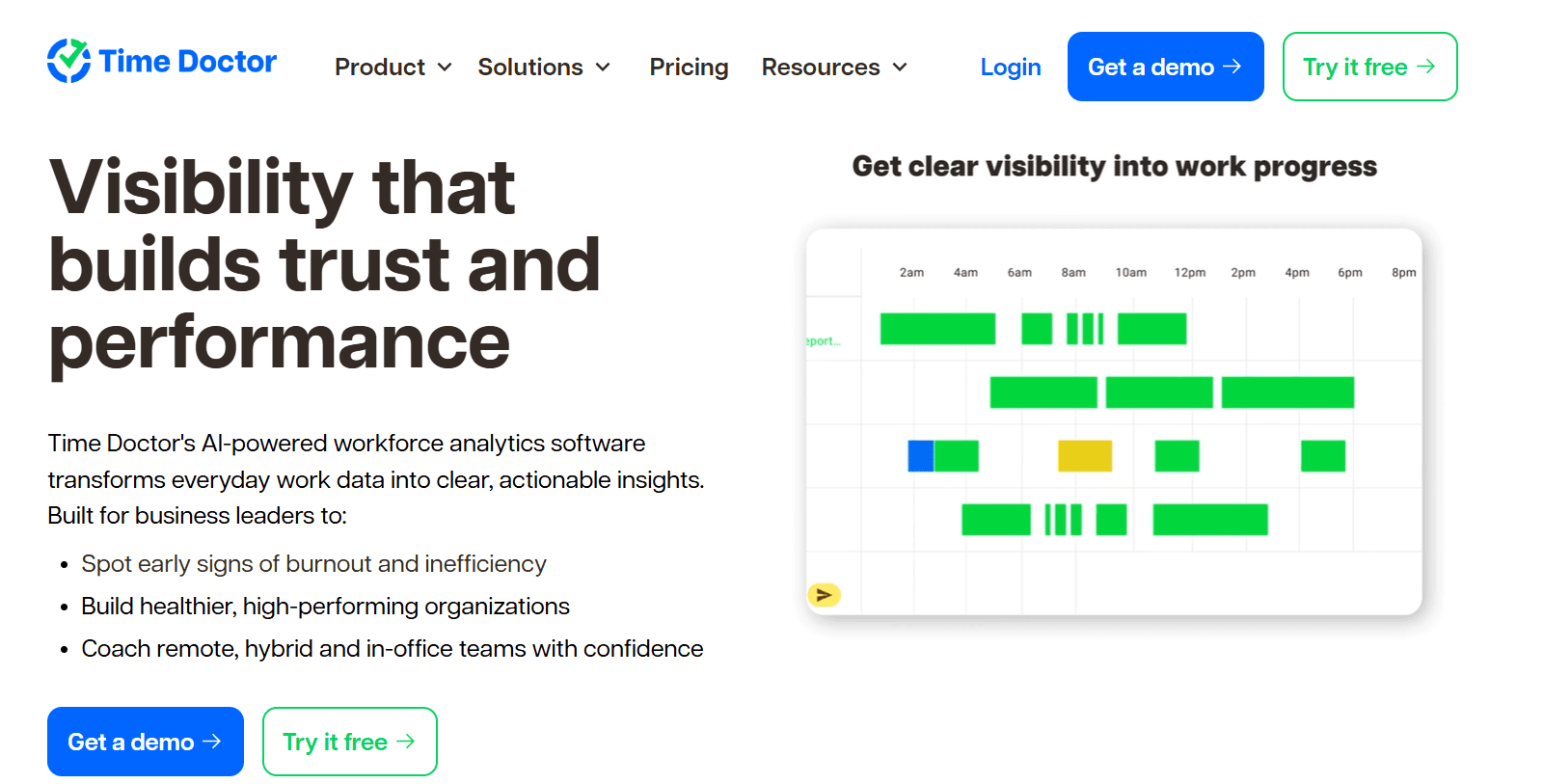
Time Doctor describes itself as workforce analytics, and the product matches that description.
Capture runs automatically in the background, and the bulk of what a buyer receives is the reporting layer above it.
Features
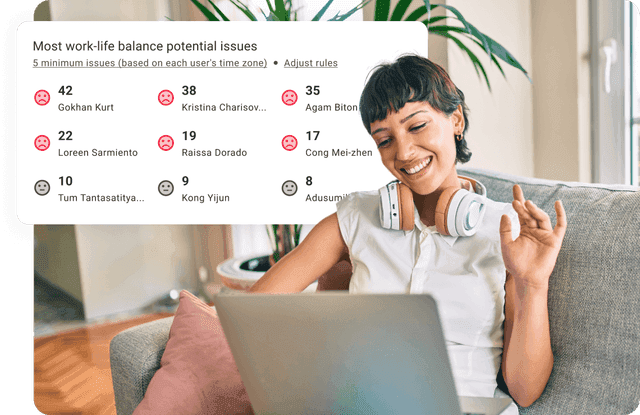
Benchmarks AI: a team's productivity figures placed next to AI-matched benchmarks drawn from comparable teams elsewhere, so a manager can judge whether a figure reads high or low for the sector. Premium, or a $3 per user add-on lower down.
Unusual Activity AI Report: keyboard and mouse input examined for patterns that don't look human, covering mouse jigglers and keyboard simulators.
Web and app usage: time grouped by application and website against productivity ratings the customer defines.
Attendance, schedules, and payroll: shift schedules, break and leave tracking, time approvals, and a payroll run, all from Standard. Native HRIS and payroll connectors are priced separately.
Pricing
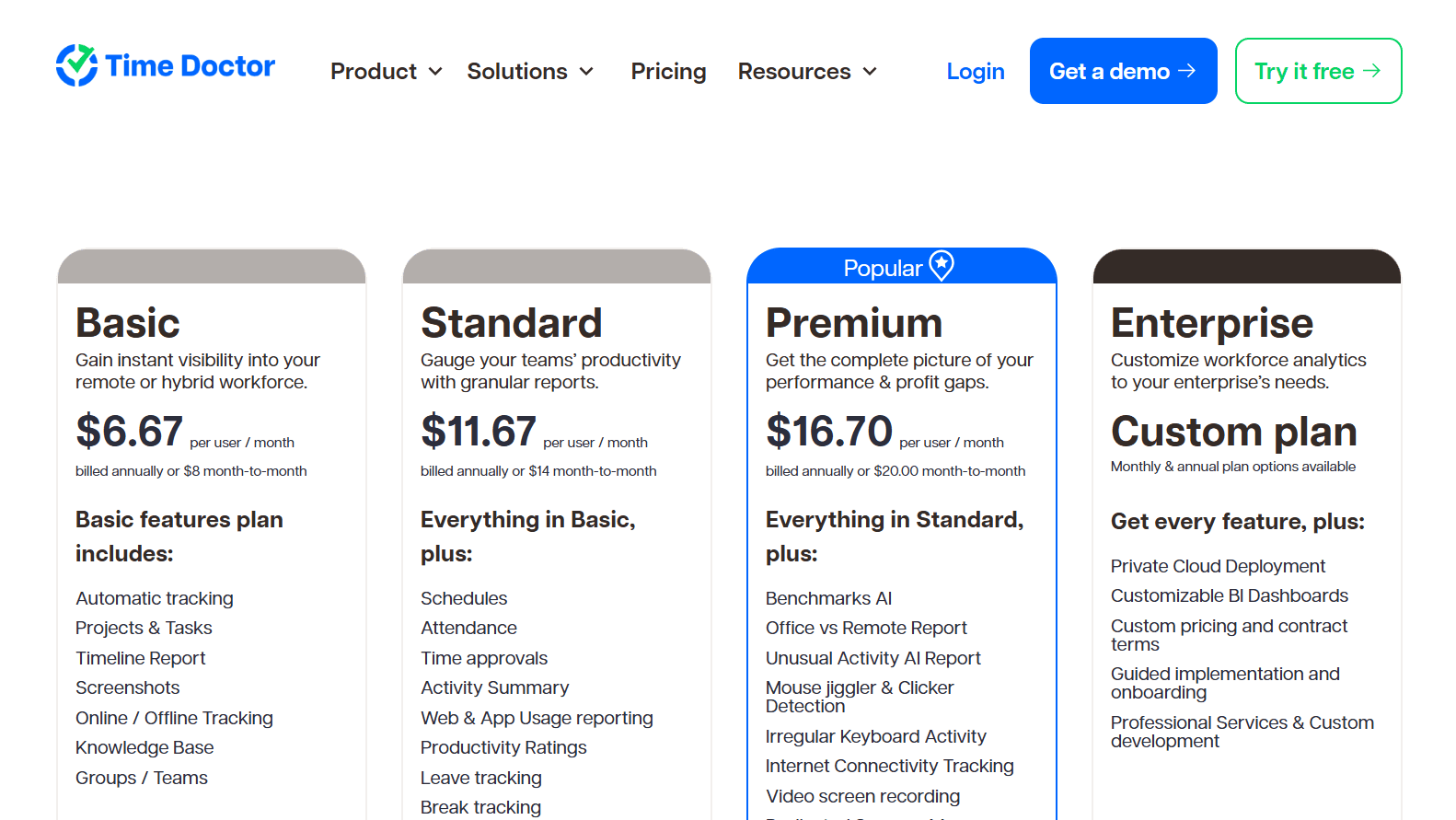
Time Doctor's published rates span $6.67 to $16.70 per user per month on annual billing, alongside a custom Enterprise plan and a menu of optional add-ons.
Basic: $6.67 per user per month billed annually, $8 monthly. Automatic tracking, projects and tasks, groups, screenshots, the timeline report, and online and offline capture.
Standard: $11.67 annually, $14 monthly. Schedules, attendance, time approvals, web and app usage reporting, productivity ratings, leave and break tracking, payroll, work-life balance metrics, real-time notifications, and 60-plus integrations.
Premium: $16.70 annually, $20 monthly. Benchmarks AI, the Office vs Remote and Unusual Activity AI reports, video screen recording, an executive dashboard, open API access, SSO, client login, Meeting Insights, Software Cost Insights, and a dedicated success manager.
Enterprise: custom pricing. Private cloud deployment, customizable BI dashboards, guided implementation, and professional services.
Add-ons: Benchmarks AI, Unusual Activity Reporting, and Software Cost Insights at $3 per user per month each on Basic and Standard, with native HRIS or payroll integrations at $200 per integration per month.
Pros and cons
✅ Groups, projects, and tasks are structured from the $6.67 Basic tier, giving a contact center its reporting hierarchy before any upgrade.
✅ Each AI report can be licensed on its own at $3 per user on Basic and Standard. A team can test one before committing to Premium.
✅ Enterprise covers private cloud deployment and customizable BI dashboards for organizations that keep analytics inside their own stack.
❌ Premium at $16.70 is the only tier carrying video screen recording, and it is also where open API access first appears.
#7: eMonitor
Best for: Organizations running mixed Windows, macOS, Linux, and Chromebook fleets that need attendance, activity classification, and data loss alerts from a single agent.
Similar to: Controlio, Apploye.
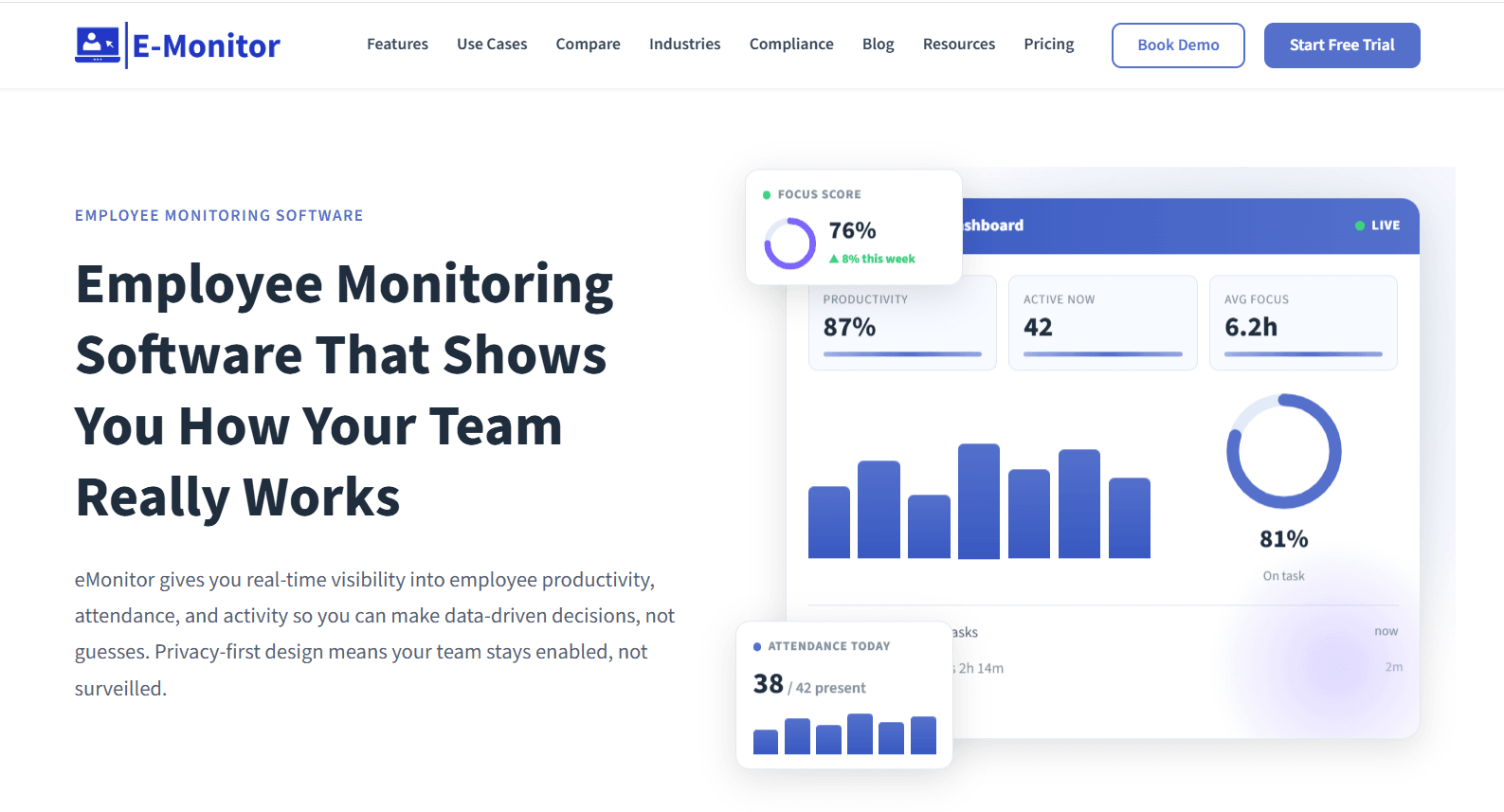
eMonitor runs one agent across Windows, macOS, Linux, and Chromebook with an identical feature set on each operating system.
Data loss alerts arrive at the Professional tier, which is uncommon at this price.
Features
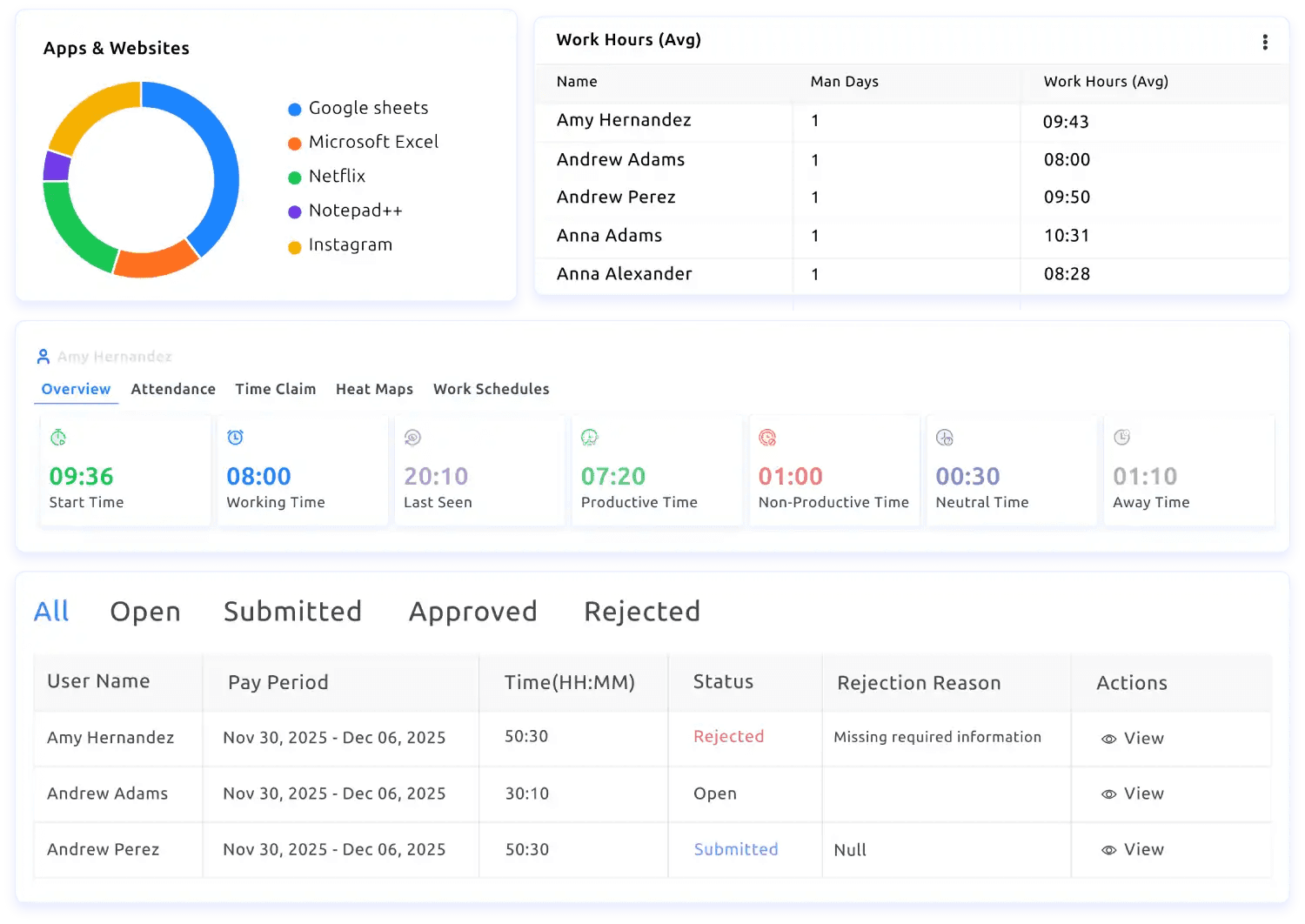
Time and activity tracking: automatic timesheets, active-versus-idle detection, per-application time, and attendance that logs clock-in and clock-out and reports who was late, absent, or off their shift pattern.
App and website tracking: each application and site classified as productive or unproductive by role, readable at person, team, or company level.
Screen monitoring: screenshots captured on a schedule or when activity changes, with blurring for sensitive applications and live view available.
DLP and alerts: USB blocking, monitoring of file transfers and cloud uploads, and an alert raised when a policy is broken.
Dashboards and exports: managers restricted to their own reports, employees able to open their own figures, trend history retained over time, and anything on screen exported to CSV or PDF or pushed to a BI tool.
Pricing
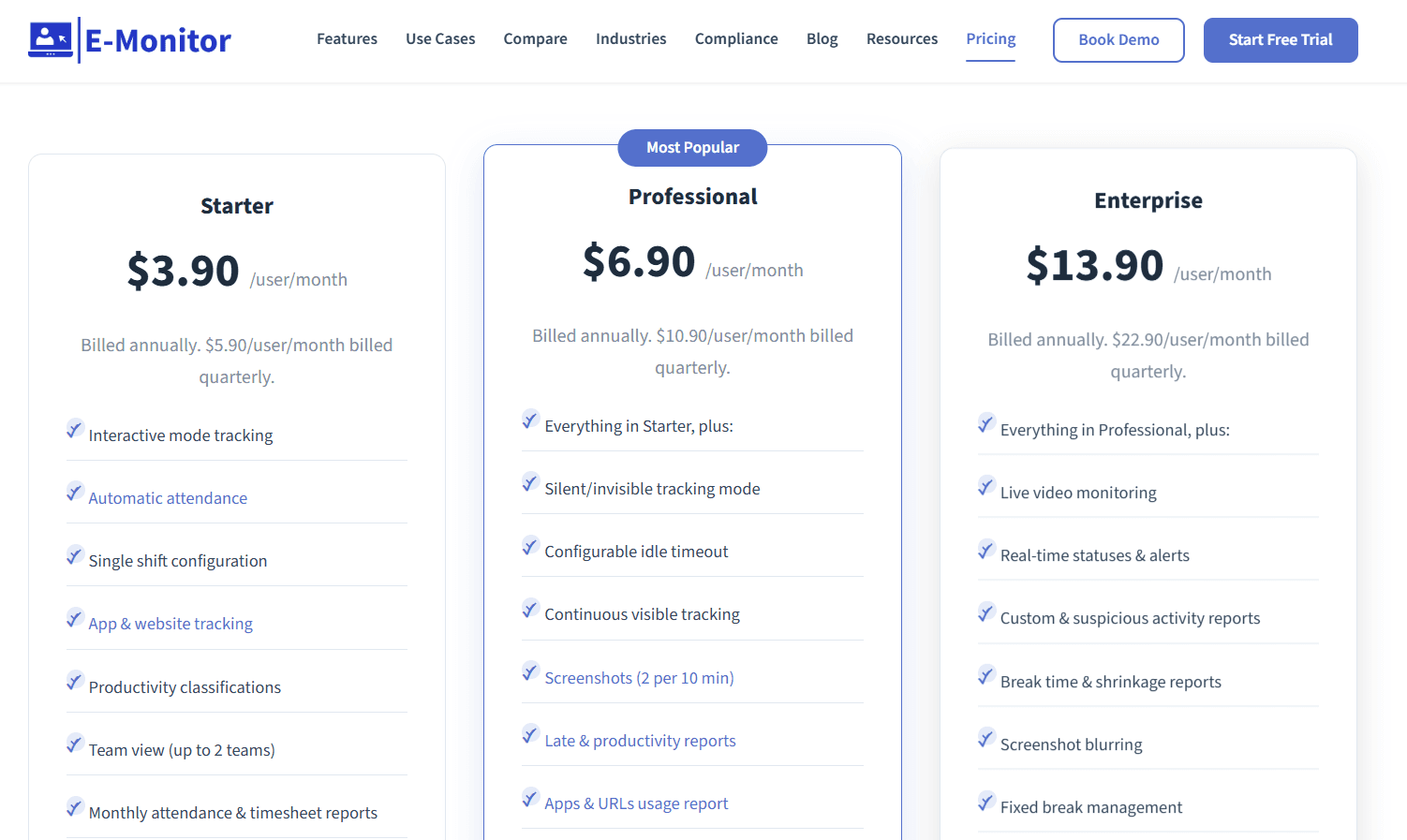
eMonitor's three annual rates run $3.90, $6.90, and $13.90 per user per month, with quarterly billing priced higher on each.
Starter: $3.90 per user per month billed annually, $5.90 quarterly. Up to 25 users, with interactive-mode tracking, automatic attendance, a single shift configuration, application and website tracking, productivity classifications, up to 2 teams, monthly attendance and timesheet reports, and 7-day data retention.
Professional: $6.90 annually, $10.90 quarterly. Silent tracking mode, configurable idle timeout, screenshots at 2 per 10 minutes, late and productivity reports, application and URL usage reports, summary alerts, one week of detailed activity, multiple shift configurations, up to 10 teams, and 90-day retention.
Enterprise: $13.90 annually, $22.90 quarterly. Live video monitoring, real-time statuses and alerts, custom and suspicious activity reports, break time and shrinkage reports, screenshot blurring, Azure SSO, API access, up to 50 teams, custom retention, a dedicated account manager, and phone support.
Pros and cons
✅ Quarterly billing appears next to annual on every tier, so a short commitment can precede a twelve-month one.
✅ Rollout runs through an MDM push or a self-install link sent to staff, and IT never has to touch an individual machine.
✅ Team limits scale with the tier at 2, then 10, then 50, following an org chart and not a flat seat count.
❌ Live video monitoring and Azure SSO wait until Enterprise at $13.90, roughly three and a half times the Starter rate.
#8: Hubstaff
Best for: Distributed teams that need approved hours to reach a multi-currency payout, with monitoring depth configured separately for each team.
Similar to: Time Doctor, Apploye.
Hubstaff connects a desktop or GPS timer to activity rates, application and URL tracking, optional screenshots, and project budgets.
Features
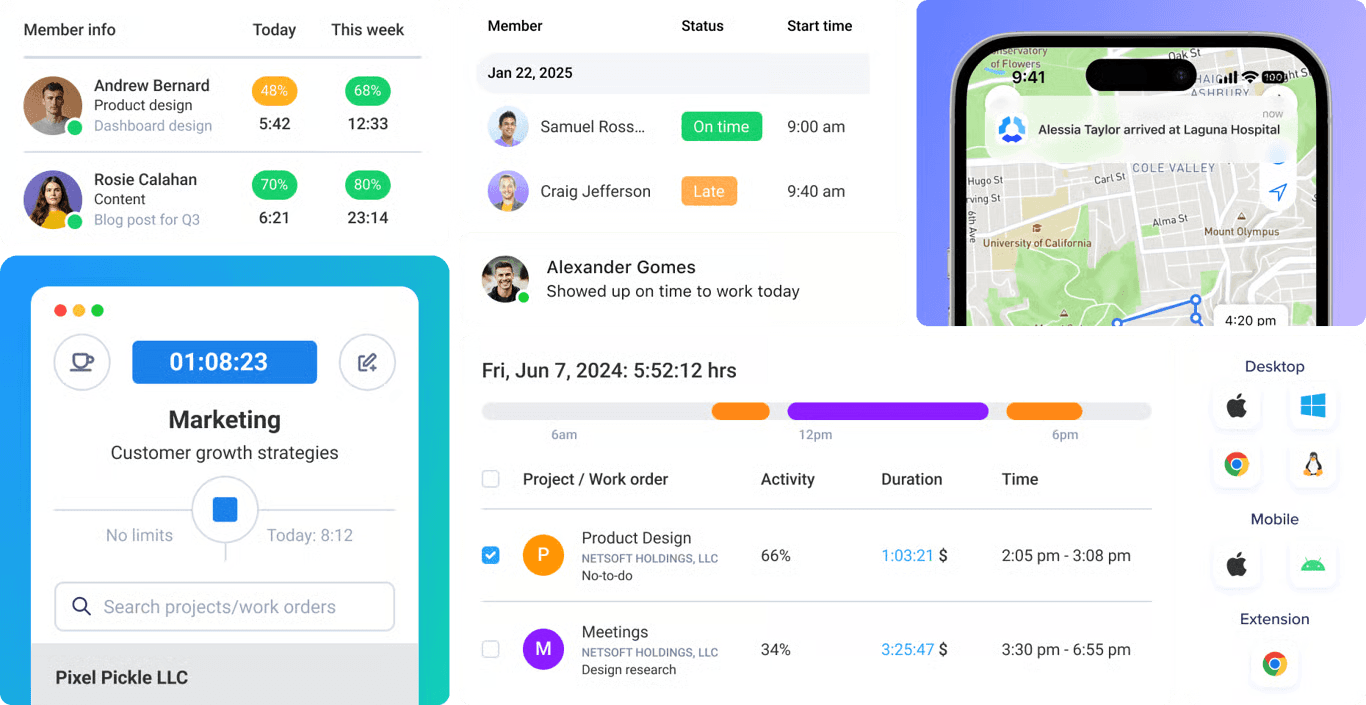
Multi-device time tracking: desktop, web, and mobile applications, GPS-based capture for field crews, and background tracking on company hardware through the Silent app add-on.
Customizable productivity monitoring: activity rates, application and URL tracking, and screenshots, with settings and visibility adjustable per team and screenshots optional.
Project tracking and profitability: budgets, spend against budget, real-time cost data, and an alert when a project looks likely to overrun.
Insights: utilization trends, capacity gaps, focus and meeting time, work classification, and unusual activity detection.
Automated global payments: pay frequencies, approvals, and multi-currency payouts through Deel, Wise, PayPal, and Payoneer, drawn from approved time.
Pricing
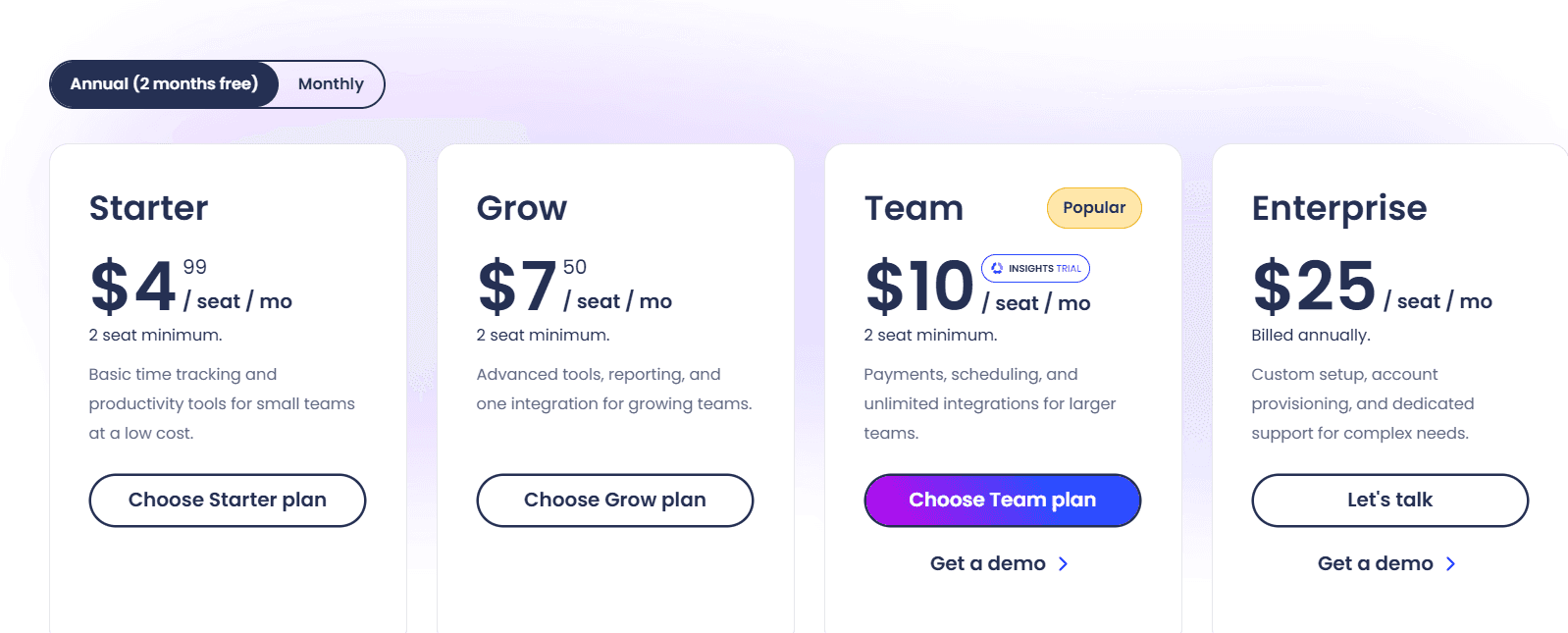
Four Hubstaff tiers carry a published rate:
Starter: $4.99 per seat per month. The multi-platform timer, timesheets, activity levels, 5 clients, client invoices, limited payments and payroll, and 500 screenshots and application and URL records per seat per month.
Grow: $7.50 per seat per month. Idle time-out, project budgets, expense tracking, one integration, Tasks included, 1,500 screenshots and records per seat per month, and a one-day email support SLA.
Team: $10 per seat per month. Timesheet approvals, scheduling and attendance, time off and holidays, overtime, client budgets, team invoices, unlimited integrations, full payments and payroll, a limited public API, audit logs, chat support, and a three-month Insights trial.
Enterprise: $25 per seat per month billed annually. Insights, Locations, and the Silent app included, SOC 2 Type II and HIPAA compliance, SSO, SCIM provisioning, account provisioning, an assigned account rep, concierge setup, and a two-hour email SLA.
Add-ons: Locations at $3.33, Data retention at $1.67, and Insights, Tasks, More screenshots, and the Silent app at $2.50 each, all per seat per month.
A 14-day trial runs without a credit card, backed by a 30-day money-back guarantee.
Pros and cons
✅ Screenshot and activity-record allowances are published per seat, at 500 on Starter and 1,500 on Grow. Capture volume is knowable before purchase.
✅ Client invoices and limited payroll are present on the $4.99 Starter tier, and billing a client needs no upgrade.
✅ Audit logs and a limited public API become available at Team, one step below the Enterprise tier.
❌ Background capture through the Silent app costs $2.50 per seat on every tier below Enterprise, where it becomes part of the $25 rate.
#9: Apploye
Best for: Remote and hybrid teams that need screenshots, session recording, payroll, and invoicing at a low per-user rate, with stealth and on-premise deployment available.
Similar to: eMonitor, Hubstaff.
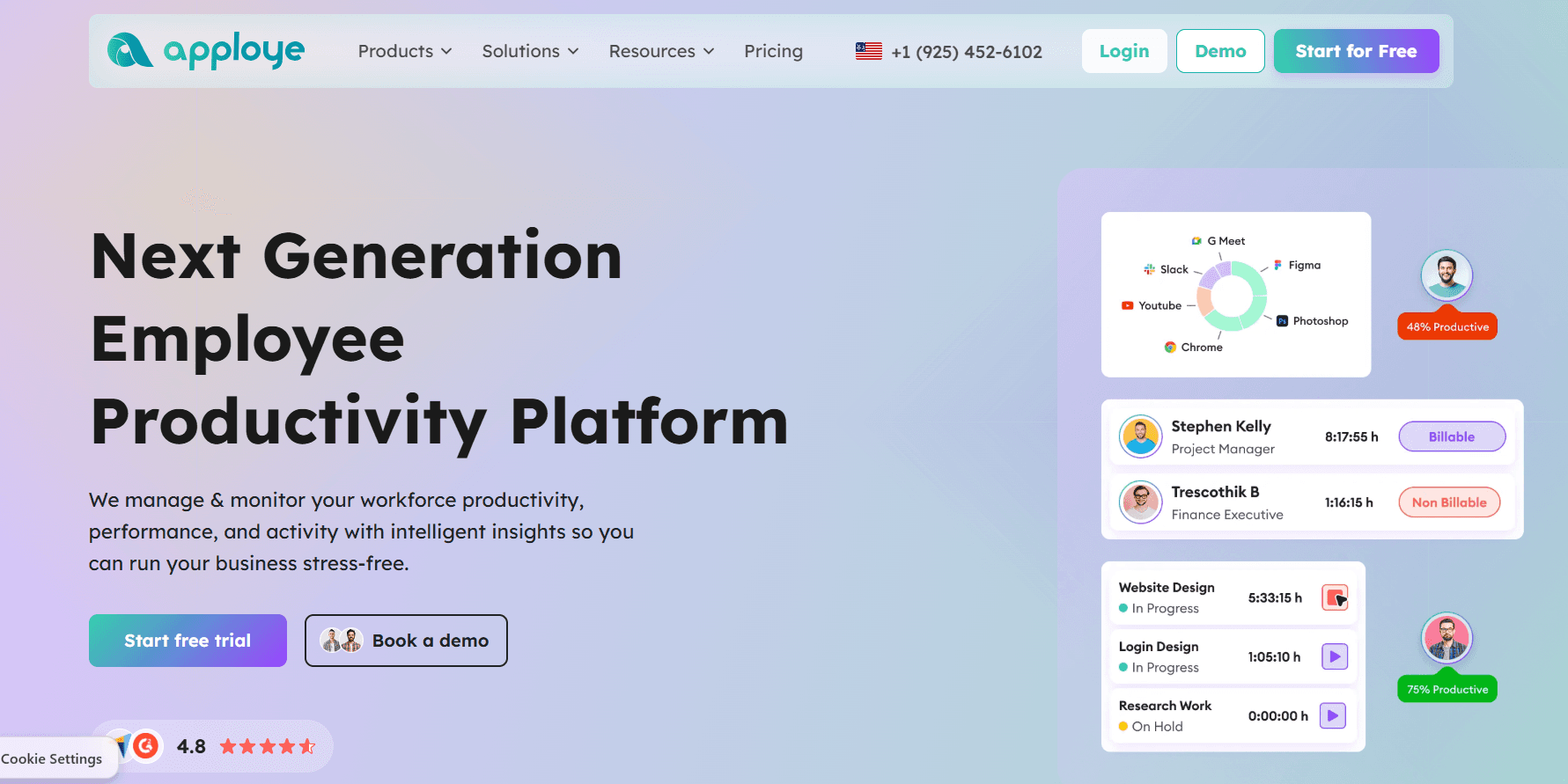
Apploye places monitoring depth that comparable products reserve for upper tiers into a free plan and two low-priced paid ones.
Stealth Mode, screen recording, on-premise hosting, and white labelling are each priced as add-ons on top of the plan.
Features
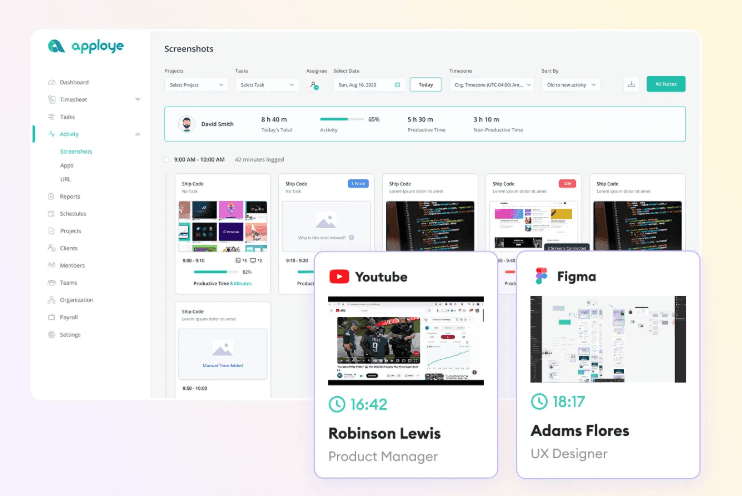
Screenshot and video monitoring: periodic screenshots that can be made optional, Real Time Active View, instant screenshots on Power, and complete session recording through the Screen Recording add-on.
Time tracking and attendance: timers, timesheets generated automatically with an approval step, attendance with automatic clock-in and clock-out, and leave management.
Productivity analytics: activity levels with application and URL tracking, custom reports from Elite, and AI report analysis marked as coming soon.
Payroll and invoicing: pay rates set per member, payroll runs, and client invoices generated from tracked time.
Deployment options: Mac, Windows, Linux, iOS, Android, and Chrome applications, with Stealth Mode, on-premise hosting, and white labelling available as add-ons.
Pricing
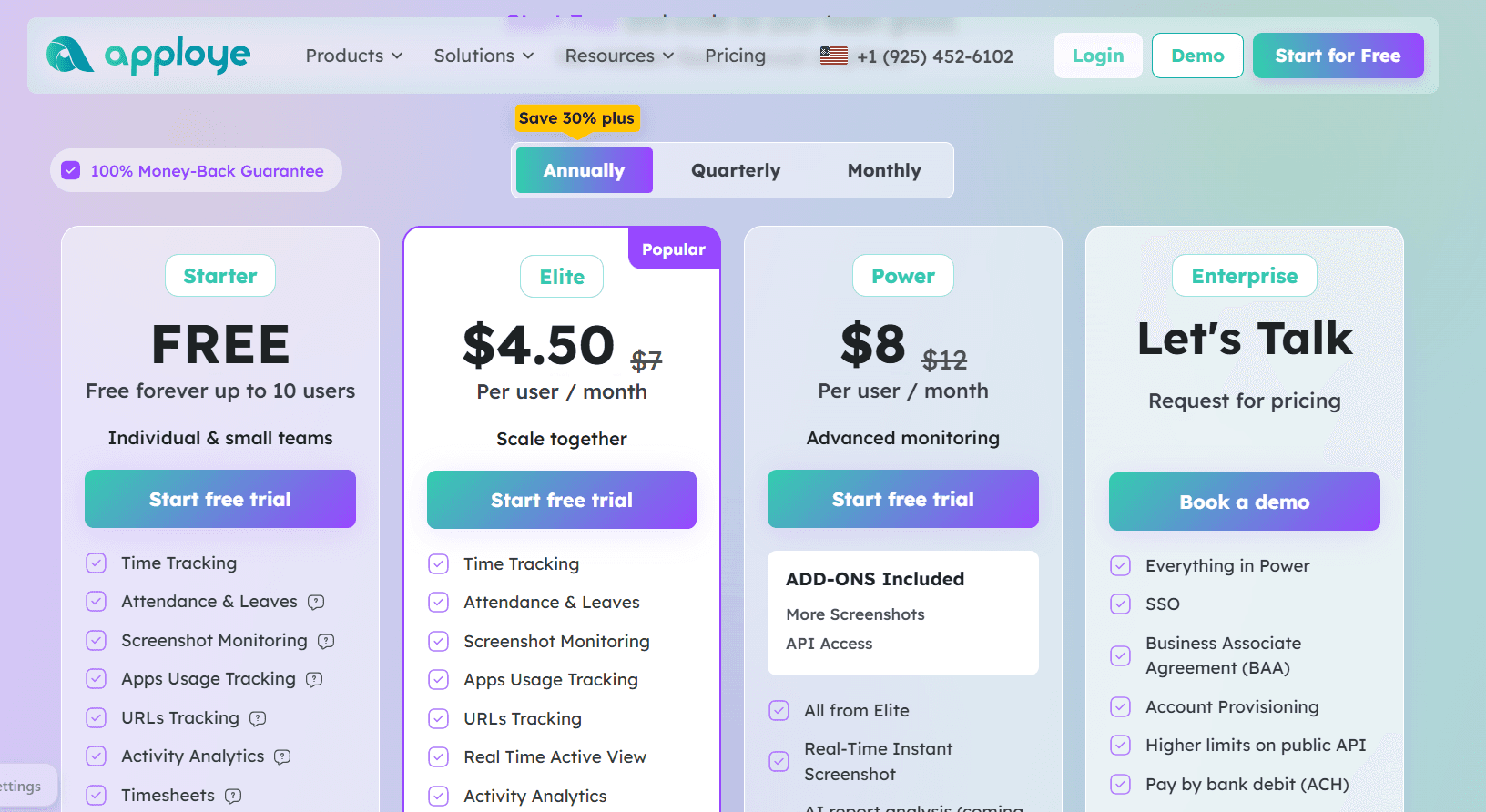
Apploye is free for up to 10 users, then charges $4.50 or $8 per user per month on annual billing, with Enterprise priced on request.
Starter: $0, free forever for up to 10 users. Time tracking, attendance and leaves, screenshot monitoring, application and URL tracking, activity analytics, timesheets and approval, projects, clients and invoices, and payroll.
Elite: $4.50 per user per month billed annually, listed down from $7. Real Time Active View, optional screenshots, integrations, and custom reports.
Power: $8 billed annually, listed down from $12. More Screenshots and API Access included as add-ons, real-time instant screenshots, with AI report analysis and an AI chatbot marked coming soon.
Enterprise: custom pricing. SSO, a Business Associate Agreement, account provisioning, higher API limits, ACH payment, guided onboarding, and dedicated support.
Add-ons: Stealth Mode $2, More Screenshots $2, API Access $1, Screen Recording $4, White Labelling $3, and On Premise $3 (the last two at 100-plus users), all per user per month, plus BigQuery at $1,000 per organization per month.
Onboarding costs $150 and data migration $200, both one-time.
Pros and cons
✅ Six client platforms are covered: Mac, Windows, Linux, iOS, Android, and Chrome. A fleet that was never standardized still gets one tool.
✅ Both paid steps land under ten dollars, and API Access costs $1 as an add-on with no tier jump attached.
✅ A Business Associate Agreement and SSO are available at Enterprise for teams carrying HIPAA obligations, alongside GDPR and HIPAA compliance.
❌ Stealth Mode adds $2 per user and screen recording $4. Layered onto Elite at $4.50, the monitoring depth a Veriato team would expect takes the seat past $10.
#10: TimeCamp
Best for: Organizations stepping back from monitoring depth toward time and cost data, with self-hosted or private cloud deployment available at the Enterprise tier.
Similar to: Time Doctor, Insightful.
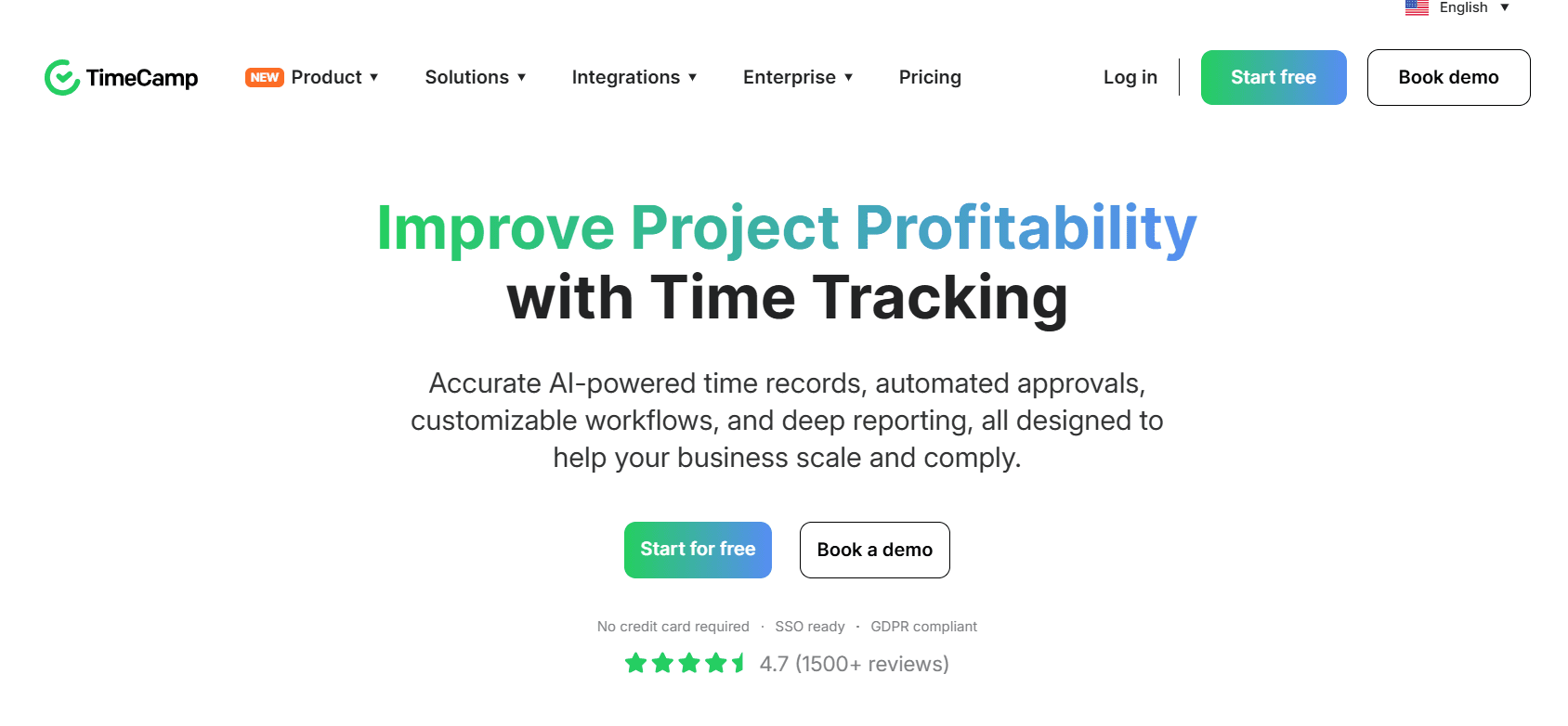
TimeCamp fills timesheets in the background through its AI Time Tracking Agent, categorizing applications and websites with no timer started by anyone.
The free plan carries no user cap, and self-hosted deployment, audit logs, and warehouse access are Enterprise features.
Features
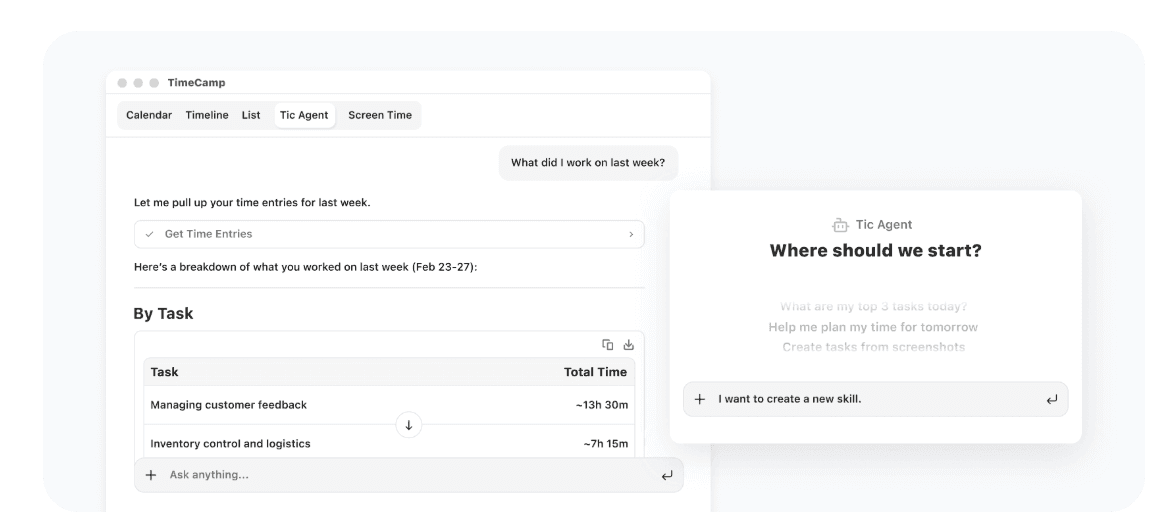
AI Time Tracking Agent and AI Timesheets: time logged with no clicks, automatic categorization of applications and websites, and alerts when an entry needs attention, billed by token usage.
AI Operational Hub: team-wide time data collected into one privacy-first view that updates in real time.
Keyword-based automatic tracking: keywords routing time to the right task, alongside idle time tracking and a personal activity timeline.
Approval workflows and payroll-ready data: timesheet approvals, attendance, overtime tracking, time-off, and a time clock kiosk.
Budget and margin control: budgets and estimates, budgeting alerts, billable rates, labor costs, fixed-fee projects, and invoices exported to QuickBooks and Xero.
Enterprise data layer: self-hosted or private cloud hosting, custom integrations, data warehouse access, Excel and Power BI API templates, a BigQuery data pipeline, and user directory sync.
Pricing
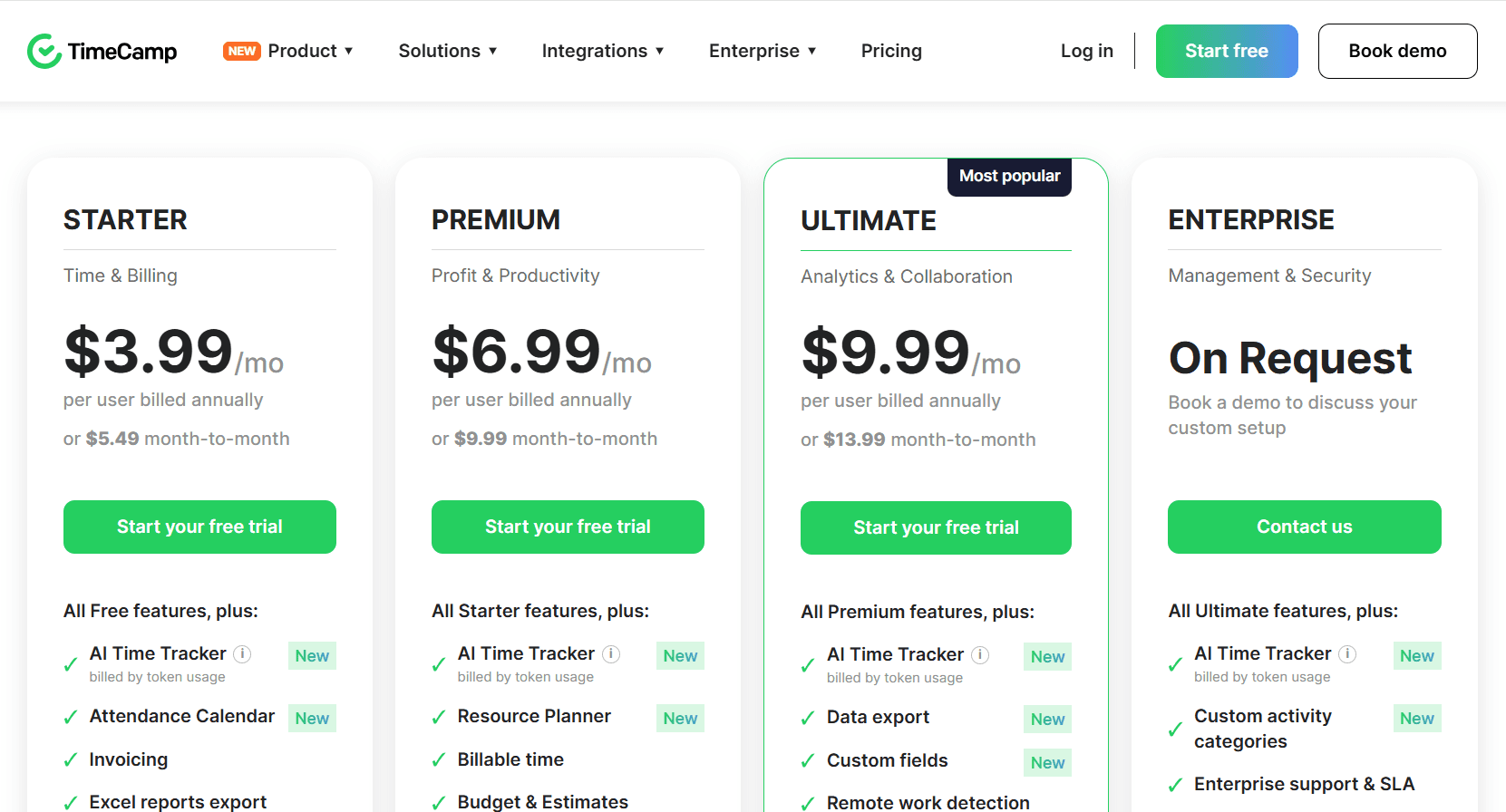
TimeCamp's paid rates are $2.99, $4.49, and $5.99 per user per month on annual billing across Starter, Premium, and Ultimate, rising to $3.99, $5.99, and $7.99 month-to-month.
No user cap applies to the free plan, and Enterprise is priced on request.
Free: $0 forever. Timesheets, applications for web, desktop, and mobile, unlimited projects and users, 2FA, and the AI Time Tracker billed by token usage.
Starter: $2.99 per user per month billed annually, $3.99 monthly. An attendance calendar, invoicing, Excel report export, time-off, overtime tracking, unlimited tasks, bulk edit, and project templates.
Premium: $4.49 annually, $5.99 monthly. The Resource Planner, billable time, budgets and estimates, application and website tracking, management roles, one integration, private time, scheduled email reports, budgeting alerts, and time rounding.
Ultimate: $5.99 annually, $7.99 monthly. Custom fields, remote work detection, timesheet approvals, billing rates, expenses, a pivot table, screenshots, unlimited integrations, labor costs, fixed-fee projects, SSO, time entry history, and custom user roles.
Enterprise: on request. Custom activity categories, an enterprise SLA, self-hosted or private cloud deployment, custom integrations, onboarding and training, an audit log, data warehouse access, custom reports, Power BI API templates, a BigQuery pipeline, and user directory sync.
Pros and cons
✅ Screenshots and remote work detection arrive at $5.99 on Ultimate, below the entry rate of every dedicated monitoring platform on this list.
✅ Private time and management roles arrive at $4.49, so a manager can read team data without opening it to the whole organization.
✅ The enterprise SLA, audit log, and custom activity categories are folded into the Enterprise quote, with no separate add-on line.
❌ Ultimate at $5.99 is the first tier carrying timesheet approvals and SSO, three steps above the free plan.
Which Veriato alternative should you choose?
The right replacement depends on what pushed you to look. Five things typically drive a Veriato evaluation, and each one points somewhere different.
Is your requirement still insider risk and forensic evidence?
Teramind is the closest match, with three capture depths on one agent and deployment available on cloud, your own AWS or Azure account, or a private data center.
Controlio covers similar ground with live screen view and video recording present on the $6.67 entry plan and licensing counted by concurrent session.
Legal or HR asked you to collect less?
ActivTrak publishes a limit on what the agent collects and keeps screenshots and URL-level detail inside a separately licensed add-on.
Insightful states that it does not track keystrokes and holds SOC 2, ISO 27001, HIPAA, GDPR, and CSA compliance on both cloud and on-premise. Either one makes the employee conversation shorter than a full content-capture product does.
The $18 per user rate stopped clearing budget?
eMonitor starts at $3.90 with attendance and productivity classification, Hubstaff at $4.99 with payroll included, Apploye free for ten seats with screenshots and payroll, and TimeCamp at $2.99 with unlimited free users below that.
You need the data to explain a process, not a person?
Reflow was built for that job, as activity data tells you a specialist spent six hours in a billing console.
A workflow readout tells you that refund processing ran 4,820 times at 6 minutes 10 seconds a run with 87.1 hours a month recoverable, and names the steps worth automating. If your next decision is an automation decision, the per-workflow unit is the one that supports it.
➡️ Book a demo to see your own operation mapped, or read how Collective turned that visibility into $3.1M in annual cost savings.
⚠️ Disclaimer: This article was last updated on September 24, 2026. If you spot any inaccuracies, contact us, and we'll fact-check it.
See Reflow in action
A short demo, tailored to your operations.