In this article, I’ll cover the 10 best Everhour alternatives in 2026, which buyer each one fits and what it costs.
TL;DR
Reflow is the best Everhour alternative in 2026 for operations teams whose question has moved past how many hours a task consumed. A native agent records work time, active time, and productive time with no manual entry permitted anywhere in the product. Two layers build on that record: a map of how each process runs across people and systems, and a ranking of which steps inside it are worth handing to a machine.
Harvest is the closest like-for-like swap for billable project work, with multi-rate billing and client payment on the invoice document itself: Toggl Track keeps the timer-plus-integrations model but layers on deeper reporting and a published position against screenshots and camera tracking.
Clockify and TimeCamp are the cost-efficient options: Clockify is free for five people with a long paid ladder above it. TimeCamp applies no user cap to its free plan at all, and paid tiers open at $2.99.
Timely, DeskTime, and TimeCamp each build the record from captured activity, with no timer for anyone to start: Hubstaff and Time Doctor pair tracking with monitoring and payroll for teams carrying those obligations. Timesheet fires its timers from NFC tags, Wi-Fi networks, and geofences, for work that begins away from a desk.
What are the best Everhour alternatives in 2026?
The best Everhour alternative in 2026 is Reflow, for operations teams that want workforce and workflow intelligence captured automatically with no timers and no manual entry.
Harvest and Toggl Track follow as the nearest direct replacements: Harvest for firms whose tracked time has to finish as a paid invoice, Toggl Track for teams that want flexible reporting without any monitoring layer.
Here's the full shortlist of vendors:
Tool | Use case | Price |
Reflow | Automated workforce and workflow intelligence: productivity recognized with nothing typed in, time attributed per workflow, the steps worth automating ranked, and the return measured afterwards. No integrations. | Custom pricing, quoted after a demo. |
Harvest | Billable project time with multi-tiered rates, retainers, profitability reporting, and invoices clients can pay from the document. | Free for 1 seat; Teams from $9/seat/month (annual). |
Toggl Track | Timer-first tracking with Calendar View, deeply customizable reports, and a published no-screenshot, no-camera position. | Free plan; paid from $9/license/month. |
Clockify | Timer, Timesheet, Calendar, Auto tracker, and Kiosk, on a paid ladder reaching invoicing, scheduling, SSO, and audit logs. | Free for up to 5 users; paid from $3.99/seat/month (annual). |
Timely | The Memory tracker records activity privately and AutoSheet drafts the timesheet for one-click approval. No screenshots. | From $9/user/month (yearly). |
TimeCamp | Free plan with no user cap, an AI Time Tracking Agent filling timesheets in the background, and a warehouse-grade Enterprise data layer. | Free for unlimited users; paid from $2.99/user/month (annual). |
Hubstaff | Tracked time carried through to multi-currency payroll, with monitoring depth set per team. | From $4.99/seat/month (two-seat minimum). |
Time Doctor | Workforce analytics with screenshots, productivity ratings, Benchmarks AI, and a payroll run. | From $6.67/user/month (annual). |
DeskTime | Recording starts with the machine, grading each app, URL, and document title for productivity. | From $6.42/user/month (annual, excl. VAT). |
Timesheet | Timers triggered by NFC, Wi-Fi, or geofence, with Chronis handling logging from chat and HR rules on Business. | Free for a single user; teams from $10/user/month. |
#1: Reflow
Reflow is the best Everhour alternative in 2026 for enterprise operations teams whose reporting needs to describe the work itself, not the hours booked against a task someone created in a project management tool.
Our workforce and workflow intelligence platform reports everything a time tracker reports: work time, active time, productive time, and the direction productivity is moving by team.
The structural difference is underneath, as none of that record is typed in by a person.
Two layers build on top:
Reflow maps how a process runs across people and systems;
And then ranks which portions of it a machine should be handling.
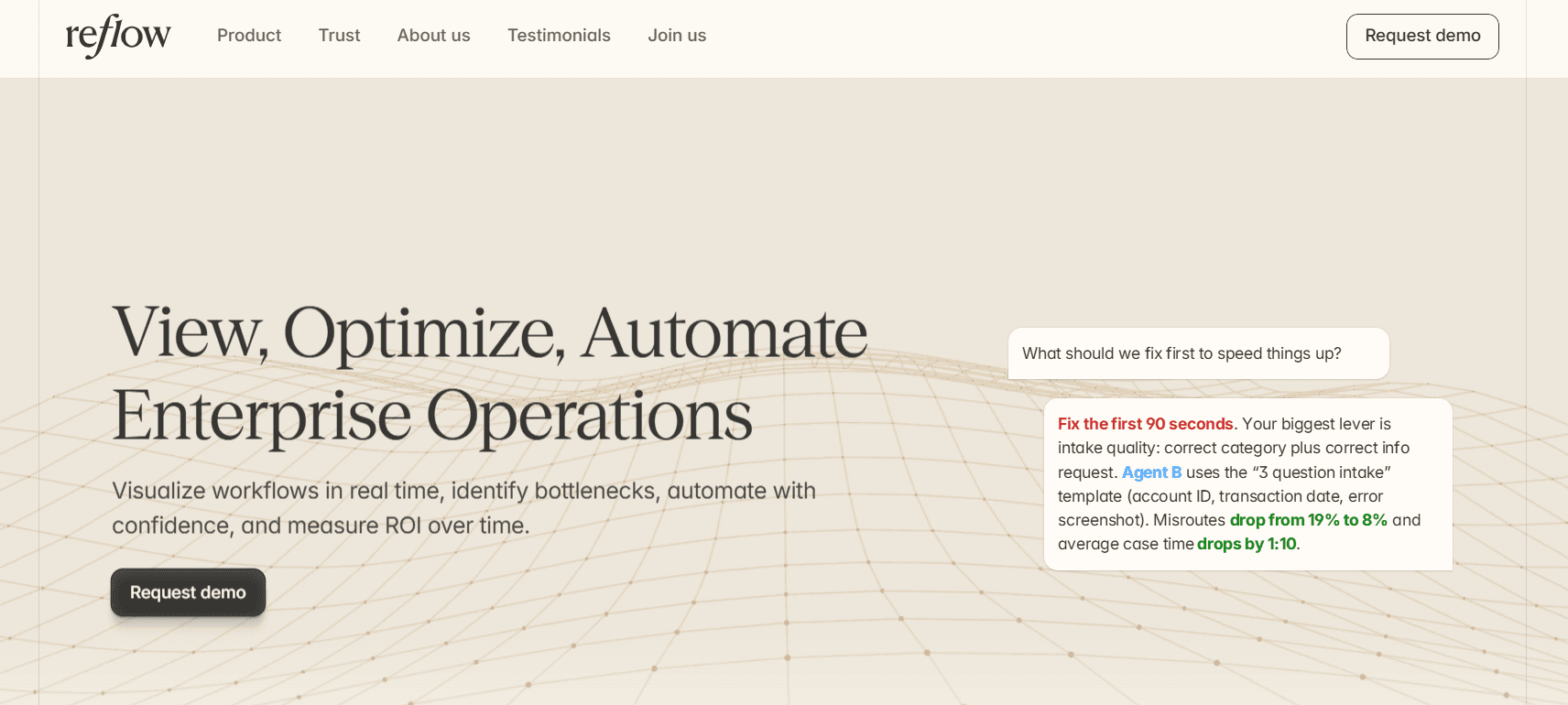
Disclosure: Reflow is our own platform. I'll make the case for putting it first on an Everhour alternatives list, and I'll be equally direct about the jobs Reflow doesn't do.
Reflow watches operational work while it happens and keeps a record of each step performed, each one skipped, each one repeated, and each one that stalled.
That becomes a readout per workflow: how many times it ran, its average run time, the average deviation per run, and the hours per month automation could recover.
Nobody has to start a timer, fill in a timesheet, or integrate anything between signing and the first usable readout, as a native Mac and Windows agent handles capture and machine learning assigns the labels.
Here are the features and capabilities that I think make Reflow the best Everhour alternative in 2026:
Capture that asks nothing of the person doing the work
Reflow's agent records work at the level of individual interactions on Mac and Windows.
Machine learning then sorts what it sees into productive and unproductive, by project and by type of work, with nobody labeling it.
There is no start control and no stop control, and a forgotten Thursday afternoon can't be reconstructed later, because manual entry is disallowed everywhere in the product.
Where the task mining feeding the workflow layer hits a judgment call, a person reviews it.
That closes the failure mode every timer-based product shares.
A timesheet is only as reliable as the memory of whoever fills it in, and once the week is approved, the gap between what happened and what got recorded becomes invisible.
Across parallel trials run against whatever tracker a customer already had in place, we've measured the accuracy gap at 50 to 80%.
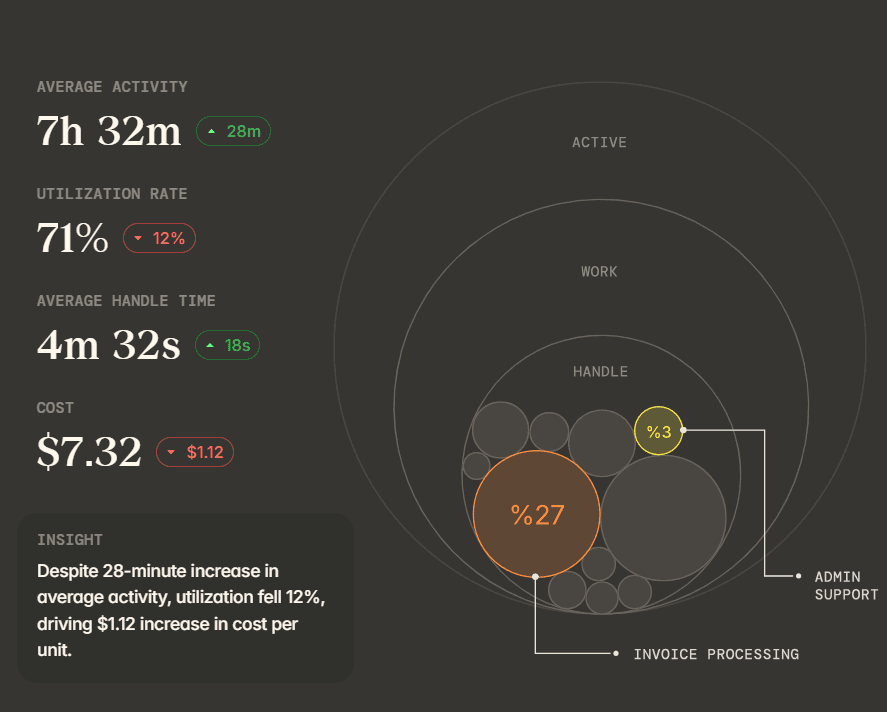
What that produces is the base layer, workforce intelligence:
Headcount.
How people work.
Average work time.
Active time.
Session time.
Productive time.
Where productivity is heading.
Workforce managers have all of it before either layer above comes into play.
Every step of a process, in the order it happened
Reflow reconstructs a workflow as the sequence it was performed in, with time attached to each step, the repeated ones and the missing ones included.
Let’s go over the typical refund request processing task:
A conventional timesheet for that team reports something close to 500 hours booked against refunds for the month.
Reflow reports 4,820 runs on the same work, averaging 6 minutes 10 seconds, with 1 minute 5 seconds of average deviation per run and 87.1 hours a month reachable through automation.
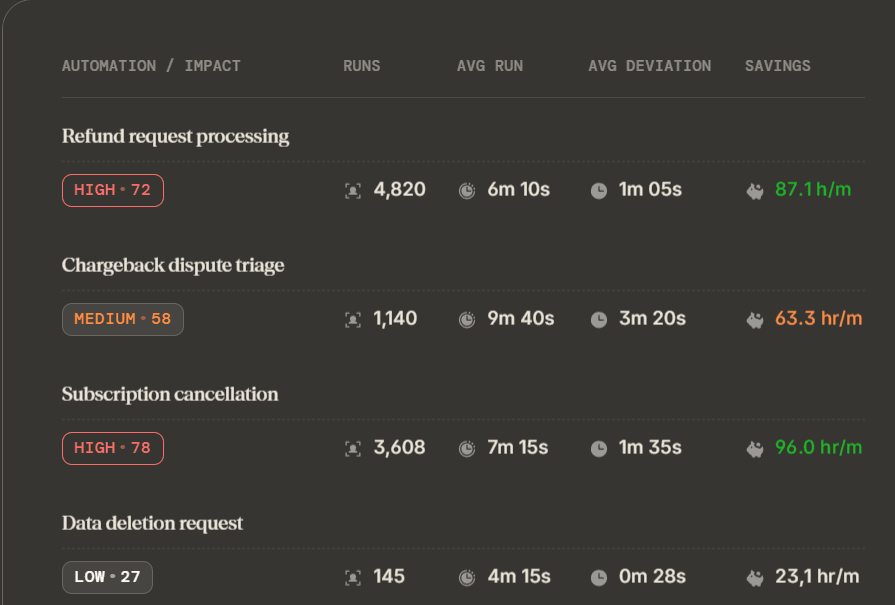
Neither figure is wrong. Only one of them points an operations lead to where the next engineering sprint should go.
The cost of one unit of operational work
Reflow splits operational time by project, task, and customer, which turns an aggregate hours figure into a per-unit cost.
Chargeback dispute triage might show 1,140 runs a month, 9 minutes 40 seconds of average handle time, and 3 minutes 20 seconds of average deviation.
Once the analyst's loaded cost is applied to those figures, finance has a defensible cost for a single chargeback, and that number is what decides whether automating the triage gets approved.
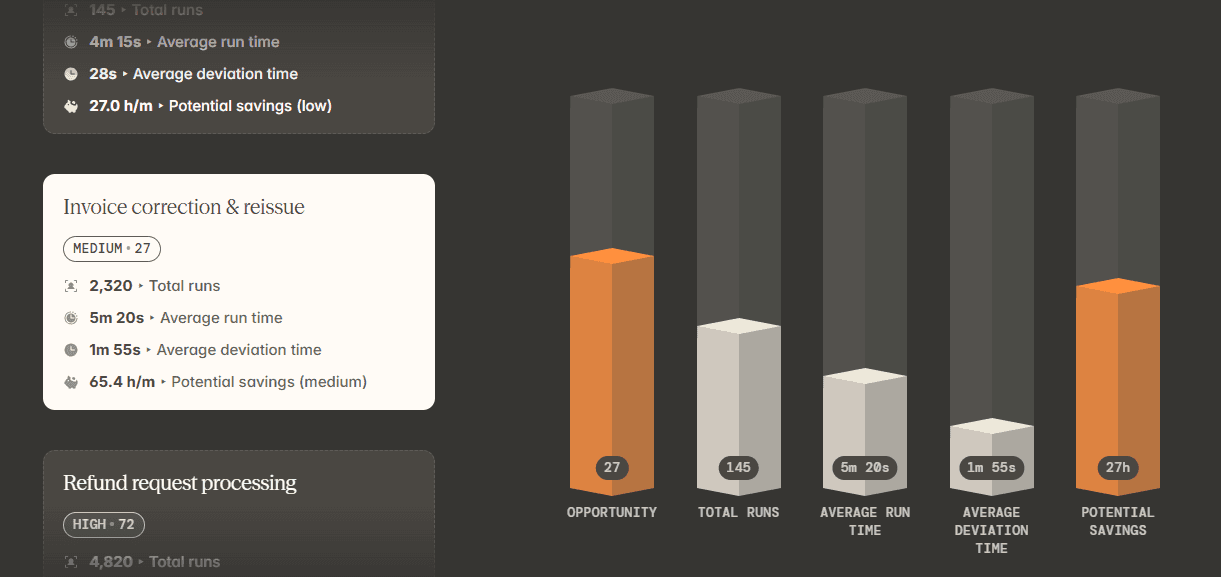
Subscription cancellation, invoice correction and reissue, and data deletion all get the same treatment, which makes the comparison between them arithmetic instead of argument.
SOP adherence checked run by run
Reflow measures the steps an SOP specifies against the steps each individual run performed, and surfaces the difference as data while the work is still moving.
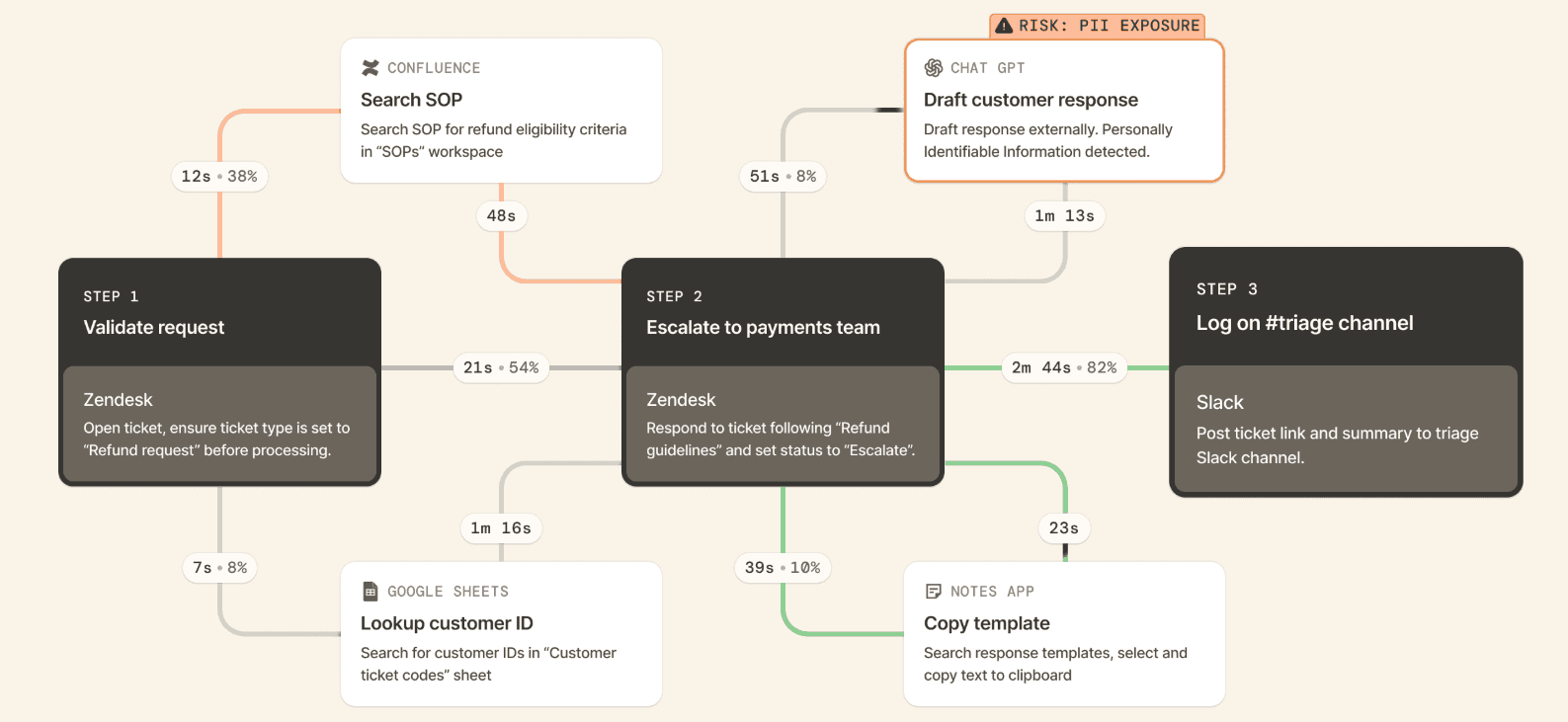
Take a data deletion request carrying a regulatory deadline.
A skipped verification step, or a lookup performed three times, appears before a customer or a regulator raises it, not during an audit six months later.
Team leads use the same view for a narrower purpose: confirming that the procedure they documented is the procedure their team follows.
Automation ranked by what it would return
Reflow scores workflows by automation opportunity and names the specific steps to automate, then keeps measuring that workflow afterwards so the return is observed, not projected.
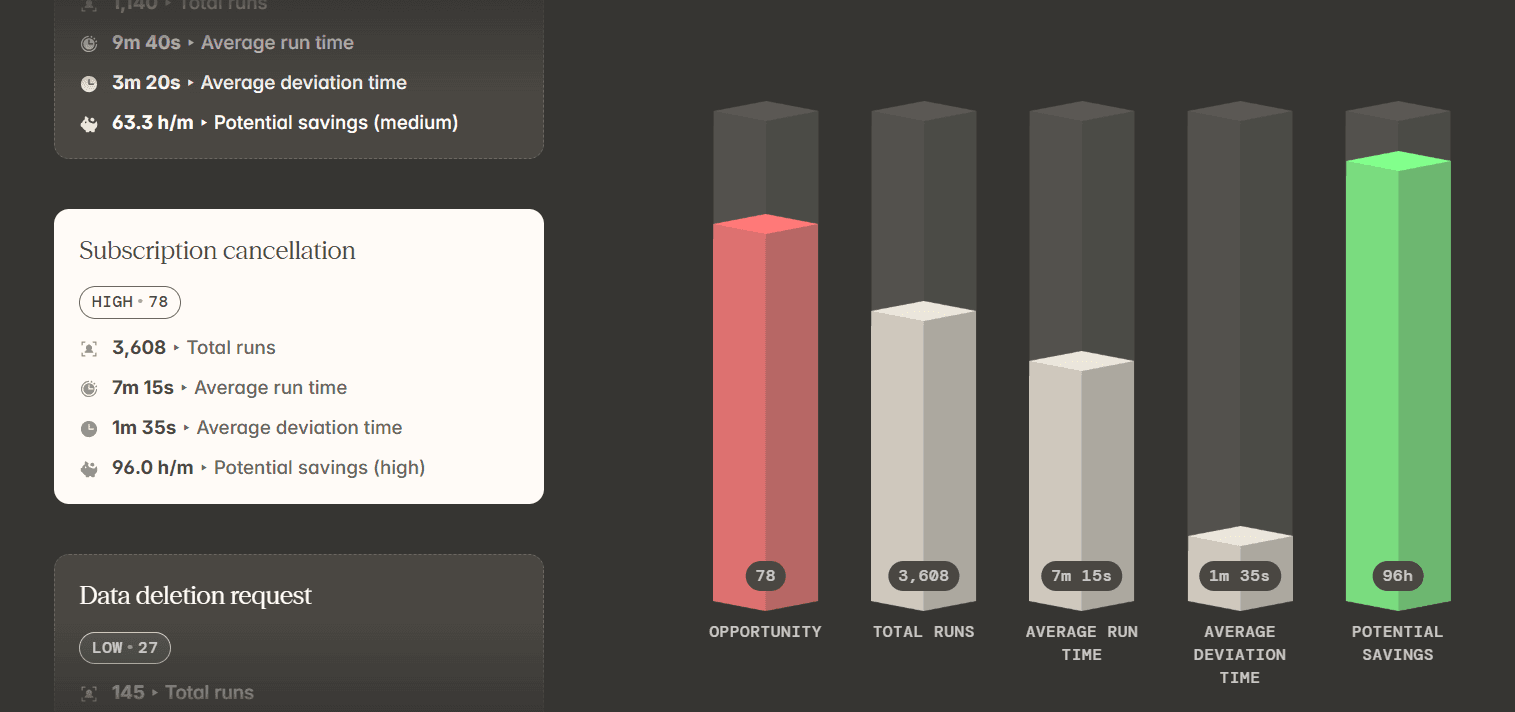
Let’s go over what an average recommendation and thinking process look like: lookup, updating multiple systems, and copy-paste account for 52% of one workflow's time, so the recommendation is to automate "lookup + populate + update" for the Refund Requests SOP.
Projected outcome is 25 seconds for the whole sequence, a saving of 1 minute 40 seconds on every case, and missed-field errors removed.
Reporting on that workflow carries on after the change ships, giving a before-and-after on one measurement basis. The automation can run on Reflow, keeping discovery and execution in the same place.
After all, what I like to say: AI can't improve what organizations don't understand.
💡 Reflow encrypts all data in transit and at rest to industry-leading standards, and collects it through a privacy-first approach governed by strict access permissions. The Trust Centre documents our compliance and security controls in full.
How is Reflow different from Everhour?
Reflow measures the process; Everhour measures time against a task a person has already defined.
Everhour records hours on a ticket in Asana, ClickUp, Jira, or Linear and converts those hours into budgets and invoices.
Reflow observes a process run across whatever systems it touches and reports which steps inside it are worth automating.
And truth be told, Everhour is a strong product for the work it was built for.
Agencies, consultancies, and product teams billing clients by the hour get a timer sitting on the task they already have open, an estimate-versus-actual figure beside it, budgets that alert at 75%, 90%, and 100%, timers that halt once a budget is spent, and invoices exported to Xero or QuickBooks.
Its pricing model is unusually straightforward, with one paid tier carrying every feature.
Time data is held in Everhour rather than a custom field, and survives a change of project management software.
None of those is jobs Reflow does.
The question Reflow was built around is a different one: what happens inside the work, and which portions of it a machine should be performing.
We think about that as three layers:
Workforce intelligence is the foundation, because if a team isn't working the way leadership assumed, every optimization sitting above that assumption is aimed at the wrong thing.
Workflow intelligence is the middle layer, covering deviation, blockage, and the origin of errors.
Workflow automation is the top, and it only becomes a sound investment once the first two exist. Time trackers operate on the foundation layer; Reflow covers all three on one dataset.
Here's how the two compare across the dimensions that matter to a team making this decision:
Everhour | Reflow | |
Primary output | An approved timesheet feeding budgets, profitability figures, and client invoices | A per-workflow readout of runs, average run time, average deviation, and recoverable hours per month |
Where the controls appear | Inside Asana, ClickUp, Basecamp, Jira, Monday, GitHub, Trello, Linear, Notion, and Wrike, plus web, desktop, mobile, and Apple Watch apps | A native Mac and Windows agent, with no host application required |
How time is captured | A timer started on a task, or hours entered by hand for past work | Automatic capture by the agent, with machine learning applying the classification |
Manual time entry | Supported, including entries added after the fact | Disallowed anywhere in the product |
Unit of measurement | Time against a task, project, and client | Each step of a process run, in the sequence it occurred, skipped and repeated steps included |
Budget control | Time or money budgets per project, alerts at chosen thresholds, timers that stop when a budget is spent, monthly resets for recurring work | No budget caps. Reflow reports hours consumed per workflow and hours automation could recover |
Process compliance | Approved timesheets lock against retroactive editing | Every run measured against the SOP, with drift flagged while the work is live |
Automation guidance | Estimate-versus-actual history informs the next scoping round | Workflows ranked by automation opportunity, with named steps and ROI measured after launch |
Billing and invoicing | Billable time grouped into invoices, exported to Xero or QuickBooks, payment status tracked | Outside the product. Per-hour billing is left to other software |
Time off and resource planning | Accruals, requests, approvals, and team capacity planning | Not covered |
Integrations | Native integrations are the core of the product | None required. The agent works across systems without connecting to them |
Time to first data | Immediate, standalone or inside a connected project management tool | Days, after white-glove configuration |
Security and compliance | SSO and advanced permissions included on the Team plan. Certification detail is on Everhour's security page, which wasn't among the sources reviewed here | SSO and OAuth login on the base plans, alongside SOC 2 Type 2, HIPAA, GDPR, and CPRA/CCPA |
Trialling it | A 14-day trial of every feature, available from the free plan | A trial that runs in parallel with an existing tracker |
Pricing | Published: free for up to 5 seats, Team at $8.50 per seat per month billed yearly with a 5-seat minimum, Custom from 50 seats | Not published. You’ll need to contact us for a demo. |
Reflow needs nothing integrated, so it can run alongside an existing tracker for the length of a trial.
Teams can also compare the two datasets before committing to either.
Reflow pricing
Reflow doesn't publish pricing. Request a demo, and we'll come back to you shortly with a quote scoped to your operation.
💡 Setup is white-glove.
Our team handles configuration with minimal time drawn from yours, and the trial can run alongside whichever tracker you use today so the two records sit side by side.
Teams still inside a contract elsewhere can have those terms matched for the first period.
Reflow pros and cons
✅ Capture runs end to end through a native Mac and Windows agent, and nowhere in the product can time be entered by hand.
✅ Workflows are reconstructed step by step, skipped and repeated steps included.
✅ Automation opportunities arrive ranked, each carrying its own monthly hours-saved figure.
✅ Every individual run is measured for SOP adherence.
✅ Measurement continues once an automation ships, so the ROI reported is the ROI observed.
✅ Nothing to integrate and no engineering time required, with white-glove setup and a parallel trial against your existing tracker.
✅ SSO and OAuth login on the base plans, together with SOC 2 Type 2, HIPAA, GDPR, and CPRA/CCPA, configurable collection, and aggregated or anonymized views.
❌ Per-hour billing, invoicing, scheduling, and HR or resource planning all fall outside the product.
❌ Pricing isn't published.
#2: Harvest
Best for: Professional services firms whose tracked hours need to finish as a paid invoice.
Similar to: Everhour, Toggl Track.
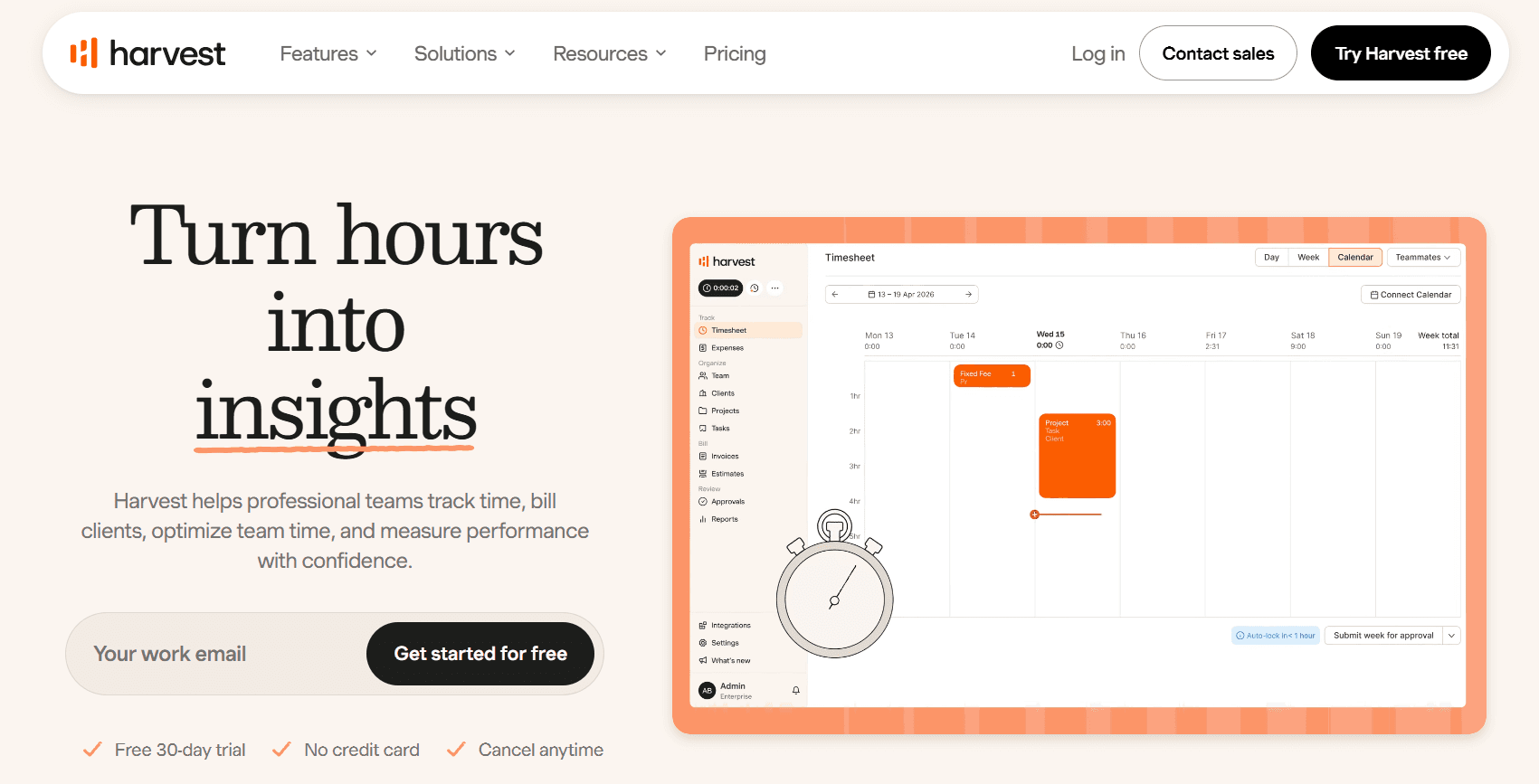
Harvest handles the full commercial sequence around a timesheet. Hours land against a client and a project, the applicable billing rate applies itself, and the finished invoice can be settled by the client straight from the document.
Profitability and utilization reporting answers which engagements are making money, with enough lead time to act before a retainer or a budget runs out.
Features
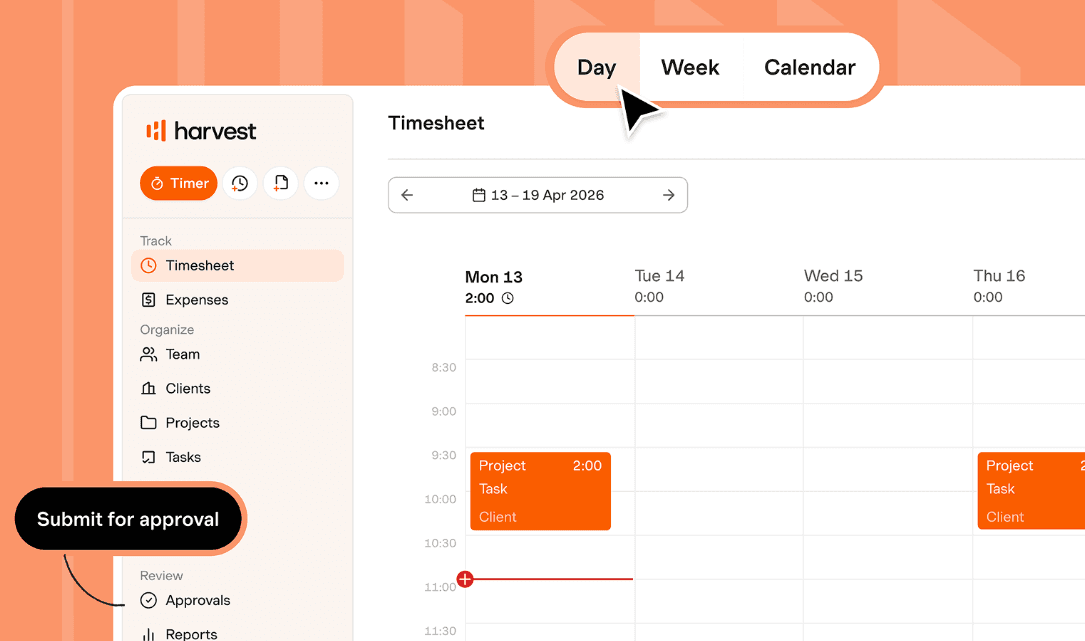
Three ways to log time: a one-click timer, a weekly or daily timesheet, or entries built out of connected calendar events, all available on desktop, mobile, and browser.
Multi-tiered billing rates: rates defined per person, per project, or per task type, with the correct one selected automatically.
Retainers and estimates: recurring hour banks and project estimates, their consumption visible in real time.
Profitability reports and budgeting: profit by project and by client, plus alerts ahead of a budget being exceeded.
Invoicing and payments: tracked time and expenses become invoices the client can pay on the document itself, with receivables tracked and export into accounting tools.
Pricing
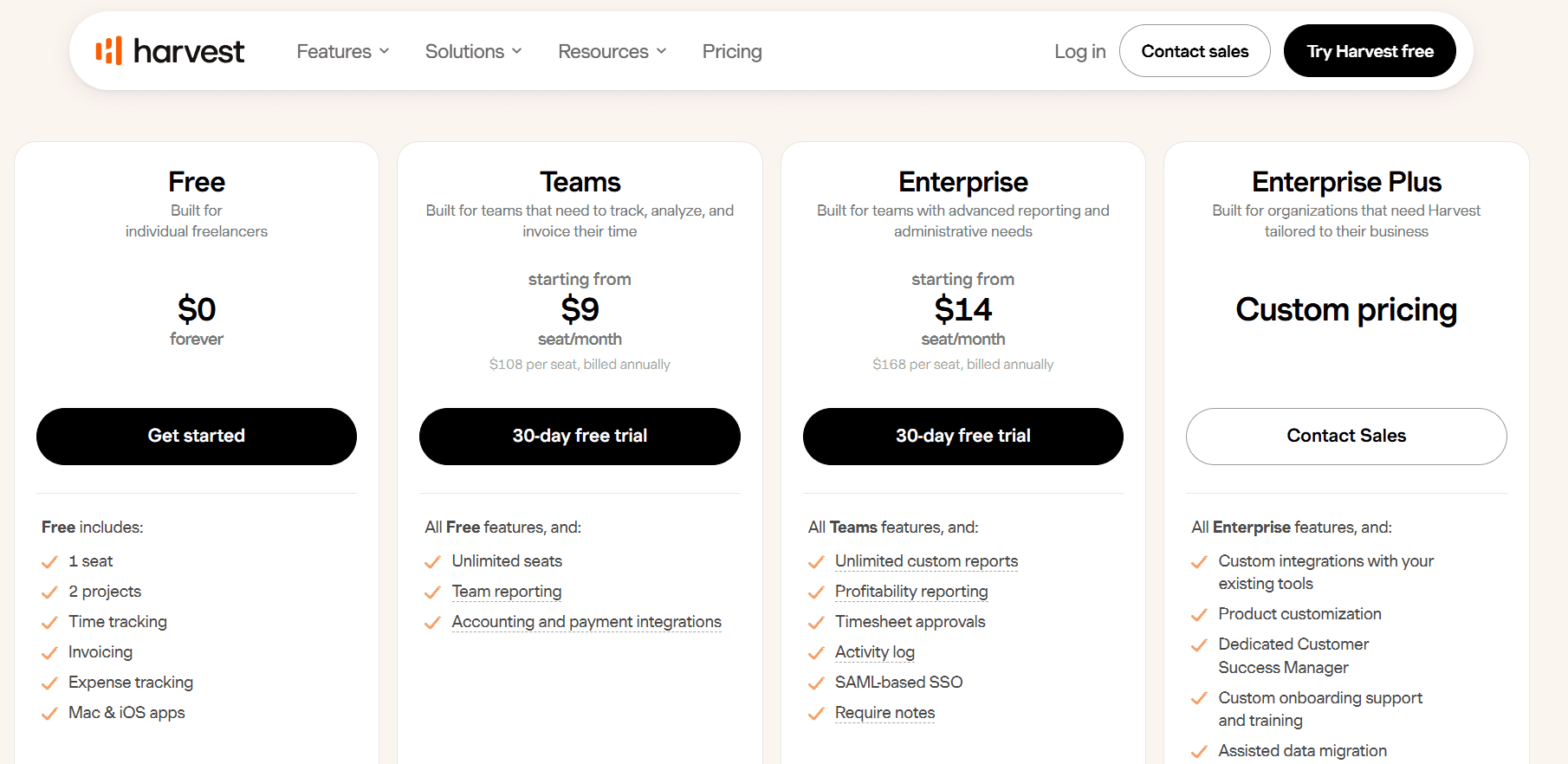
Harvest's Teams plan opens at $9 per seat per month billed annually, or $108 per seat per year. A Free plan covers one person and Enterprise begins at $14.
Free: $0 permanently, good for 1 seat and 2 projects. Invoicing, time tracking, expense tracking, and the Mac and iOS apps.
Teams: $9 per seat per month and up, billed annually. Unlimited seats, billable and cost rates, team reporting, up to 4 custom reports, project and people import, and accounting and payment integrations.
Enterprise: from $14 per seat per month billed annually, or $168 per seat per year. Profitability reporting joins timesheet approvals, unlimited custom reports, SAML-based SSO, an activity log, required notes, and custom exports.
Enterprise Plus: custom pricing. Product customization, custom integrations, white labelling, assisted data migration, tailored onboarding, and a dedicated Customer Success Manager.
Pros and cons
✅ Connected calendar events can be turned into time entries without anyone re-typing them.
✅ The free tier is permanent for a solo user, invoicing and expense tracking included.
✅ Harvest Forecast is available for scheduling people across projects, next to the timesheet data.
❌ Timesheet approvals, profitability reporting, and SAML SSO all begin at Enterprise pricing.
#3: Toggl Track
Best for: Teams whose underlying problem is getting anyone to record time in the first place.
Similar to: Clockify, Timely.
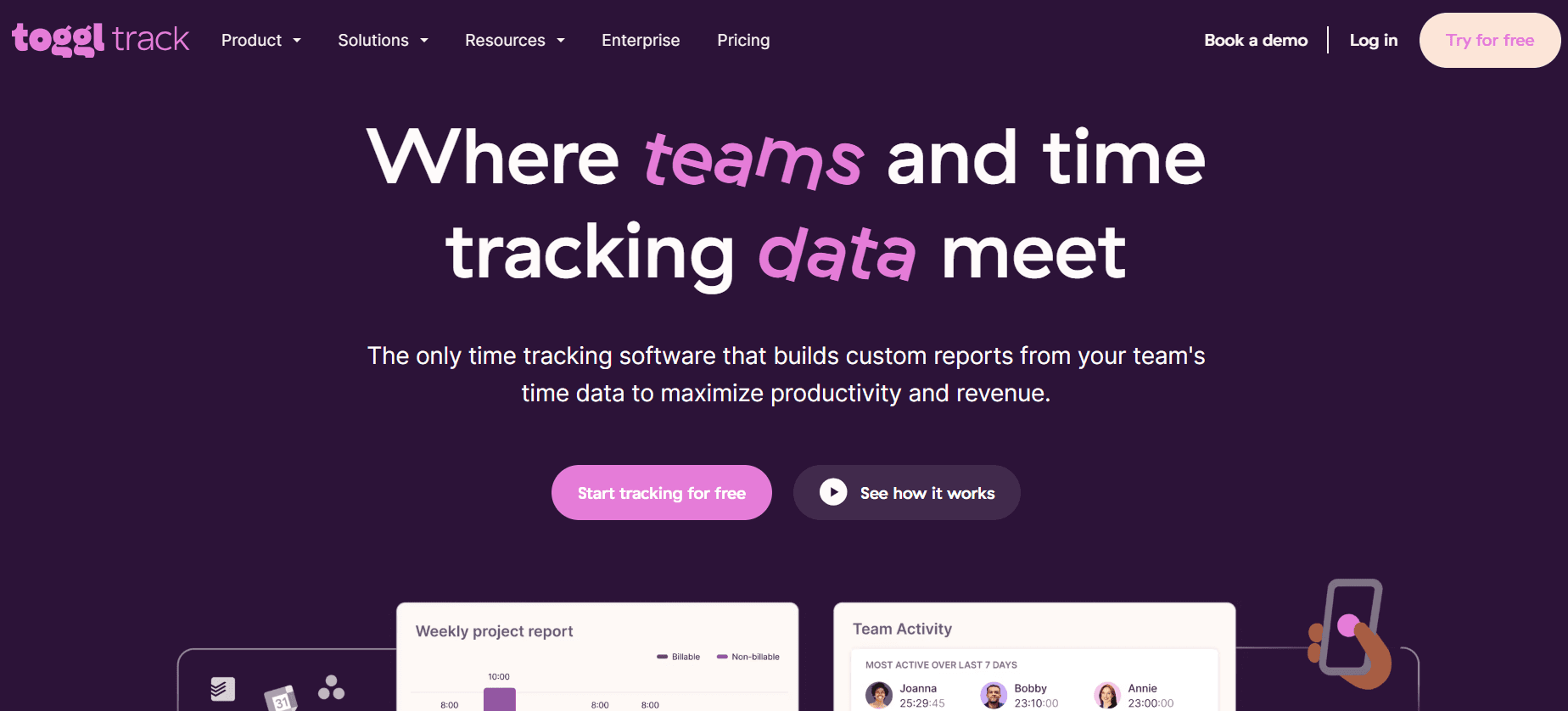
Toggl Track is engineered around adoption.
The timer is fast enough that people keep using it, the company states publicly that it performs no screenshot or camera tracking, and the reporting is flexible enough that the data gets used once it accumulates.
For a team leaving Everhour but keeping the timer model, Toggl Track is the nearest equivalent with a heavier reporting layer.
Features
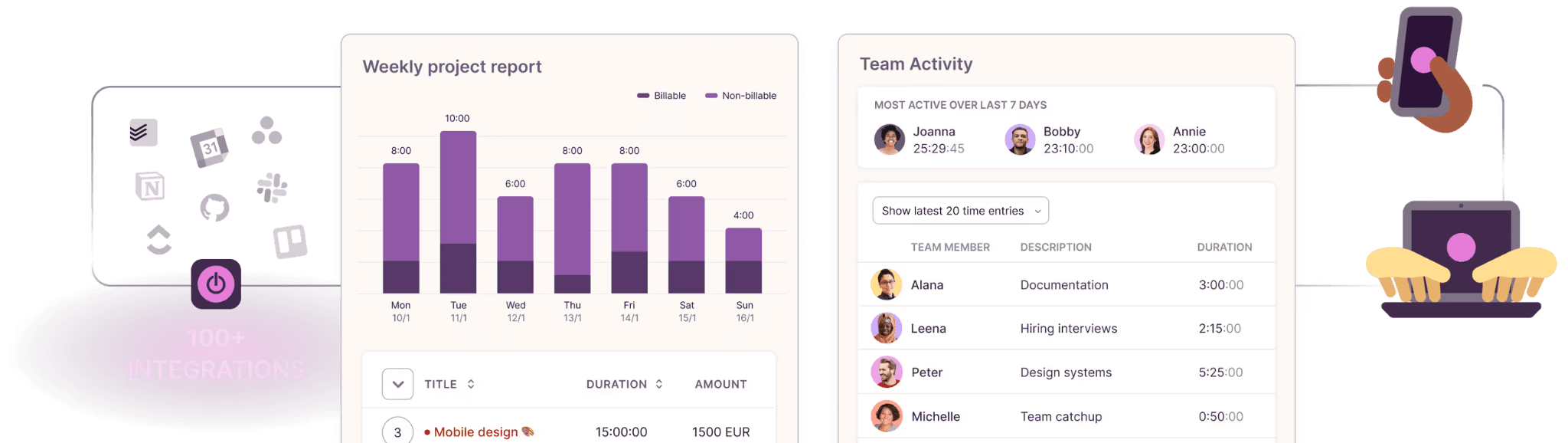
Calendar View: the day's meetings displayed alongside the timesheet, where one click converts an event into a time entry. Toggl Track reports this as its most-used feature.
Tracking from anywhere: web, desktop, mobile, and browser extensions. Optional background tracking stays visible to the individual alone until they promote it into a time entry.
Customizable reports: utilization, profitability, billing, workload, summary, and detailed views, each taking custom columns and grouping up to three levels deep. Premium schedules them for email delivery.
Timesheet approvals and data accuracy: approvals plus the data accuracy set (required fields, locked entries, team reminders) on Premium, alongside an audit log.
Pricing
A free plan covers a small number of users. Starter runs at $9 and Premium at $14 per license per month, with Enterprise quoted individually.
Free: $0 for a limited number of users. Tracking on web, desktop, and mobile, Google and Outlook calendar integrations, productivity reports, and 100-plus integrations through the browser extension.
Starter: $9 per license per month. Billable rates, project tasks, project time estimates and alerts, team collaboration features, and revenue and productivity analysis.
Premium: $14 per license per month for the first year on annual billing, renewing at $18. Adds timesheet approvals, profitability analysis, fixed-fee projects, data accuracy features, scheduled reports, fully customizable reports, SSO, and Jira and Salesforce integrations.
Enterprise: custom pricing. Custom integrations, personalized onboarding, a dedicated customer success manager, volume discounts on annual plans, and multiple workspaces held under one organization.
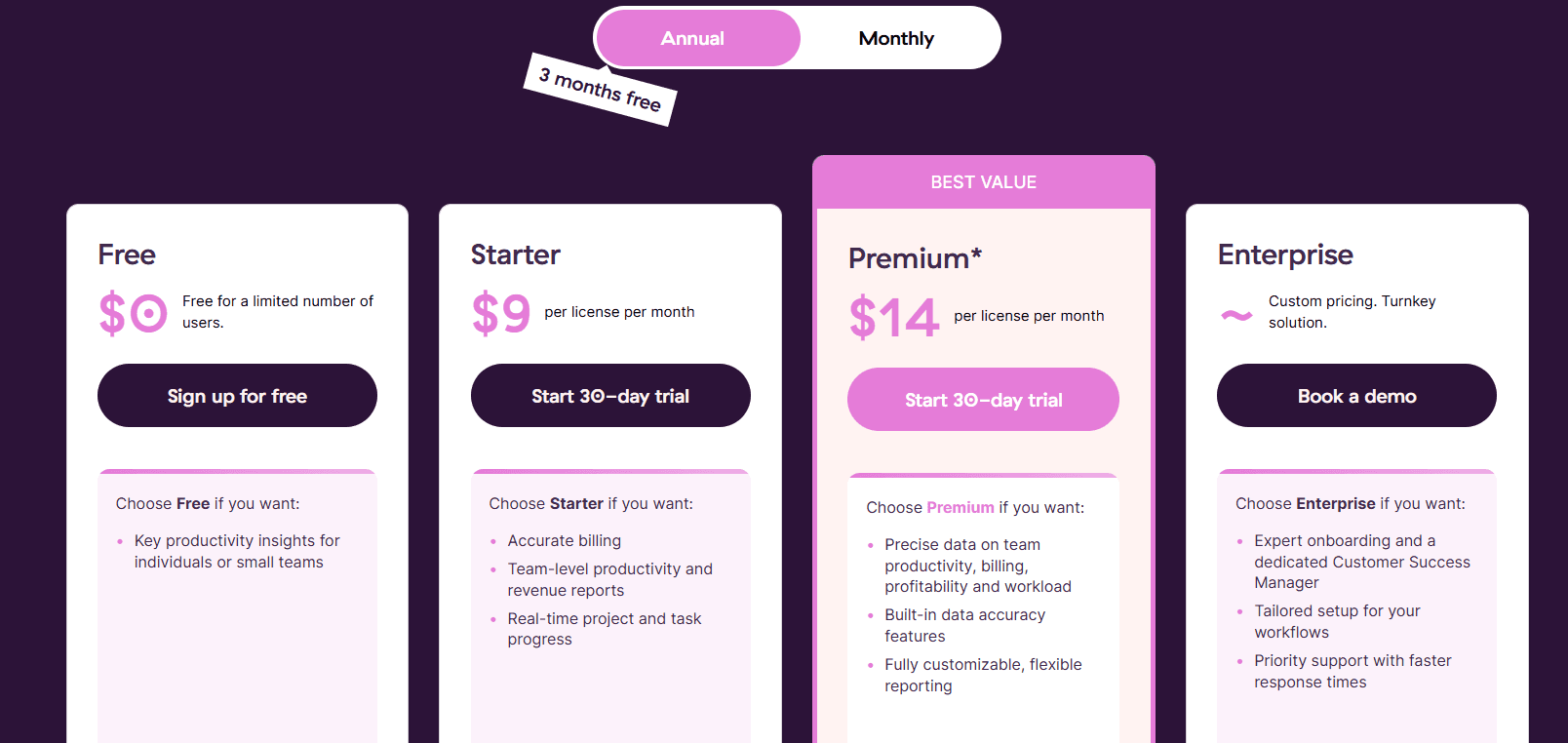
Paid plans carry a 30-day trial with no credit card required.
Pros and cons
✅ Toggl Track states publicly that it takes no screenshots and does no camera tracking. The internal conversation before a rollout gets shorter as a result.
✅ Reports group three levels deep with custom columns, and Premium mails them out on a schedule.
✅ The browser extension carries the timer into more than a hundred other web tools, and it's on the free plan.
❌ The $14 Premium rate applies to the first annual term only. It renews at $18 per license.
#4: Clockify
Best for: Small teams needing a free timer and timesheet for up to five people, with invoicing, scheduling, and SSO reachable later.
Similar to: Toggl Track, TimeCamp.
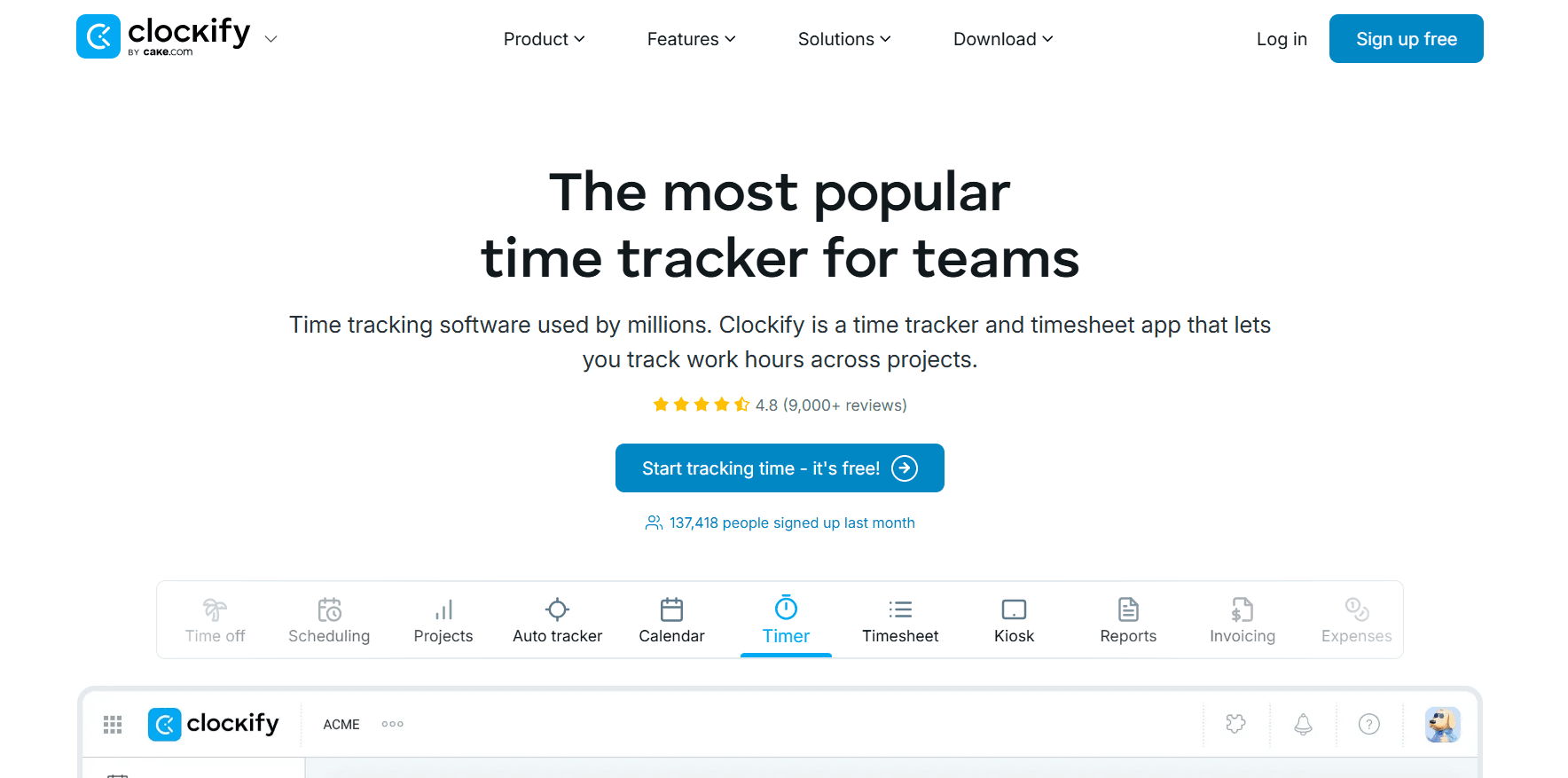
Clockify is the starting point for a large number of teams, and the free tier is the reason.
Up to five users get the Timer, the weekly Timesheet, the Auto tracker, and reporting at no cost.
For an Everhour team held back by the five-seat paid minimum, Clockify's ladder starts lower and climbs in smaller steps.
Features
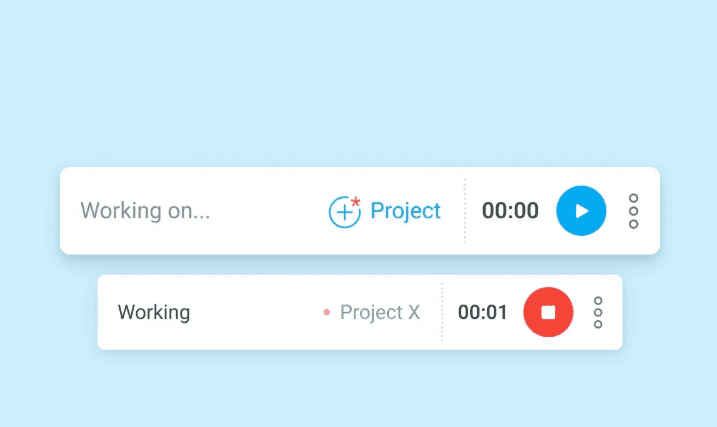
Five ways to record time: a live Timer, a weekly Timesheet grid, a Calendar for blocking out the day, an Auto tracker logging which applications and sites were open, and a Kiosk letting a whole team clock in from one tablet.
Rates and profit: Basic opens billable rates, Standard adds task-level rates and rounding, and Pro sets labor cost against revenue.
Scheduling and time off: assignment and shift scheduling with forecasting arrive on Pro, while Standard carries attendance, overtime, and time off.
Invoicing and approvals: from Standard, billable hours become invoices including recurring ones, past periods can be locked, and a timesheet approval flow runs next to a QuickBooks connection.
Pricing
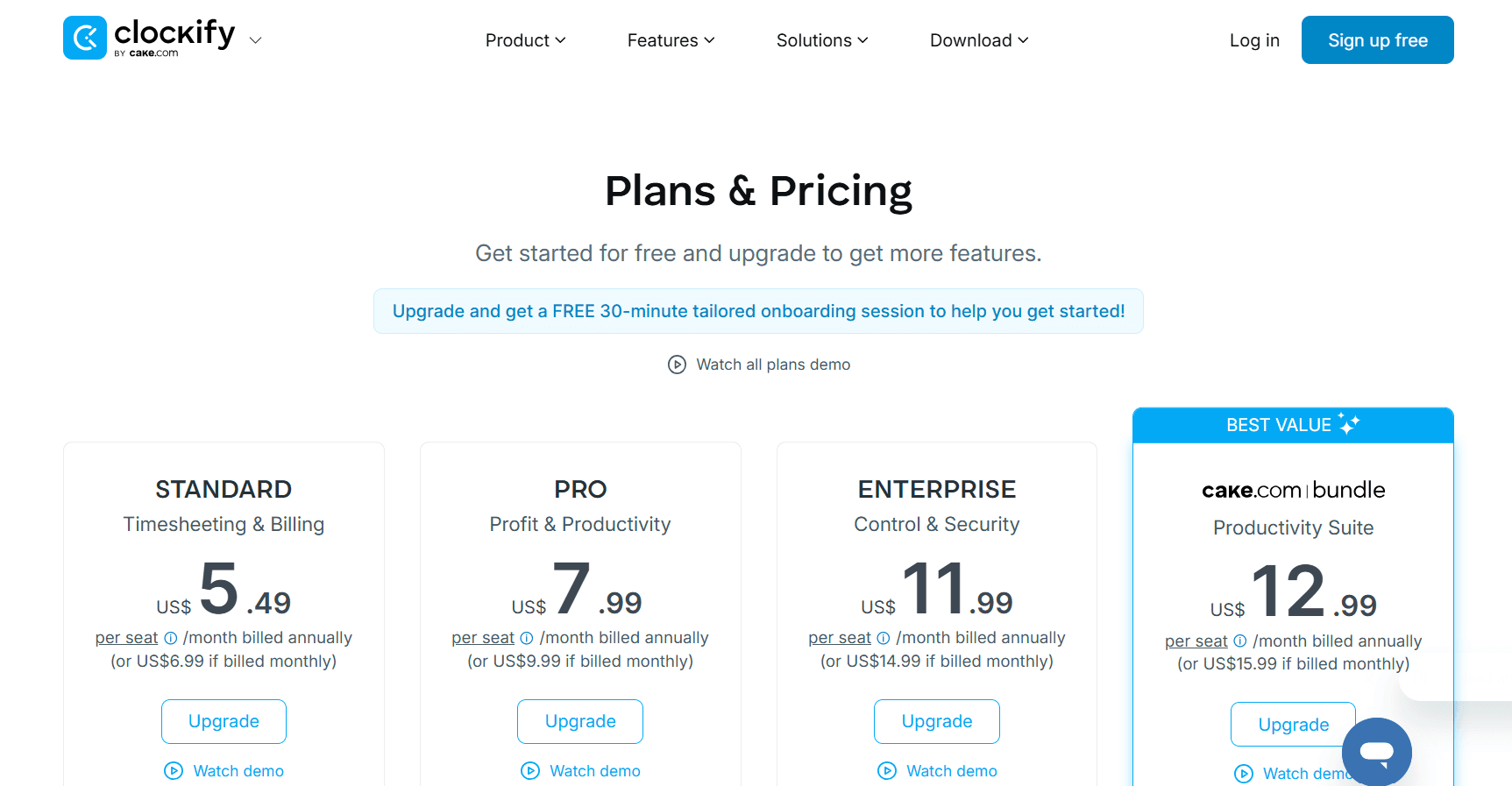
Five people can use Clockify for nothing. Paid tiers range from $3.99 to $11.99 per seat per month on annual billing.
Free: $0 for up to 5 users. Unlimited tracking through the Timer, Timesheet, Calendar, and Auto tracker, plus a Pomodoro timer, idle detection, tracking integrations, team activity, and reports.
Basic: $3.99 per seat per month on annual billing, $4.99 monthly. Kiosk, billable rates, required fields, time entry on behalf of others, bulk edit, time audit, imports, and project templates.
Standard: $5.49 billed annually, $6.99 monthly. Invoicing including recurring invoices, the QuickBooks integration, approval, locked time, attendance and overtime, time off, targets and reminders, and a manager role.
Pro: $7.99 billed annually, $9.99 monthly. Scheduling and forecasting, screenshots, activity monitoring, GPS tracking, labor cost and profit, budgets and estimates, expenses, custom fields, alerts, and email reports.
Enterprise: $11.99 billed annually, $14.99 monthly. SCIM provisioning, SSO, an audit log, control accounts, and a custom subdomain.
CAKE Bundle: $12.99 billed annually, $15.99 monthly, pairing Clockify's Enterprise features with Plaky for project management and Pumble for team communication.
Pros and cons
✅ Five people get the Auto tracker, the Calendar, and reports at $0, one of the fullest free tiers here.
✅ Kiosk mode turns one shared tablet into clock-in for an entire shift.
✅ Human support is available around the clock on every plan, free included.
❌ Screenshots, scheduling, and labor cost all require Pro at $7.99 per seat, well above the $3.99 entry tier.
#5: Timely
Best for: Agencies, consultancies, and professional services firms billing hourly who prefer the timesheet drafted for them, with no screenshots involved.
Similar to: Toggl Track, DeskTime.
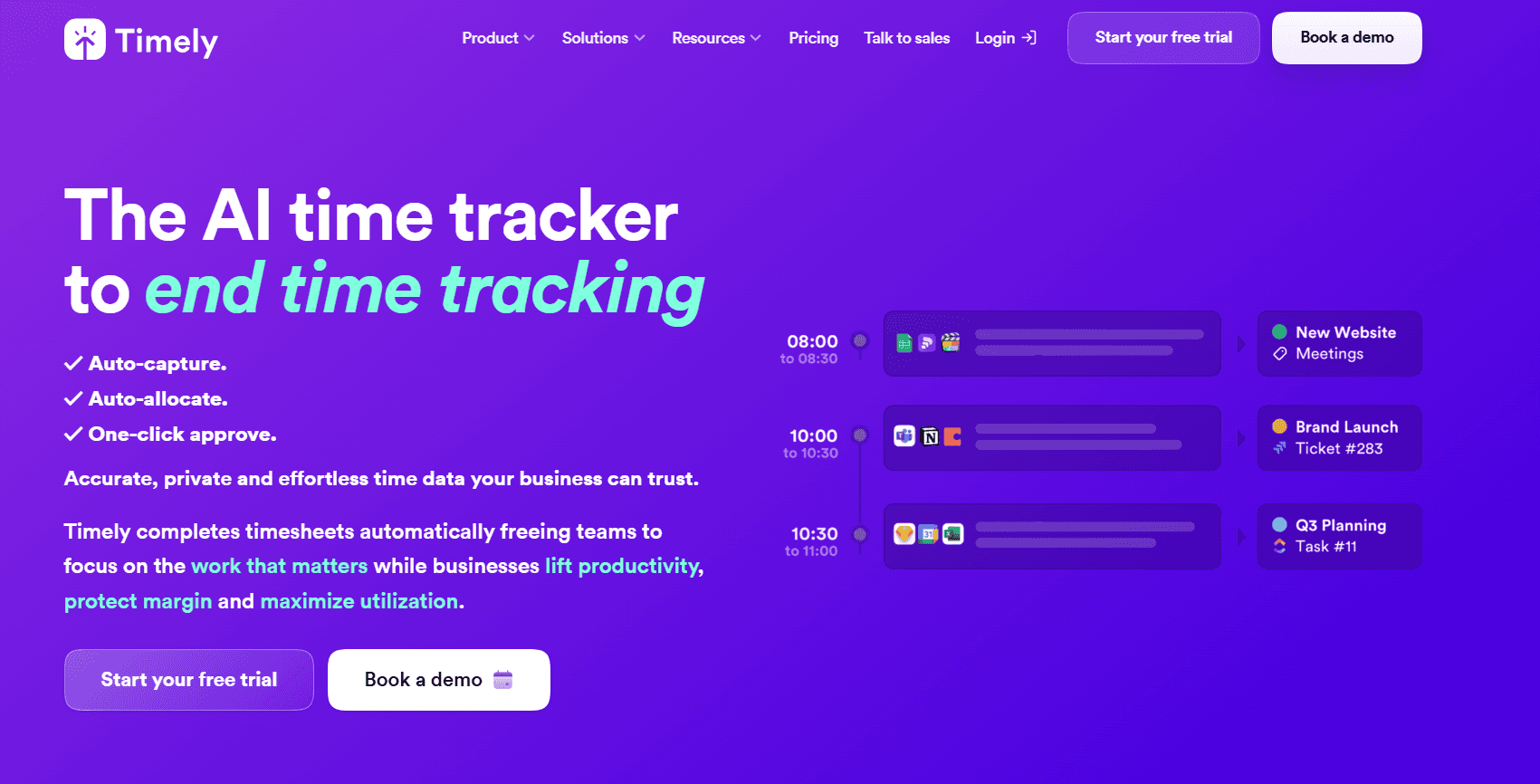
Timely begins from a private record.
The Memory tracker maintains a running log of which applications and websites were open and for how long, visible to nobody except the person it belongs to.
AI then organizes that captured time into projects and clients and produces a draft timesheet, a step Timely names AutoSheet, which the user approves with one click.
Features
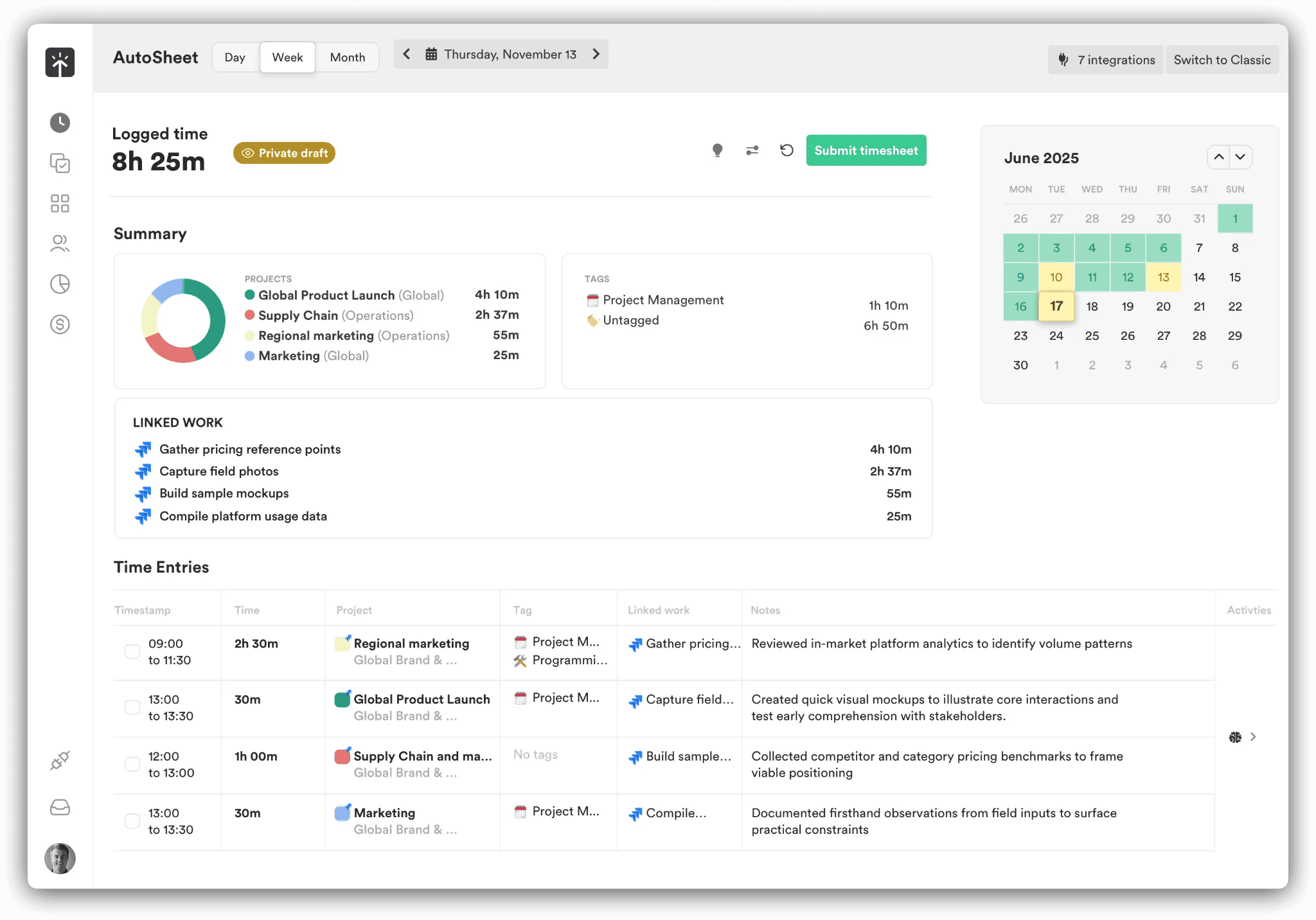
Memory tracker: the background log of application and website activity feeding everything else, entries held private until approved.
AI timesheets (AutoSheet): captured time organized into projects and clients automatically, producing a draft timesheet ready for approval. Timely's own figure for completing one is under two minutes.
People dashboard: a single view of who is over capacity, what share of the week was billable, and where overtime is accumulating.
Planning and budgets: planned time and recurring project budgets, milestone alerts on those budgets, cost rates set against billable rates, and locked periods on the higher tiers.
Pricing
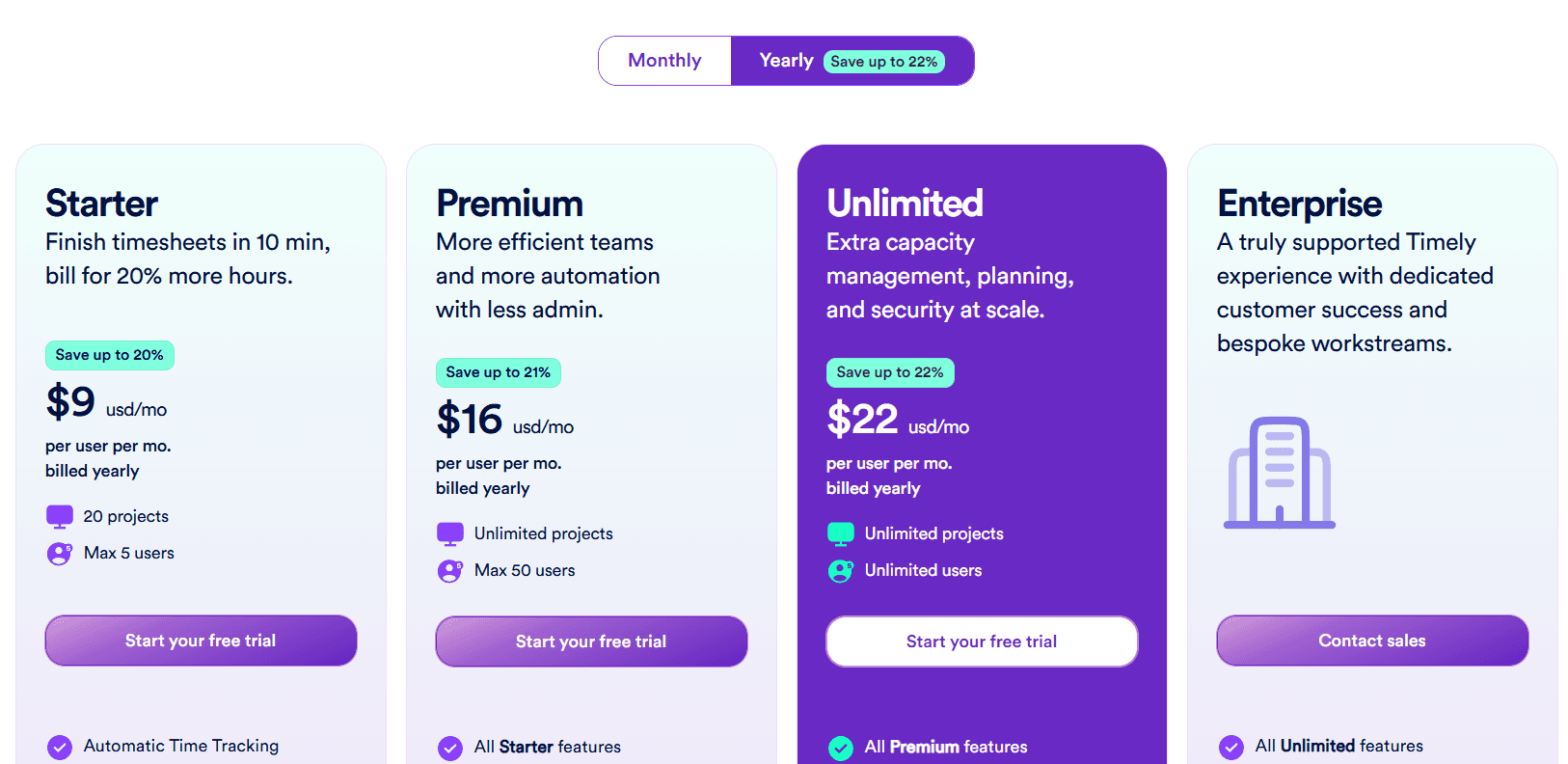
Yearly billing puts Timely at $9, $16, or $22 per user per month depending on the tier. An Enterprise plan is arranged through sales.
Starter: $9 per user per month yearly, $11 monthly, capped at 5 users and 20 projects. AI categorization, automatic time tracking, project health monitoring, billable hours reporting, and API access.
Premium: $16 billed yearly, $20 monthly, for up to 50 users with unlimited projects. Team management, budgets and costs, planning, and sync with project management and accounting tools.
Unlimited: $22 billed yearly, $28 monthly, for unlimited users. Overtime and undertime, capacity management and reporting, 50-plus currencies, Azure user management, and premium customer success.
Enterprise: contact sales. Team training, tailored onboarding, priority support, and reviews on a monthly or quarterly cycle.
Tasks add-on: from $5 per person on any plan, for assignment, scheduling, and progress against deliverables.
Pros and cons
✅ AutoSheet drafts the week from the Memory tracker's record, and Timely's own completion figure sits under two minutes.
✅ Captured activity stays private until the person approves it. The rollout discussion with staff gets considerably shorter as a result.
✅ Cost rates are recorded alongside billable rates, and recurring project budgets alert at their milestones.
❌ Starter stops at 5 users and 20 projects. A growing agency lands on Premium at $16 per user fairly quickly.
#6: TimeCamp
Best for: Teams of any size wanting a free plan with no user cap and AI-filled timesheets, with a route into approvals and BI reporting.
Similar to: Timely, Clockify.
TimeCamp applies no cap to users or projects on its free plan, which takes headcount out of the decision to start.
Its AI Time Tracking Agent populates timesheets in the background, categorizing applications and websites with nobody touching a timer.
Features
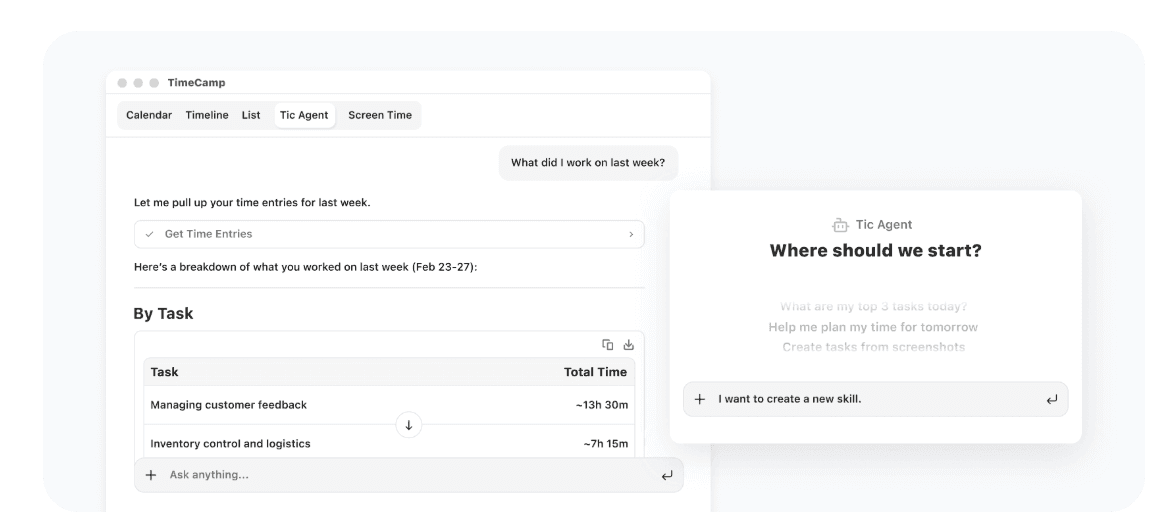
AI Time Tracking Agent and AI Timesheets: time logged without clicks, applications and websites categorized automatically, alerts raised when something needs attention. Billed by token usage.
AI Operational Hub: one privacy-first view consolidating time data across the whole team, updating in real time.
Keyword-based automatic tracking: keywords route time to the right task, with a personal activity timeline and idle time tracking behind it.
Approval workflows and payroll-ready data: a time clock kiosk, attendance, overtime tracking, time-off, and timesheet approvals.
Budget and margin control: billable rates and labor costs, fixed-fee projects, estimates and budgets with alerts attached, and invoices exported to QuickBooks and Xero.
Enterprise data layer: hosting on private cloud or self-hosted, user directory sync, custom integrations, a BigQuery data pipeline, warehouse access to the data, and API templates for Excel and Power BI.
Pricing
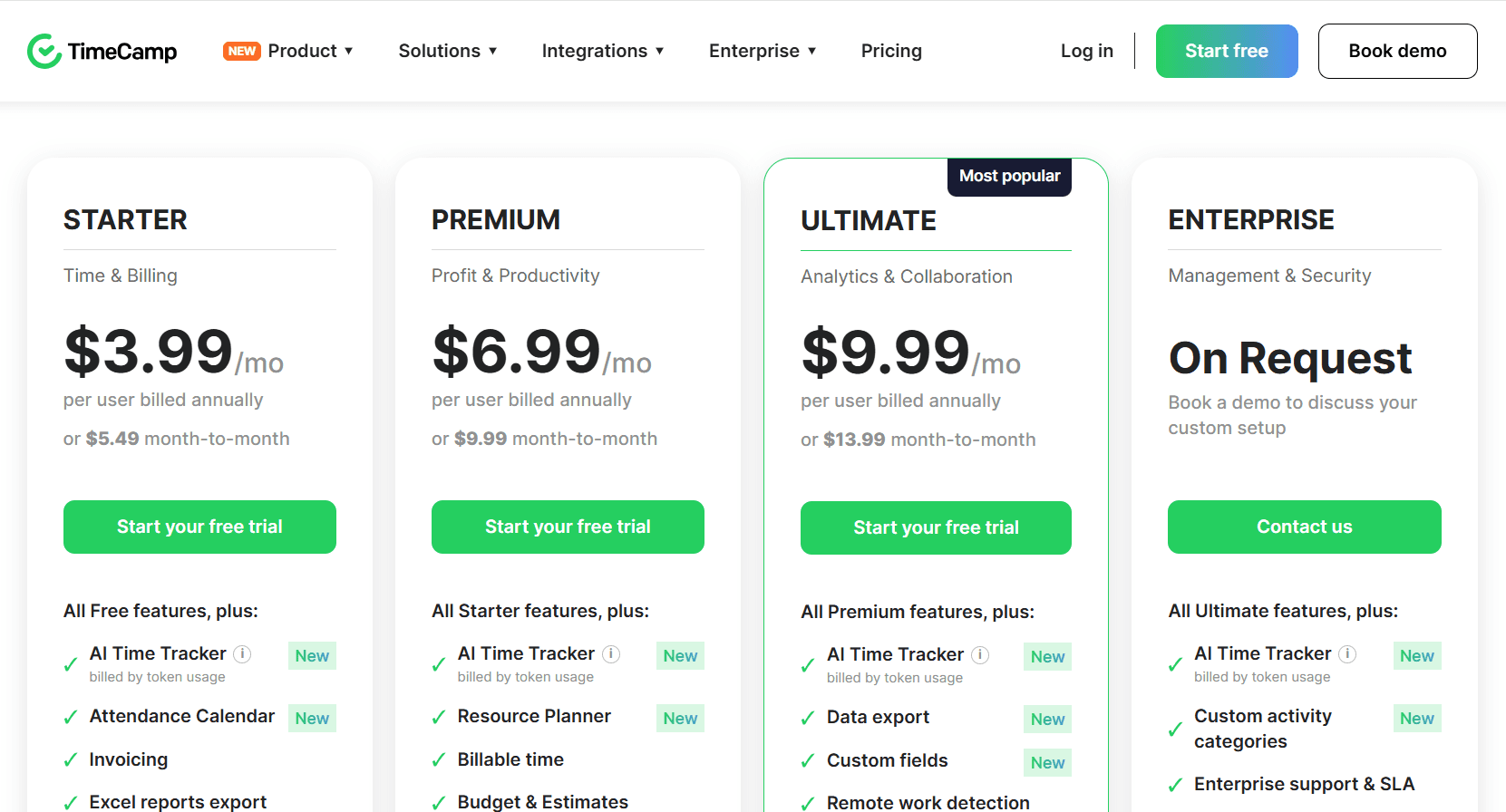
Annual billing puts Starter at $2.99, Premium at $4.49, and Ultimate at $5.99 per user per month. Month-to-month those rates become $3.99, $5.99, and $7.99. The free plan has no user cap and Enterprise is priced on request.
Free: $0 permanently. Unlimited users and projects, timesheets, 2FA, apps for web, desktop, and mobile, plus the AI Time Tracker on token-based billing.
Starter: $2.99 per user per month billed annually, $3.99 monthly. Invoicing, an attendance calendar, time-off, overtime tracking, unlimited tasks, bulk edit, project templates, and Excel report export.
Premium: $4.49, or $5.99 monthly. Adds the Resource Planner, billable time, budgets and estimates, budgeting alerts, apps and websites tracking, management roles, private time, time rounding, scheduled email reports, and one integration.
Ultimate: $5.99, or $7.99 monthly. Timesheet approvals, billing rates, labor costs, expenses, screenshots, custom fields, custom user roles, remote work detection, fixed-fee projects, a pivot table, time entry history, SSO, and unlimited integrations.
Enterprise: on request. Self-hosted or private cloud deployment, an enterprise SLA, custom activity categories, custom integrations, custom reports, an audit log, onboarding and training, data warehouse access, a BigQuery pipeline, Power BI API templates, and user directory sync.
Pros and cons
✅ Headcount never factors into the decision to start, since the free plan applies no user cap.
✅ At $2.99 per user, TimeCamp's paid entry price is the lowest of any tool covered here.
✅ Enterprise opens the time data to a warehouse, a BigQuery pipeline, and Power BI templates.
❌ Token-based metering applies to the AI Time Tracker on every plan. That line of the bill varies with usage.
#7: Hubstaff
Best for: Hybrid and remote teams needing tracked time to carry through to payroll, with monitoring settings each team can tune.
Similar to: Time Doctor, DeskTime.
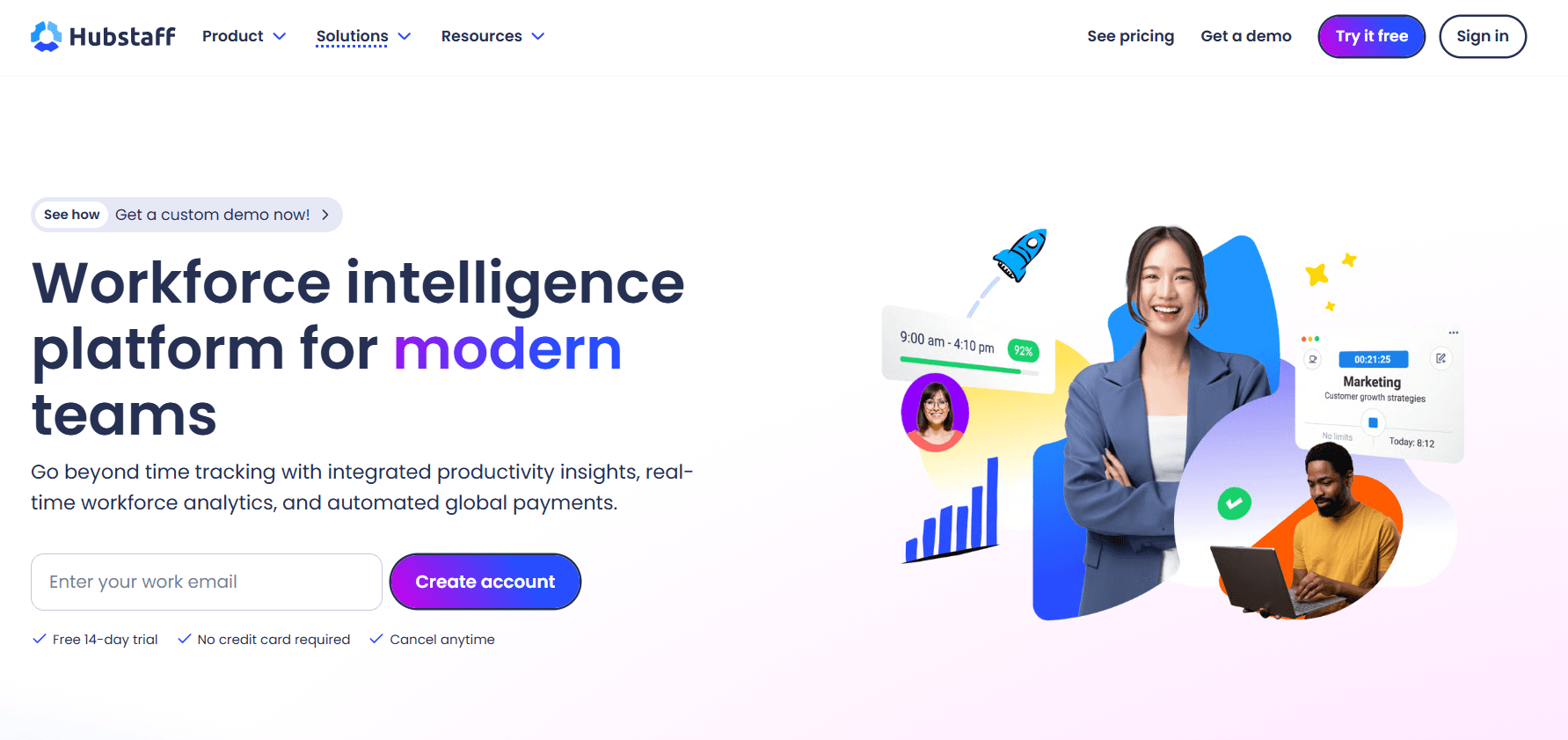
Hubstaff starts from a stop-start timer on the desktop, or GPS capture where the work happens in the field, and feeds that into activity rates, application and URL tracking, optional screenshots, and project budgets.
Features
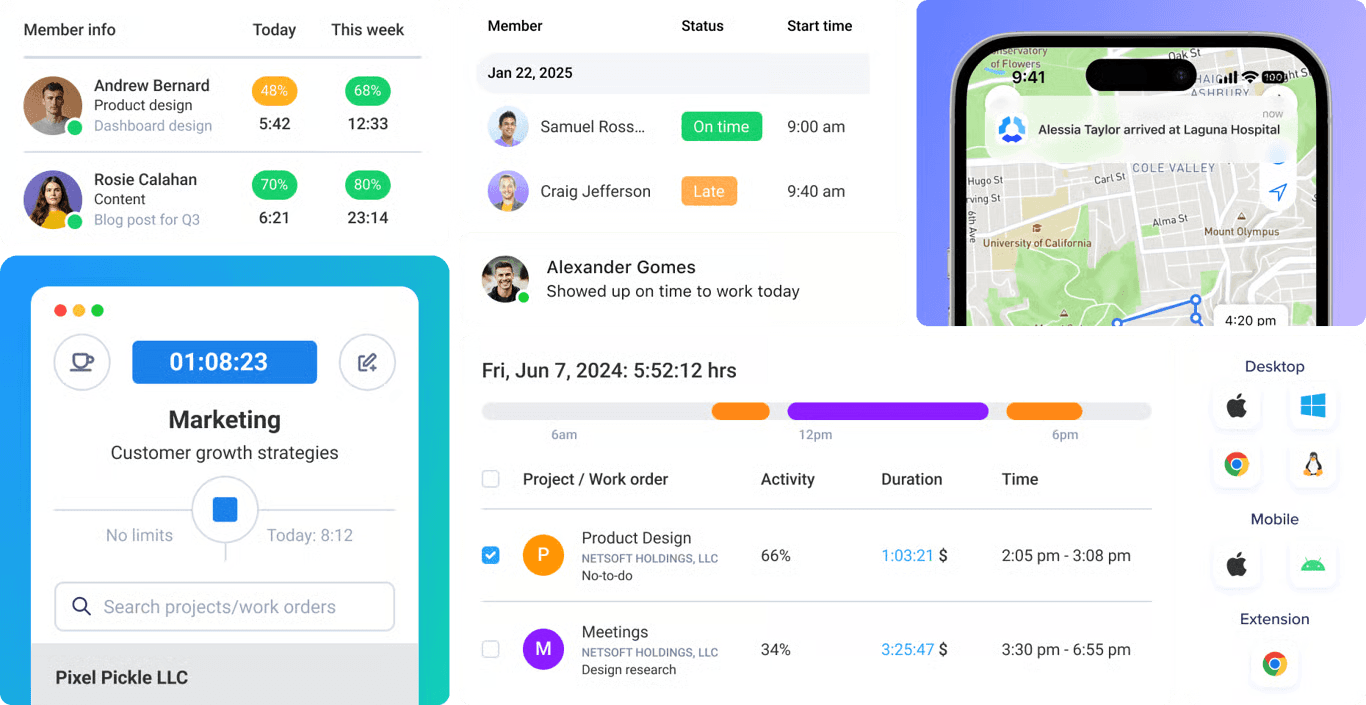
Multi-device time tracking: web, desktop, and mobile clients, GPS-based tracking for teams in the field, and the Silent app add-on for background tracking on company-owned devices.
Customizable productivity monitoring: app and URL tracking, activity rates, and optional screenshots, with both the settings and the visibility tuned per team.
Project tracking and profitability: spend measured against budget, real-time cost data, and an alert once a project looks like overrunning.
Insights: capacity gaps and utilization trends, focus and meeting time, work classification, and unusual activity detection.
Automated global payments: approved time converted into multi-currency payouts via Deel, Wise, PayPal, and Payoneer, with pay frequencies and approvals configured in Hubstaff.
Pricing
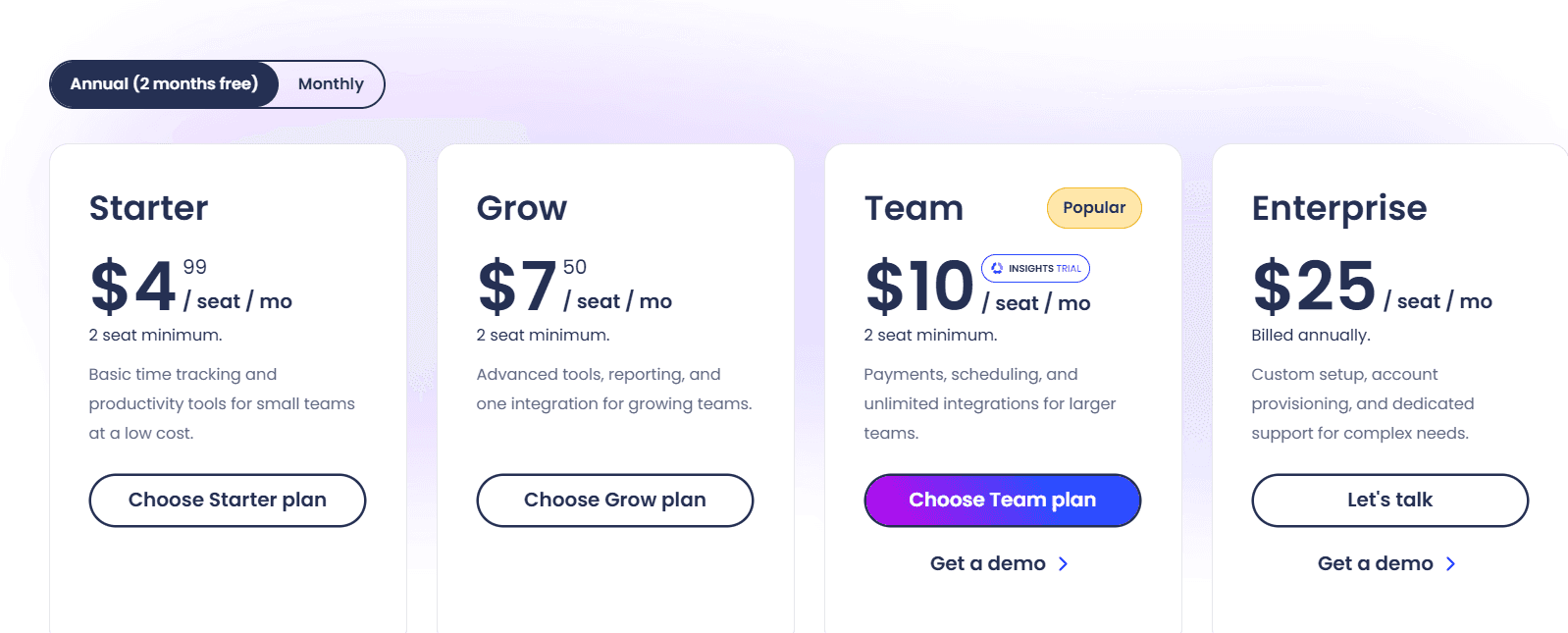
Four Hubstaff tiers are published:
Starter: $4.99 per seat per month. The multi-platform timer, timesheets, activity levels, 5 clients, client invoices, limited payments and payroll, and screenshots and app and URL tracking capped at 500 per seat per month.
Grow: $7.50. Project budgets, expense tracking, idle time-out, Tasks included, one integration, a one-day email support SLA, and the screenshot and app and URL cap raised to 1,500 per seat per month.
Team: $10. Client budgets, team invoices, timesheet approvals, attendance and scheduling, overtime, holidays and time off, full payments and payroll, audit logs, unlimited integrations, a limited public API, chat support, and a three-month Insights trial.
Enterprise: $25 billed annually. Locations, Insights, and the Silent app are bundled in. Compliance covers SOC 2 Type II and HIPAA, with SSO, SCIM and account provisioning, concierge setup, an assigned account rep, and a two-hour email SLA.
Add-ons: per seat per month, Locations runs $3.33, Insights $2.50, Tasks $2.50, More screenshots $2.50, Silent app $2.50, and Data retention $1.67.
Hubstaff runs a 14-day trial without a credit card and a 30-day money-back guarantee.
Pros and cons
✅ Approved hours reach a multi-currency payout with no separate payroll product in the chain.
✅ Each team runs at its own monitoring depth, from activity rates alone up to screenshots.
✅ A public API, a CLI, and an MCP server make Hubstaff data reachable from scripts and AI assistants.
❌ SOC 2 Type II, HIPAA, SSO, and SCIM arrive at Enterprise pricing of $25 per seat, and Insights is a $2.50 add-on below that.
#8: Time Doctor
Best for: BPOs, contact centers, and distributed teams needing screenshots, productivity ratings, and peer benchmarks in one product.
Similar to: Hubstaff, DeskTime.
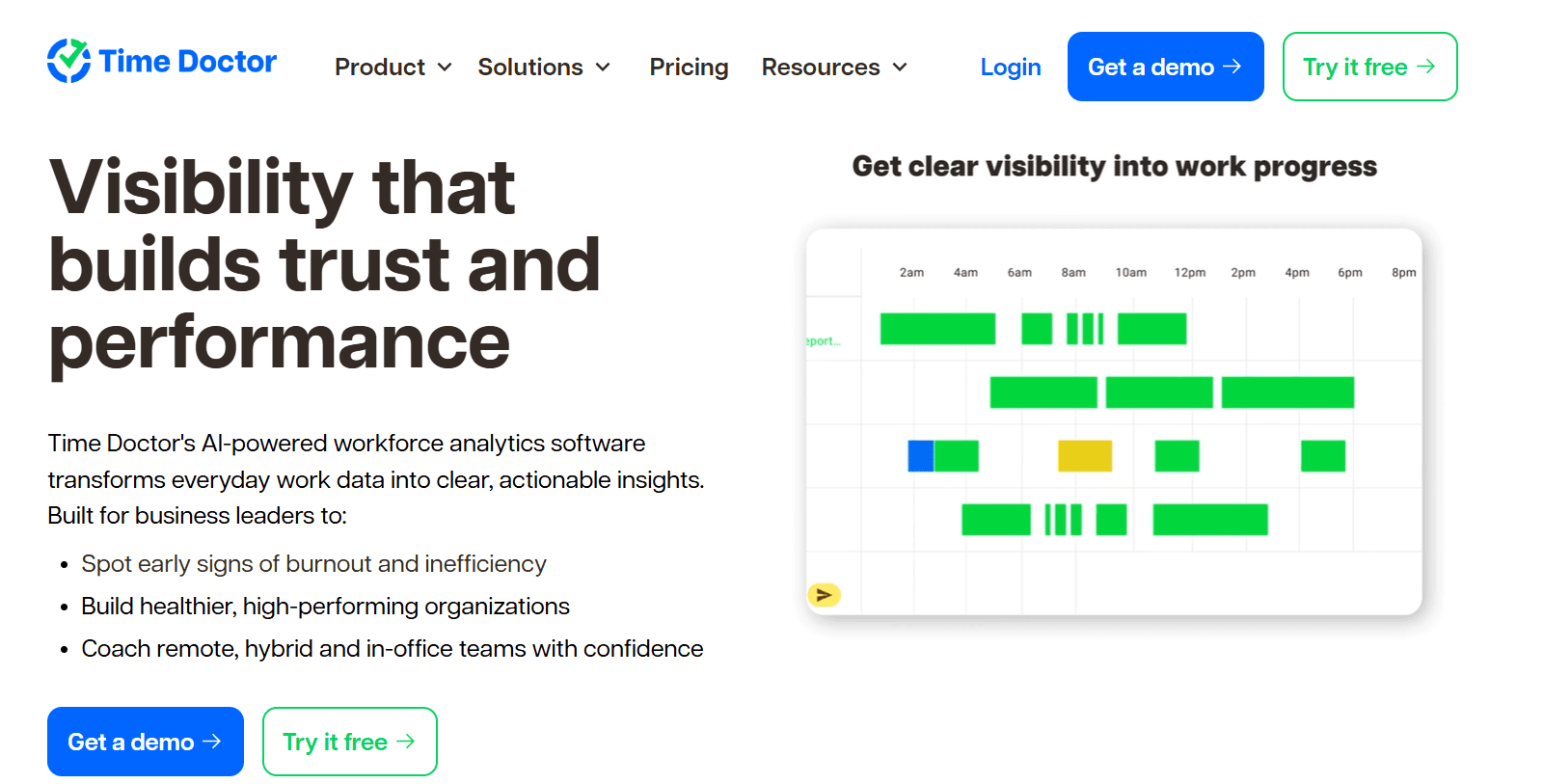
Time Doctor positions itself as workforce analytics, and the label is accurate.
Tracking runs automatically in the background, and the bulk of the product is the reporting built on top, from productivity ratings and application usage through to an executive dashboard.
Features
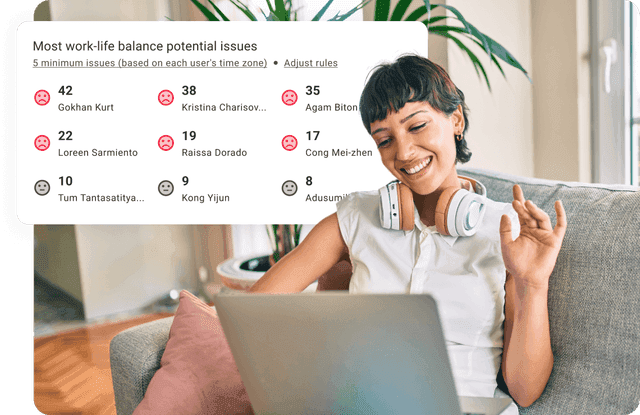
Benchmarks AI: a team's productivity figures placed next to AI-matched benchmarks drawn from comparable teams elsewhere, so a manager can tell whether a given number runs high or low for the sector. Available on Premium, or as a $3 add-on further down.
Unusual Activity AI Report: keyboard and mouse patterns examined for input that doesn't resemble a person, mouse jigglers and keyboard simulators included.
Web and app usage: time categorized by application and website, with productivity ratings you define yourself.
Attendance, schedules, and payroll: a payroll run, time approvals, shift schedules, and break and leave tracking, all from Standard. Native HRIS and payroll integrations carry a separate charge.
Pricing
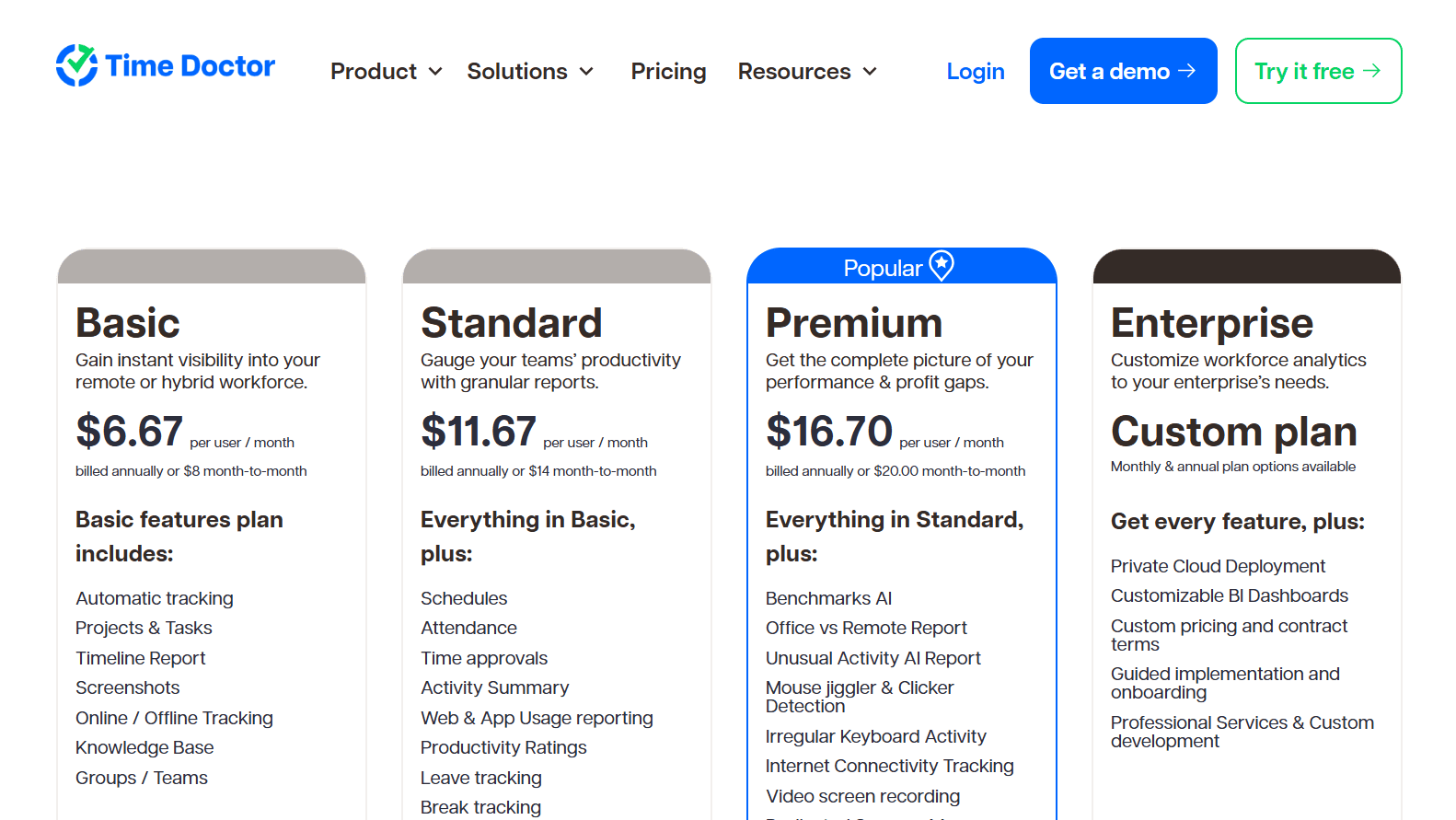
Three published tiers run from $6.67 to $16.70 per user per month on annual billing, joined by a custom Enterprise plan and a menu of add-ons.
Basic: $6.67 per user per month billed annually, $8 monthly. Automatic tracking, projects and tasks, groups, the timeline report, screenshots, and online and offline tracking.
Standard: $11.67 billed annually, $14 monthly. Payroll, time approvals, attendance and schedules, leave and break tracking, productivity ratings, web and app usage reporting, real-time notifications, work-life balance metrics, and 60-plus integrations.
Premium: $16.70 billed annually, $20 monthly. Benchmarks AI joins the Office vs Remote and Unusual Activity AI reports, video screen recording, an executive dashboard, Meeting Insights, Software Cost Insights, client login, open API access, SSO, and a dedicated success manager.
Enterprise: custom pricing. Customizable BI dashboards, private cloud deployment, professional services, and guided implementation.
Add-ons: on Basic and Standard, Benchmarks AI, Software Cost Insights, and Unusual Activity Reporting each cost $3 per user per month. Native HRIS or payroll integrations run $200 per integration per month.
Pros and cons
✅ Benchmarks AI sets a team's numbers beside AI-matched comparable teams, rare at this price point.
✅ Shift schedules, attendance, and a payroll run share the product with the timer, suiting shift-based operations.
✅ Screenshot blurring and manual time entry are both available, and both help in a privacy review.
❌ The complete analytics set requires Premium at $16.70 per user, or three separate $3 add-ons at the tiers below it.
#9: DeskTime
Best for: Teams that want recording to begin at power-on with no timer involved, plus productivity data down to app, URL, and document level.
Similar to: Time Doctor, Timely.
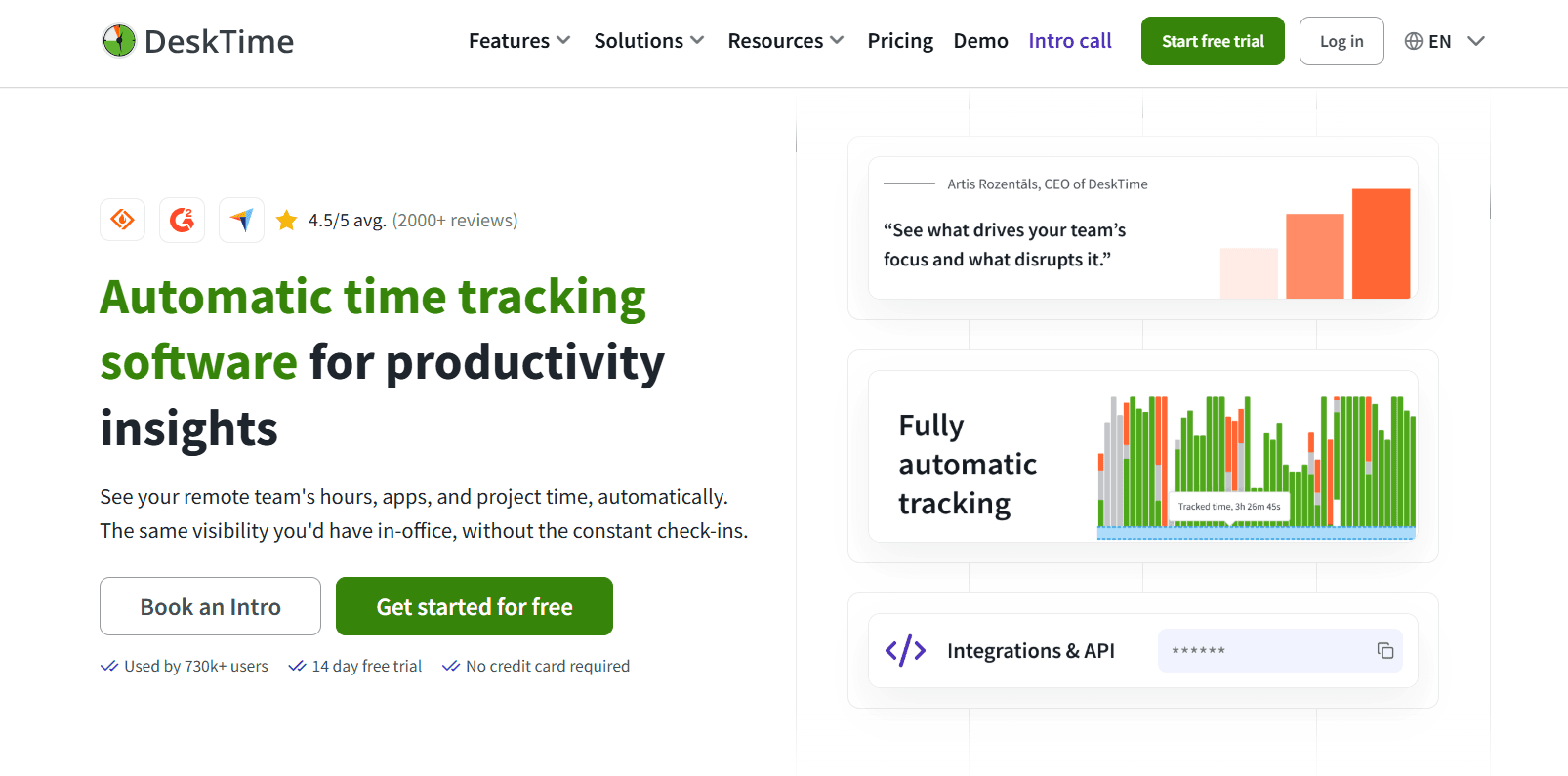
DeskTime has worked on automatic tracking since 2011, and the company attributes the widely cited 52/17 work-and-break pattern to its own data.
The employee takes no action to begin.
DeskTime records while the computer runs, grading each application, website, and document title as productive or unproductive through the day.
Features
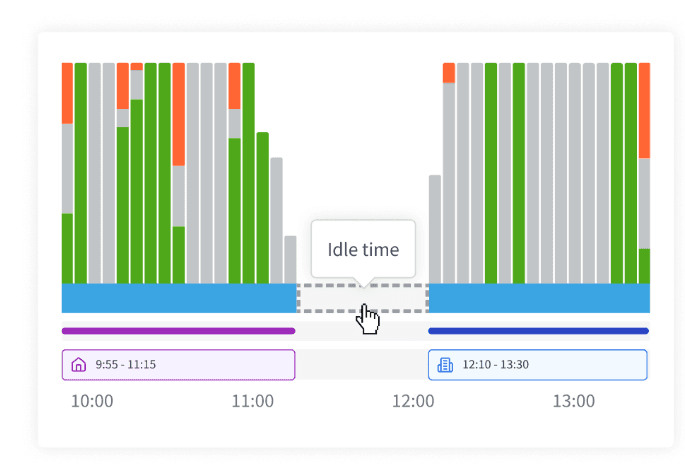
Automatic time tracking: running from power-on, with idle detection, a route for entering offline time, and meeting and video tracking so a call isn't counted as idle.
URL, app, and document title tracking: the sites, applications, and documents open through the day, email subject lines included, scored for productivity at both individual and team level.
Project tracking and shift scheduling: tasks and projects carry time against them, with shift planning and an absence calendar in the same view.
Screenshots: proof-of-work captures, from Premium upward.
AI Summary: each day's activity written up automatically out of what was tracked.
Pricing
Two published tiers, at $6.42 and $9.17 per user per month on annual billing and excluding VAT. 200 users and up is quoted as Enterprise.
Pro: $6.42 per user per month annually, aimed at startups and small teams. Productivity calculations, document title tracking, and calendar integrations for Google and Outlook.
Premium: $9.17 annually. Screenshots, shift scheduling, and API access and integrations for Jira, Asana, Zapier, and others.
Enterprise: custom pricing for 200-plus users. A custom API on request, an account manager, and employee training.
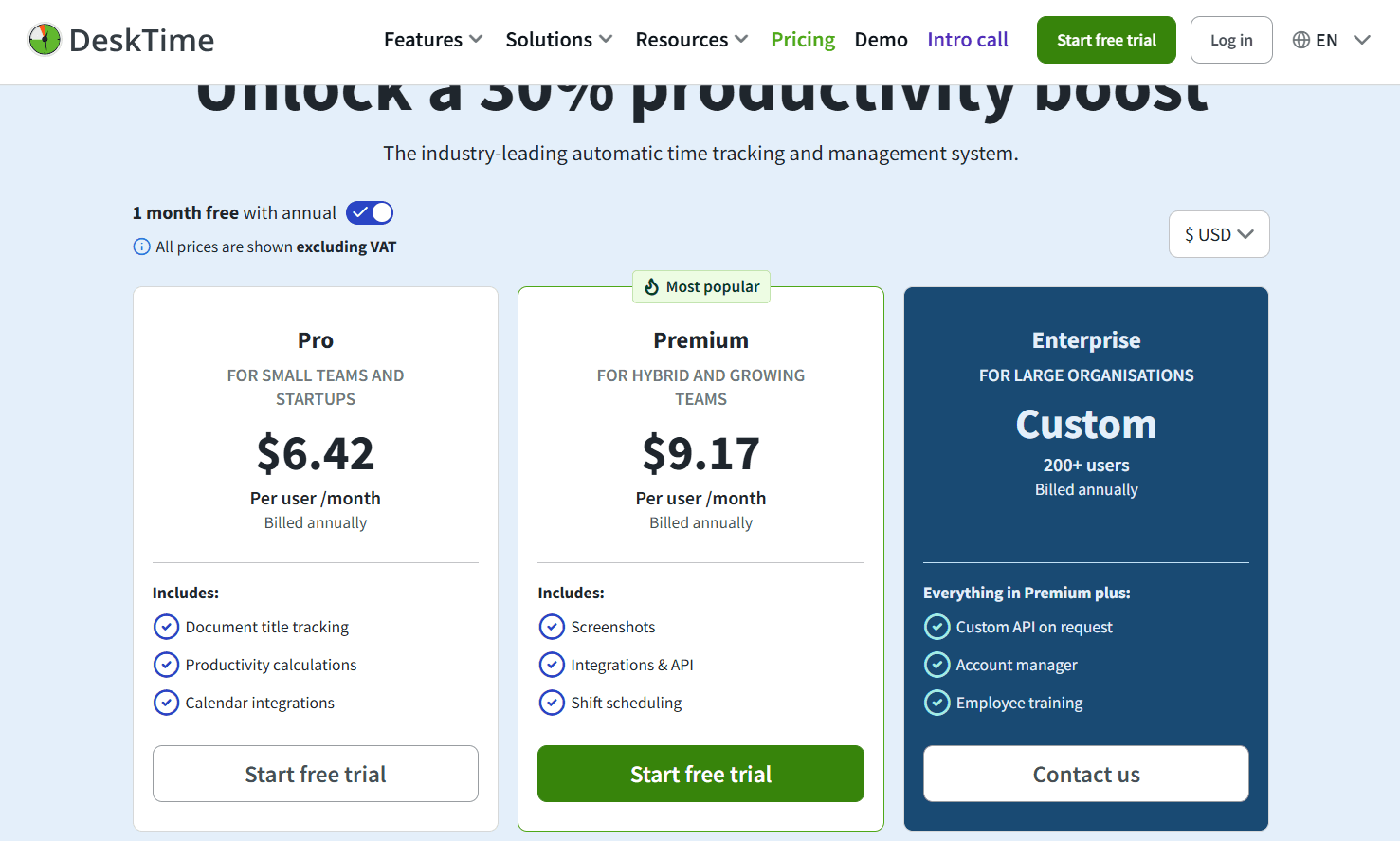
A 14-day free trial requires no credit card, and annual billing includes one month free.
Pros and cons
✅ Nobody opens a timer, because recording starts when the machine does.
✅ Document titles, email subject lines among them, supply context no application name can.
✅ ISO 27001 and ISO 27701 certified, with encryption at rest and in transit and 2FA.
❌ API access, the project management integrations, and screenshots all require Premium at $9.17.
#10: Timesheet
Best for: Freelancers and small teams moving between clients and locations who need timers triggered by NFC, Wi-Fi, or geofence, with HR rules available higher up.
Similar to: Toggl Track, Clockify.
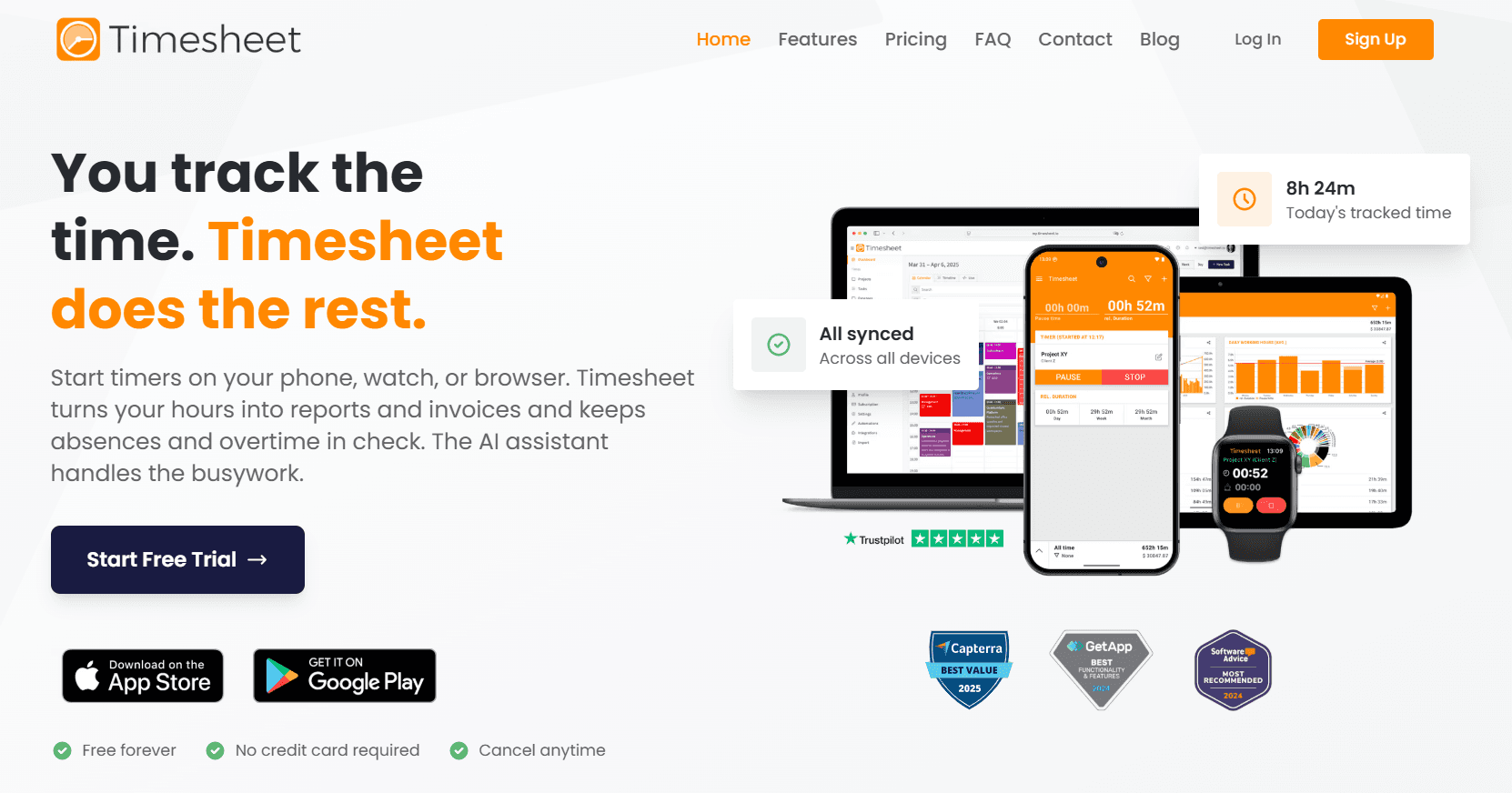
Timesheet is built around a timer that starts on its own.
Tracking fires on a phone or a watch from geofencing, WLAN rules, or NFC tags. Chronis, the AI assistant, takes a chat message and either logs the time or answers a question about the project.
Features
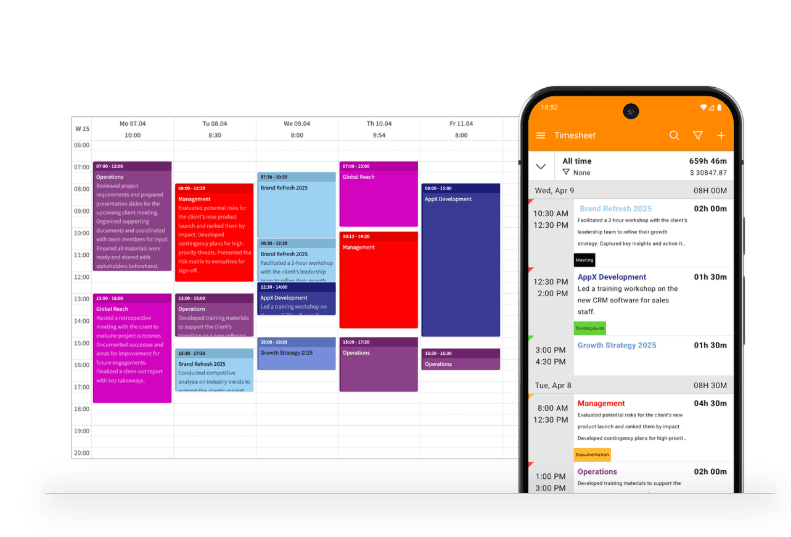
Automatic tracking triggers: geofences, Wi-Fi detection, NFC tags, or a one-tap start, with the timer continuing in the background and break reminders on a schedule.
Projects and tasks: task categorization across unlimited projects, calendar integration, and real-time team collaboration.
Reports and invoicing: income, client, task, and project reports on a daily, weekly, or monthly cycle. Invoices assemble from time entries and carry expenses and notes, with payment status tracked and PDF output available. API access joins Excel and CSV export.
HR-ready time tracking: employment models and contracts, working-time limits enforced live, absence requests against a calendar, and running balances for leave and overtime.
Chronis AI assistant: time logged or the running timer controlled from a chat message, project questions answered in the same channel, and daily and weekly reminders sent by Chronis. An MCP server connects Chronis to Claude and ChatGPT.
Pricing
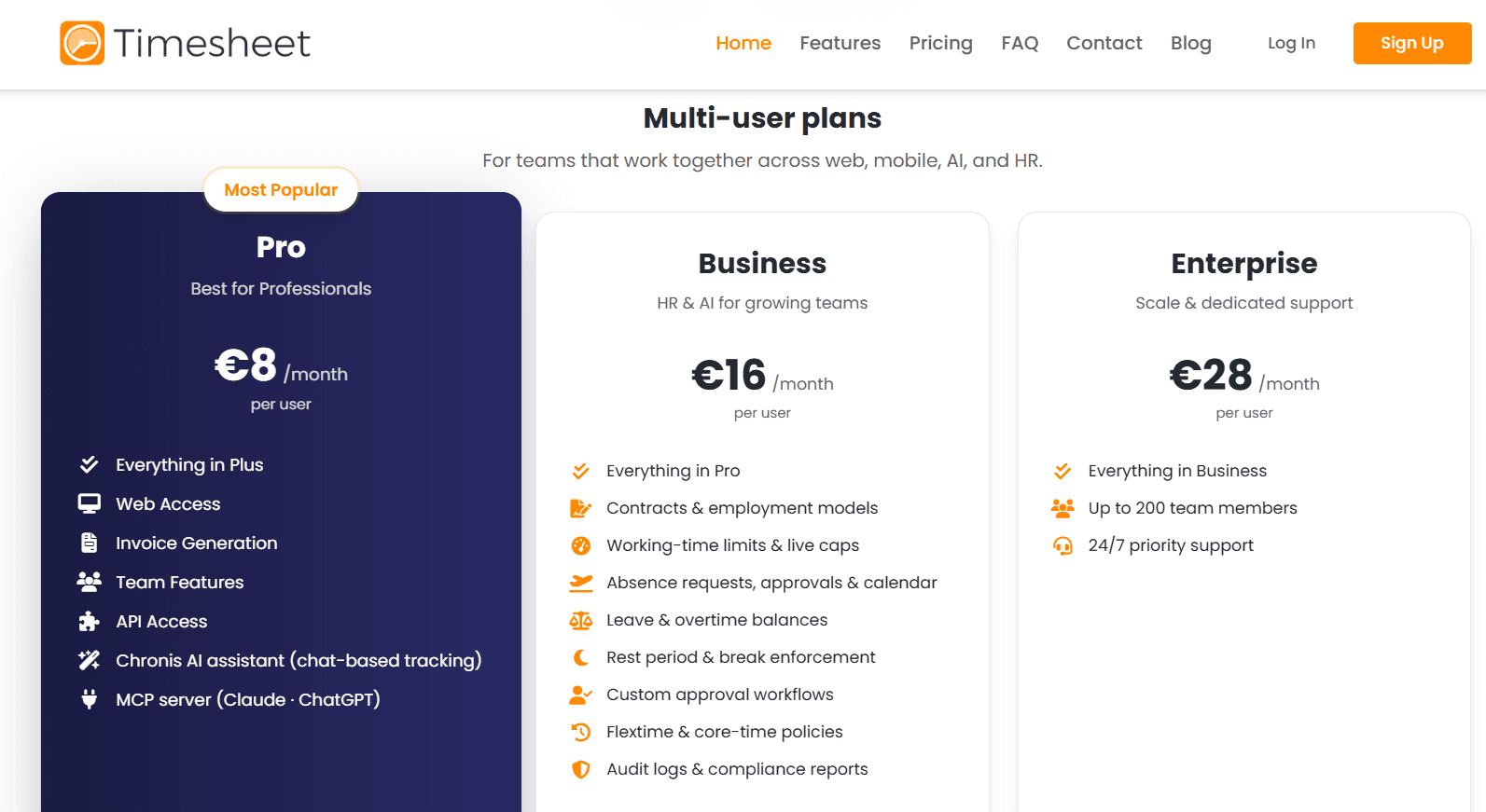
Timesheet's pricing page lists multi-user plans at $10, $20, and $35 per user per month for Pro, Business, and Enterprise. Single-user Basic is free and Plus costs $5 per month. Yearly billing saves 10%.
Basic (single user): $0. Unlimited projects, time tracking, basic statistics, plus Excel and CSV export.
Plus (single user): $5 per month. Unlimited storage, real-time sync, and cloud backup.
Pro: $10 per user per month. Web access, team features, invoice generation, API access, the Chronis AI assistant, and the MCP server.
Business: $20 per user per month. Contracts and employment models, working-time limits and live caps, rest period and break enforcement, flextime and core-time policies, absence requests, approvals, and calendar, leave and overtime balances, custom approval workflows, and audit logs with compliance reports.
Enterprise: $35 per user per month, capped at 200 team members, with priority support around the clock.
Pros and cons
✅ An NFC tag, a Wi-Fi network, or a geofence can start the timer, covering work that begins away from a desk.
✅ Business enforces working-time limits, rest periods, and absence balances as the hours accumulate.
✅ Chronis logs time from a chat message, and the MCP server connects reporting to Claude and ChatGPT.
❌ The per-user rate climbs from $10 to $35 as HR features and support scale, and Enterprise caps at 200 team members.
Which Everhour alternative should you choose?
The right answer depends on what pushed you to look in the first place. Here are the reasons teams leave Everhour and where each one leads.
Cost at your current headcount: Everhour's five-seat paid minimum means a three-person team still pays for five. TimeCamp removes the user cap from its free plan altogether, with paid tiers opening at $2.99. Clockify is free for five people and climbs in small increments from $3.99. Invoicing and approvals arrive a step up the ladder in both cases, on TimeCamp's Ultimate tier at $5.99 and Clockify's Standard at $5.49, and both still land under Everhour's $8.50.
The invoice matters more than the integration: Harvest closes the commercial loop most completely of anything here: automatic multi-rate selection, retainers tracked live, and payment collected on the invoice document. The trade is that approvals and profitability reporting start at Enterprise pricing.
People aren't starting the timer: A timer inside the project management tool only helps when somebody clicks it. Timely drafts the sheet from a private Memory tracker with nothing shared before approval. DeskTime records from power-on and grades applications and document titles. TimeCamp's AI Time Tracking Agent fills sheets in the background.
You've picked up a payroll or monitoring obligation: Hubstaff carries approved hours through to a multi-currency payout and lets each team run at a different monitoring depth. Time Doctor goes further into analytics, with productivity ratings, Benchmarks AI, and shift scheduling in the same product.
The work happens away from a desk: Timesheet starts tracking from an NFC tag, a Wi-Fi network, or a geofence. Its Business tier enforces contracts, rest periods, and absence balances as the hours accrue.
You want the reporting without a monitoring layer: Toggl Track keeps the timer-and-integrations shape you already know, publishes its position against screenshots and camera tracking, and offers the most configurable reporting among the timer-first tools here.
Hours have stopped answering the question: Some teams can see that refunds consumed 500 hours last month but not which steps inside a refund produced that number, or which of those steps a machine should be handling. No timesheet product closes that gap, including a better timesheet product. Reflow measures the run, not the hours booked against it, ranks the workflows worth automating, and keeps measuring once the automation ships.
If your question has moved from how long the work took to what happened inside it, that's the gap Reflow was built to close, mapped from your own operation, with nothing to integrate and no engineering time before the first readout.
➡️ Book a demo to see your own operation mapped, or read how Collective turned that visibility into $3.1M in annual cost savings.
⚠️ Disclaimer: This article was last updated on September 24, 2026. If you spot any inaccuracies, contact us, and we'll fact-check it.
See Reflow in action
A short demo, tailored to your operations.